We aim to create a 3-dimensional visualization of the evolution of a spatial hypergraph as it is operated upon by successive application of one or more re-writing rules in a Wolfram Model. Typically, hypergraphs in a WolframModel are plotted in 2D using WolframModelPlot, which converts the hypergraph into a graph and uses GraphPlot with the GraphLayout option “SpringElectricalEmbedding” to assign vertex coordinates in the plane. We implement a function which stacks the plots of successive 2D hypergraph plots vertically so that the evolution history can be visualized in 3D. One issue with HypergraphPlot is that the placement of the vertices may jump wildly between updating events. We discuss some possible ways to gain temporal cohesion for plotting the evolution of Wolfram Models.
Graphs and Hypergraphs
Graphs and Hypergraphs
Graphs
Graphs
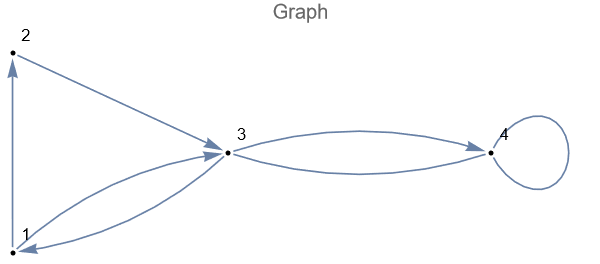
A graph, , consists of a set of vertices, , and a set of edges, , which are pairs of vertices, serving the role of connections or links between “adjacent” vertices. Edges are allowed to be ordered, , or unordered, . We allow for edges to list vertices with multiplicities (edges are multi-sets), which for graphs allows for unary edges connecting a vertex to itself. We also allow for repeated edges (E is a multi-set).
G
V={,…,}
v
1
v
n
E
e={,}
v
i
v
j
v
i
v
j
v
i
v
j
e={,}
v
i
v
i
In[]:=
Module[{vertices,edges,graph},vertices = {1,2,3,4};edges = {12,23,31,13,34,34,44};graph = Graph[vertices,edges];GraphPlot[graph,VertexLabelsAll,VertexShapeFunction"Point",VertexStyleBlack,PlotLabel"Graph"]]
Out[]=
Hypergraphs
Hypergraphs
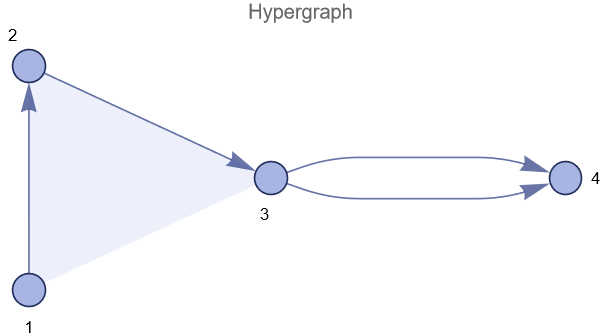
A hypergraph, , consists of a set of vertices, , and a set of hyperedges, , where each hyperedge, may contain any number of vertices and possibly with multiplicity. We also allow for repeated edges.
H
V
E⊂(V)
e={,…,}
v
i
1
v
i
k
The resource function WolframModelPlot, part of the SetReplace package, is what we will use to plot hypergraphs.
Note: There is a function in SetReplace which is called HypergraphPlot which should not be confused with the resource function ResourceFunction[“HypergraphPlot”].
Under the hood, WolframModelPlot converts the input hypergraph into a graph (by splitting up hyperedges into edges) and uses the function GraphEmbedding to determine the positions of the vertices.
Note: There is a function in SetReplace which is called HypergraphPlot which should not be confused with the resource function ResourceFunction[“HypergraphPlot”].
Under the hood, WolframModelPlot converts the input hypergraph into a graph (by splitting up hyperedges into edges) and uses the function GraphEmbedding to determine the positions of the vertices.
In[]:=
Out[]=
Spring-Electrical-Embedding
Spring-Electrical-Embedding
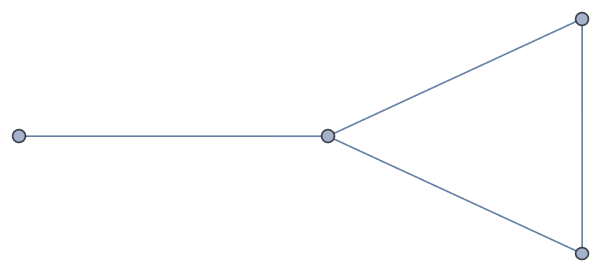
The default value for the GraphLayout option is “SpringElectricalEmbedding”.
With this setting, GraphEmbedding determines the vertex coordinates for the vertices of a graph by running a particle simulation on the vertices.
Each particle is simulated to have a uniform negative electrical charge and creating a repulsive force with a quadratic dropoff.
The edges of the graph are treated as springs with unit restoring distance.
With this setting, GraphEmbedding determines the vertex coordinates for the vertices of a graph by running a particle simulation on the vertices.
Each particle is simulated to have a uniform negative electrical charge and creating a repulsive force with a quadratic dropoff.
The edges of the graph are treated as springs with unit restoring distance.
In[]:=
Graph[{{1,4},{1,2},{2,3},{1,3}},GraphLayout"SpringElectricalEmbedding"]
Out[]=
Other Embeddings
Other Embeddings
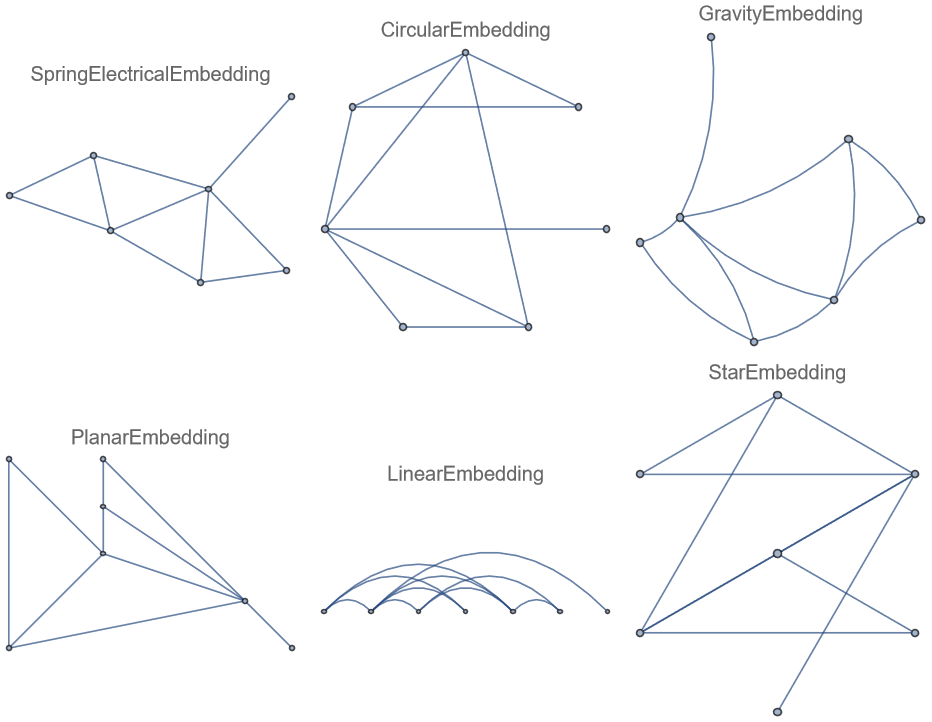
GraphEmbedding offers many options for GraphLayout.
In[]:=
graph = RandomGraph[{7,10}];GraphPlot[graph,GraphLayout#,PlotLabel#]&/@{"SpringElectricalEmbedding","PlanarEmbedding","CircularEmbedding","LinearEmbedding","GravityEmbedding","StarEmbedding"} // Multicolumn
Out[]=
Evolution of a Wolfram Model
Evolution of a Wolfram Model
WolframModelEvolutionObject
WolframModelEvolutionObject
ResourceFunction[“WolframModel”][ rules, init, t ] outputs a WolframModelEvolutionObject[…data…], which contains an Association with all the data computed of the evolution of the initial hypergraph, init, using replacement operations given by rules, up to the termination condition t.
We use this data object and its available properties to construct a 3D visualization of the evolution history of the (spatial) hypergraph of the WolframModel.
We use this data object and its available properties to construct a 3D visualization of the evolution history of the (spatial) hypergraph of the WolframModel.
In[]:=
evolution = [ {{1,1,2},{1,3,4}} {{4,4,5},{5,4,2},{3,2,5}}, {{1,1,1},{1,1,1}}, <|"MaxEvents" 20|> ];
Properties
Properties
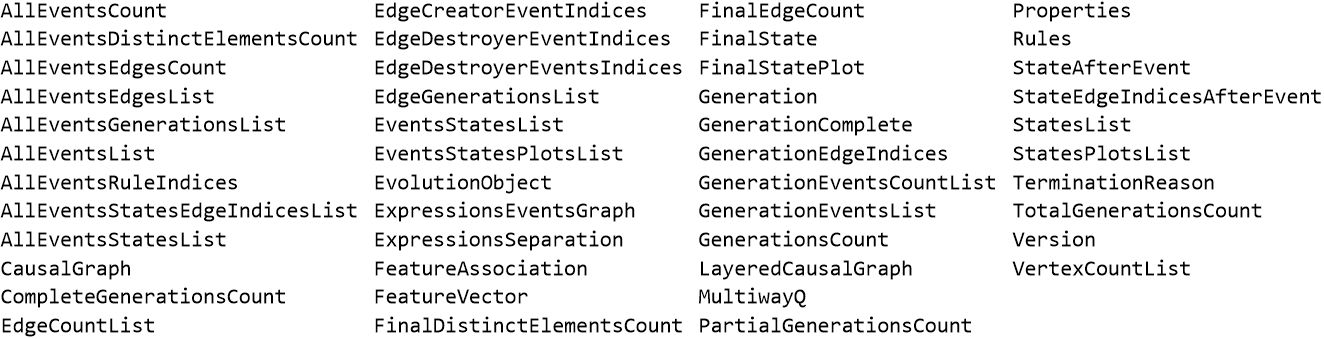
While it is possible to extract the Association and get its data, the WolframModelEvolutionObject is defined with certain properties available.
evolution["Properties"] // Sort // Multicolumn[#,4]&
Out[]=
In[]:=
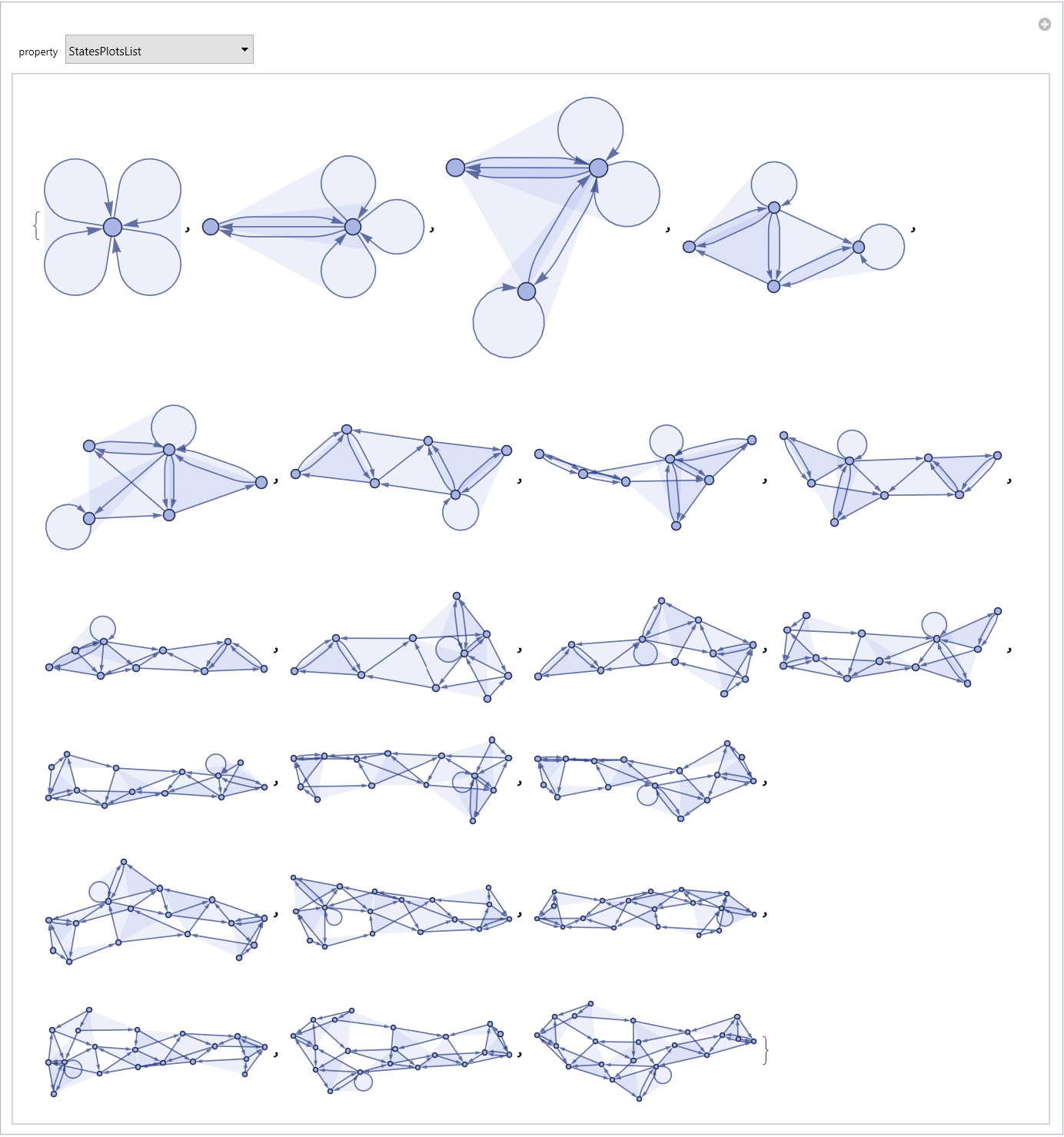
DynamicModuleevolutionObject=[{{1,1,2},{1,3,4}} {{4,4,5},{5,4,2},{3,2,5}},{{1,1,1},{1,1,1}},<|"MaxEvents" 20|>],Manipulate[Quiet[evolutionObject[property]],{{property,"StatesPlotsList"},Sort[evolutionObject["Properties"]]}]
Out[]=
Events
Events
Event States
Event States
The property “AllEventsStatesList” gives a list starting with the initial hypergraph, followed by the state of the hypergraph after each updating event.
Note: “AllEventsStatesList” contains the the initial hypergraph state, and so has one more element than the list “AllEventsList”.
Note: “AllEventsStatesList” contains the the initial hypergraph state, and so has one more element than the list “AllEventsList”.
We can use the resource function WolframModelPlot to make 2D plots all the hypergraphs output by “AllEventsStatesList”.
Plotted Vertices Jump Around
Plotted Vertices Jump Around
We can use the VertexLabels option for WolframModelPlot to keep track the plotted positions of certain vertices.
In the following example, we can see that vertex 1 jumps sometimes from from left to right between successive events.
In the following example, we can see that vertex 1 jumps sometimes from from left to right between successive events.
2D Plots of Events
2D Plots of Events
The property “EventsStatesPlotsList” returns a similar list of 2D plots of each hypergraph state in the list “AllEventsStatesList”, with special styling to indicate the actions of the events.
In each state plot, the hyperedges that are about to be destroyed by the next event (matched by the input of the event’s rule) is rendered in gray with dotted edges.
The hyperedges that have been created by an event are rendered in red with thick edges.
In each state plot, the hyperedges that are about to be destroyed by the next event (matched by the input of the event’s rule) is rendered in gray with dotted edges.
The hyperedges that have been created by an event are rendered in red with thick edges.
3D Plot of All Event States
3D Plot of All Event States
Concluding remarks
Concluding remarks
Keywords
Keywords
◼
WolframModel
◼
Hypergraph
◼
HypergraphPlot
Acknowledgment
Acknowledgment
Special thanks to Tobías Canevesi, for his guidance and support, as well as Max Piskunov for his help and for documenting his SetReplace repository so thoroughly.
A personal thank you goes out to Stephen, for his excitement and infectious enthusiasm, and to all instructors and TA’s who helped make the Wolfram Summer Program possible.
A personal thank you goes out to Stephen, for his excitement and infectious enthusiasm, and to all instructors and TA’s who helped make the Wolfram Summer Program possible.
References
References