Paclet page: https://resources.wolframcloud.com/PacletRepository/resources/ArnoudBuzing/ZenodoLink/
Zenodo is a general-purpose open-access repository developed under the European OpenAIRE program and operated by CERN, designed to allow researchers to deposit, share, and preserve research papers, data sets, software, and other digital artifacts. ZenodoLink is a Wolfram Language paclet that provides a seamless interface to the Zenodo API, enabling users to programmatically interact with this repository. With ZenodoLink, you can list, search, create, and manage your own depositions, as well as upload and download files directly from within your Wolfram Language environment, supporting both the production and sandbox environments for safe testing and development. Additionally, you can search public Zenodo records and download files directly from them.
To install this paclet in your Wolfram Language environment, evaluate this code:
In[]:=
PacletInstall["ArnoudBuzing/ZenodoLink"]
Out[]=
PacletObject
Name: ArnoudBuzing/ZenodoLink
Version: 1.0.3

To load the code after installation, evaluate this code:
In[]:=
Needs["ArnoudBuzing`ZenodoLink`"]

Examples

Use the Zenodo sandbox environment:
In[]:=
$ZenodoEnvironment
="Sandbox"
Out[]=
Sandbox
Set your Zenodo API token(which can be obtained from your Zenodo account):
In[]:=
SetZenodoToken
[SystemCredential["ZENODO_SANDBOX_API_KEY"]];
Create a new deposition:
In[]:=
meta=<|"title"->"My Dataset","upload_type"->"image","description"->"A sample dataset.","creators"->{<|"name"->"Arnoud Buzing"|>}|>;​​record=
ZenodoCreateDeposition
[meta]
Out[]=
created
2026-02-19T19:27:30.945415+00:00
modified
2026-02-19T19:27:31.050968+00:00
id
443338
conceptrecid
443337
metadata

…
9

title
My Dataset
links

…
11

record_id
443338
owner
54089
files
state
unsubmitted
submitted
False
Upload a sample file:
In[]:=
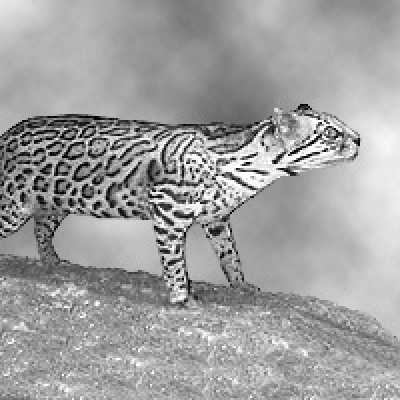
id=record["id"];​​file=FindFile["ExampleData/ocelot.jpg"];​​
ZenodoUploadFile
[id,file]
Out[]=
created
2026-02-19T19:27:45.073326+00:00
updated
2026-02-19T19:27:45.222397+00:00
version_id
454070fb-4a36-4a56-9f84-66c399d37c4e
key
ocelot.jpg
size
19823
mimetype
image/jpeg
checksum
md5:3a55b2902f4a70892d1330ec80e93fdc
is_head
True
delete_marker
False
links
selfhttps://sandbox.zenodo.org/api/files/f93ae2f8-fe49-486c-a6d2-1649c30fada9/ocelot.jpg,versionhttps://sandbox.zenodo.org/api/files/f93ae2f8-fe49-486c-a6d2-1649c30fada9/ocelot.jpg?version_id=454070fb-4a36-4a56-9f84-66c399d37c4e,uploadshttps://sandbox.zenodo.org/api/files/f93ae2f8-fe49-486c-a6d2-1649c30fada9/ocelot.jpg?uploads=1
Retrieve the list of files, including the file ids:
In[]:=
files=
ZenodoRetrieveDeposition
[id]["files"]
Out[]=
id
filename
filesize
checksum
links
55294147-0415-4359-8472-eee2d210807e
ocelot.jpg
19823
3a55b2902f4a70892d1330ec80e93fdc
self
https://sandbox.zenodo.org/api/deposit/depositions/443338/files/55294147-0415-4359-8472-eee2d210807e
download
https://sandbox.zenodo.org/api/records/443338/draft/files/ocelot.jpg/content
Import the image back into Wolfram Language:
In[]:=
ZenodoImport
[id,files[1,"id"]]
Out[]=
Delete the deposition:
In[]:=
ZenodoDeleteDeposition
[id]
Out[]=
Success
✓
Message: Deposition deleted successfully.
Tag: Deleted


Scope

Use the Zenodo production environment:
In[]:=
$ZenodoEnvironment
="Production"
Out[]=
Production
Set your Zenodo API token:
In[]:=
SetZenodoToken
[SystemCredential["ZENODO_API_KEY"]];
Retrieve public data by id:
In[]:=
item=
ZenodoRetrieveRecord
[13891380]
Out[]=
created
2026-02-09T19:39:17.471851+00:00
modified
2026-02-09T19:39:18.221548+00:00
id
13891380
conceptrecid
13891379
doi
10.5281/zenodo.13891380
conceptdoi
10.5281/zenodo.13891379
doi_url
https://doi.org/10.5281/zenodo.13891380
metadata

…
14

title
Data and code from: A small polymerase ribozyme that can synthesize itself and its complementary strand
links

…
31

updated
2026-02-09T19:39:18.221548+00:00
recid
13891380
revision
5
files
{
…
5
}
swh

owners
{id90070}
status
published
stats
downloads4,unique_downloads4,views180,unique_views176,version_downloads4,version_unique_downloads4,version_unique_views176,version_views180
state
done
submitted
True
Import a specific data element:
In[]:=
ZenodoImport
[item["id"],item["files",4,"id"],{"ZIP","QTribozyme_quasispecies-main-2/data/master_sequence.fasta"}]
Out[]=
{GGGCGGGCTCGATTCCGTTATCAATGTCCGACTGCGCTGCCCTGC}

CITE THIS NOTEBOOK

Wolfram Language interface to the Zenodo API​
by Arnoud Buzing​
Wolfram Community, STAFF PICKS, February 19, 2026
​https://community.wolfram.com/groups/-/m/t/3642116