As computation is becoming increasingly important in the biosciences, Wolfram’s AI-assisted general computational platform offers a compelling solution for research and teaching needs in the field. To highlight the main benefits that Wolfram can offer to the biosciences, we developed a new webpage that highlights functionality and collects resources that aim to help bioscientists in their day-to-day workflows. This post offers some more in-depth examples that show the utility of Wolfram Language in answering bioscience questions, as well as the power of the natural language interface that notebook assistant provides.
Background
Background
While some disciplines have always had computation at their core, others have adopted increasing levels of it along the way as the need for analyzing complex datasets, developing predictive algorithms, and representing elaborate structures have become important ways to make progress and get new knowledge.
Biosciences are an excellent example of a field that has been getting increasingly computational: from processing genetic sequences, simulating protein structures, and predicting disease mechanisms, fields like genomics and bioinformatics benefit from the increased computational power available. For example, in genomics, the analysis of millions of genetic variants requires powerful computational resources and machine learning algorithms to identify patterns associated with specific traits or conditions. Similarly, in structural biology, computational simulations and modeling are essential for understanding the specific folding patterns of proteins and predicting their functions.
Wolfram’s comprehensive automation, algorithmbase, and general platform for computation fits nicely with the new computational demands in subjects around biosciences. In addition to that, recent versions have introduced more bio-specific functionality, such as creating 3D graphics of biomolecules with BioMoleculePlot3D, looking up genomic sequences from external databases
Putting all of that together makes Wolfram a compelling one-stop solution for biosciences research, teaching, and presentation needs. To summarize the solution that Wolfram offers to biosciences, we developed a new webpage that highlights the benefit of using Wolfram for research and teaching, as well as collating useful resources for a deeper dive.
Example workflows
Example workflows
Analyzing hemoglobin structures
Analyzing hemoglobin structures
A distinctive feature of the Wolfram ecosystem is its seamless integration with external databases. This allows us to access and analyze data about biomolecules, proteins, and sequences directly within the Wolfram Language, creating an uninterrupted and integrated workflow. To demonstrate this, let’s start by querying the RCSB Protein Data Bank for structures related to the human hemoglobin:
In[]:=
structures=ServiceExecute["RCSBProteinDataBank","TextSearch",{"Query"->"Human hemoglobin"}]
Out[]=
,,,,,,,,,
Each result is represented as a symbolic BioMolecule object that can be used for further computation. For example, let’s visualize the ribbon diagram of the last structure:
In[]:=
hemoglobin=BioMolecule[Last[structures]]
Out[]=
BioMolecule


In[]:=
BioMoleculePlot3D[hemoglobin]
Out[]=
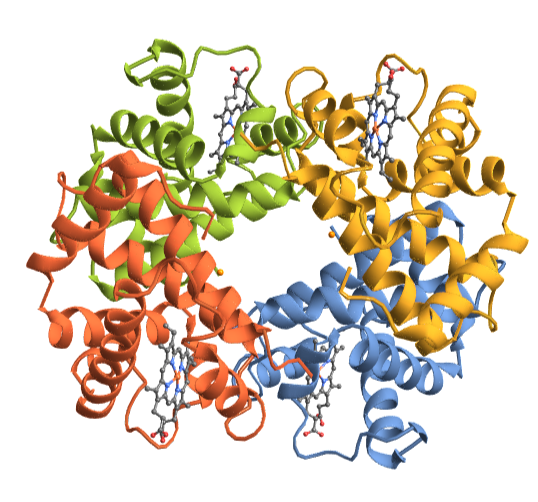
BioMolecule objects in Wolfram Language have several properties, all represented in a computible form. For example, “PolymerChainLabels” allows you to get the names of peptide/RNA/DNA chains
In[]:=
hemoglobin["PolymerChainLabels"]
Out[]=
{A,B,C,D}
We can use ColorRules to specify a color for individual chains.
In[]:=
BioMoleculePlot3D[hemoglobin,ColorRules->{"A"->,"B"->,"C"->,"D"->},PlotLegends->Automatic]

Out[]=
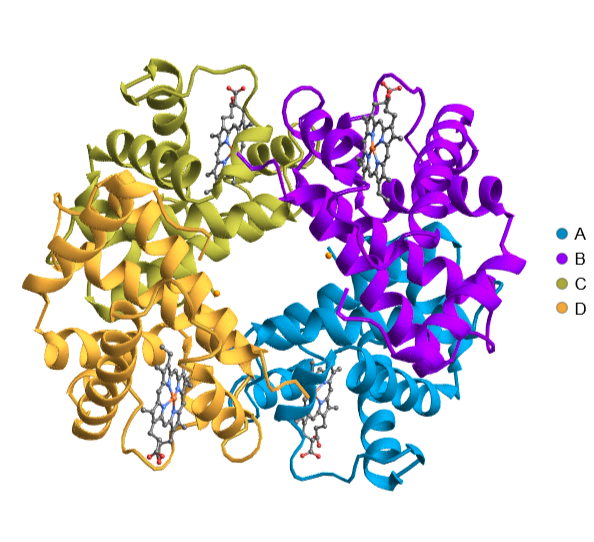
And use a different plot theme to visualize the solvent accessible surface of the structure
In[]:=
BioMoleculePlot3D[hemoglobin,PlotTheme->"SolventAccessibleSurface",ColorRules->{"A"->,"B"->,"C"->,"D"->},PlotLegends->Automatic]
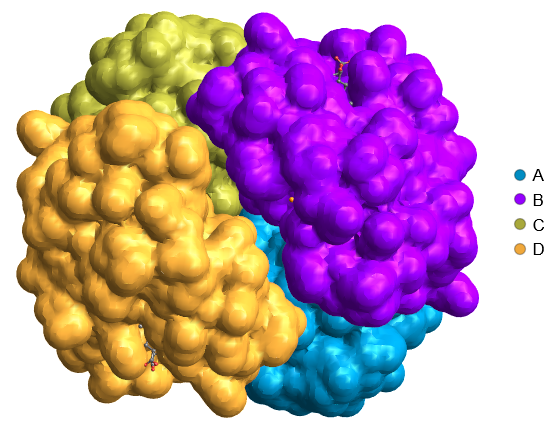
You can also visualize a single chain using BioMoleculeValue
In[]:=
hemChain=BioMoleculeValue[hemoglobin,"Chains"][[1]];BioMoleculePlot3D[hemChain]
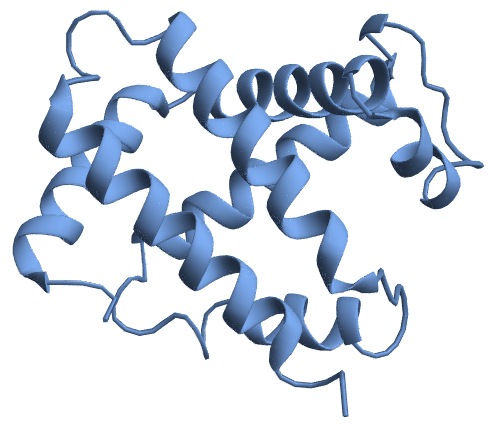
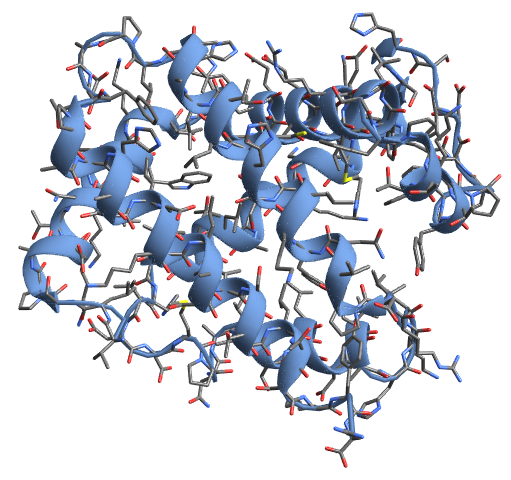
We can also overlay plots on top of each other with Show, opening up more presentation options. Foe example, visualize the molecule on top of the ribbon diagram
In[]:=
Show[BioMoleculePlot3D[hemChain],BioMoleculePlot3D[hemChain,PlotTheme->"Tubes"]]
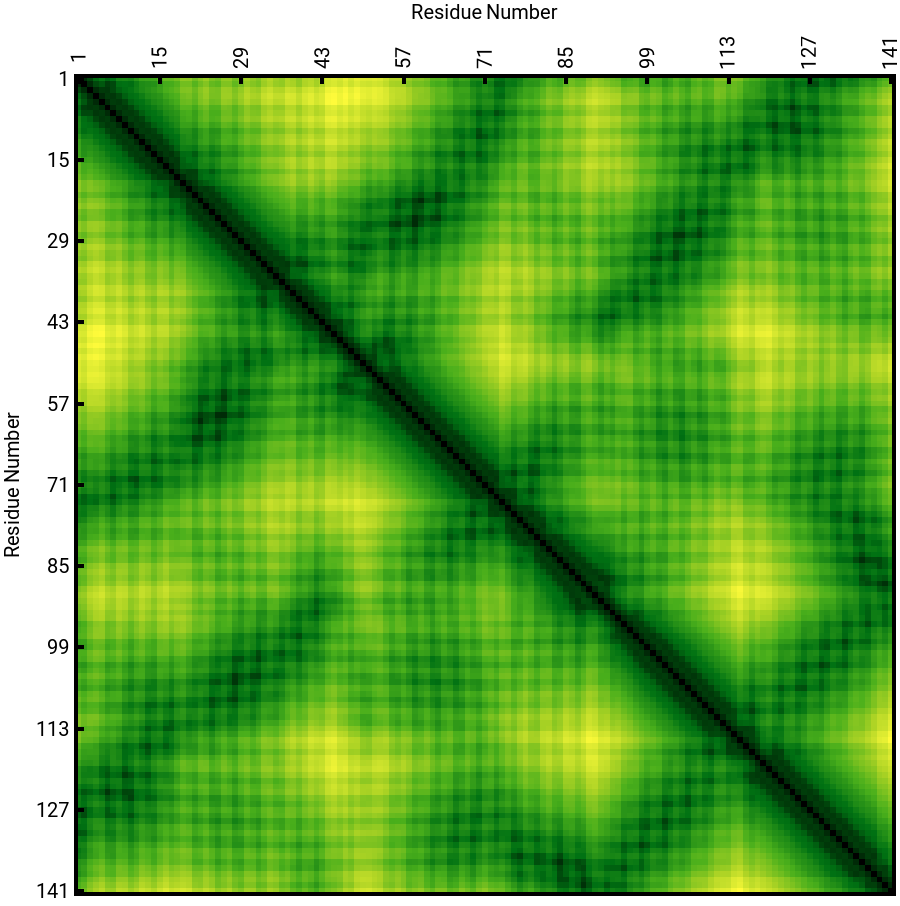
You can visualize the inter-residue distances within the chain using the ProteinContactMap function of the ProteinVisualization paclet, which reveals the geometric signature of the protein
In[]:=

Out[]=

Visualize the Ramachandran plot of hemoglobin which reveals interesting insights about the structure’s geometry
ProteinContactGraphPlot helps visualize the residues that are close to each other, revealing insights into residue-residue interaction
To focus on specific subunits or interactions, we can visualize only certain chains. For example, here we visualize chains A and C:
And here we visualize the inter-residue distances between the two chains
Getting data from external databases opens up the potential for numerous analyses. In fact, here is the full information available about the structure used for the visualizations above:
Each of these properties can be easily extracted and used within your notebook.
Habitat of endangered species
Habitat of endangered species
In this example, we explore endangered monkey species using built-in Wolfram Language data. We start by identifying which species fall into these categories, retrieve their images, and determine which biomes they inhabit.
Next, we want to see which terrestrial biome is most commonly reported for these endangered monkeys. We use Tally on the list of habitats to get a frequency count, then display the results in a Dataset. This shows us at a glance whether forests, rainforests, or other biomes are the primary habitats for these species.
To visualize the biome that appears most frequently, we use a GeoListPlot. We extract the principal biome from our tallied list and color it in green on the map, offering a simple spatial perspective on where these primates typically live.
Finally, we plot a GeoRegionValuePlot based on the tally of how often each country appears in the observation data. This creates a thematic map showing which regions have higher counts of endangered monkey sightings, helping us understand their geographic distribution.
Example AI-assisted workflows
Example AI-assisted workflows
The additions of chat notebooks and, more recently, notebook assistant make the full power of Wolfram Language more accessible than ever. Not only does notebook assistant have access to all existing functions in Wolfram Language, which as of the time of writing are:
But it also has access to all resource functions. This provides another layer of accessibility, especially for new users, or those that are not as comfortable with programming. Let’s see a few example workflows that are user-driven but entirely AI-coded:
Visualizing single nucleotide polymorphism in a biological sequence
Visualizing single nucleotide polymorphism in a biological sequence
how do I visualize a snp in a biological sequence

Creating a phylogenetic tree plot
Creating a phylogenetic tree plot
how do you make a phylogenetic tree plot
Conclusion
Conclusion
Wolfram Language provides a complete platform for biosciences research and teaching, including comprehensive computational tools, beautiful visualizations out of the box, and integrations with external databases. For a general summary of the functionality, visit https://www.wolfram.com/biosciences/. We would also be curious to see your bio examples with Wolfram Language.
Special thanks
Special thanks
CITE THIS NOTEBOOK
CITE THIS NOTEBOOK
Wolfram Language for biosciences research and teaching
by Dimitar Krastev
Wolfram Community, STAFF PICKS, February 14, 2025
https://community.wolfram.com/groups/-/m/t/3394441
by Dimitar Krastev
Wolfram Community, STAFF PICKS, February 14, 2025
https://community.wolfram.com/groups/-/m/t/3394441