The issues you raise have been discussed elsewhere: For example https://mathematica.stackexchange.com/questions/204546/understanding-periodicboundaryconditions and the comments below. Also, note that the documentation of PeriodicBoundaryConditon has a section on Possible Issues, that shows similar behaviour to your example, and explicitly mentions the examples from the ref page you cite. I think the biggest confusion about PeriodicBoundaryCondition is it’s name. If the function were called MappedBoundaryCondition, that confusion would not exists.
We have to differentiate between the finite element method (used in your example) and the finite difference method as used when the TensorProductGrid method is at play. In the finite difference case you can expect that derivatives are also periodic; that’s not the case for the finite element method - at least I am not aware of any such implementation. Nota bene: I am not saying that it does not exist, I am saying that I am unaware of it and as such I am not able to implement periodic derivatives for the FEM.
That said, let’s look at your problem:
In[]:=
Needs["NDSolve`FEM`"]$HistoryLength=1;
In[]:=
eq1=D[p[x,y],{x,2},{y,0}]+D[p[x,y],{x,0},{y,2}]0;
In[]:=
data={w->600,gs200,x1150,dx0,hc200.,dy0,ϵo8.854*^-12};h=gs+2*hc+dy;top=Line[{{0,h},{x1+0.5*w+dx,h},{x1+0.5*w+dx,h-hc},{x1+1.5*w+dx,h-hc},{x1+1.5*w+dx,h},{2*w,h}}/.data];left=Line[{{0,0},{0,h}}/.data];right=Line[{{2*w,0},{2*w,h}}/.data];bottom=Line[{{0,0},{x1,0},{x1,hc},{x1+w,hc},{x1+w,0},{2*w,0}}/.data];outline=RegionUnion[left,top,right,bottom]
Out[]=
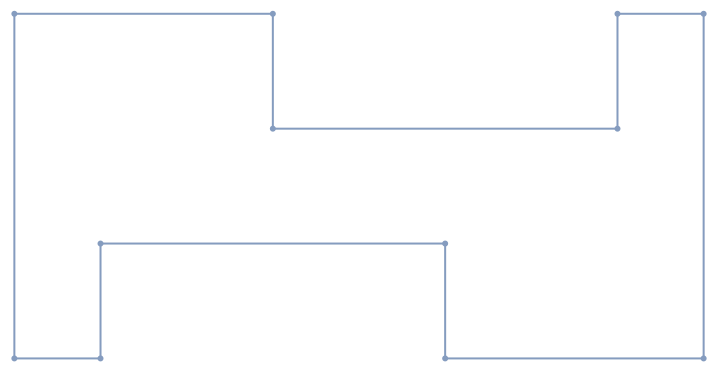
In[]:=
Marc3=ToElementMesh[
outline
,MaxCellMeasure500];Let’s forget the PBC for a second. Then a simpler version of you example is:
In[]:=
V=NDSolveValue[[x,y]+[x,y]0,DirichletCondition[p[x,y]0,y>=350&&(0<x<1200)],DirichletCondition[p[x,y]1,y<=250&&(0<x<1200)],p,{x,y}∈
(0,2)
p
(2,0)
p
Marc3
]Out[]=
InterpolatingFunction


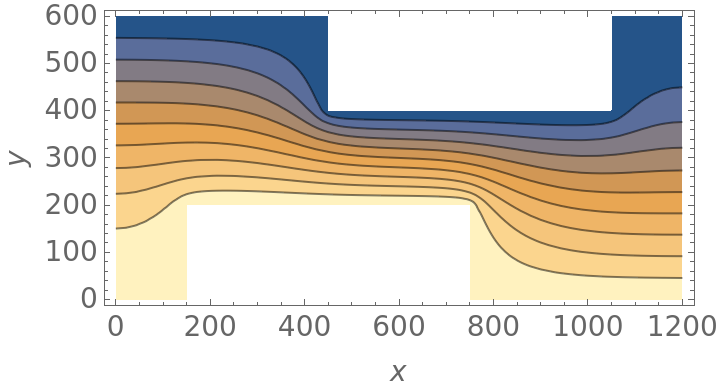
The above simplifies the DirichletCondition. Let’s look at a plot:
In[]:=
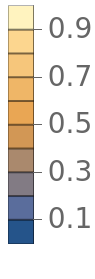
ContourPlot[V[x,y],{x,y}∈Marc3,FrameLabel{x,y},PlotRangeFull,LabelStyle{FontFamily"Arial",FontSize14},PlotLegendsAutomatic,AspectRatioAutomatic,Contours9]
Out[]=
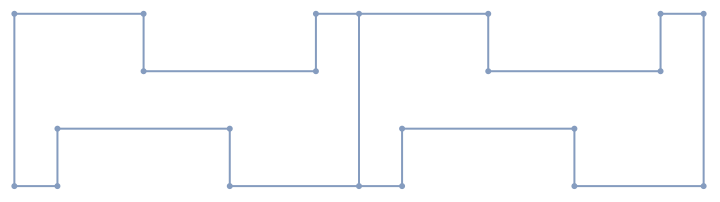
OK, as pointed out in the Possible Issues section of PeriodicBoundaryCondition we enlarge the domain to 2 unit cells:
In[]:=
outline2=RegionUnion[outline,TransformedRegion[outline,TranslationTransform[{-1200,0}]]]
Out[]=
We create a coarse mesh:
In[]:=
mesh2=ToElementMesh[outline2(*,MaxCellMeasure->500*)]mesh2["Wireframe"]
Out[]=
ElementMesh[{{-1200.,1200.},{0.,600.}},{TriangleElement[<421>]}]
Out[]=

Note, that we have an internal boundary now. This internal boundary is still present when you have a finer mesh, but much less obvious to see. That’s why we use a coarse mesh for now.
Next, we set up the pure Dirichlet problem:
In[]:=
V=NDSolveValue[[x,y]+[x,y]0,DirichletCondition[p[x,y]0,y>300&&(-1200<x<1200)],DirichletCondition[p[x,y]1,y<300&&(-1200<x<1200)],p,{x,y}∈
(0,2)
p
(2,0)
p
mesh2
]Out[]=
InterpolatingFunction
Visualize:
In[]:=
ContourPlot[V[x,y],{x,y}∈mesh2,FrameLabel{x,y},PlotRangeFull,LabelStyle{FontFamily"Arial",FontSize14},PlotLegendsAutomatic,AspectRatioAutomatic,Contours9]
Out[]=
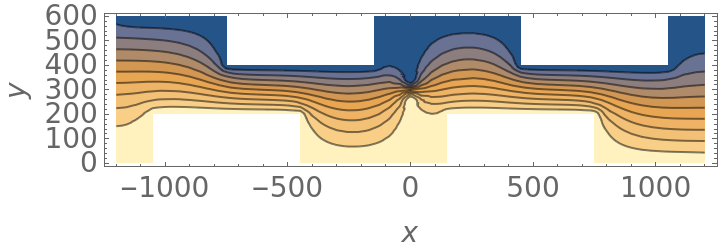
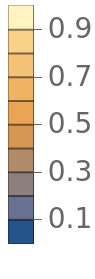
We have to be careful at x==0 since we have an internal boundary there and the DirichletCondition will act on that, if we do no exclude it. That's why the predicate for the DirichletCondition is a bit more complicated than in the previous version:
In[]:=
V=NDSolveValue[[x,y]+[x,y]0,DirichletCondition[p[x,y]0,(y>300&&(-1200<x<0||0<x<1200))||(x==0&&y==600)],DirichletCondition[p[x,y]1,(y<300&&(-1200<x<0||0<x<1200))||(x==0&&y==0)],p,{x,y}∈
(0,2)
p
(2,0)
p
mesh2
]Out[]=
InterpolatingFunction
Visualize:
In[]:=
ContourPlot[V[x,y],{x,y}∈mesh2,FrameLabel{x,y},PlotRangeFull,LabelStyle{FontFamily"Arial",FontSize14},PlotLegendsAutomatic,AspectRatioAutomatic,Contours9]
Out[]=
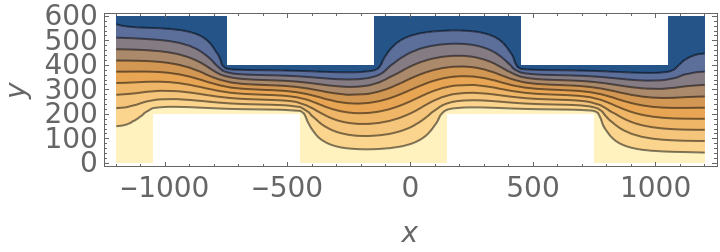
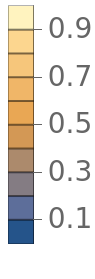
Note, the kink at x=0 is gone.
What we do now, is the use x=0 as a source for the end points at x=-1200 and x=1200:
In[]:=
V=NDSolveValue[[x,y]+[x,y]0,PeriodicBoundaryCondition[p[x,y],x1200&&0<=y<=600,Function[x,x-{1200,0}]],PeriodicBoundaryCondition[p[x,y],x-1200&&0<=y<=600,Function[x,x+{1200,0}]],DirichletCondition[p[x,y]0,(y>300&&(-1200<x<0||0<x<1200))||(x==0&&y==600)],DirichletCondition[p[x,y]1,(y<300&&(-1200<x<0||0<x<1200))||(x==0&&y==0)],p,{x,y}∈
(0,2)
p
(2,0)
p
mesh2
]Out[]=
InterpolatingFunction
Visualize:
In[]:=
ContourPlot[V[x,y],{x,y}∈mesh2,FrameLabel{x,y},PlotRangeFull,LabelStyle{FontFamily"Arial",FontSize14},PlotLegendsAutomatic,AspectRatioAutomatic,Contours9]
Out[]=
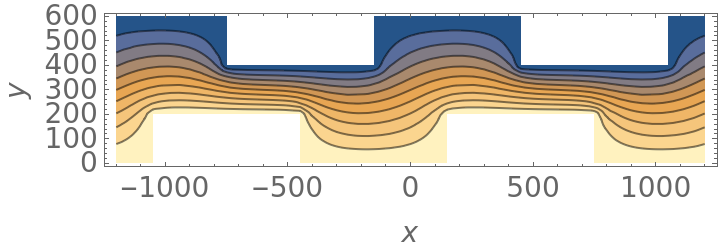
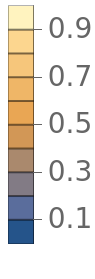
Last we look at your plot:
In[]:=
sam=Evaluate[-V[x,y]/V[x,y]];
∂
x
∂
y
In[]:=
Plot[{sam/.x0.001,sam/.x1200-0.001},{y,0,h/.data},AxesLabel{"y","V[x,y]"},PlotRangeFull,GridLinesAutomatic,LabelStyle{FontFamily"Arial",FontSize14},PlotLegends{"x = 0","x = 1200","diff"}]
∂
x
The result will look better once the mesh is refined:
I hope this helps.