This is a continuation to the posts listed at: https://community.wolfram.com/web/ggoff/
Abstract
Abstract
The Wolfram Language was used to create prototypes and prepare curves and/or surfaces. In Example 1 four buildings and a cenotaph were recreated with an appropriate architectural method. Example 2 experimented visually with a Caley-tree.
Experiments
Experiments
In[]:=
myDir=SetDirectory[NotebookDirectory[]<>"/out/"]
Out[]=
C:\Users\ggoff\Downloads\0published\woco\ams7pub\out
Example 1: Architectural Transformations
Example 1: Architectural Transformations
Info for Intro
Info for Intro
The following lines of code extracted a short info about each object:
In[]:=
ExtractWikiData[article_]:=Block[{wd0,wd1,wd2},wd0=WikipediaData[article,"SummaryPlaintext"];wd1=WikipediaData[article,"GeoPosition"];wd2=WikipediaData[article,"ImageDataset"][[All,{"Thumbnail","User","Date"}]];{wd0,wd1,wd2}]
In[]:=
objects={"National Centre for the Performing Arts (China)","Cathedral of Brasília","Mansueto Library","Hiroshima Peace Memorial Park","Cayan Tower"};
wdList ={};Do[ewd=ExtractWikiData[objects[[i]]];AppendTo[wdList,ewd],{i,1,Length[objects]}]
In[]:=
objData=Table[{objects[[i]],StringTake[wdList[[i,1]],10]<>"..."<>StringTake[wdList[[i,1]],-10],wdList[[i,2]]},{i,1,5}]
Out[]=
{{National Centre for the Performing Arts (China),The Nation...acilities.,GeoPosition[{39.9033,116.384}]},{Cathedral of Brasília,The Cathed...tons each.,GeoPosition[{-15.7983,-47.8756}]},{Mansueto Library,The Joe an...lmut Jahn.,GeoPosition[{41.7919,-87.6009}]},{Hiroshima Peace Memorial Park,Hiroshima ...rld peace.,GeoPosition[{34.3927,132.452}]},{Cayan Tower,Cayan Towe...uary 2015.,GeoPosition[{25.0869,55.1452}]}}
Additionally info around thumbnail images could be shown as a dataset:
In[]:=
thumbsInfo=Table[wdList[[i,3]],{i,1,5}];
A world map including the objects was plotted:
In[]:=
locs=Transpose[objData][[3]]
Out[]=
{GeoPosition[{39.9033,116.384}],GeoPosition[{-15.7983,-47.8756}],GeoPosition[{41.7919,-87.6009}],GeoPosition[{34.3927,132.452}],GeoPosition[{25.0869,55.1452}]}
In[]:=
map1=GeoGraphics[{GeoMarker[locs],GeoRange->"World",GeoBackground->"VectorMinimal"}]
Out[]=
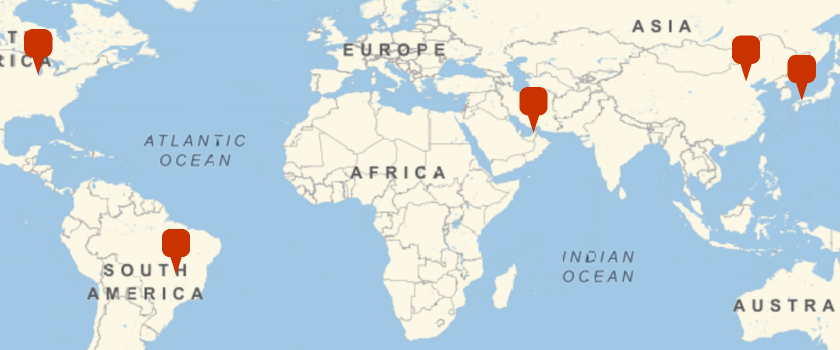
The map was exported as png - file :
In[]:=
Export["map.png",map1]
Out[]=
map.png
Object 1: Ellipsoid
Object 1: Ellipsoid
A 3D-plot for an ellipsoid was created:
In[]:=
Clear[a,b,c,i,u,v,pp,pp1,pp2]pp=ParametricPlot3D[{aCos[u]Sin[v],bSin[u]Sin[v],cCos[v]}/.{a->4,b->1,c->2},{v,0,2Pi},{u,0,Pi},Boxed->False,Axes->False]
Out[]=

The same PlotRange was used for the following series of images:
In[]:=
rb=DiscretizeGraphics[pp]//RegionBounds
Out[]=
{{-4.,4.},{-0.974928,0.974928},{-2.,2.}}
A series of elliptic curves, rotating around the z-axis, was created.
In[]:=
pp1=Table[ParametricPlot3D[{aCos[u]Sin[v],bSin[u]Sin[v],cCos[v]}/.{a->4,b->1,c->2,u->i},{v,0,2Pi},Boxed->False,Axes->False,PlotRange->rb,ImageSize->Small],{i,0,Pi,Pi/8}];pp2=Table[Take[pp1,{1,i}],{i,1,Length[pp1]}];pp=Show[#]&/@pp2;
The animation was exported as gif-file.
In[]:=
Export["ellipsoid.gif",pp]Clear[pp,pp1,pp2]
Out[]=
ellipsoid.gif
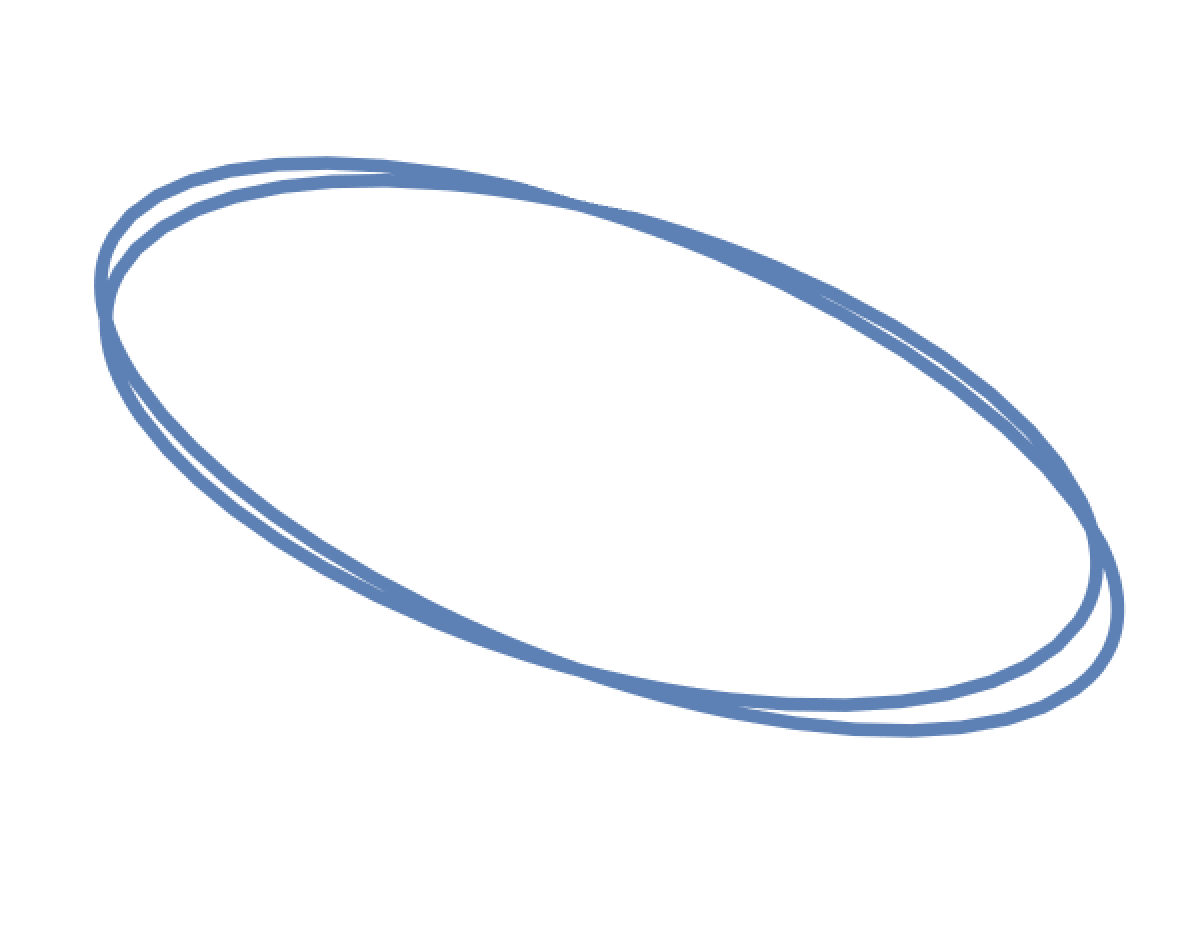
The imported gif-file was animated via ListAnimate:
In[]:=
ListAnimate[Import["ellipsoid.gif"],ImageSize->Small]
Out[]=
Blender & Affinity Designer
An elliptic curve was created. With the screw modifier a rotation around the x-axis was implemented. Through a Boolean difference with an invisible cube, the lower half of the ellipsoid was removed from the scene. The resulting object was given a procedural material. A key-framed animation visualized the development of ellipsoid object.
Afterwards a rendering was modified in Affinity Designer and used as part of the intro.
An elliptic curve was created. With the screw modifier a rotation around the x-axis was implemented. Through a Boolean difference with an invisible cube, the lower half of the ellipsoid was removed from the scene. The resulting object was given a procedural material. A key-framed animation visualized the development of ellipsoid object.
Afterwards a rendering was modified in Affinity Designer and used as part of the intro.
Object 2: Hyperboloid
Object 2: Hyperboloid
A 3D-plot for a hyperboloid was created:
In[]:=
Clear[a,b,c,i,u,v,pp,pp1,pp2]pp=ParametricPlot3Da
1+
Cos[v],a2
u
1+
Sin[v],cu/.{a->4,c->2},{v,0,2Pi},{u,-Pi,Pi},Boxed->False,Axes->False2
u
Out[]=

A PlotRange for the series of images was calculated:
In[]:=
rb=DiscretizeGraphics[pp]//RegionBounds
Out[]=
{{-13.1876,13.1876},{-13.1876,13.1876},{-6.28318,6.28318}}
An images-series of a rotating right hand-side of a hyperbola was plotted:
In[]:=
pp1=TableParametricPlot3Da
1+
Cos[v],a2
u
1+
Sin[v],cu/.{a->4,c->2,v->i},{u,-Pi,Pi},Boxed->False,Axes->False,ImageSize->Small,PlotRange->rb,{i,0,2Pi,Pi/4};pp2=Table[Take[pp1,{1,i}],{i,1,Length[pp1]}];pp=Show[#]&/@pp2;2
u
The animation was saved in a gif-file :
Via ListAnimate the re-imported gif-animation was available:
Blender & Affinity Designer
A right-hand-side curve of a hyperbola was created. With the screw modifier a rotation around the z-axis was implemented. The resulting object was subdivided, solidified and given a procedural material. A key-framed animation visualized the development of hyperboloid object.
Another rendering was modified in Affinity Designer and used as part of the intro.
A right-hand-side curve of a hyperbola was created. With the screw modifier a rotation around the z-axis was implemented. The resulting object was subdivided, solidified and given a procedural material. A key-framed animation visualized the development of hyperboloid object.
Another rendering was modified in Affinity Designer and used as part of the intro.
Object 3: Helicoid
Object 3: Helicoid
A spiral and a series of twisted squares along the spiral was created trough combination of translation and rotation:
The animation was exported in gif-format:
It was played back via reimporting the gif-file and the usage of ListAnimate:
Blender & Affinity Designer
A prism was twisted with the screw modifier. The resulting object was given a procedural glass-like material. A key-framed animation visualized the development of a twisted tower. A rendering was edited in Affinity Designer and used as part of the intro.
A prism was twisted with the screw modifier. The resulting object was given a procedural glass-like material. A key-framed animation visualized the development of a twisted tower. A rendering was edited in Affinity Designer and used as part of the intro.
Object 4: Elliptic Paraboloid
Object 4: Elliptic Paraboloid
A 3D-plot for an elliptic paraboloid was created:
A elliptic paraboloid is the result of translating a parabola along a parabola (both open on same side):
The animation was saved as gif-file and the curves were exported as dxf-file .
ListAnimate was used to play the re-imported gif-animation.
Blender & Affinity Designer
Parabolic curves were imported as dxf-file . The leading curve was beveled with one of the series of curves from the second type. The resulting object was solidified and given a procedural material . A key-framed animation visualized the development of elliptic paraboloid. A scratched glass plane was inserted to limit the resulting object. Again a rendering was modified in Affinity Designer and used as part of the intro .
Parabolic curves were imported as dxf-file . The leading curve was beveled with one of the series of curves from the second type. The resulting object was solidified and given a procedural material . A key-framed animation visualized the development of elliptic paraboloid. A scratched glass plane was inserted to limit the resulting object. Again a rendering was modified in Affinity Designer and used as part of the intro .
Object 5: Hyperbolic Paraboloid
Object 5: Hyperbolic Paraboloid
An example was plotted in 3D:
A hyperbolic paraboloid is the result of translating a parabola along a parabola (both open on different side):
The animation was saved in gif-format. The curves were exported in dxf-format:
The series of images was animated via ListAnimate after reimporting the gif-file.
Blender & Affinity Designer
Parabolic curves were imported from a dxf-file . Again the leading curve was beveled with one of the other type of curves. The resulting object was solidified and given a procedural material . A key-framed animation visualized the development of a hyperbolic paraboloid. A scratched glass plane was used to limit the resulting object. One rendering was modified in Affinity Designer and again used as part of the intro .
Parabolic curves were imported from a dxf-file . Again the leading curve was beveled with one of the other type of curves. The resulting object was solidified and given a procedural material . A key-framed animation visualized the development of a hyperbolic paraboloid. A scratched glass plane was used to limit the resulting object. One rendering was modified in Affinity Designer and again used as part of the intro .
Example 2: Connected
Example 2: Connected
A graph/tree was accessed via GraphData:
It was converted to Graph3D, edges labeled with numbers:
Furthermore unlabeled 3D graphs were used:
The center vertex got label 1, the rim vertices were in the range from 23-45. Ten rim vertices were chosen randomly. A search for the shortest path followed. The basis graph and a highlighted graph were combined.
For the animation a round path was preferred. It was created by ListCurvePlot3D (by chris). The module was adapted to the situation:
Exporting above graphics as obj-file resulted in the loss of edges. Just the nodes were shown.
Removing the arrow related parts of the code embedding the tubes for the edges helped:
Exporting nodes and edges separate was more useful for the planned animation:
Each path, realized via a Bezier-curve, was exported as dxf-file:
Seven profiles were chosen from following collection of exported curves:
Blender
Within Blender the tree containing nodes, the nodes and their path were imported as dxf-file.
In part 1 the nodes were placed centered in the ground plane. The full tree was set in an angle relative to the ground plane. The nodes were given a metallic material in blue/red. A path got a metallic gray material. Both objects were rotated around the z-axis. Parallel to the rotation the slanted tree was gradually brought into identical position to the object in the ground plane with the nodes getting finally invisible. Additionally both groups of nodes ended in the same color.
In part 2 the nodes in the ground plane were rotated. Each path was beveled with an epi-/hypocycloid-profile. Different settings for thickness and timing were given. The growth of each path was animated including a color change.
The third part let disappear the grown structures and changed the color of the nodes back to blue.
Within Blender the tree containing nodes, the nodes and their path were imported as dxf-file.
In part 1 the nodes were placed centered in the ground plane. The full tree was set in an angle relative to the ground plane. The nodes were given a metallic material in blue/red. A path got a metallic gray material. Both objects were rotated around the z-axis. Parallel to the rotation the slanted tree was gradually brought into identical position to the object in the ground plane with the nodes getting finally invisible. Additionally both groups of nodes ended in the same color.
In part 2 the nodes in the ground plane were rotated. Each path was beveled with an epi-/hypocycloid-profile. Different settings for thickness and timing were given. The growth of each path was animated including a color change.
The third part let disappear the grown structures and changed the color of the nodes back to blue.
References
References
Collection of animations
Collection of animations
References
References
Architectural Transformations
Scene: Modified Ellipsis, Hyperbola, Parabola & Prism
Gsaller, Guenther. „Wolfram Demonstrations Project“. Accessed November 5, 2021.
http://demonstrations.wolfram.com/ArchitecturalApplicationsOfSeveral3DGeometricTransformations/.
“WikipediaData—Wolfram Language Documentation.” Accessed November 7, 2021. https://reference.wolfram.com/language/ref/WikipediaData.html.
Audio:
Stock Music & Sound Effects - Royalty Free Audio - Storyblocks
https://www.storyblocks.com/audio (accessed 2021-11-04)
MEDIA MUSIC GROUP. Inspiring Light Piano Strings Explainer Underscore Documentary. Accessed November 4, 2021. Asset ID: SBA-346427230.
Scene: Modified Ellipsis, Hyperbola, Parabola & Prism
Gsaller, Guenther. „Wolfram Demonstrations Project“. Accessed November 5, 2021.
http://demonstrations.wolfram.com/ArchitecturalApplicationsOfSeveral3DGeometricTransformations/.
“WikipediaData—Wolfram Language Documentation.” Accessed November 7, 2021. https://reference.wolfram.com/language/ref/WikipediaData.html.
Audio:
Stock Music & Sound Effects - Royalty Free Audio - Storyblocks
https://www.storyblocks.com/audio (accessed 2021-11-04)
MEDIA MUSIC GROUP. Inspiring Light Piano Strings Explainer Underscore Documentary. Accessed November 4, 2021. Asset ID: SBA-346427230.
Connected
Scene: Modified Cayley Tree, Epi- & Hypocycloid
“Wolfram Language & System Documentation Center.” Accessed November 15, 2021. https://reference.wolfram.com/language/.
chris. “Graphics3d - Interpolation of Points in 3D with Smooth Space Curve.” Mathematica Stack Exchange. Accessed November 15, 2021. https://mathematica.stackexchange.com/questions/225782/interpolation-of-points-in-3d-with-smooth-space-curve.
Audio:
Stock Music & Sound Effects - Royalty Free Audio - Storyblocks
https://www.storyblocks.com/audio (accessed 2021-11-15)
bzur. A Taste of Eighties. Accessed November 15, 2021. SBA-300514540.
Scene: Modified Cayley Tree, Epi- & Hypocycloid
“Wolfram Language & System Documentation Center.” Accessed November 15, 2021. https://reference.wolfram.com/language/.
chris. “Graphics3d - Interpolation of Points in 3D with Smooth Space Curve.” Mathematica Stack Exchange. Accessed November 15, 2021. https://mathematica.stackexchange.com/questions/225782/interpolation-of-points-in-3d-with-smooth-space-curve.
Audio:
Stock Music & Sound Effects - Royalty Free Audio - Storyblocks
https://www.storyblocks.com/audio (accessed 2021-11-15)
bzur. A Taste of Eighties. Accessed November 15, 2021. SBA-300514540.