In this project, I tried to make a tree of life out of pictures of animals. The purpose of this project was to see how close you can get to an actual tree of life just by looking at the appearances of animals and not any other features such as DNA. I mostly focused on using pictures of fish because they are more consistent than pictures of animals. I also created an accurate tree of life for the fish using taxonomic data so that I could see how accurate the tree based on images was. Finally I explored a dataset with different kinds of animals beyond fish to see what kind of trees I could get from that.
Introduction
Introduction
A tree of life is a model that shows how closely related animals are to one another in a tree diagram. Many of the traits in the DNA of animals are not visible so many of the traits that contribute to how close animals are cannot be seen in images. Additionally, even animals of the same species can have different sizes and colors so animals that are closely related could look very different. Despite this, I wanted to see how close a tree made just based on the similarities of images of different animals would be to an actual tree of life based on DNA and taxonomical data. I used the function ClusteringTree[] to make the tree based on images. ClusteringTree[] takes a list and divides it into clusters of elements that are close to each other. It then makes a tree diagram using the clusters and distances between clusters.
Trying out Different Ways of Processing Images
Trying out Different Ways of Processing Images
I started by downloading a dataset with 90 different kinds of animals from Kaggle. I used a smaller subset of the animals to experiment with different functions on the images and see what worked best.
First, I created a file with all the data and put it in cloud. Then, I imported it into the notebook.
Importing the data:
In[]:=
CloudGet["https://www.wolframcloud.com/obj/mayagviswanathan/AnimalImagesFinal.wl"];
Using Lists of Images
Using Lists of Images
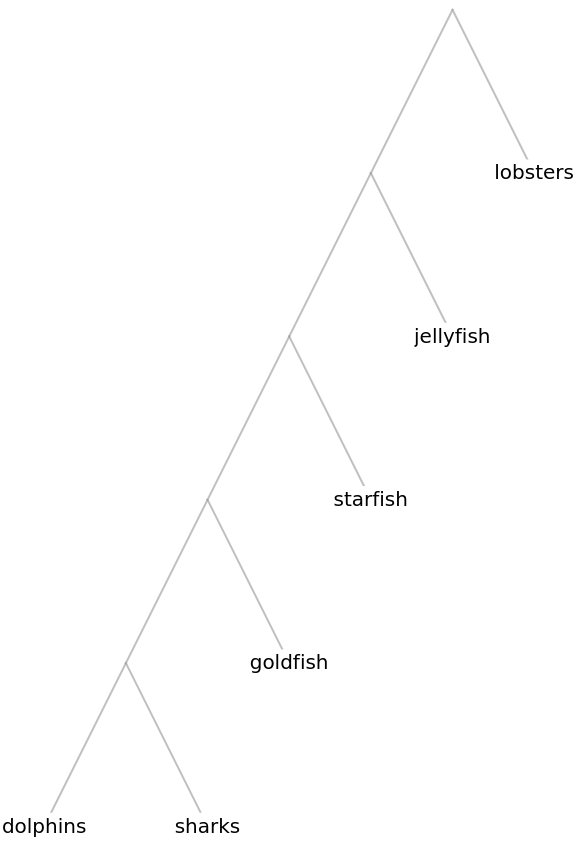
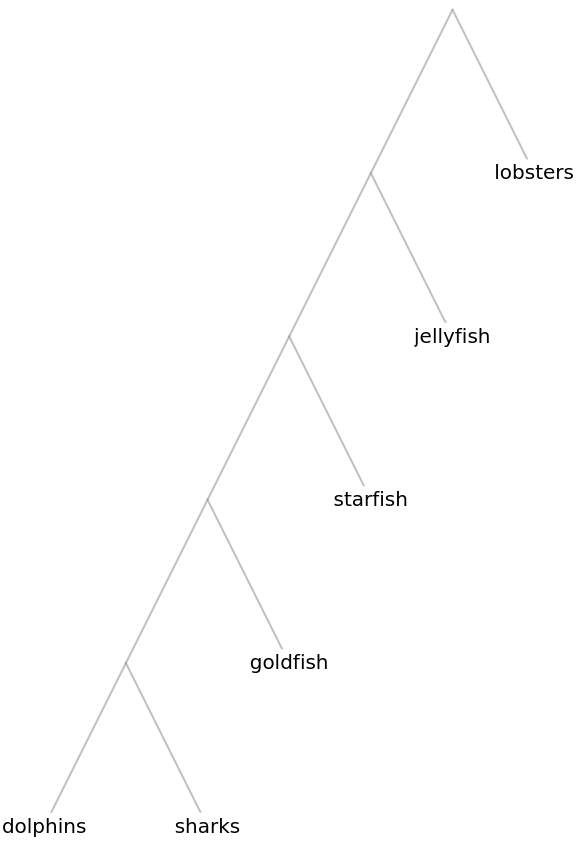
Then I created a tree with this data. The ClusteringTree[] function puts one of the lists of images at each node and creates the tree based on how close the lists are to each other. I labeled each of the lists with the name of the animal in the pictures in that list.
Creating a tree using the sea creature images and labeling each node with the creature name:
In[]:=
ClusteringTree[{dolphins,jellyfish,starfish,sharks,goldfish,lobsters}->{"dolphins","jellyfish","starfish","sharks","goldfish","lobsters"}]
Out[]=
Using One Image
Using One Image
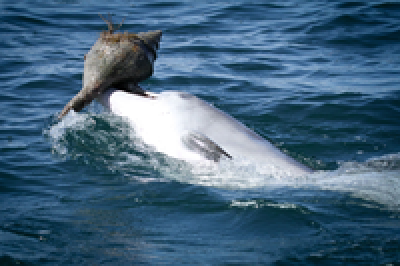
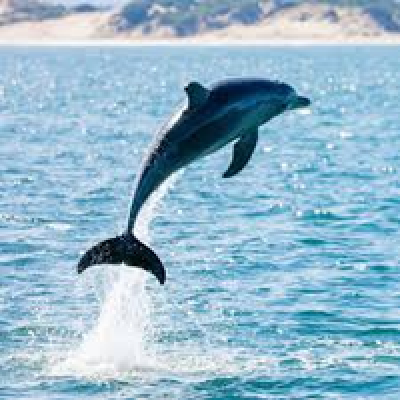
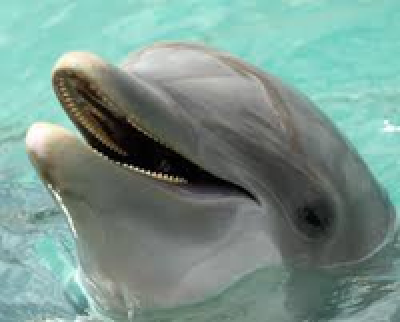
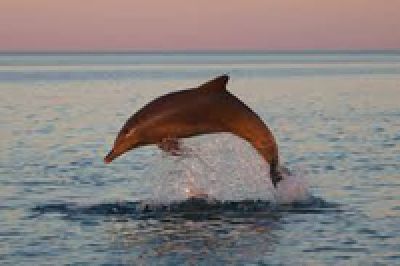
Next, I tried using one image for each creature instead of an entire list. To pick the best image to use, I used the CentralFeature[] function which finds the element of a list that is most similar to all the other elements in the list. I hoped that this would give me the most accurate and standard image in the list to represent each animal.
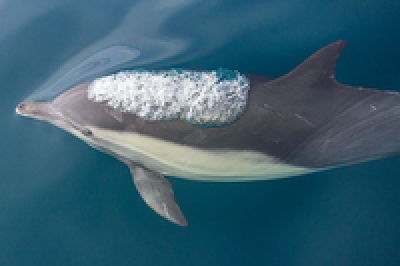
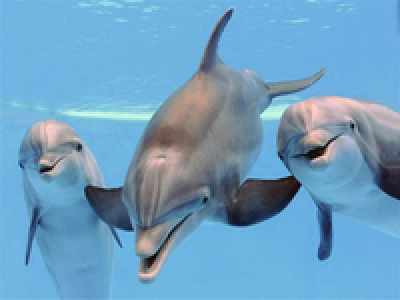
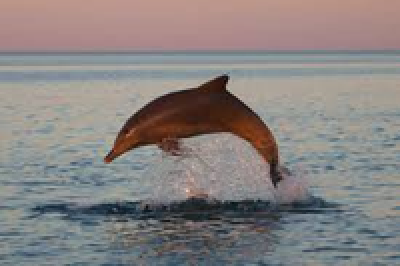
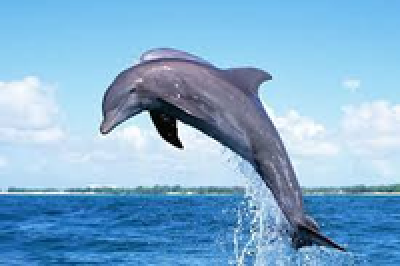
Here is an example of the Central Feature that was found for the list of the first 7 dolphin images:
Getting the central feature of a list of dolphin images:
In[]:=
CentralFeature
,
,
,
,
,
,
Out[]=
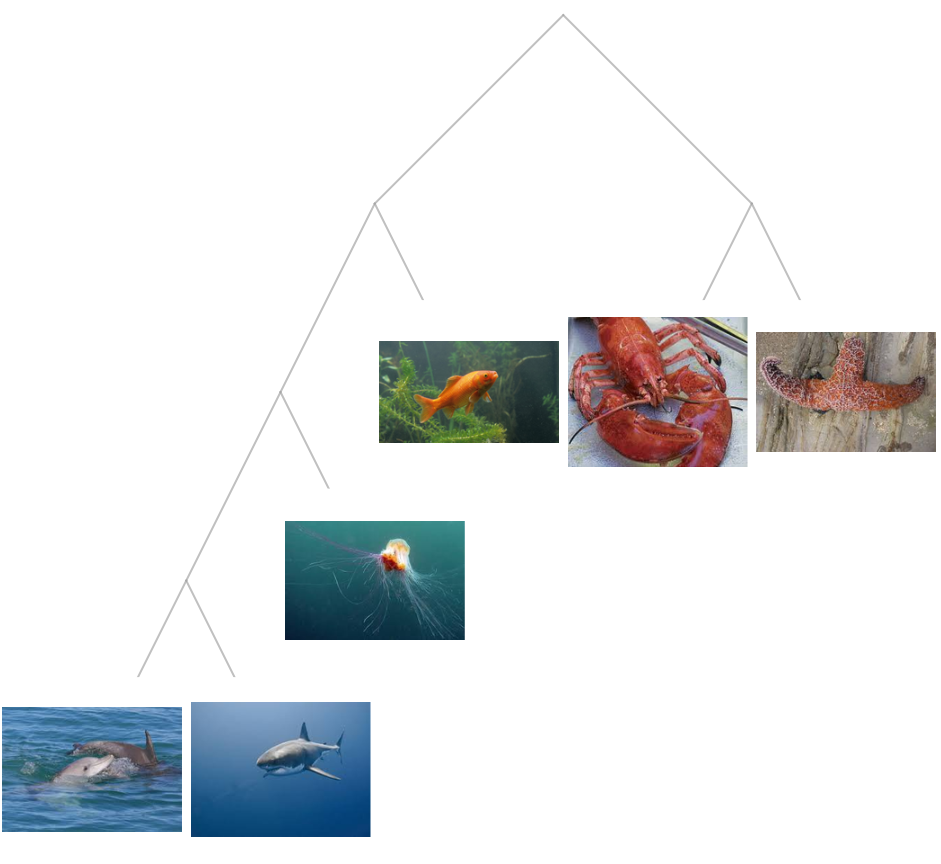
Then, I created a tree using the Central Features.
Making a tree using the central features of each list of images:
In[]:=
ClusteringTree[Map[CentralFeature,{dolphins,jellyfish,starfish,sharks,goldfish,lobsters}]]
Out[]=
Removing Image Backgrounds
Removing Image Backgrounds
Next, I tried using RemoveBackground[]. I wanted the tree to only compare differences between the animals themselves and not take into account differences in backgrounds. Because of this, I thought it would be easier to use a function to remove the background. However, because the animals and backgrounds are both very colorful, the function sometimes removed part of the animal or left part of the background.
Making a tree using the lists of images with their backgrounds removed:
In[]:=
ClusteringTree[Map[RemoveBackground,{dolphins,jellyfish,starfish,sharks,goldfish,lobsters},{2}]->{"dolphins","jellyfish","starfish","sharks","goldfish","lobsters"}]
Out[]=
Creating a Tree with Multiple Images
Creating a Tree with Multiple Images
To ensure that my code was working and the clustering could recognize similarities between images, I tried creating a tree using 7 images each, of 4 different animals. Instead of combining all the images of an animal into one list as in previous trees, each of the 7 images is separate in this case, and is its own element in the list. This way, I could see if the tree recognized which animals were the same and put them close to one another on the tree.
I created lists of the first 7 images for a few different animals.
Creating a list of the first 7 cat images:
In[]:=
cats2=cats[[1;;7]];
Creating a list of the first 7 dog images:
In[]:=
dogs2=dogs[[1;;7]];
Creating a list of the first 7 lion images:
In[]:=
lions2=lions[[1;;7]];
Creating a list of the first 7 duck images:
In[]:=
ducks2=ducks[[1;;7]];
I then used Flatten[] to combine all the lists into one list. I labeled each of the images with the name of the animal in the image. The tree was mostly able to recognize which animals were the same and group them together.
Creating a tree with the 7 images of each animal:
In[]:=
ClusteringTree[Flatten[{cats2,dogs2,lions2,ducks2}]->Flatten[{Table["cat",7],Table["dog",7],Table["lion",7],Table["duck",7]}]]
Out[]=
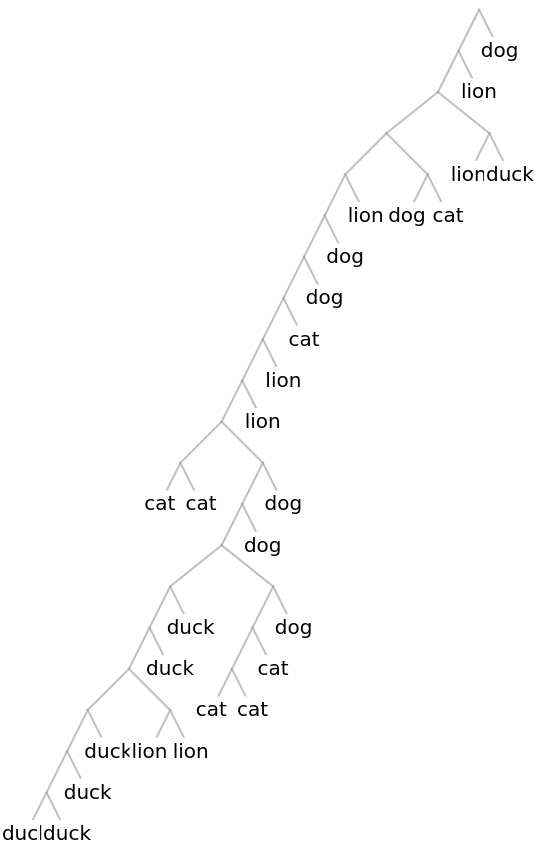
While the tree did not group all the animals of the same type together perfectly, it did group most of the lions together and most of the ducks together.
Getting and Organizing fish data
Getting and Organizing fish data
Next, I switched to using a dataset of fish instead of including all animals. Because fish are often photographed with similar backgrounds and in similar orientations, the pictures of fish are more likely to be similar with regard to everything except the appearance of the fish itself than pictures of other animals. This will lead to more accurate results when making a tree of life based on comparing the images. I already created lists of the names of the fish and all the images of the fish and saved that to the cloud so I already have that variable. The list is too long to print out fully, but the first element is below.
Now, I want to get species entities that correspond to each of the fish names. This will be used for two things. First, it will allow me to group images based on families instead of species. Grouping images based on species led to a tree that was too big to fit on the screen, so grouping by family will make the trees smaller and easier to understand. Second, it will enable me to make a tree based on taxonomical data. This will be an accurate tree of life and comparing the other trees to this one will allow me to see how accurate the tree based on images was. To convert the species names to entities, I first had to format the names a certain way. For example “acanthaluteres brownii” would need to be written as “Species: AcanthaluteresBrownii”.
Finding Species Names
Finding Species Names
A function that takes a regular fish name and changes it to the format needed to make it an entity:
After fixing the names, I created an association that maps the name of the species to the species entity with the fixed name. I then selected the names that did not work as entities and ran an interpreter on them. I removed the ones that still did not work and then created an association combining the associations containing the names that worked originally and the names that worked after being run through the interpreter.
Creates an association between the name and image lists, and the entities:
Selects the names of the fish that could not be converted to entities:
Runs the interpreter on badNames to see if it can find entities that match any of them:
Removes the elements that did not convert to entities from the original association:
Removes the names that the interpreter could not fix:
Creates a new association combining the elements that originally worked and the ones that worked after the interpreter:
Flips the association so that the species are the keys:
Grouping the Images by Family
Grouping the Images by Family
Next, I grouped the images by family. First, I created an association from family names to species names. Then, I replaced the species names by the images that represented that species. I had to flatten the lists so that the lists of images for each species were combined as well as delete the strings of the names from the association.
Creates a list of the fish families:
Creates an association from the name of the family to all the species in it:
Creates an association of the names of the family to the images of all the fish in that family:
Next, I processed the images. First, I used FeatureExtract[] to turn the images into vectors based on their features. This is done to make the results more accurate when I eventually make the tree. I also used DimensionReduce[] which reduces the dimensions of the vectors. This will make the distance between vectors larger so that the species do not all get put in the same cluster. Finally, I use CentralFeature[] to get the element in each list that is most similar to all other elements. This way, I can have pick the best element to represent the list instead of having a list of many elements.
Creating a tree of life from taxonomic data
Creating a tree of life from taxonomic data
In the following section, I create a tree of life using the taxonomic data that the entities have. First I create a list of hierarchies based on the Taxonomic Sequence property of the Species entities. Then, I create a function to make a tree.
Creates hierarchies based on the taxonomic sequence for the species:
Creates a list of the families:
Creates rules for the tree to use:
Creates a tree of the taxonomic data:
Creating the Clustering Trees
Creating the Clustering Trees
Finally, I created the clustering tree based on images. I entered the association from the family entities to the processed images. Then, I tried the different values for the cluster dissimilarity function which changes the ways the distances between images are calculated.
Creating a tree of the fish families with the default ClusteringTree[] settings:
Creating a tree of the fish families with each of the possibilities for ways of measuring the distance between clusters:
Conclusion
Conclusion
In conclusion, I was able to make several variations of the tree, some of which had similar parts to the actual tree. It did not always recognize families that were closely related, for example my trees did not put different catfish families together but other closely related families like Snake Mackerels and Cheilodactylidae were put together. However, the overall shape of the trees was different. One main difference is that the trees I created had many more clusters than the actual tree. This is because it made each cluster smaller and this means that it graphed many of the families farther away from each other than they actually are. Overall, all the trees have parts that are similar to the tree from taxonomic data but I think that the tree that uses the average to measure distance between clusters was closest to the accurate tree.
Future Directions
Future Directions
In the future, I would like to see if I can fix some of the errors through making bigger clusters. I would also like to work on trying to expand the tree to include other groups of animals in addition to fish. I would like to see if the accuracy of the tree varies depending on the groups of animals used. I would also like to see if there are other ways I could process the images such as diving them into smaller such as individual body parts of the animals.
References
References
◼
Banerjee, S. (2022). Animal Image Dataset (90 Different Animals) [Data set]. Kaggle. https://www.kaggle.com/datasets/iamsouravbanerjee/animal-image-dataset-90-different-animals?resource=download
◼
Srinivasan, S. (2020). Fish Species Image Data [Data set]. Kaggle. https://www.kaggle.com/datasets/sripaadsrinivasan/fish-species-image-data
Acknowledgements
Acknowledgements
Thank you to my mentor Isabel Skidmore for all their suggestions and help with my project and for making project time a lot of fun! Thank you to Dr. Wolfram for suggesting this project and helping me figure out an approach to solve it! Thank you to all the TAs for their help with coding and thank you to the camp directors for organizing this camp! Thank you to Math Kangaroo for giving me this opportunity!
CITE THIS NOTEBOOK
CITE THIS NOTEBOOK
From pictures of animals, try to reconstruct the tree of life
by Maya Viswanathan
Wolfram Community, STAFF PICKS, July 21, 2022
https://community.wolfram.com/groups/-/m/t/2580660
by Maya Viswanathan
Wolfram Community, STAFF PICKS, July 21, 2022
https://community.wolfram.com/groups/-/m/t/2580660