Introduction
Introduction
Main idea
Main idea
What happens if every person in society becomes like commonest in environment?
We must consider that person is also part of the surroundings of others,
so it’s a dynamic process, a type of cellular automaton.
Consider the simplest model. The socium consists of cells of N types-"colors".
The universe is closed like a torus, and the environment of each cell
is considered to be a Moore neighborhood (3х3 block).
The candidats are Commonest of neighborhood;
if there are several, one is chosen at random and the central cell takes it's color.
We can implement this algorithm with CellularAutomaton:
We must consider that person is also part of the surroundings of others,
so it’s a dynamic process, a type of cellular automaton.
Consider the simplest model. The socium consists of cells of N types-"colors".
The universe is closed like a torus, and the environment of each cell
is considered to be a Moore neighborhood (3х3 block).
The candidats are Commonest of neighborhood;
if there are several, one is chosen at random and the central cell takes it's color.
We can implement this algorithm with CellularAutomaton:
numStates=5;numIters=300;size=40;init=RandomInteger[{1,numStates},{size,size}];result=CellularAutomaton[{{{n1_,n2_,n3_},{n4_,_,n5_},{n6_,n7_,n8_}}:>RandomChoice@Commonest@{n1,n2,n3,n4,n5,n6,n7,n8,_}},init,numIters];
In[]:=
Animate[ArrayPlot[result〚k〛,ColorFunction->"DarkRainbow",ImageSize->150],{k,1,numIters,1},AnimationRunningFalse,SaveDefinitions->True]
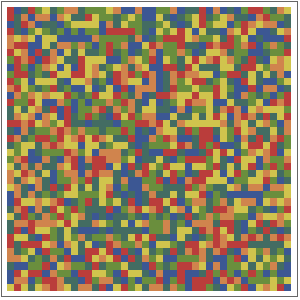
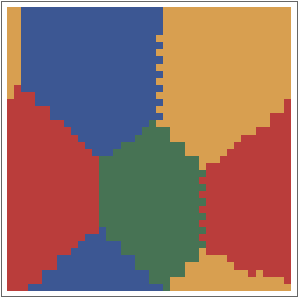
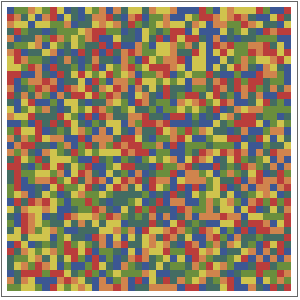
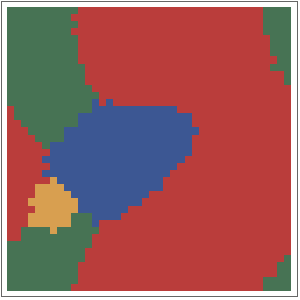
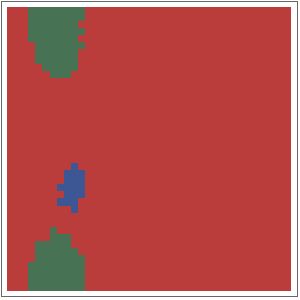
We can see that in some cases society self-organizes into groups and stabilizes: Whereas in other cases one type-color sooner or later conquers the whole world: It depends on the parameters of simulation, but also on randomness.
Advanced algorithm
Advanced algorithm
There are many ways to generate a new type for a cell using the neighbors array.
From the simplest, like above, to the most complex, recursive.
I found that a very interesting and diverse behavior is demonstrated by a relatively simple algorithm.
Besides the basic data of our "country" (size and number of types),
uses two threshold parameters limits.
We select those neighbors whose relative frequencies are within these thresholds.
If there are any, the cell becomes one of these types, randomly chosen.
If there are none, the cell remains itself.
This strategy is considered to be a balanced one - avoiding being either too typical or too unusual.
We also add the possibility to choose the size of the neighbors block.
From the simplest, like above, to the most complex, recursive.
I found that a very interesting and diverse behavior is demonstrated by a relatively simple algorithm.
Besides the basic data of our "country" (size and number of types),
uses two threshold parameters limits.
We select those neighbors whose relative frequencies are within these thresholds.
If there are any, the cell becomes one of these types, randomly chosen.
If there are none, the cell remains itself.
This strategy is considered to be a balanced one - avoiding being either too typical or too unusual.
We also add the possibility to choose the size of the neighbors block.
Code
Code
Parametric multi-state cellular automaton is difficult to implement with corresponding built-in.
But ArrayFilter provides the necessary features.
Two methods are proposed:
- Dynamic: real-time parameter management, no data storage.
It is convenient for general review and search of interesting combinations of parameters.
- Cumulative: for statistical analysis of the data obtained.
But ArrayFilter provides the necessary features.
Two methods are proposed:
- Dynamic: real-time parameter management, no data storage.
It is convenient for general review and search of interesting combinations of parameters.
- Cumulative: for statistical analysis of the data obtained.
Utilites
Utilites
Color palettes as evenly divided hue circle:
In[]:=
Clear[myPaletteSingle,myPalettePoly];myPaletteSingle[m_]:=Table[Lighter[Blue,σ],{σ,0,1,1/(m-1)}];myPalettePoly[m_]:=Table[Hue[1. k/ m,RandomReal[{0.4,0.7}],RandomReal[{0.7,1}]],{k,m}];
Core function.
neighbs is an array of neighbors in matrix form,
r is volume of neighbors (2r+1)·(2r+1) block,
testQ is test function for select neighbors by their multiplicities.
If there are no neighbors that satisfies testQ, central element (cell as itself) is returned.
neighbs is an array of neighbors in matrix form,
r is volume of neighbors (2r+1)·(2r+1) block,
testQ is test function for select neighbors by their multiplicities.
If there are no neighbors that satisfies testQ, central element (cell as itself) is returned.
In[]:=
Clear[newCellLims];newCellLims[neighbs_,testQ_,r_]:= With[{sel=Select[Tally@Flatten@neighbs,testQ@Last@#&]}, If[sel=={},neighbs〚r+1,r+1〛, RandomChoice@sel〚All,1〛] ];
Dynamic
Dynamic
For improved performance some functions placed inside the module.
In[]:=
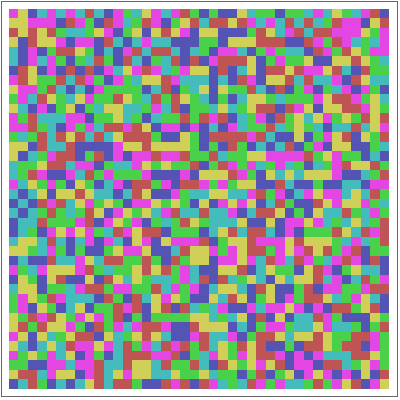
DynamicModule{board,colorRules,plot,testQ,newCell,controlOpts=Sequence[Appearance->"Labeled",ContinuousAction->False],animRate=4,imgSize=200},SeedRandom[];Manipulateboard=RandomInteger[{1,numStates},{size,size}];colorRules=MapThread[#1->#2&,{Range@numStates,If[palette==1,myPaletteSingle,myPalettePoly]@numStates}];plot=ArrayPlot[#,ColorRules->colorRules,ImageSize->imgSize]&;testQ=IntervalMemberQInterval@limits;newCell[neighbs_]:=With[{self=neighbs〚sizeNeighbs+1,sizeNeighbs+1〛,arr=Select[Tally@Flatten@neighbs,testQ@Last@#&]},If[arr=={},self,RandomChoice@arr〚All,1〛]];Dynamic@plot@board,{{limits,{0.2,0.6},"Limits "},0,1,0.01,ControlTypeIntervalSlider,Method"Push",controlOpts},{{size,20,"Size "},10,100,10,controlOpts},{{numStates,3,"Num states "},1,10,1,controlOpts},{{sizeNeighbs,1,"Neighb size "},1,6,1,controlOpts},Item["\n"],{{steps,1,"Play"},1,Infinity,1,TrackingFunction(steps=#;(*Ifstable!!!*)board=ArrayFilter[newCell@#&,board,sizeNeighbs,Padding->"Periodic"];&),Appearance->Large,ControlTypeTrigger,AnimationRateanimRate},Item["\n"],Button["Reset",board=RandomInteger[{1,numStates},{size,size}]],Item["\n"],{{palette,1,"Palette "},{1->"Mono",2->"Poly"},ControlTypePopupMenu},TrackedSymbols{steps,limits,size,numStates,sizeNeighbs,palette},SaveDefinitions->True,DeployedTrue
2
(2sizeNeighbs+1)
Out[]=



Collect data
Collect data
All parameters are set manually.
Sowing of the simplest data (the size of each type’s population) is added to main loop.
One can add any custom Sow.
Sowing of the simplest data (the size of each type’s population) is added to main loop.
One can add any custom Sow.
In[]:=
numStates=5;size=40;sizeNeighbs=2;colors=myPalettePoly@numStates;init=RandomInteger[{1,numStates},{size,size}];limits={0.19,1.0};numIters=300;testQ=IntervalMemberQInterval@limits;result=Reap[Nest[(f=Flatten@#;Sow[Table[Count[f,k],{k,numStates}]];ArrayFilter[newCellLims[#,testQ,sizeNeighbs]&,#,sizeNeighbs,Padding->"Periodic"])&,init,numIters]][[2,1]];
2
(2*sizeNeighbs+1)
In[]:=
ListLinePlot[Transpose@result,PlotStyle->colors]
Some interesting results
Some interesting results
Example 1
Example 1
Example 2
Example 2
Example 3
Example 3
CITE THIS NOTEBOOK
CITE THIS NOTEBOOK
Simple model of society as cellular automaton
by Denis Ivanov
Wolfram Community, STAFF PICKS, July 29, 2024
https://community.wolfram.com/groups/-/m/t/3236624
by Denis Ivanov
Wolfram Community, STAFF PICKS, July 29, 2024
https://community.wolfram.com/groups/-/m/t/3236624