Introduction
Introduction
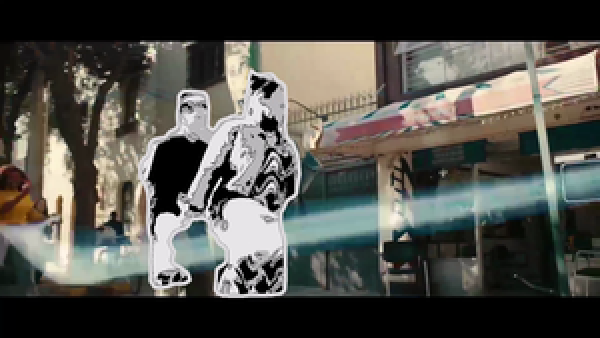
My favorite commercial of late is "Jump" for Apple AirPods Pro . It features a Japanese double dutch champion. I really love the part where he goes cartoonish between 1:13 and 1:20 in the video.
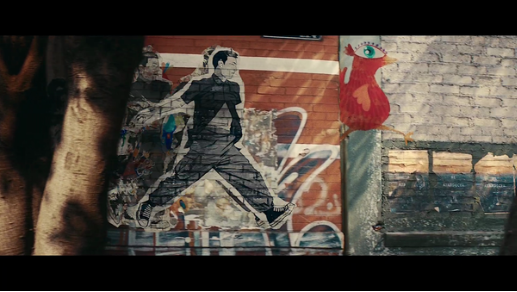
I would like to use the enhanced video features and NN model of Wolfram Language to cartoonize the parts of the video that have not been cartoonized.
→ |
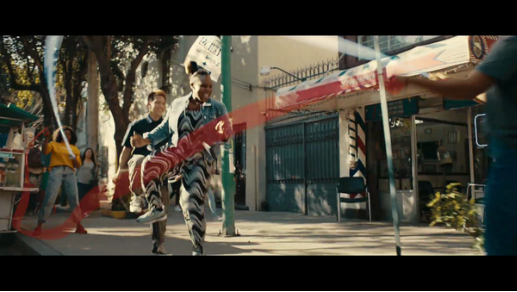
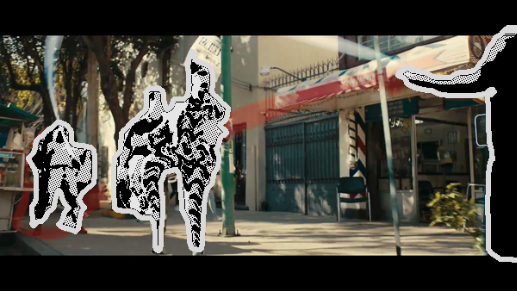
cartoonize persons in the frame
cartoonize persons in the frame
make mask by Semantic Segmentation
make mask by Semantic Segmentation
(*SemanticSegmentationNNmodel*)netevaluate[img_,device_:"CPU"]:=Block[{net,resized,encData,dec,mean,var,prob},net=NetModel["Ademxapp Model A1 Trained on PASCAL VOC2012 and MS-COCO Data"];resized=ImageResize[img,{504}];encData=Normal@NetExtract[net,"Input"];dec=NetExtract[net,"Output"];{mean,var}=Lookup[encData,{"MeanImage","VarianceImage"}];prob=NetReplacePart[net,{"Input"NetEncoder[{"Image",ImageDimensions@resized,"MeanImage"mean,"VarianceImage"var}],"Output"Automatic}][resized,TargetDevicedevice];prob=ArrayResample[prob,Append[Reverse@ImageDimensions@img,21]];dec[prob]](*labels*)labels={"background","airplane","bicycle","bird","boat","bottle","bus","car","cat","chair","cow","table","dog","horse","motorcycle","person","plant","sheep","sofa","train","television"};(*person:White,else:Black*)pos=Position[labels,"person"][[1,1]];colors=Table[Black,{labels//Length}];colors[[pos]]=White;indexToColor=Thread[Range[labels//Length]colors];(*makemask*)makemask[img_,device_:"CPU"]:=Module[{mask},mask=netevaluate[img,device];Colorize[mask,ColorRulesindexToColor]]
make cosmic person
make cosmic person
Use the Image Processing to cartoonize only persons in the frame.
makecosmicperson[img_,device_:"CPU"]:=Module[{maskPlot,dsc,erosion,dilation,person,cosmicperson,imgdim,white,whiteperson},(*makemask*)maskPlot=makemask[img,device];(*deletesmallcomponentsinmask,thenmorphologicalerosionandmorphologicaldilation*)dsc=DeleteSmallComponents[maskPlot,1000];erosion=Erosion[dsc,DiskMatrix[6]];dilation=Dilation[dsc,DiskMatrix[6]];(*makecosmicperson*)person=RemoveBackground[erosionimg,{"Background",{Black,}}];cosmicperson=ImageEffect[person,{"Comics",{.2,.5}}];cosmicperson=Darker[cosmicperson,.1];(*whiteningthesurroundingsofperson*)imgdim=ImageDimensions@img;white=Image[ConstantArray[{.85,.85,.85},Reverse@imgdim],ColorSpace"RGB"];whiteperson=RemoveBackground[dilationwhite,{"Background",{Black,}}];ImageCompose[whiteperson,cosmicperson]]
-10
10
-10
10
compose image
compose image
p2cp[img_,device_:"CPU"]:=ImageCompose[img,makecosmicperson[img,device]];
(*example*)img=
;p2cp[img,"GPU"]
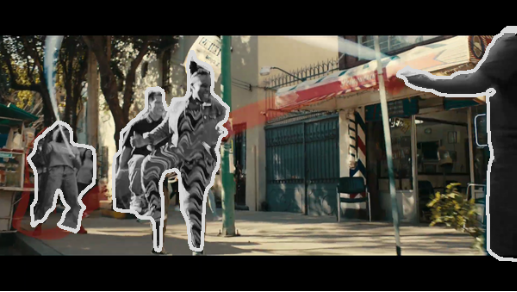
Cartoonize persons in the video
Cartoonize persons in the video
Extract the part to be cartoonized. Create a new video by applying the function that cartoonizes persons to each frame of the video.
cartoonizevideo=VideoMap[p2cp[#Image,"GPU"]&,video];
Generate the animation and paste it in this notebook, because the video content is not actually stored in the Video expression.
vf=VideoFrameList[catoonvideo,267];vf2=ImageResize[#,300]&/@vf;AnimatedImage[vf2,FrameRate28,AnimationRunningFalse]AnimatedImage[vf2[[;;125]],FrameRate28,AnimationRunningFalse]