Wolfram has no easily accessible interface for fragment shader visualization, so the aim of this project is to write a CPU-bound framework and use it to play around with some metaballs and fun Worley noise.
Fragment Shader Framework
A shader is a program that runs on the GPU to render pixels to the screen. Everything you see on your screen right now is, in some way or another, rendered by a shader. In most modern operating systems, most graphics are handled by low-level shaders - individual app developers don’t usually write their own shaders to draw text and images to the screen; they use pre-existing code supplied by your computer.
But in games, developers often have to write their own shaders. Almost all of the special effects you see in games - distortion, film grain, motion blur, glow, lighting - is done using shaders.
You can find shaders for Godot, a popular game engine, at https://godotshaders.com/.
There are many types of shaders, but the focus here will be only on the simplest type here because that’s all that’s need - a fragment shader. A fragment shader simply iterates over all of the pixels in an area and runs a function to determine its color.
It is possible to simplify that model even more by only giving our shader framework the x and y coordinate of each pixel. Even better - it’s possible to limit the “color” of the pixel to a one dimensional (monotone) value.
Define here is a fragment shader method - this doesn’t return a visualization. Rather it returns an array of color values.
In[]:=
fragmentShader[width_Integer,height_Integer,shader_Function]:=Table[Table[shader[x/width,y/height],{x,width}],{y,height}]
In[]:=
fragmentShader[1000,1000,#1*#2&]
Out[]=
Oddly, parallelizing the tables seems to slow down the process:
In[]:=
parallelizedFragmentShaderY[width_Integer,height_Integer,shader_Function]:=ParallelTable[Table[shader[x/width,y/height],{x,width}],{y,height}]parallelizedFragmentShaderX[width_Integer,height_Integer,shader_Function]:=Table[ParallelTable[shader[x/width,y/height],{x,width}],{y,height}]
In[]:=
RepeatedTiming[fragmentShader[1000,1000,#1*#2&]][[1]]
Out[]=
1.13183
In[]:=
RepeatedTiming[parallelizedFragmentShaderY[1000,1000,#1*#2&]][[1]]
Out[]=
3.0467
And in this case is drastically worse:
In[]:=
RepeatedTiming[parallelizedFragmentShaderX[1000,1000,#1*#2&]][[1]]
Out[]=
20.0743
So non-parallelized tables it is!
It would also be nice to visualize these colors, which can be done using MatrixPlot:
In[]:=
MatrixPlot[fragmentShader[100,100,#1*#2&]]
Out[]=
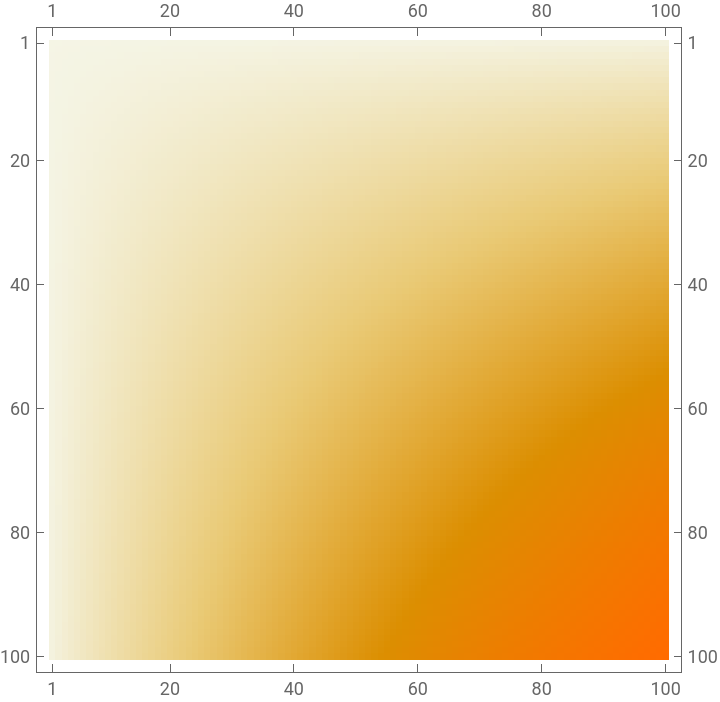
This process can be put into its own little function that returns an iconized array and the visualization:
In[]:=
fragmentShaderVis[width_Integer,height_Integer,shader_Function,colorFunction_:Hue]:=Module[{results=fragmentShader[width,height,shader]},{Iconize[results],MatrixPlot[results,ColorFunction->colorFunction]}]
In[]:=
fragmentShaderVis[100,100,#1*#2&]
Out[]=
,
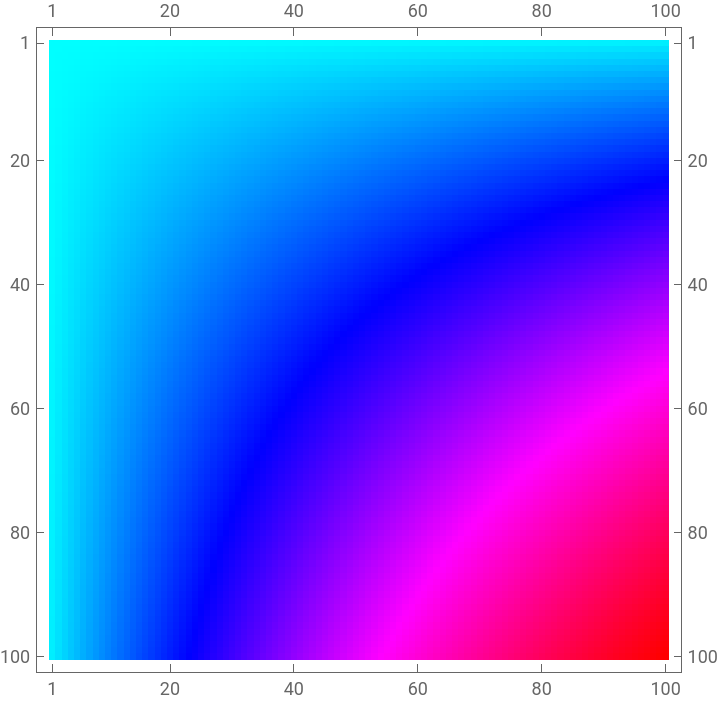
The arguments can also include a color function:
In[]:=
fragmentShaderVis[100,100,#1*#2&,RGBColor[1/#,0.5/#,0]&]
Out[]=
,
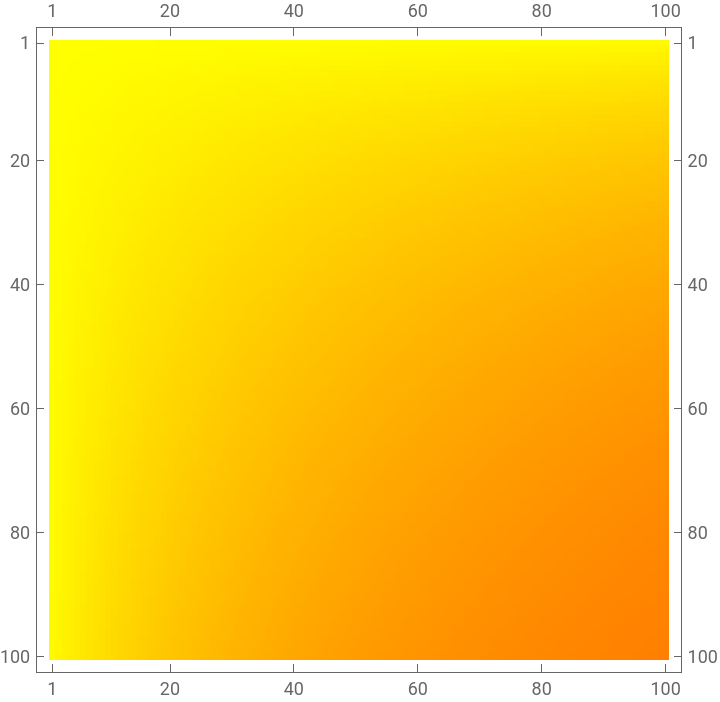
I’ll continue to use this color function from now on.
In[]:=
pretty[x_]:=RGBColor[1/x,0.5/x,0]
Metaballs
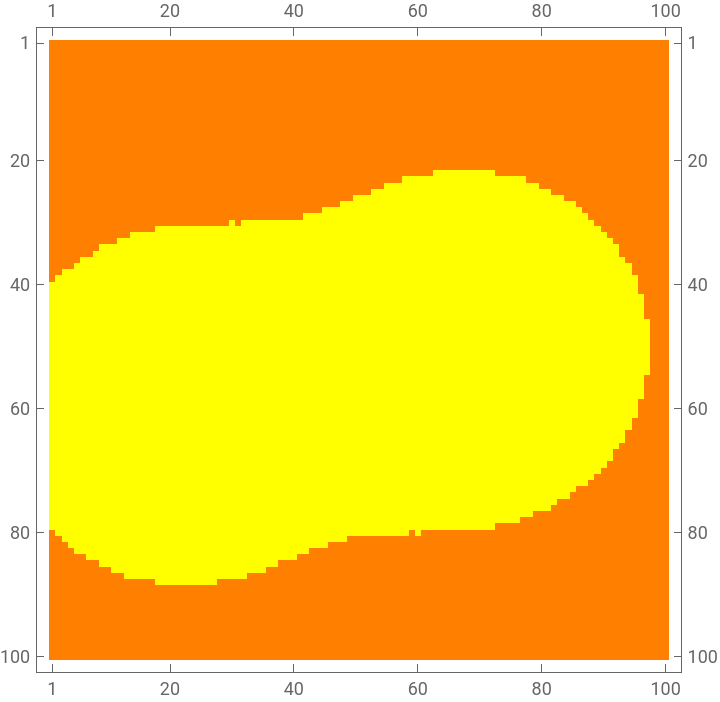
Metaballs are a pretty fun little visualization that are best described as... blobs. They goop together, pull apart. They’re generally just really pretty eye-candy. And as noted above, I love eye-candy.
Metaballs are rendered by adding up the distance from each pixel to each point in a list, then checking if that sum is under a certain threshold. More robustly, that formula for the “charge” of a pixel can be defined as the sum of all + for all defined “charge points” .
1
2
(-x)
x
2
2
(-y)
y
2
(,)
x
2
y
2
This formula is a novel method of creating the metaball effect (there are many, many ways) that I found a few years ago from this article by Ryan Geiss. His work is wildly interesting and I recommend reading some of his writing if you ever find yourself with some free time.
First I define some charge points:
In[]:=
chargePoints={{0.3,0.3},{0.7,0.7}};
Then I define a Euclidean distance function:
In[]:=
distance[x1_,y1_,x2_,y2_]:=Sqrt[(x1-x2)^2+(y1-y2)^2];
This is the implementation to render the metaballs:
In[]:=
checkForDistance[x_,y_,pts_]:=Plus@@Table[Module[{dist=(distance[x,y,pt[[1]],pt[[2]]]^2)},1/If[dist==0,0.001,dist]],{pt,pts}]/5<3
In[]:=
getMetaballFrame[pts_]:=fragmentShaderVis[100,100,If[checkForDistance[#1,#2,pts],1,0]&,pretty][[2]]
Then I can apply that function to some moving charge points for a fun animation:
In[]:=
metaballFrames=getMetaballFrame/@Table[{{Cos[theta]*0.3+0.4,Sin[theta]*0.3+0.5},{Cos[theta+Pi]*0.3+0.5,Sin[theta+Pi]*0.2+0.6}},{theta,0,Pi,0.1}];
In[]:=
ListAnimate[metaballFrames]
Out[]=
Worley Noise
Now’s the really fun part. Worley noise is better known, especially among 3D artists, as “Voronoi noise”, an incorrect label - the Voronoi method is not a mathematical numerical function, and therefore cannot generate values for a noise texture. Regardless, “Voronoi noise” isn’t a completely ridiculous name, and it’s indicative of how one generates Worley noise.
Voronoi meshes are generated by choosing a set of points, then dividing a region by proximal point.
More rigorously, you could define a Voronoi “cell” to be the collection of all points in space that are closer to the cell’s centroid than any other centroid.
To make it a little easier to understand, I can visualize a Voronoi mesh with its centroids.
Wolfram already has a Voronoi mesh method:
I can label the centroids of the cells in red:
What I want to do is smooth out those harsh lines and create a continuous texture that looks like this mesh. I do this using Worley noise.
I use some simple math to write a method to generate a noise value for any given point:
And write a shader:
Wait... that looks a lot like water! Maybe I can try to finish our exploration up by making some simple pseudo-caustics. Caustics are the reflections made by water as it moves around, like the light patterns made on the bottom of your pool.
Simulating caustics is one of the most computationally expensive processes in graphics, so very few real-life applications actually do it. Instead, they use tricks to make patterns that look and move like caustics without the overhead.
Fortuitously, one of the most common and time-tested tricks for caustics is Worley noise.
Before I start just making our image move, however, I want to make it look a little more intentionally like water.
Right now, our Worley noise has this falloff:
I want to make the falloff sharper so I can avoid blobby regions like this:
I can see that the larger the exponential base, the steeper the falloff:
So I define a new modified Worley noise function:
I start by getting some movement in there:
And generate a whole bunch of frames:
When I animate it all:
I get some pretty cool caustics!
Citations