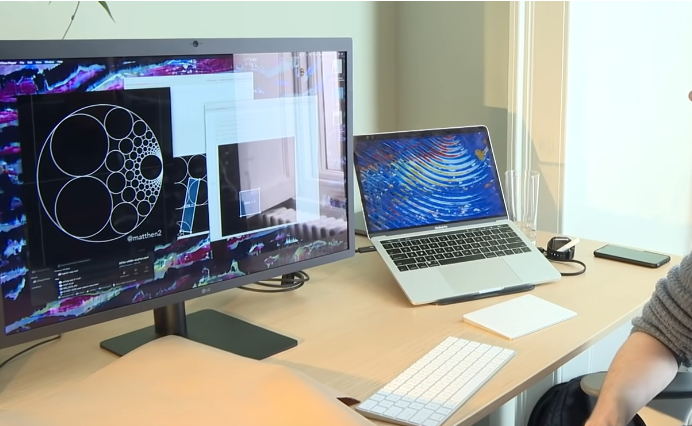
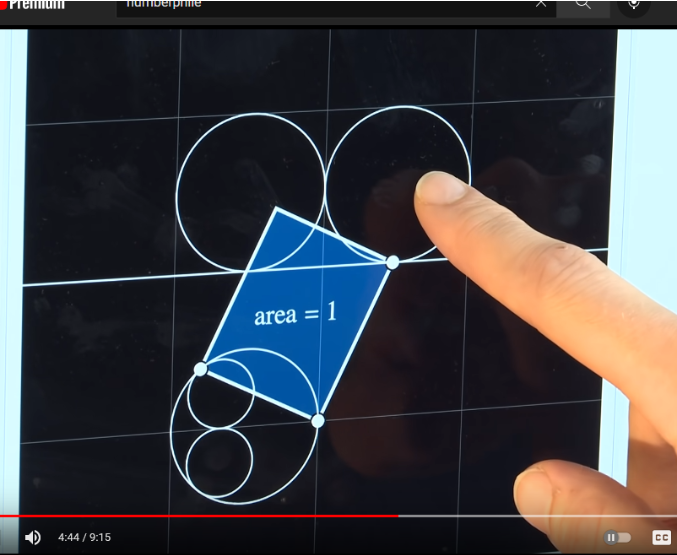
Matt Henderson presented a very nice application of Mathematica demo of infinitely many touching circles in today’s Numberphile video:
Out[]=
One-liner compound transformation function
One-liner compound transformation function
With the help of ResourceFunction["CircleInversion"], Henderson’s code can be reduced to one line to handle the geometric transformation for each circle:
transform[obj_]:=RotationTransform[π/2,{0,0}][Circle[{0,0},1],obj]
The method Henderson showed in the video is a compound action of circle inversion and rotation transformation w.r.t. to origin about 90 degree counterclockwise. Notice the sequence of the action matters.
Visualization
Visualization
Create circles on grid:
In[]:=
circles=Table[Circle[{i-1/2,j+1/2},1/2],{i,-4,4},{j,1,4}]//Flatten;
In[]:=
circleHues=Hue/@Subdivide[Length[circles]]
Out[]=
{,,,,,,,,,,,,,,,,,,,,,,,,,,,,,,,,,,,,}

The inversion of the enclosure circle in Henderson’s video is the infinite horizontal line touching each circle on the bottom:
In[]:=
infline=InfiniteLine[{1,1},{1,0}];
In[]:=
Graphics[{Transpose[{Rest@circleHues,circles}],{First[circleHues],InfiniteLine[{1,1},{1,0}]},image=Transpose[{circleHues,transform/@Prepend[circles,infline]}]},GridLines{Range[-3,3],Range[-3,3]},GridLinesStyle->Directive[GrayLevel[0.8]]]//Framed
Out[]=
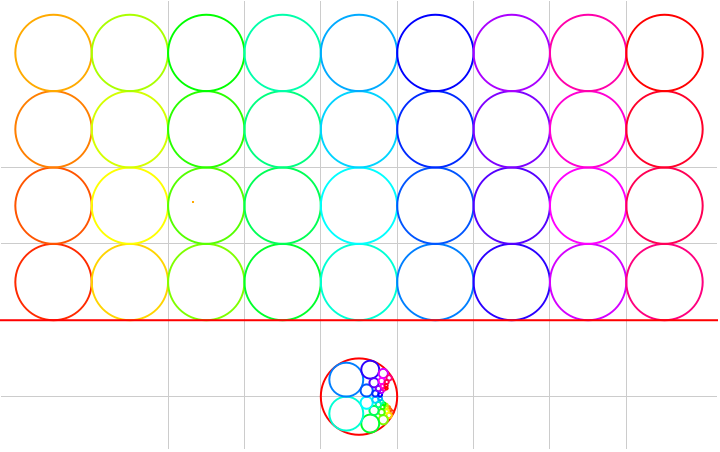
Enlarge the image of the compound inversion for each circle. Circles with the same color are inversion of each other with rotation:
In[]:=
Graphics[image]
Out[]=
If you only want the image of inversion for many more circles, you can remove some code above. Because the circles is going to be very tiny on the right hand side of the enclosure, it is wise to just show the enlarged version of the image of inversion:
In[]:=
circles=Table[Circle[{i-1/2,j+1/2},1/2],{i,-20,20},{j,1,5}]//Flatten;circleHues=Hue/@;image=Transpose[{circleHues,transform/@Prepend[circles,infline]}];Graphics[image]
0.9
Subdivide[Length[circles]]
Out[]=
This diagram is identical to that in the Numberphile video: