For some time, the CDC COVID- Data Tracker has had some nice visualization for vaccination across US counties, however, with no source data available. Recently, the source data becomes available. In this short computational essay, I showed how to transform that data into computable datasets in the Wolfram Language. This dataset can be very useful for epidemiological studies on COVID19.
FIPS
FIPS
Wolfram Language has the FIPS code data of all US counties. However, the CDC vaccination dataset contains US territories, too. I could have simply drop them out; but decided to include them. Therefore, first I need to have a complete list of FIPS codes for US inland counties and territories.
Get list of FIPS for US and its territories:
In[]:=
dt0=SortBy[Rest@Import["https://www.nrcs.usda.gov/wps/portal/nrcs/detail/national/home/?cid=nrcs143_013697","Data"]〚2,2〛,First];
Pick the max FIPS code within US (to distinguish the US territories):
In[]:=
max=Max@ToExpression@EntityValue,"FIPSCode";

Get FIPS and location of only US territories:
In[]:=
{fips,loc}=TakeDrop[Transpose[Select[dt0,#〚1〛>max&]],1];
Since US territories are reported in two-letter abbreviation, generate list of rules as code->entity:
In[]:=
repRules=ThreadRule{"AS","GU","MP","PR",Missing[],"VI"},;
Interpret corresponding regions of each FIPS:
In[]:=
regions=MapThread[If[#1"Unknown",Missing[],Nearest[EntityValue[#2["AdministrativeDivisions"],"Name","EntityAssociation"],#1<>", "<>#2["Name"]]〚1〛]&][loc/.repRules];
Create a list as {FIPS, Region, Country (US territory)}:
In[]:=
fipsUSTerritories=Transpose[{ToString/@fips〚1〛,regions,(loc/.repRules)〚-1〛}];
Association of county->state:
In[]:=
cntyState=KeyValueMap[Thread[Rule[#2,#1]]&]@EntityValue,"Subdivisions","EntityAssociation"//Flatten//Association;
US inland FIPS:
In[]:=
fipsUSInland=KeyValueMap[{#2,#1,cntyState[#1]}&]@EntityValue,"FIPSCode","EntityAssociation";
US inland and territories as {FIPS,region,state or county}:
In[]:=
fipsUS=Join[fipsUSInland,fipsUSTerritories];fipsUS//Dimensions
Out[]=
{3233,3}
Create an association as FIPS -> {FIPS,region,state or county} and add two regions that are not in the dataset:
In[]:=
fipsInfo=JoinGroupBy[fipsUS,First,First],<|"72069""72069",,,"72039""72039",,|>;
Transforming CDC vaccine data per US counties:
Transforming CDC vaccine data per US counties:
Get the CDC raw data as Dataset (replacement at the end is for Kusilvak Census Area, AK, old one to new one):
In[]:=
ds0=Import["https://data.cdc.gov/api/views/8xkx-amqh/rows.csv?accessType=DOWNLOAD",{"CSV","Dataset"},HeaderLines1]/.(2270:>2158);
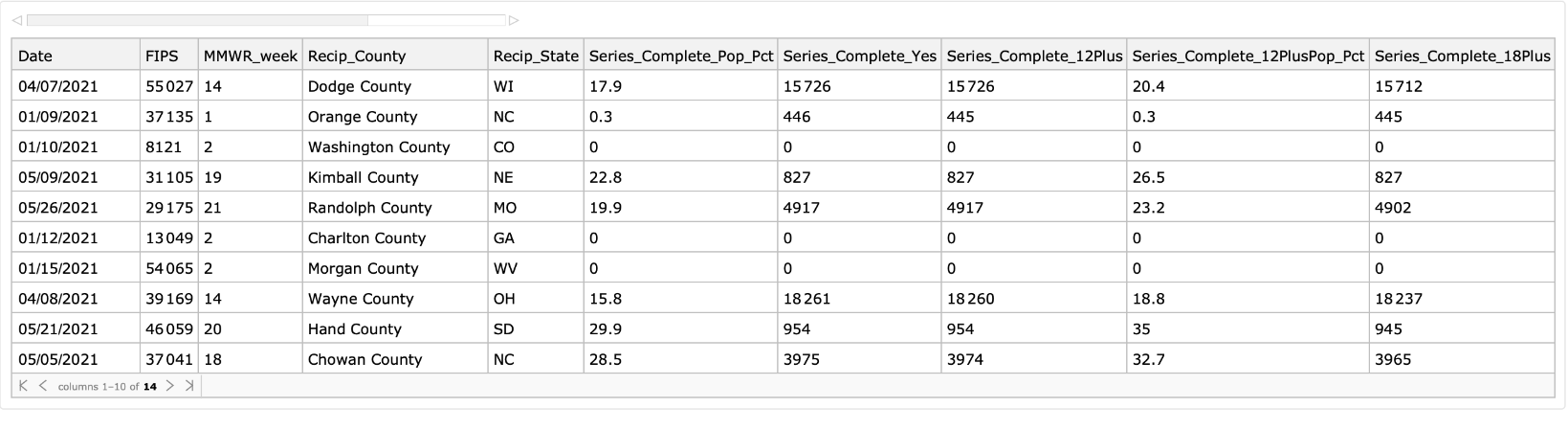
A peak into 10 random rows of dataset:
In[]:=
ds0[RandomChoice[Range[Length[ds0]],10]]
Out[]=
Clean up the column tags:
In[]:=
ds1=With[{keys=Normal@Keys@ds0[1]},ds0[All,AssociationThread[StringJoin/@Capitalize/@StringSplit[keys,"_"],keys]]];
Group by FIPS and then apply
In[]:=
ds2=ds1[Select[#FIPS≠"UNK"&]][GroupBy["FIPS"]][KeyMap[fipsInfo[With[{fips=ToString[#]},If[StringLength[fips]<5,"0"<>fips,fips]]]&]];
Define a function for generating time series:
In[]:=
tsGenerator[dataset_]:=Module[{dt0,days,vectors},dt0=Transpose@Normal@Values@dataset;days=dt0〚1〛;vectors=dt0〚-9;;〛;AssociationThread[{"FullyVaccinatedPercent","VaccinatedPercent","VaccinatedPercent12Plus","VaccinatedPercent12PlusPercent","VaccinatedPercent18Plus","VaccinatedPercent18PlusPercent","VaccinatedPercent65Plus","VaccinatedPercent65PlusPercent","ProportionOfFullyVaccinatedPerFIPS"},TimeSeries[#,{days}]&/@vectors]]
Create time series:
In[]:=
ds3=ds2[All,tsGenerator];//AbsoluteTiming
Out[]=
{2458.04,Null}
Pick data with missing county, and create time series (added country for interpretation of MH):
In[]:=
ds4=ds1[Select[#FIPS=="UNK"&]][GroupBy["RecipState"]][All,tsGenerator][KeyMap[{Missing[],Missing[],Interpreter["USState"|"Country"][#]}&]];//AbsoluteTiming
Out[]=
{89.0086,Null}
Sanity checks:
In[]:=
Select[Normal@Keys@ds3,FreeQ[_Missing]]//Dimensions
Out[]=
{3224,3}
In[]:=
Length/@Normal[Keys[ds3]]//Tally
Out[]=
{{3,3224}}
In[]:=
ds=Join[ds3,ds4][KeyValueMap[<|AssociationThread[{"FIPS","AdminDivision","StateCountry"},#1],#2|>&]][SortBy["StateCountry"]];
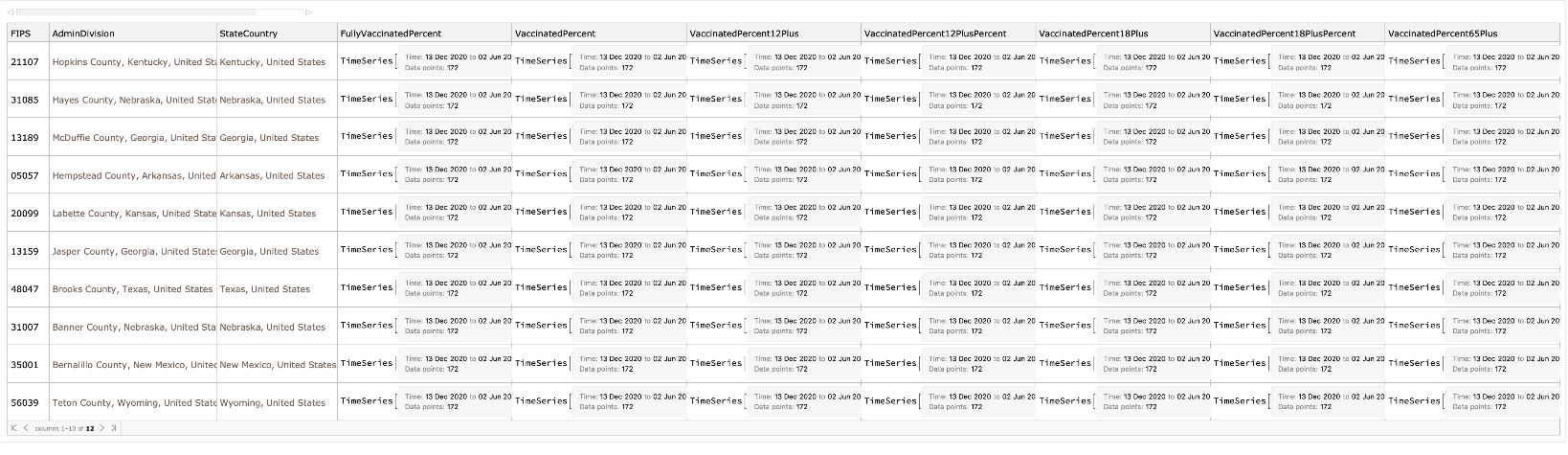
A peak into 10 random rows of dataset:
In[]:=
ds[RandomChoice[Range[Length[ds]],10]]
Out[]=
Visualization
Visualization
Get the data of all US counties and time series for % of fully vaccinated:
In[]:=
{counties,ts}=ds[Select[MatchQ[#AdminDivision,Entity["AdministrativeDivision",{_,_,"UnitedStates"}]]&]][All,{"AdminDivision","FullyVaccinatedPercent"}]//Values//Normal//Transpose;
Merge all time series into a TemporalData (extract data from that will be much easier, see geoViz):
In[]:=
td=TemporalData[ts];
In[]:=
values=td["ValueList"]/.x_ListConstantArray[Missing[],Length[x]]/;ContainsOnly[x,{0}];
Define colors and bins used in the visualization:
In[]:=
colors=Blend,(*,,*),#&/@Range[0,1,1/7];bins={0,5,10,20,30,40,50};cfunc[x_]:=Which@@FlattenPrependRiffle[Join[x≤#&/@bins,{x>Last[bins]}],colors],MatchQ[x,_Missing],


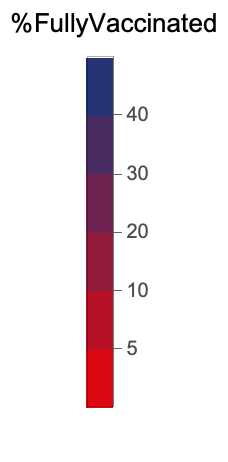
Define the legend used based on colors and bins:
In[]:=
legend=BarLegend[{colors,MinMax[bins]},bins,LegendLayout"Column",LegendLabel"%FullyVaccinated",LegendMarkerSize200]
Out[]=
Get all days:
Geo-visualize counties with colors proportional to % of fully vaccinated population per county:
Geo-viz 4 days:
Note the missing data are gray areas.
GIF
GIF
Create geo-viz for all days (time-consuming step):
Export geo-viz as GIF:
Export geo-viz as locally, too: