CITE THIS NOTEBOOK: The Otherview Effect: Seeing another Earth-like planet for the first time by Jack Madden. Wolfram Community MAR 3 2023.
The “Overview Effect” is the feeling of awe, unity, and solitude that occurs when astronauts see the Earth from space. The feeling was most predominant during the Apollo missions when the astronauts traveled so far away from the Earth that it appeared small and lonely. As an astrophysicist studying potentially habitable exoplanets I’ve always been interested in that moment when we realize Earth is not lonely. Similar to the “Overview Effect” for Earth, could there be an “Otherview Effect” when we see another Earth-like planet for the first time and our ability to recognize home is challenged.
This project pulls at this thread by generating new images of imaginary world using a method that parallels the way we search for habitable planets. Using only Earth as the input, climate simulations render thousands of possible signatures for life that our telescopes use to manage their search (see the work of groups Kaltenegger, Seager, Meadows etc). One day these simulations will be used to verify and extrapolate a detected biosignature and help determine if life is the most likely source. Here, I’ve used only Apollo images of Earth to train a GAN that makes new Earth-like places. In my GAN and the research simulations the output is blurry, uncertain, limited in use, and uncanny. Sometimes however, the result gives a faint sense that it could someday resemble the eventual first time we measure Earth’s twin.
In this notebook I share the code used to create the GAN and generate the new images. I then show some of the results from the art installation.
This project pulls at this thread by generating new images of imaginary world using a method that parallels the way we search for habitable planets. Using only Earth as the input, climate simulations render thousands of possible signatures for life that our telescopes use to manage their search (see the work of groups Kaltenegger, Seager, Meadows etc). One day these simulations will be used to verify and extrapolate a detected biosignature and help determine if life is the most likely source. Here, I’ve used only Apollo images of Earth to train a GAN that makes new Earth-like places. In my GAN and the research simulations the output is blurry, uncertain, limited in use, and uncanny. Sometimes however, the result gives a faint sense that it could someday resemble the eventual first time we measure Earth’s twin.
In this notebook I share the code used to create the GAN and generate the new images. I then show some of the results from the art installation.
Setup
Setup
In[]:=
<<CUDALink`CUDAQ[]CUDAInformation[]SetDirectory[NotebookDirectory[]]
Training Image import and prep
Training Image import and prep
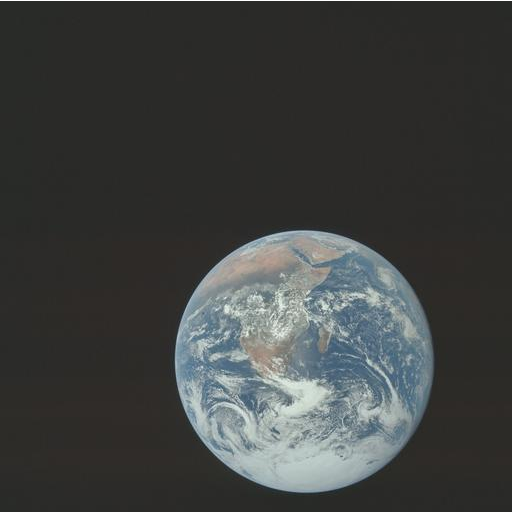
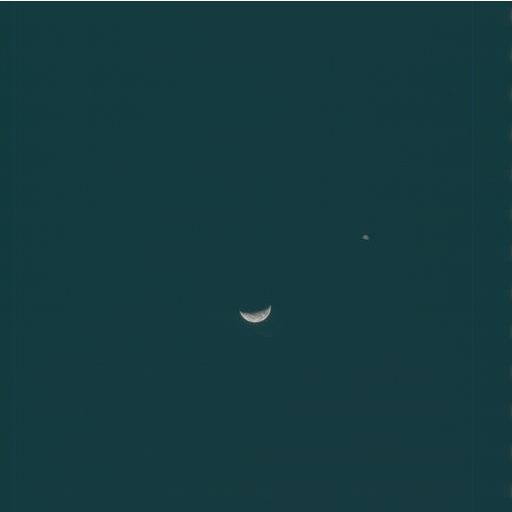
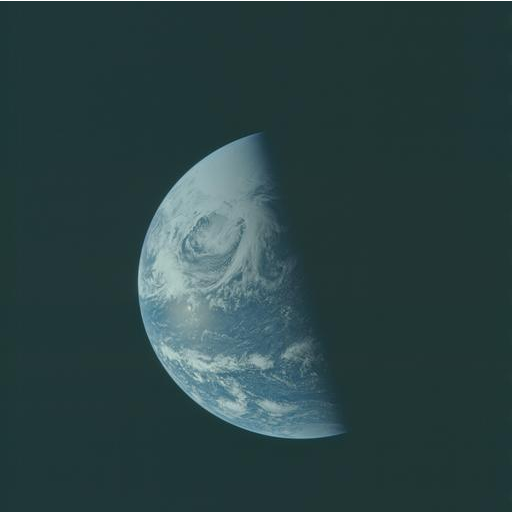
The input image set contains 468 jpg images downloaded from the Project Apollo Archive flickr page. Each image was hand selected to be one that only contains a full disk image of the Earth without anything else in the image. The images are then imported, resized, and exported back into a useable .mx file for easy reuse later.
In[]:=
imagenames=FileNames["Images/EarthOverview/Isolated/*.jpg"];imsize=256;names=StringTake[imagenames,{31,-5}];
Do[Export["Images/EarthOverview/Isolated/"<>ToString[imsize]<>"/"<>ToString[f]<>".jpg",ImageResize[Import["Images/EarthOverview/Isolated/"<>ToString[f]<>".jpg"],{imsize,imsize}]];,{f,names}]
imagesresized=Import[#]&/@FileNames["Images/EarthOverview/Isolated/256/*.jpg"];
Export and re-import the resized images to/from an .mx file. This will be a common step later on to checkpoint the model output. This allows the code to be resumed from a point after significant processing, in this case without having to resize and label the images.
In[]:=
Export["IO/input_images"<>ToString[imsize]<>".mx",imagesresized];
In[]:=
imagesresized=Import["IO/input_images"<>ToString[imsize]<>".mx"];
Generator
Generator
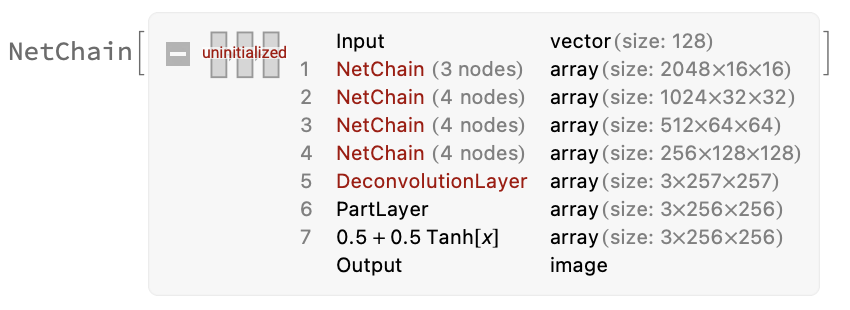
The GAN structure was largely modeled after the one built by Jérôme Louradour in a fantastic blog post.
His post goes into much greater detail about the choices being made and the architecture used with extra examples and insights.
What I have here is a streamlined version for a working model.
His post goes into much greater detail about the choices being made and the architecture used with extra examples and insights.
What I have here is a streamlined version for a working model.
In[]:=
deconvolutionBlock=Function[{numhiddens,size},NetChain[{DeconvolutionLayer[numhiddens,{5,5},"Stride"{2,2},PaddingSize1],PartLayer[{All,1;;size,1;;size}],BatchNormalizationLayer[],Ramp}]];generator=NetChain[{NetChain[{{imsize*8,imsize/16,imsize/16},BatchNormalizationLayer[],Ramp}],deconvolutionBlock[imsize*4,imsize/8],deconvolutionBlock[imsize*2,imsize/4],deconvolutionBlock[imsize,imsize/2],DeconvolutionLayer[3,{5,5},"Stride"{2,2},PaddingSize1,"Weights"0],PartLayer[{All,1;;imsize,1;;imsize}],ElementwiseLayer[Tanh[#]*0.5+.5&]},"Input"imsize/2,"Output"NetDecoder["Image"]];
Discriminator
Discriminator
In[]:=
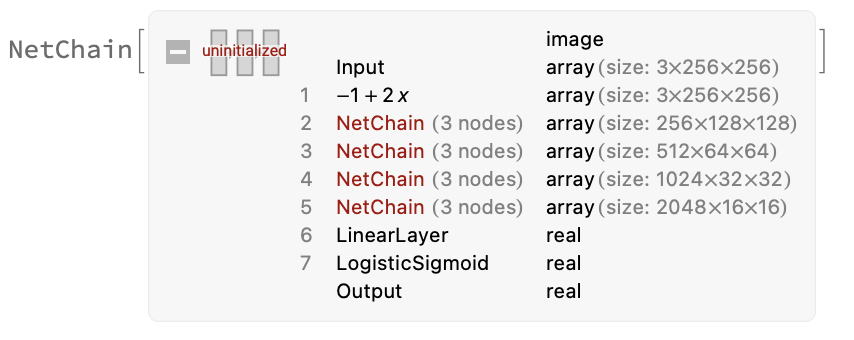
convolutionBlock=Function[{numhiddens,size},NetChain[{ConvolutionLayer[numhiddens,{5,5},"Stride"{2,2},PaddingSize2],BatchNormalizationLayer[],ElementwiseLayer[Max[#1,0.2`#1]&]}]];discriminator=NetChain[{ElementwiseLayer[-1+2*#&],convolutionBlock[imsize,imsize/2],convolutionBlock[imsize*2,imsize/4],convolutionBlock[imsize*4,imsize/8],convolutionBlock[imsize*8,imsize/16],LinearLayer[{},"Weights"0,"Biases"None],LogisticSigmoid},"Input"NetEncoder[{"Image",{imsize,imsize},"RGB"}]]
Autoencoder
Autoencoder
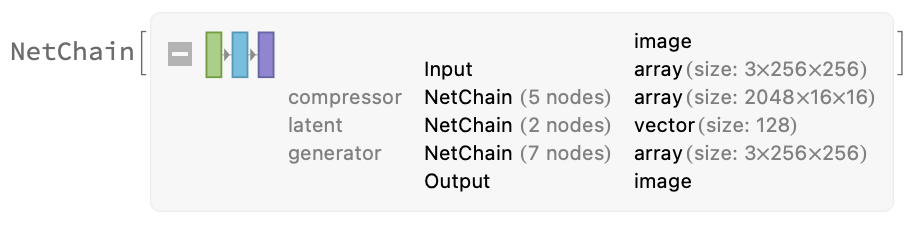
We need to pretrain the generator and discriminator to allow for faster and better training later on. The autoencoder tries to recreate an input image after compressing it in the discriminator and passing the vector through the generator.
In[]:=
autoencoder=NetChain[<|"compressor"NetTake[discriminator,{All,5}],"latent"NetChain[{LinearLayer[imsize/2],BatchNormalizationLayer[]}],"generator"generator|>];
In[]:=
autoencoderTrainer=NetGraph[<|"autoencoder"autoencoder,"MSE"MeanSquaredLossLayer[]|>,{{"autoencoder",NetPort["Input"]}"MSE"}];
In[]:=
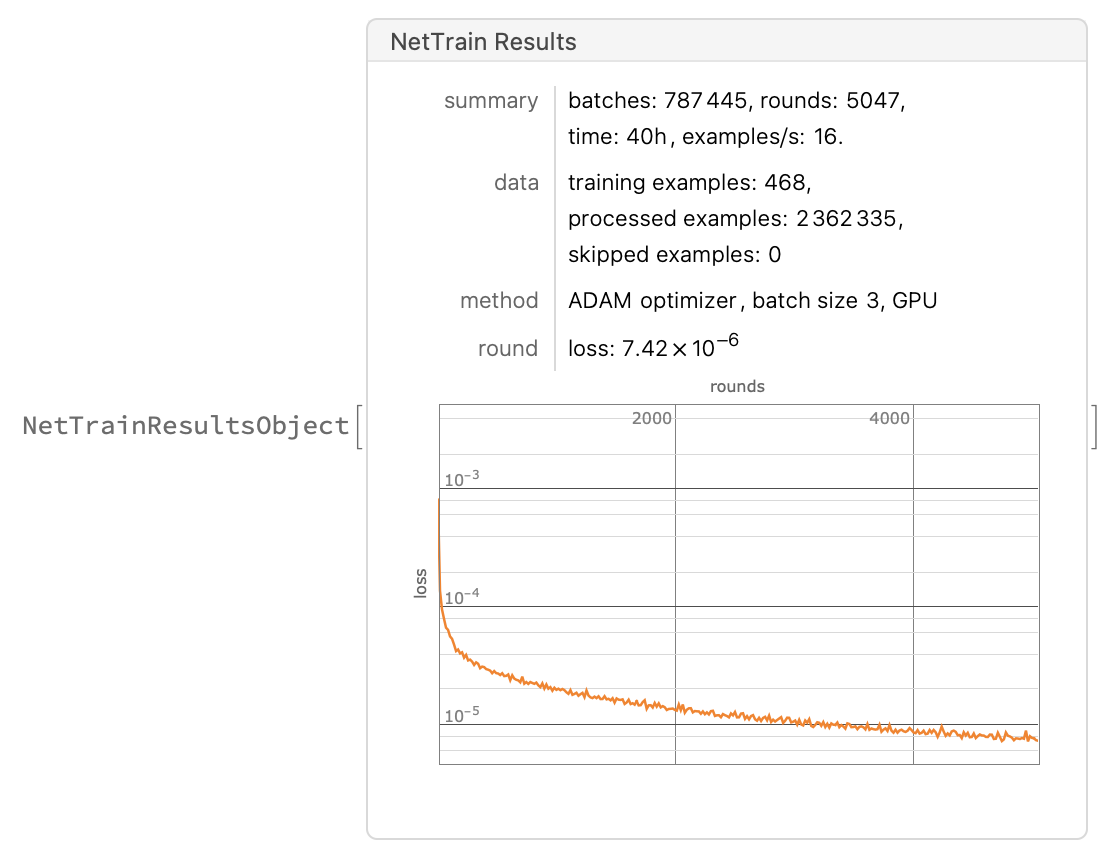
autoEncoderTrainResults=NetTrain[autoencoderTrainer,filelist,All,TargetDevice"GPU",TimeGoal3600*40,BatchSize3,TrainingProgressCheckpointing{"Directory","IO","Interval"Quantity[5,"Hours"]}]
Save/Export/Import
Save/Export/Import
Here again we have the important step of saving the model for later use. I highlight these steps because they are not mentioned in the blog post but are critically practical.
In[]:=
trained=autoEncoderTrainResults["TrainedNet"];
In[]:=
Export["IO/autoEncoderTrainResults.wlnet",trained]Export["IO/autoEncoderTrainResults321409.wlnet",trained]
trained=Import["IO/autoEncoderTrainResults.wlnet"];
Trained Autoencoder
Trained Autoencoder
In[]:=
autoencoder=NetReplacePart[trained[["autoencoder"]],{"Input"NetEncoder[{"Image",{imsize,imsize}}],"Output"NetDecoder["Image"]}];
In[]:=
AssociationMap[autoencoder,RandomSample[imagesresized,5]]

Even after training for 40hours the autoencoder is producing mixed results. With the small dataset this parallels the limited scientific grounding in the climate simulations I’m trying to mimic. So, while the results may not be optimized, their faults highlight the concepts I’m interested in as an artist and are therefore intended. Part of the art planning and research was having anticipated that a limited dataset would produce sufficiently distorted images to showcase the idea I was after.
Generating new images
Generating new images
We can use the generator and discriminator from the trained autoencoder and set up the GAN.
Here we set up the random latent generation and the optional monitor. The monitor is great during testing but I turned it off to save a little time during the full run.
Here we finally train the full GAN. I had runs at several times over and under 24 hours but found 24 hours to produce a good balance of time efficiency and image quality. A similar choice to how a scientist might run climate simulations. Here I had progress checkpointing every 5 hours which was a lifesaver.
Save/Export
Save/Export
Save and import your final GAN.
Generator Results
Generator Results
Using the fully trained model of your choice, at this stage you can import your preferred .wlnet model and generate images.
This step exports 100 generated images at a time with random rotation.
Making the installation
Making the installation