In[]:=
GraphToFourColorMap//ClearAllGraphToFourColorMap[graph_?PlanarGraphQ,options:OptionsPattern[{GeoLabels->True,GeoBackground->"VectorBusiness",ImageSize->Small,GeoRegionValuePlot}]]:=GraphToFourColorMap[graph,ColorData[106,"ColorList"],options]GraphToFourColorMap[graph_?PlanarGraphQ,color_:ColorData[106,"ColorList"],options:OptionsPattern[{GeoLabels->True,GeoBackground->"VectorBusiness",ImageSize->Full,GeoRegionValuePlot}]]:=GeoRegionValuePlot[Thread[VertexList[graph]->FindVertexColoring[graph,color]],options,GeoBackground->OptionValue[GeoBackground],ImageSize->OptionValue[ImageSize],GeoLabels->OptionValue[GeoLabels]]
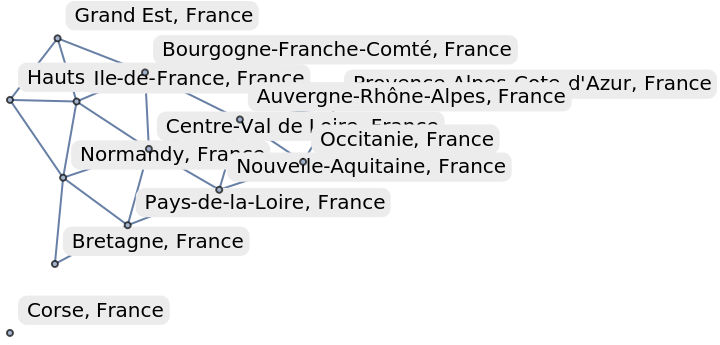
Build a graph for France.
In[]:=
FranceBorderingAdministrativeRegionsGraph=RelationGraph[MemberQ[#1][ResourceData[ResourceObject[CloudObject["https://www.wolframcloud.com/obj/burbery1/DeployedResources/Data/Administrative-Regions-of-France-and-bordering-data"]]][#2,"bordering-administrative-divisions"]]&,Normal@Keys[ResourceData[ResourceObject[CloudObject["https://www.wolframcloud.com/obj/burbery1/DeployedResources/Data/Administrative-Regions-of-France-and-bordering-data"]]][All,First]],VertexLabels->"Name"]
Out[]=
In[]:=
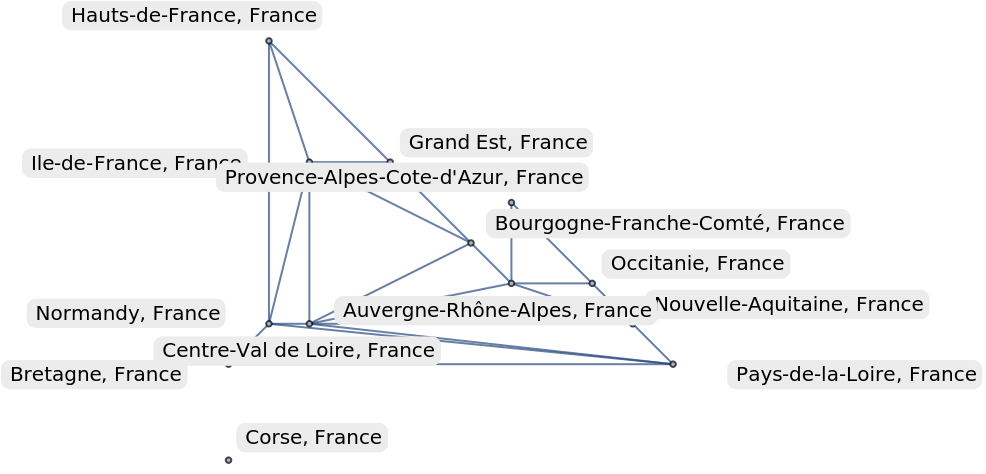
Graph[FranceBorderingAdministrativeRegionsGraph,GraphLayout->"PlanarEmbedding"]
Out[]=
In[]:=
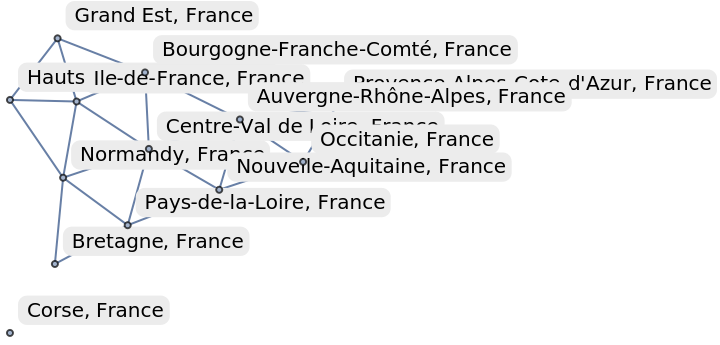
PlanarGraphQ
Out[]=
True
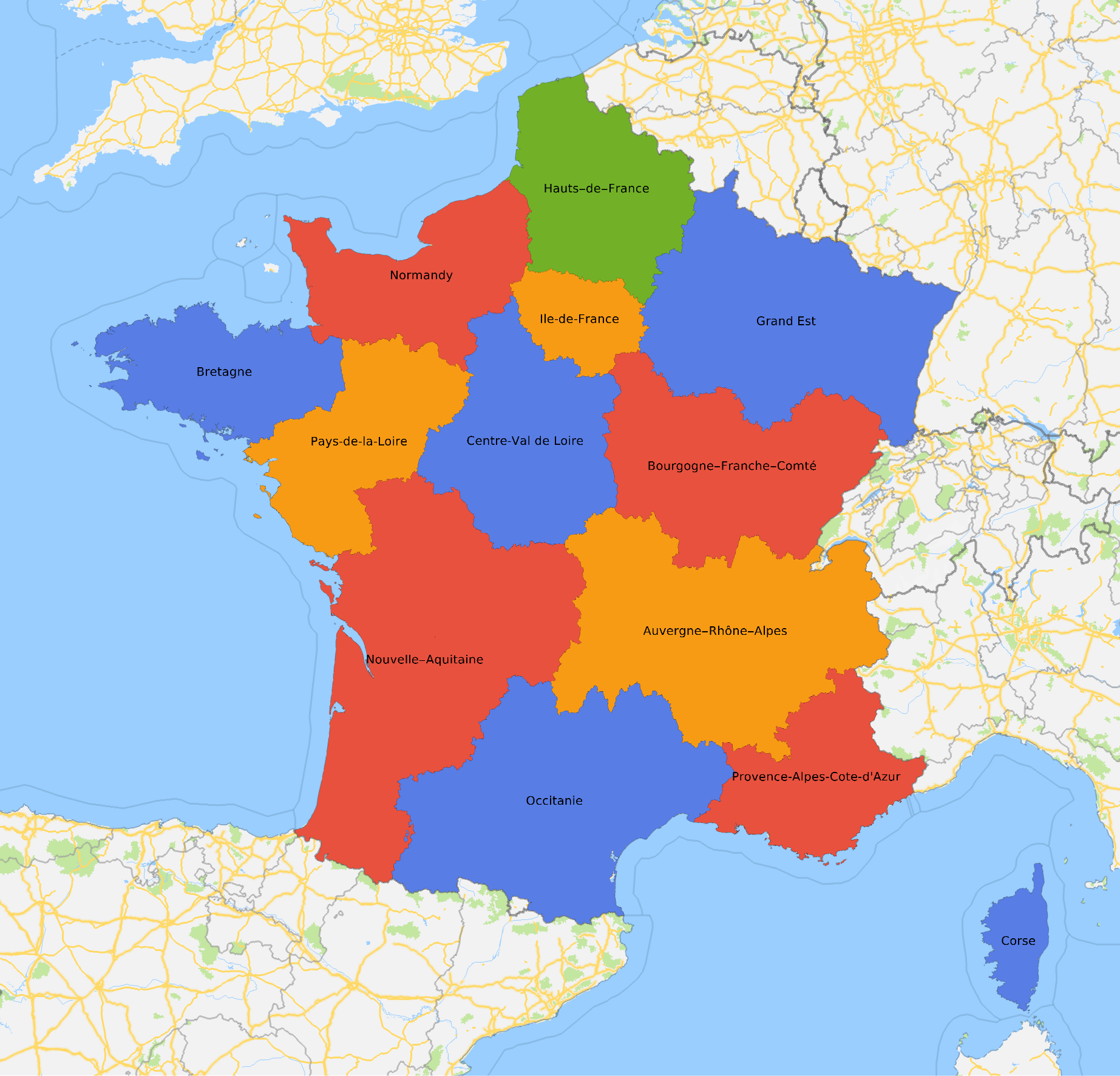
Make a map.
In[]:=
GraphToFourColorMap[FranceBorderingAdministrativeRegionsGraph]
Out[]=