Online passwords are used to verify users' identities on websites, so that their information is protected and private. People often use patterns when creating passwords. For example, if a website requires passwords to have eight characters, some numbers, and some special characters, a person might add the numbers and special characters after a certain word or phrase. Using a dataset of leaked passwords I can show some common patterns that appear in people's passwords.
Introduction
Introduction
Passwords are the keys into people's private online data. The easier a password is to guess, the less secure that data is. Having patterns in passwords makes them easier to guess. Part of the reason people use patterns in their passwords is that it makes the passwords more memorable. In this project I explored the different patterns, or templates, that appear in passwords using functions like StringMatchQ to see which ones appeared the most often. The patterns that appeared most often should be avoided when creating future passwords because those are the easiest for attackers to guess.
Finding and cleaning a dataset
Finding and cleaning a dataset
I used a dataset of leaked passwords online [1, 2] and filtered it to only contain passwords by removing emails and URLs.
Importing and filtering the dataset:
In[]:=
importStr=Import["https://raw.githubusercontent.com/danielmiessler/SecLists/master/Passwords/Leaked-Databases/000webhost.txt"];data=StringSplit[importStr,"\n"];emails=Select[TextCases[data,"EmailAddress"],Length[#]>0&];noEmails=DeleteCases[data,Alternatives@@Flatten[emails]];urls=Select[TextCases[noEmails,"URL"],Length[#]>0&];passList=DeleteCases[noEmails,Alternatives@@Flatten[urls]];
Basic patterns
Basic patterns
In[]:=
Letters followed by Numbers
Letters followed by Numbers
To begin, I looked at the basic pattern of passwords containing only letters followed by numbers.
Creating a list of letters only followed by numbers:
In[]:=
letterNums=Select[passList,StringMatchQ[#,LetterCharacter..~~DigitCharacter..]&];
This ended up being very common:
In[]:=
letterNumP=N[Length[letterNums]/Length[passList]]*100
Out[]=
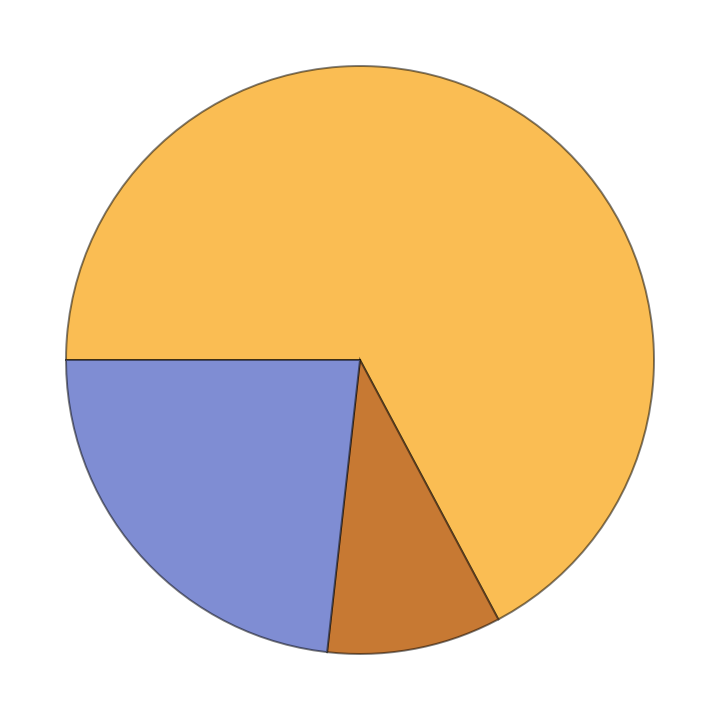
67.201
I then separated the letter portion from the number portion of the passwords following the pattern of letters followed by numbers (LetterNums). I did this to find out which words appeared most frequently in the letter portion of the passwords of this pattern.
Separating letter portion of the password:
In[]:=
strFromLetterNums=Flatten@StringCases[letterNums,LetterCharacter..];
Using DictionaryWordQ to see if letter portion is an actual word and finding actual words with more than one letter:
In[]:=
actualWords1=Select[strFromLetterNums,DictionaryWordQ[#,IgnoreCase->True]&];gOne=Select[actualWords1,StringLength[#]>1&];gOneWrds=Select[gOne,DictionaryWordQ[#,IgnoreCase->True]&];
In[]:=
Numbers followed by Letters
Numbers followed by Letters
Next I looked at the reverse case where the passwords started with numbers followed by letters.
Creating a list of numbers only followed by letters:
In[]:=
numLetters=Select[passList,StringMatchQ[#,DigitCharacter..~~LetterCharacter..]&];
This case was less common compared to letters only followed by numbers:
In[]:=
numLetterP=N[Length[numLetters]/Length[passList]]*100
Out[]=
9.58515
Then I separated the letter portion from the number portion of each password following the pattern of numbers followed by letters (numLetters).
Separating letter portion:
In[]:=
letterFromNumLetters=Flatten@StringCases[numLetters,LetterCharacter..];
Using DictionaryWordQ to see if the letter portion is an actual word and finding actual words with more than one letter:
In[]:=
actualWords2=Select[letterFromNumLetters,DictionaryWordQ[#,IgnoreCase->True]&];lttrOne=Select[letterfrnumLetters,StringLength[#]>1&];lttrOneWrd=Select[lttrOne,DictionaryWordQ[#,IgnoreCase->True]&];
WordClouds for different patterns of letterNums and numLetters:
In[]:=
Grid[{{"Words found in letterNums","Words found in letterNums with word length>1"},{WordCloud[ToLowerCase[actualWords1]],WordCloud[ToLowerCase[gOneWrds]]},{"Words found in numLetters","Words found in numLetters with word length>1"},{WordCloud@ToLowerCase[actualWords2],WordCloud[ToLowerCase[lttrOneWrd]]}},FrameAll]
Out[]=
Words found in letterNums | Words found in letterNums with word length>1 |
Words found in numLetters | Words found in numLetters with word length>1 |
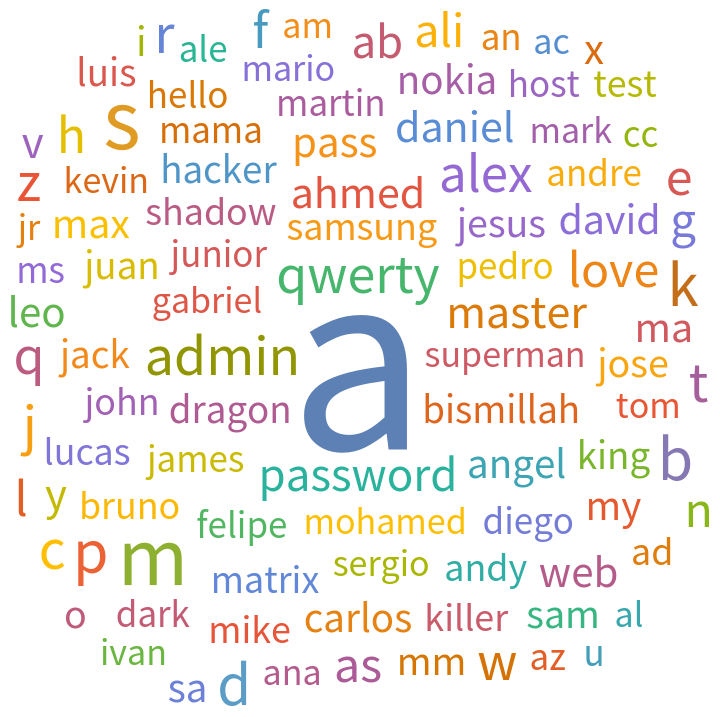
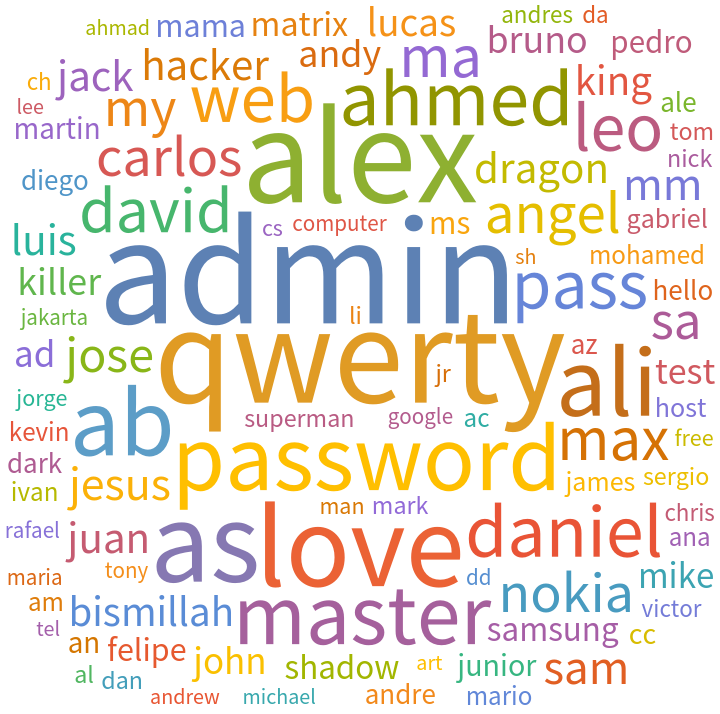
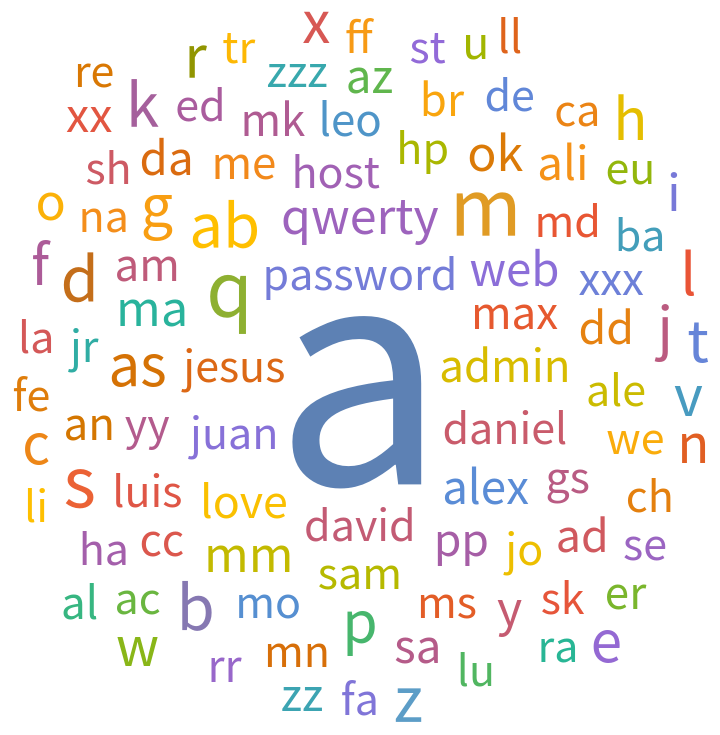
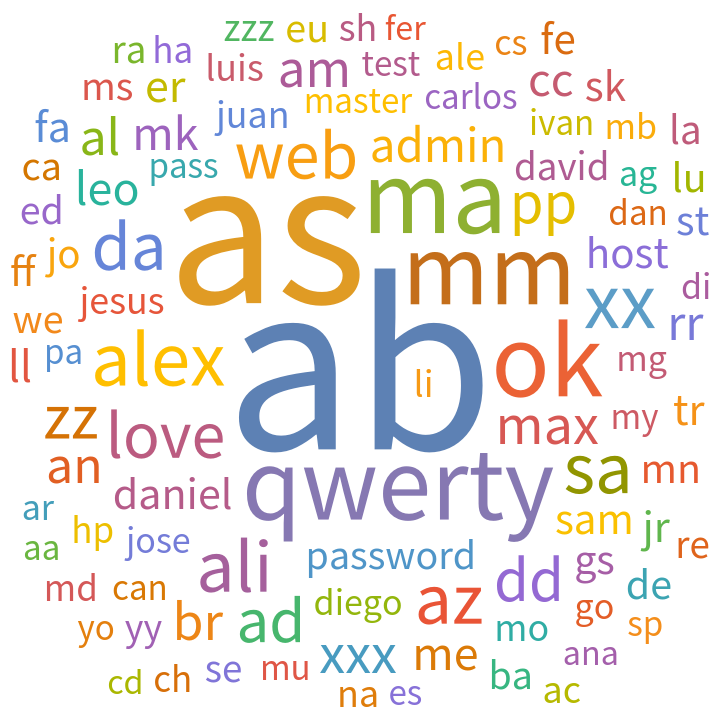
I did separate analyses for word lists including single letters and word lists including common longer words (such as "admin" and "qwerty") without single letters. Single letters were included in the initial list of words because DictionaryWordQ recognizes single letters as words.
Fraction of letterNums and numLetters password patterns:
In[]:=
PieChart[{Legended[letterNumP,"Letters only followed by numbers only"],Legended[numLetterP,"Numbers only followed by letters only"],Legended[100-(letterNumP+numLetterP),"Neither case"]}]
Out[]=


In[]:=
Letters, Numbers, and Special Characters Only
Letters, Numbers, and Special Characters Only
The number of passwords that consisted of only letters, or only numbers, or only special characters made up a small portion of the data.
Finding passwords with only letters:
In[]:=
letterPass=Select[passList,LetterQ];letterPassP=N[Length[letterPass]/Length[passList]]*100
Out[]=
0.305793
Finding passwords with only numbers:
In[]:=
digitPass=Select[passList,DigitQ];digitPassP=N[Length[digitPass]/Length[passList]]*100
Out[]=
0.0667008
Finding passwords with only special characters:
In[]:=
sc=Select[passList,StringMatchQ[#,Except[LetterCharacter|DigitCharacter]..]&];scP=N[Length[sc]/Length[passList]]*100
Replacement of Numbers and Special Characters with Letters
Replacement of Numbers and Special Characters with Letters
When creating passwords, people often replace certain letters with similar looking numbers and special characters in order to make their passwords more complex. I created a list of replacement rules and imposed them on the dataset of passwords to see if they formed actual words.
Rules for replacing numbers and special characters to letters:
Using replaceRules on passList:
Finding words in replaced:
Number of actual words found:
Then I did the same thing on the data without replacements for comparison.
Finding words in passList:
WordClouds for different cases:
This shows that doing all of the replacements at once increased the number of short words. The WordCloud of replaced words more closely resembled the WordCloud of no replacements with length greater than one after I restricted the word length to more than three letters long.
WordClouds of replaced words with words of different lengths (length greater than 1, greater than 2, and greater than 3):
I also applied each of the replacement rules from the beginning of this section to the list of passwords individually. Replacing "5" with "s" gave the most new words found in the letter portions of all the passwords. This suggests that people creating passwords often substitute "5" in place of "s" for the words in their passwords. For example, "pa55word".
Getting list of words in passList:
Functions that get new words generated by replacements:
Doing replacements and getting new words:
Creating association of the common replacement types and number of new words:
Visualization of the new words generated from replacements:
More patterns
More patterns
Pattern of letters and numbers mixed together
Pattern of letters and numbers mixed together
I also looked at how often passwords are made up of the letters and numbers mixed together.
Selecting passwords with only letters and numbers mixed together:
The passwords following the pattern of letters and numbers mixed together constitutes a large portion of the data:
The appearance of this pattern of letters and numbers mixed together shows that most of the passwords do not contain special characters. This means that adding special characters would make a password harder to guess.
Letters only followed by Numbers only followed by special characters
Letters only followed by Numbers only followed by special characters
Then I looked at an extension of letterNums with special characters at the end.
Finding passwords that matched the pattern letters only, followed by numbers only and at last followed by special characters:
I saw that it was very rare (about 1%) to have passwords with special characters after letters followed by numbers.
Letters and special characters mixed together followed by numbers
Letters and special characters mixed together followed by numbers
A further extension of this was the pattern of only letters and special characters mixed together followed by numbers:
Removing overlaps between ltrSCRNum and letterNums:
Password lengths
Password lengths
It was also interesting to find the most common length for all of the passwords.
Getting the lengths of the passwords:
Finding the most common length:
The most common password length was 8.
Distribution of the lengths of the passwords:
Analysis of common numbers in passwords
Analysis of common numbers in passwords
I analyzed the number portion of the passwords to find which ones appeared most often.
Looking at all numbers:
The most common number is 1:
For numbers with more than 1 digit:
The most common number with more than 1 digit is 123:
For numbers that resemble years between 1920 and 2022 inclusive:
The most common year is 2009:
WordClouds for different number lengths (including years):
Names within passwords
Names within passwords
People also add their first names, or family or friends' names into their passwords. Finding the passwords containing names helped me narrow down the number of passwords that might have been randomly generated.
Getting the list of names from [3]:
A list of the lists of strings in each password:
A list of the list of strings with at least one name in each password:
A list of the passwords that contain first names:
Portion of the passwords list that contain first names:
WordCloud of names in passwords:
Password generators
Password generators
Having studied the diversity of password patterns and analyzing the least used patterns and their lengths, I created a password generator that generates a password from user's input details, such that it is slightly more random and easy to remember.
Takes person's name, year, and list of characters (can include letters, numbers, and special characters) as input and creates a "least likely to be guessed" password:
A default password generated for the user:
Observing how common the pattern of the above password generated is with respect to the current password database:
It was approximately 1 in a million!
Further modification of password generator with random reversal of the input year:
Password with reversed pattern of input year:
I also made a random password generator. Random password generators are the most recommended for creating new and secured passwords.
Selecting random uppercase letters, lowercase letters, numbers, and special characters:
A random password generator:
Gives a random password of the specified length:
Conclusion
Conclusion
I found that most of the passwords in the dataset consisted of a combination of numbers and letters, with fewer containing special characters. Among the passwords made up of letters and numbers, the pattern of letters only followed by numbers only was more common than the pattern of numbers only followed by letters. I separated the letter portion of both cases and used WordCloud to represent which words appeared most often. Words such as "admin", "qwerty", and "password" appeared more frequently compared to others. I also explored the concept of letter replacement with numbers and special characters. The WordClouds shows that the number of short words increased after the replacement.
Some other patterns that I looked at included letters followed by numbers followed by special characters, a mix of letters and special characters only followed by numbers, and passwords that consisted of only letters, numbers, or special characters. I also found that the most common password length is 8, analyzed the common digits that appeared (including years), and found the most common names that appeared in the passwords.
Finally, I created a random password generator based on the statistics of password patterns in the database to give the least likely guessed password.
Some things that will make passwords less guessable are as follows:
◼
Having special characters in addition to numbers and letters
◼
Do not substitute special characters for letter and numbers to spell a single word
◼
Making the password length longer than 8 characters - longer is better
◼
Using different numbers
◼
Not using keyboard patterns
◼
Not including any personal information like name, date of birth, etc.
◼
Avoid using individual words
◼
use multiple random words together
◼
Using a random password generator
◼
Use of multifactor authentication
Distribution and comparison of the occurrences of different password patterns we covered in our study:
Future Work
Future Work
I would like to find what fraction of randomly generated passwords are in the common types of patterns in the password database. To do so I would remove commonly used passwords, passwords with first names, and use the placement of capital letters to help determine randomness. I would also like to find out if there is any correlation between certain words and numbers appearing in the passwords.
Another interesting aspect to explore would be to look in the letter portion of the passwords for words in languages besides English and include languages that have romanized versions of non-ASCII (American Standard Code for Information Interchange) characters. Lastly, I would like to analyze more datasets to further validate my findings.
Another interesting aspect to explore would be to look in the letter portion of the passwords for words in languages besides English and include languages that have romanized versions of non-ASCII (American Standard Code for Information Interchange) characters. Lastly, I would like to analyze more datasets to further validate my findings.
References
References