Introduction and aim
Introduction and aim
The goal of my project for this year’s Wolfram Summer School was to perform function recognition of curves of the type that can appear in the AP tests (i.e., rough sketches described qualitatively), and be able to compute the typical results that are generally asked in these exam questions: integrals and derivatives, limits, extremum seeking, etc. The methods we use are image processing and neural networks of different kind, in an attempt to obtain automatically the relevant parts of the image for this goal.
The problem in essence reduces to retrieving the image pixels that belong to the function curve. Those pixels will not match the coordinates of the actual graph, and the coordinate system in the image (with origin at the lower-left corner) will be in a different scale, thus we will also need to apply a transformation afterwards. This defines the second task: identify two points in the picture which belong to the graph, along with their transformed counterparts into plot coordinates. First, those will be considered an input to the problem (as well as the breakpoints), and then, attempts to extract them automatically will be explored.
The problem in essence reduces to retrieving the image pixels that belong to the function curve. Those pixels will not match the coordinates of the actual graph, and the coordinate system in the image (with origin at the lower-left corner) will be in a different scale, thus we will also need to apply a transformation afterwards. This defines the second task: identify two points in the picture which belong to the graph, along with their transformed counterparts into plot coordinates. First, those will be considered an input to the problem (as well as the breakpoints), and then, attempts to extract them automatically will be explored.
Image Processing approach
Image Processing approach
The graphical transformations applied here aim at discarding (or hiding) non-relevant information of the image, letting us choose the important parts out of what remains. These methods do not need tedious manual work, but has one limitation: they are image-dependent, meaning they need fine parameter-tuning for every different picture encountered, which further requires a certain technical knowledge from the user. Two examples are analyzed here using this approach. We will first extract two points of the graph by extracting information for the axes labels. (They need not be curve points, we just need to know their coordinates in both systems.) Afterwards, we will retrieve the curve pixel locations.
Example 1
Example 1
In[]:=
img=
;

We will first invert the colors and standardize the image margins to reduce the differences that can be presented between input images:
plot=ImagePad[ImageCrop@ColorNegate@RemoveAlphaChannel@img,8,Black]
Out[]=
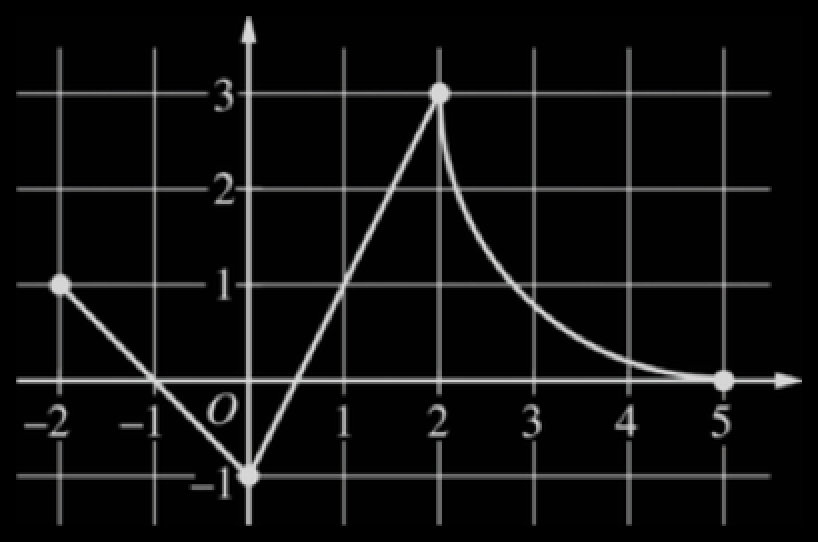
In this particular case, axes labels are well delimited and are identified as independent image components:
components=MorphologicalComponents[Binarize@plot];components//Colorize
Out[]=
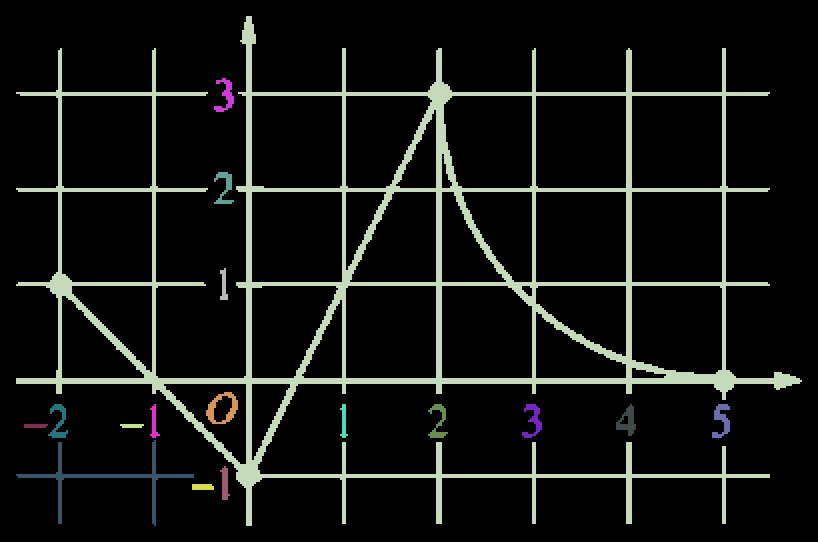
We need to set the size of the components we are looking for (estimated to be between 2x10 and 18x24 in size):
axesDigits=ImageClip@Image@SelectComponents[components,(2<#Width<18∧10<#Length<24)&](*Wedon'tsettheminimumwidthhighersincewecouldlosedigits1,whicharenarrow.*)
Out[]=
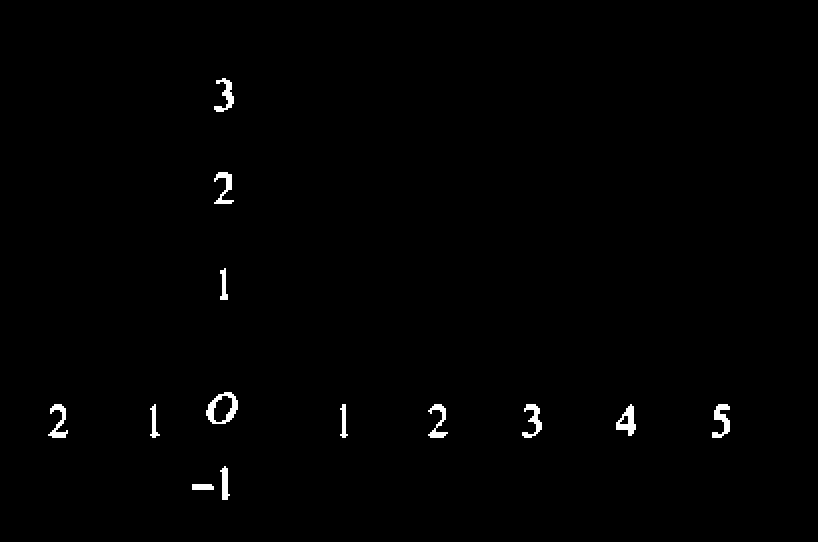
We will need their image representation (in order to have a network recognize them) and their centroids (in order to reconstruct points in the graph in image coordinates):
In[]:=
digits=Values@ComponentMeasurements[Binarize@plot,{"Image","Centroid"},(2<#Width<18∧12<#Length<24)&];
We will assume there is at least one portion of the graph in the first quadrant and that every digit in the right half of the plane is an x axis label. That implies the points identified in that part of the graph are the actual ones, without negative signs missed in the process.
{xDigits,yDigits}=With[{d=#},Select[digits,#〚2,d〛>Part[ImageDimensions@img/2,d]&]]&/@{1,2}(*Pointsfallingontherightandupperhalfoftheimage,respectively.*)
Out[]=
,{266.722,60.8611},

,{313.863,60.275},

,{360.925,60.9},

,{112.972,223.181},

,{112.355,177.37}

We revert them back to a normal appearance before passed to a pre-trained net for recognition:
In[]:=
clearedDigits=Map[ColorNegate[ImageCrop[#,{28,28}]]&,{xDigits〚All,1〛,yDigits〚All,1〛},{2}];recognisedDigits=NetModel["LeNet Trained on MNIST Data"]/@clearedDigits;
Associate each x axis and y axis digit to its horizontal and vertical coordinate respectively (note we have assumed the numbers are aligned with the axes’ ticks):
In[]:=
digitPositions=Thread/@Thread[recognisedDigits{xDigits〚All,2,1〛,yDigits〚All,2,2〛}];
We take two axes labels only (e.g. the first two), which will allow us to reconstruct the two necessary points:
{{p1Hat,p2Hat},{p1,p2}}=Thread/@(Through[{Keys,Values}[digitPositions〚All,;;2〛]])
Out[]=
{{{3,3},{4,2}},{{266.722,223.181},{313.863,177.37}}}
where Keys gives us the axes labels, and Values the position in the image; by threading them (respectively) we obtain the coordinate pairs.
In order to extract the curve points, we need to get rid of everything but the curve itself, and that is the next task.
The Top Hat Transform, with a thin horizontal row as structuring element, extracts white horizontal peaks:
TopHatTransform[plot,BoxMatrix[{0,16}]]
Out[]=
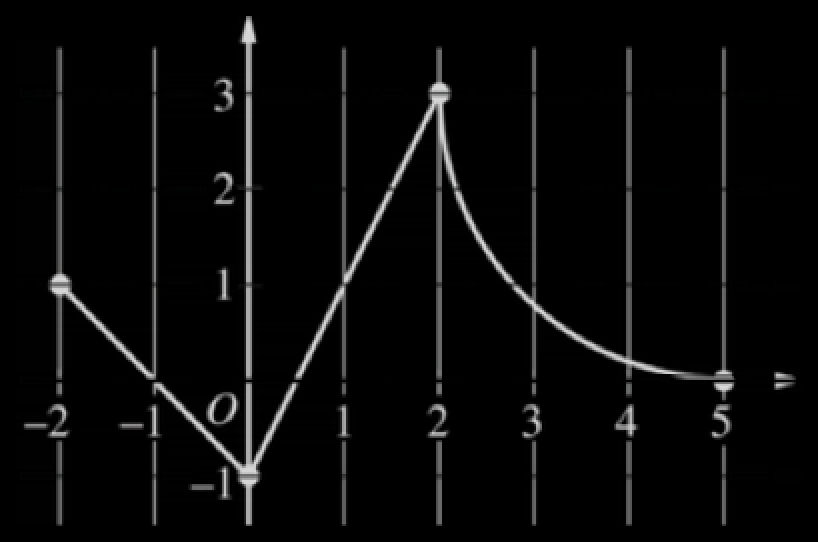
The same transform, with a thin vertical row instead, extracts white vertical peaks:
TopHatTransform[plot,BoxMatrix[{16,0}]]
Out[]=
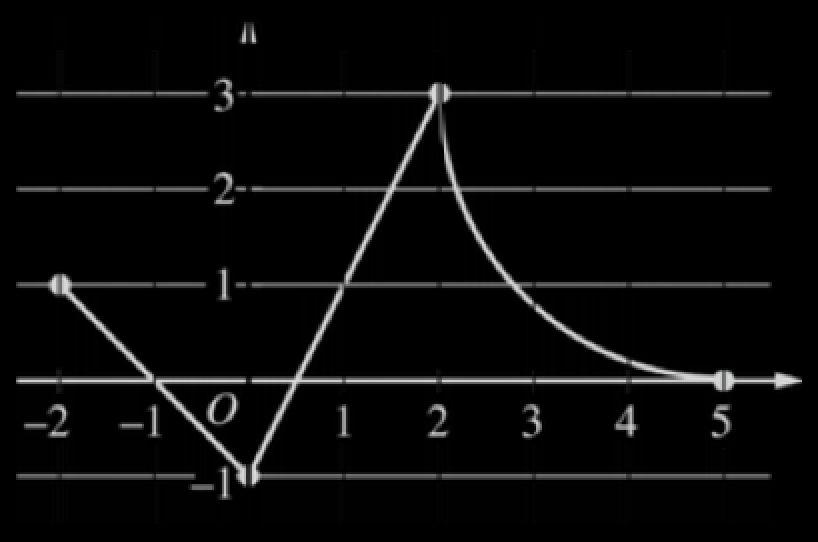
By multiplying these two images (pixel-wise), and the following one, we will make 0 every pixel but those of the curve itself:
ColorNegate[axesDigits]
Out[]=
curve=Binarize[TopHatTransform[plot,BoxMatrix[{0,3}]]TopHatTransform[plot,BoxMatrix[{3,0}]]ColorNegate[axesDigits]]
Out[]=
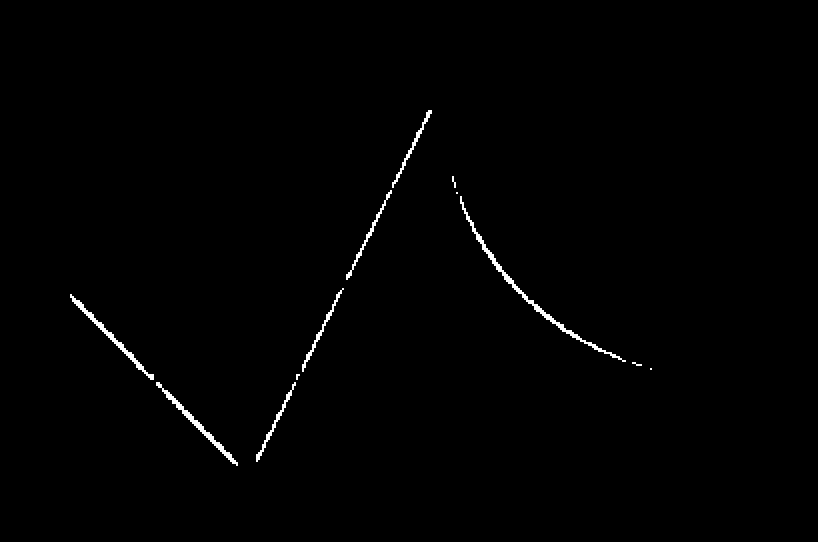
To retrieve the curve points we can just pattern-match the white pixels, who have a value of 1. That gives array indexes, which need to be converted to image coordinates. These two steps are performed by the function labeledPoints (see end):
Furthermore, in cases where the breakpoints have a distinctive feature from the background, they can be extracted. Here we have used an opening operation, which basically deletes thin white lines (in our case, everything but the breakpoints):
Once the points’ coordinates are stored in a list we can use the function convert (see ref [1]; adapted), which receives a list of point coordinates (in image axes) as first argument, the two retrieved required graph coordinate pairs p1 and P2, and their transformed pairs as the rest of arguments:
We can attempt to retrieve the symbolic expression using the built-in function FindFormula. As of now, this is expected to work well only if applied piece-wise,
Typically, AP-level functions usually include polynomials, so one choice initially considered to fit the points was spline interpolation, fitting each piece separately. However interpolation parameters do not work equally well for the different functions that can appear in each interval, so it requires user attention to select them appropriately. We will thus use FindFormula from now on.
Example 2
Example 2
The second example has as purpose show the obstacles that are present in our path towards automation.
As we start getting the components, we see there are numerous difficulties: double-digit numbers are segmented separately, the axes titles might mistakenly be taken as the digits, ... :
so in this case it is left as manual input.
Attempting again to isolate the curve (note we have needed to significantly change the parameters):
This has not been enough on its own this time, so we manage by extracting the larger components of that result:
Another technique that might be attempted is Region Growing, directly over the cropped (not color-negated) image in this case:
In this case, to extract the coordinates, we would need to manually select two points whose transformation is known, since as we have seen retrieving information from the axes has proved difficult.
Region Growing works very well here, but only because the line weight of the function curve is notably thicker and darker than the background items, and we need to make sure we do not put the seed points right onto the function curve (otherwise that will be the first thing to disappear). It can in any case help us remove background elements so that the image components are more clearly defined, to then process them with the other techniques more effectively.
Neural Networks approach
Neural Networks approach
We have generated synthetic datasets, each with different types of training rules for the task towards each is directed, in order to teach some networks different specialized tasks, breaking down the problem into more simple steps. We first thus focus on data generation, and later we will show the different models explored.
Training Data Generation
Training Data Generation
To train the network we need example graphs, representative of those that it will receive in operation. A training rule is an association between the original example image, and what we target as desired predicted output. For example in the segmentation methods we need to tell the network what class every pixel within an input graph is; therefore the target consists of another image (or more precisely, array, called mask) with the class number in its corresponding pixel place.
The process has been randomized as much as possible in order to create as varied data as possible, and the method used will allow to generate specific types of graphs, and different kinds of masks, for these and other potential future methods.
The process has been randomized as much as possible in order to create as varied data as possible, and the method used will allow to generate specific types of graphs, and different kinds of masks, for these and other potential future methods.
Define image resolution:
A rich list of function families has been defined, from which we will sample later pieces to plot. They can be specified with parameters “xL” and “xR” as domain limits, so that they be defined within the interval they later happen to fall in:
Let’s associate a class number (integer) to the strings that designate each function family in the list of functions:
The number of function pieces that can appear in a single graph, and the number of graphs, are defined a priori; respectively:
The domain of definition:
For some methods, we’ll need to know which family each laid-out piece is:
The divisions were the pieces join together are also chosen randomly within the interval, with some care so as to avoid tiny stretches:
and those divisions are partitioned into the domain of definition of each piece function:
The actual piecewise functions are laid out, picked from the corresponding family :
We’ve laid out the functions randomly, and as a result most functions are discontinuous at all their breakpoints. Typical AP-test functions indeed have some discontinuities, but not to this extent. We’ll fix this by shifting the laid-out pieces by adding constants appropriately, in order to make them continuous at some randomly-selected breakpoints; this is done by the function joinPiecewiseAt, defined at the end.
The following variables are used in the generation of the training plots:
We have defined some plotting options common to all graph styles, as randomized as possible, with tried and tested acceptable ranges in order for them to be resemblant to those that typically appear in plots. The list is ever under construction and has come to grow so long that has better been placed at the end of the document.
To enrich the training data, some plots will be generated featuring large dots at the breakpoints, and some others even “callouts”. As preparations :
Generation of the simplest graphs of the training set :
Generation of the graphs featuring highlighted breakpoints:
Generation of the graphs featuring both highlighted breakpoints and “callouts”, instead of grids:
All graphs are put together in one variable and they are rasterized:
Since borders contain no information, we crop them. (We will need to do this too as a preprocessing step for new images fed into the network.)
The images are resized to network dimensions:
For our aim to mask the images, we will need some auxiliary images (or “templates” ):
Binary curve mask generation
The first task we will consider is segmenting the curve pixels out of the graphs, i.e. classifying each single pixel in the image as being background (class 1), or curve (class 2). Here are generated these targeted outputs for our training examples.
The mask templates we have defined go through the same three steps as the graphs above; now in one go:
They need additionally to be binarized, prior to putting the actual class number on each curve pixel:
Multiclass curve mask generation
The second approach explored to identify the piece functions is trying to predict what family of functions each pixel point belongs to. Here we are not just told whether it is background or not, but we are seeking to have the pixels labeled with their corresponding function family out of those defined in the array “functions” above at the beginning. We would afterwards just be left to find the parameters of the family.
The approach here to construct the masks here is to plot every single piece separately, on the exact same background as originally (still made transparent); this will allow us to put the different classes on the different stretches, to then reconstruct the full curve masked with its corresponding label per stretch as we target.
We use the same three functions as for the original graphs and the binary masks; however here we have “p” separate templates per graph, so we need to map each of them at one deeper level:
To replace the curve pixels with the corresponding function class in every separated curve stretch, we first obtain (via ArrayRules) the position of the curve pixels (by selecting the 0-valued pixel positions). Afterwards these positions are associated with their corresponding class (family) value, what will constitute the new array rules. Doing that for every piece leaves us with as many lists of array rules (or equivalently, images) as pieces. Joining these lists will give a single array (or image), with all positions of the different stretches in it, and thus the full curve masked.
Doing this in this way solves the problems that would otherwise arise when curves overlap a bit at the breakpoints, since repeated array rules are all but the first ignored by SparseArray. One of these two curves will then just override the other on these tiny overlapping regions around the breakpoints.
Masks for the breakpoints
The next segmentation task will be an attempt to predict the breakpoints. We note it is not an usual segmentation problem and we could not try to classify this way a handful of pixels out of the tens of thousands that are in the image. Thus, in order to place more importance in those tiny areas of interest (scarce, single pixels) and prevent them from being ignored, we have artificially placed large (pixel-richer) dots on them, regardless of how they look in the original plot.
We could argue this is in reality not an actual “OCR” task, and more of an analytical one. We will see the points here are going to be detected for how they look to the eye, and though this is in principle undesirable, they come in handy and FindFormula will welcome them to do a better job approximating the curves.
We could argue this is in reality not an actual “OCR” task, and more of an analytical one. We will see the points here are going to be detected for how they look to the eye, and though this is in principle undesirable, they come in handy and FindFormula will welcome them to do a better job approximating the curves.
Breakpoint masks will be created by laying the breakpoint dots after the whole graph has been made transparent (or “masked” out). So we need to to turn the curve line from the templates transparent as well:
The large dots are placed on the breakpoint locations:
And finally they go through the same steps as the curve masks above. In one go:
By having created the image masks including all the original background elements, made transparent, we ensure pixels will accurately match those they correspond to in the original image. (Callouts are not in there but are not a problem, since they’re superimposed onto the graph after the actual plot is generated.)
Masks for the axes tick labels
We can further mask out everything in the plots except the boxes bounding the axes’ digits, giving us an easy chance to perform what we have come to call “naive detection”, still sticking to image segmentation. This may well not be a proper “object detection” method, but it happens to give quite very good results with a reasonably small-sized network that does not require heavy training. Furthermore, it still captures a feature of proper “single-shot” detectors (as the result is also given by a single forward pass over the whole image): the network reasons about the whole image and thus objects are detected considering context. This is very important as we do not want to detect any digits that may happen to be laid out around on the image, but we want strictly just those that are tagged to the axes.
To mask the tick labels (i.e. the axes digits) we need to override the opacity and color directives in the fully-transparent graphs we made above specifically for the tick labels:
They undergo the same processing as the rest of masks:
Image Segmentation Results
Image Segmentation Results
Binary segmentation tasks
Two segmentation network architectures have been tried: a vanilla one form the documentation, and a UNET architecture, already implemented and generated using the code from [3]. Performance on the synthetic datasets is already very good, so we skip these and jump directly to some real-world data examples.
The UNET has performed better in all cases than the vanilla version. (The comparison is not fully fair since it has been trained for longer and in an updated dataset, but it showed more learning potential, taking more time but showing more steady learning with already quite better results on the old datasets.)
Figures in order: exam plot, prediction using a vanilla net, prediction using UNET architecture.
We thus pick the UNET as our choice for all our segmentation tasks. Some more exam examples with it for all tasks:
( Figures in order: exam plot, curve extraction, predicted mask for label bounding boxes, predicted mask for breakpoints.)
The curve extraction task has come to be a success. The masking of the axes labels has also been quite successful at the current image resolution (we’ll actually need higher-res masks for digit recognition, but resizing them will work - retraining for larger sizes has been unsuccessful with the current training setup).
Regarding to the breakpoints the results are not bad at all, but the net version used here was trained on an early version of the datasets. I attempted to retrain it on the updated datasets, and the results not only did not improve, but were a bit farther from what is convenient for FindFormula - which is not necessarily what actually is in reality. A reason might be right now we have much more variety in the function curves, potentially do not allowing overfitting the smaller number of families that appear most commonly (the earlier version here tends to overdetect, while the retrained one tends to underdetect). I believe further attempts to improve a breakpoint detector probably should be approached differently: e.g. further processing the curve points as extracted from the curve segmentation networks, as opposed to the full raw graphs.
Multiclass curve segmentation
The potential advantages of a multiclass method are the direct obtention of the actual analytic expression for each piece (as long as it’s contained in the specified set of families), and as an extra, the obtention of the breakpoints (where the curve switch family). This method is thus closer in spirit to the original idea of having exam questions properly solved.
I only have a CPU to train, so there might well be still great margins of improvement; however, we should expect to get here a sense of what might work or not. As a simple demonstration, we train the network limited to only three different function families (i.e. only 3+1 classes). The training stats are shown below and it appears the loss have not fully plateaued. As long as the training loss keeps in decreasing trend, it should be possible to pull the validation loss lower, as regularization strength increases.
Results on our synthetic training data (Purple color corresponds to class “circle”, yellow corresponds to “parabola”, and brown corresponds to “linear”.):
Results on real-world data containing only the three function families the net has been trained on:
The results are not very encouraging so far, but more capable models and different architectures should be tried using a GPU to train. Another idea a member of the team advised could improve this method is to add additional classes for the different background objects (e.g. a grid class, an axes class, ...), apart from the curve classes, even if they're not necessarily of our interest.
Object detection for axes labels: simplified YOLO
Object detection for axes labels: simplified YOLO
As a proper detection system, we have decided to use YOLOv2 [5]. This choice is not arbitrary as single-shot detectors have been favored. Their attractive feature for us is they reason with context from the whole image, as opposed to detecting an object only by their “looks” and shape, wherever it happens to be spotted in the image - as for example sliding-window algorithms do (we don’t want a digit detector, but an axes-digit detector).
We have scrapped from it though some features that are not necessary (and possibly not even appropriate) for us here. First we only have one class of objects, so there’s no longer a point in predicting class probabilities (if there’s an object it will be of the unique existing class); this allows us to reduce by one the size in one of the dimensions of the output predicted tensor. There’s not need either of having a range of anchor boxes: our single-class objects are all of the same overall size and aspect ratio. If we wanted to expand the scope of the detector and also detect objects like “callouts”, it would probably then make sense to have two anchor boxes, to allow the net specialize in each of the two kinds (if not better a separate net). However, given the current needs and for simplicity, the training loss has not been implemented with this flexibility; it should be relatively simple though to go from here and complete the missing terms in the loss to have the full YOLO version for that and other applications.
Illustration of the target tensor for a single training example (i.e. the three remaining dimensions after particularizing the first one). The 1D array shown contains the 4 relevant magnitudes of a grid cell; in our 4D target array, the index of that 1D dimension is the second one. (The spacial grid coordinates are given by the third and fourth indices.)
The grid size has been refined to accommodate our small objects (it might in the future need further refinement):
(In the attached construction notebook can be seen the way of achieving a finer grid has been being more aggressive in the penultimate pooling layer, increasing the stride from 2 to 3, and then getting rid of the last Pooling layer.)
Let’s first calculate the center coordinates (here still in the image reference system!) and the bounding box sizes:
In YOLO, the origin is typically taken at the top-left image corner, so here the object center coordinates are converted to that reference system:
To help us below, let’s define an array containing pairs indicating the horizontal and vertical cell indexes where each object is located (here origin is at top-left image corner):
We construct the object mask, i.e. the first 2D array in our 3D target tensor, by placing a 1 at a grid position (within a 2D grid-matrix of zeros) where there is object (as indicated by objectCells). We end up with as many of those matrices as there are objects in an image, and by summing them we obtain the mask. If there happened to be more than one object per cell, that grid entry would contain a number greater than 1, and the YOLO system would fail.
(If there happened to be more than one object per cell, that grid entry would contain a number greater than 1, and the YOLO system would fail.)
Let’s now build the the “coordinates” part of the the target tensor.
YOLO Training
YOLO Training
To train the network it has been necessary to make a custom loss layer specifically created for this network, made to match the original implementation in [5] and [6] with the mentioned simplifications. The layer looks as follows (full implementation details have been included within the attached construction notebook):
and the final adapted formula from the papers that this layer implements:
To make training more manageable for my modest CPU, I have downsized the original network by reducing the number of convolution filters, what will affect the capacity. It is however true that the original model had capacity to predict 80 different classes, so it doesn’t seem like a complete bad idea to have less of it here. (Both the original and downsized versions are included in the construction notebook, to construct the network with either of the two.)
The loss appears not to be plateaued yet, and the model could potentially benefit a lot from further training in GPU.
YOLO Results
YOLO Results
The results on new test synthetic data are very promising, detecting the majority of bounding boxes with few misses. We have set a high “objectness” threshold when doing non-max suppression because we can afford not detecting all of the labels (since we only need one pair from each axis to construct the two required points), and false positives would make the method more unreliable unnecessarily.
Performance on real-world exams is not yet as good as with “naive” detection, but as commented it potentially has still a lot of room for improvement further training.
Fully automated process
Fully automated process
In this last section finally we show how we can make use of all the predicted masks; we will work with them as images to make it more intuitive, and because here we’ll resize them to full input-image size (this motivated by the need of higher resolution of object detectors).
We’ll use the predicted mask for the axes digits to let TextRecognize know where it has to look for, and then we will specify a prior to ensure it that there’s actually an object within those masked regions and thus force it to output something. textRecognize also returns a Strength score and the centroid of the detected text’s bounding box.
This exam example is very clear and works very well, but I have to admit was cherry-picked for the occasion. All recognition systems work pretty well but the weakest link in our chain is the built-in function TextRecognize, which is made for general use. To reach full automation reliably we should have a text OCR system specifically trained on any kind of symbols that may appear in a label (digits, decimal dots, fractions, some symbols, etc). That is for now left for future work and we continue with this demonstration; the next step is parsing the recognized digits:
Now we’ll consider digits of shared axis have (relatively) equal either vertical or horizontal centroid coordinates, respectively to the two axes. Let’s group them together by that consideration:
Out of these we only need a pair of each axis, so let’s take the pair which TextRecognize was most confident about:
Thread them so as to construct a two coordinates (in both image and axis reference systems). The graph points (3,3) and (2,2):
Now the breakpoints are taken as the horizontal coordinate of the centroids of the clearly-defined clusters found in the respective mask:
Converting them to graph coordinates:
Finally using FindFormula:
Future Work
Future Work
I have been and will keep adding updates to this notebook as I am doing more progress; some ideas to continue are: make the training samples more varied; assess the performance of other well-established network architectures (such as SegNet, and pre-trained models from the repository, doing transfer-learning); try to improve the current methods by tuning and retraining them if possible in GPU; and very importantly, investigate the possibility of training the text OCR system on this task.
Acknowledgment
Acknowledgment
I would like to thank my mentor Tuseeta Banerjee for being there and for her support throughout these 3 weeks and beyond.
Special thanks to Markus van Almsick, without whom the Image Processing part would not have been possible at all.
I would also like to thank Vitaliy, Erin, and all the people behind who gave me the opportunity to participate and who make the School possible, to the TAs for being always around, and to Stephen for dedicating to students quite some of his time.
Special thanks to Markus van Almsick, without whom the Image Processing part would not have been possible at all.
I would also like to thank Vitaliy, Erin, and all the people behind who gave me the opportunity to participate and who make the School possible, to the TAs for being always around, and to Stephen for dedicating to students quite some of his time.
References
References
◼
[1] GraphImage2List; Kotaro Okazaki; https://community.wolfram.com/groups/-/m/t/1079933?p_p_auth=tIi9evRT
◼
[2] ”Generating random numbers that keep a minimum distance”; user kglr; https://mathematica.stackexchange.com/a/201897/69212
◼
[3] UNET: neural network for 2D & 3D image segmentation w/ medical examples; Martijn Froeling (and Ali Hashmi); https://community.wolfram.com/groups/-/m/t/1646303
◼
[4] On modifying the position of axes labels; user Mr.Wizard; https://mathematica.stackexchange.com/a/31767/69212
◼
[5] You Only Look Once: Unified, Real-Time Object Detection; Joseph Redmon, Santosh Divvala, Ross Girshick, Ali Farhadi; https://arxiv.org/abs/1506.02640
◼
[6] YOLO9000: Better, Faster, Stronger; Joseph Redmon, Ali Farhadi; https://arxiv.org/abs/1612.08242