Visualising square pie charts and making them interactive
Visualising square pie charts and making them interactive
Hello! I’m trying to create an interface that would help a user visualize a top level data using square pie charts, and interactively explore nested levels by clicking on chart elements.
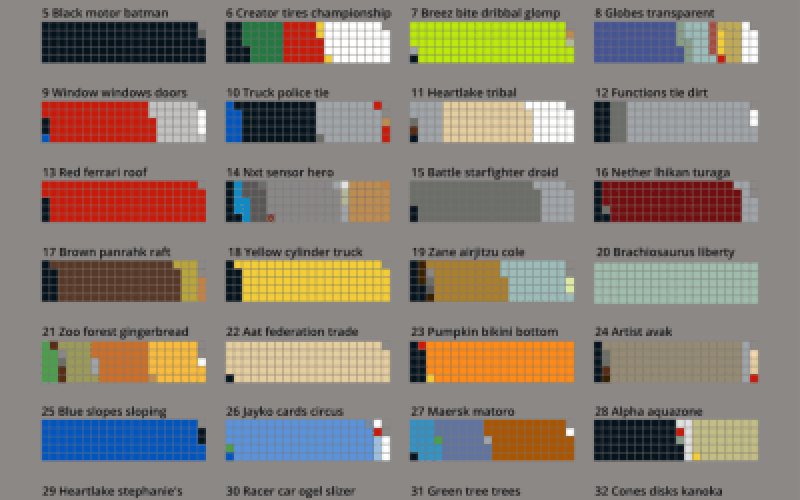
Here is an example of a square pie chart:
and how it can be used to visualize a file system:
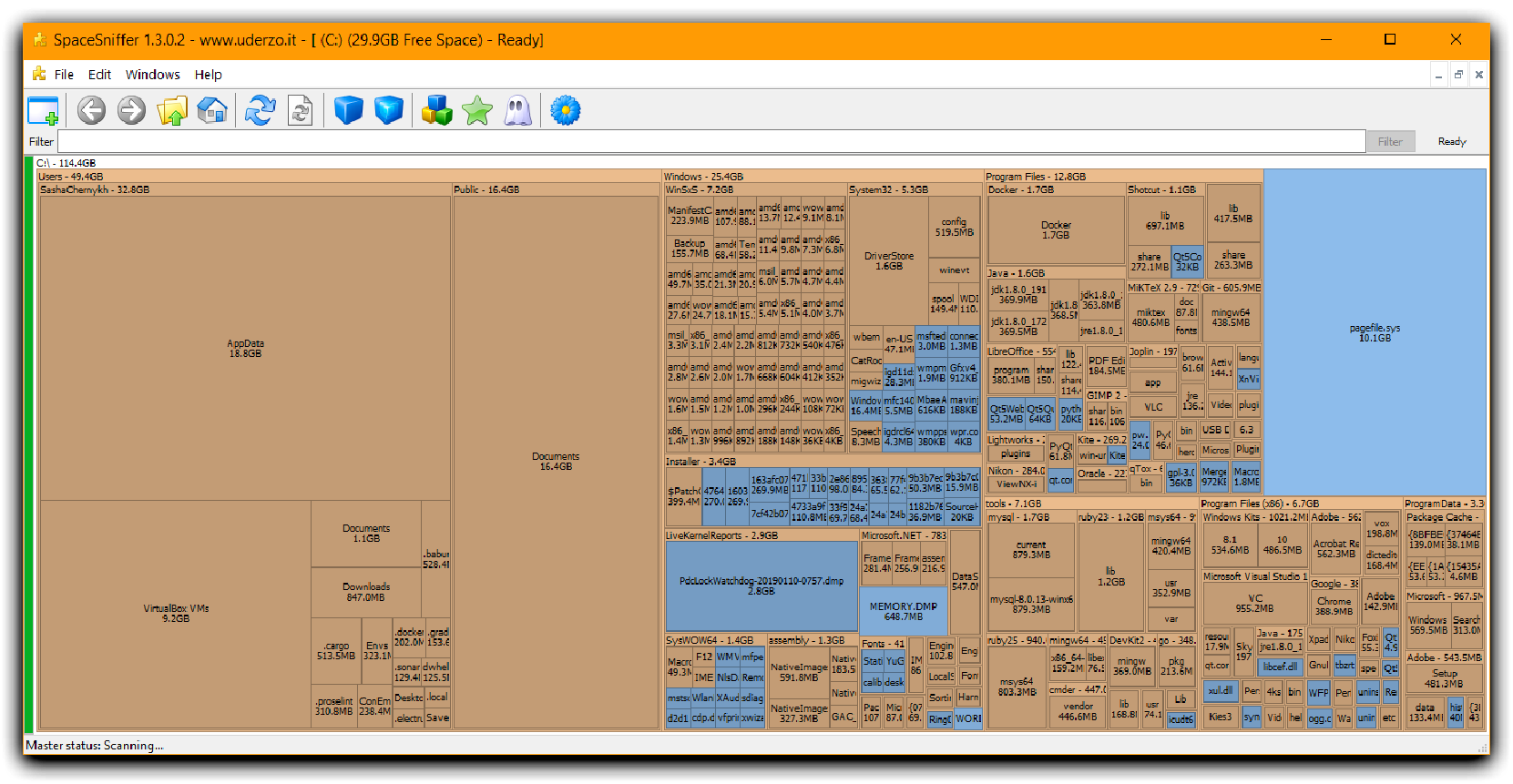
While Wolfram Language doesn’t have a graphing primitive to create a chart like this, we can easily emulate it with MatrixPlot. Let’s say we have a list of numbers, which represent the sizes of the top-level folders in a file system:
In[]:=
lst=Table[RandomInteger[{1,100}],4]
Out[]=
{91,38,16,42}
And a rectangle with these dimensions:
In[]:=
dims={80,50}
Out[]=
{80,50}
We can scale the numbers so that they are proportional to the area size (we need Most and Append business so that the sum of all the numbers is equal to , otherwise we can be off by ±1 because of the rounding):
80*50
scaled=With[{x=Round[Most@Reverse@Sort@lst*Times@@dims/Total@lst]},Append[x,Times@@dims-Total@x]]
Out[]=
{1947,898,813,342}
MatrixPlot[Partition[Flatten[Table@@@Transpose[{Range[4],scaled}]],dims[[1]]],FrameFalse]
Out[]=

That works quite well and create a visually appealing chart. To move it to next level, I would like to do two things:
◼
(easier) Add labels for each region - we could manually calculate the coordinates where each region starts, and put labels there. Tedious, but can be done.
◼
(harder, and my main question) How can we make this plot interactive, so that we can generate events based on where the user clicked, and e.g. show a similar plot for sub-folders of a folder that we clicked on?
I will appreciate any pointers / ideas on how one can make this happen!