This program, “Generating Images Using Sinusoidal Lines with Variable Frequencies and Line Widths,” transforms a black-and-white image into a continuous artistic rendering composed of sinusoidal curves. Each row of pixels in the original image is analyzed and converted into a single, continuous sine wave whose frequency, amplitude, and line thickness vary according to the pixel values. Bezier curves connect the sine curvesBy modulating these parameters, the program recreates the tonal structure and visual details of the source image using oscillating lines rather than discrete pixels. The resulting artwork combines mathematical visualization with artistic expression, producing images that resemble hand-drawn line art while retaining the recognizable features of the original photograph. This approach demonstrates how mathematical functions can be used as creative tools for image generation and transformation. The work of artist Tyler Foust, known for his intricate continuous-line portraits, served as partial inspiration for the development of this program.
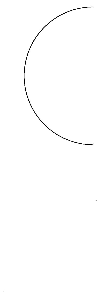
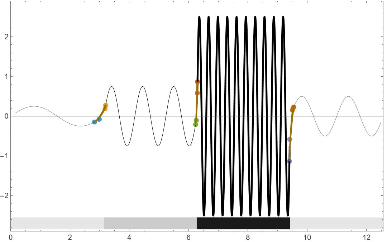

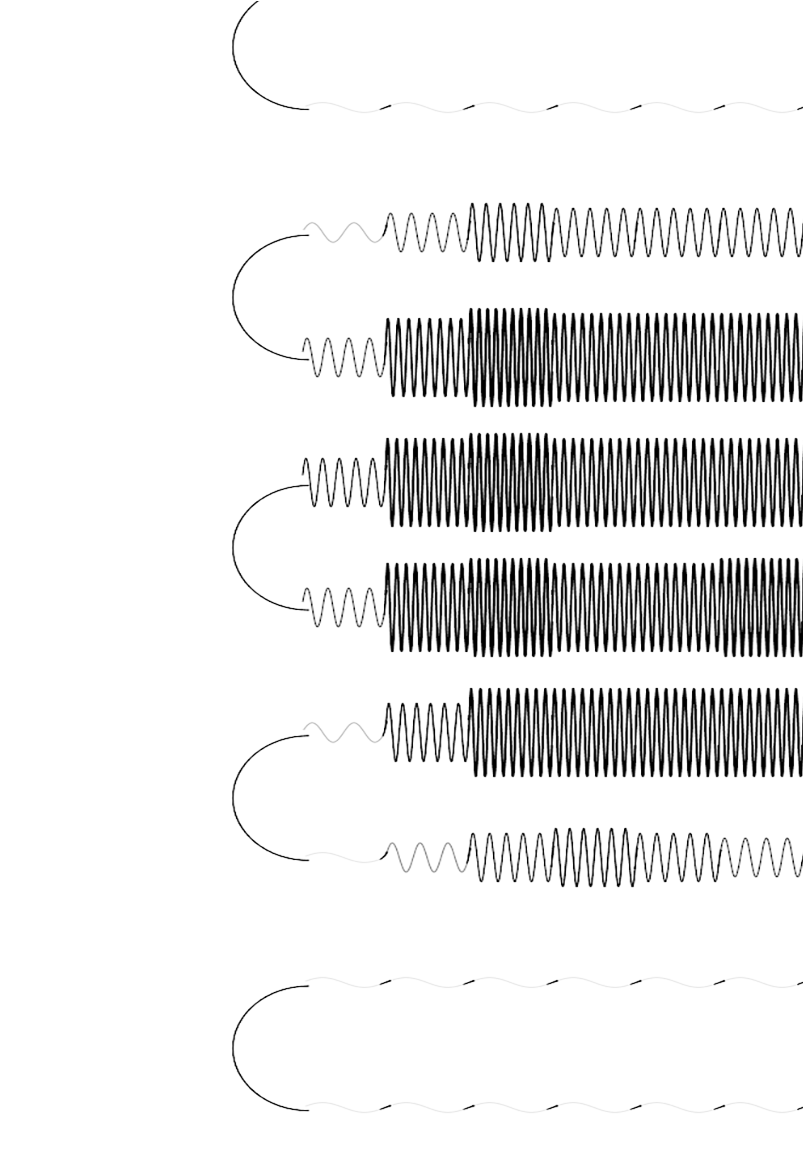
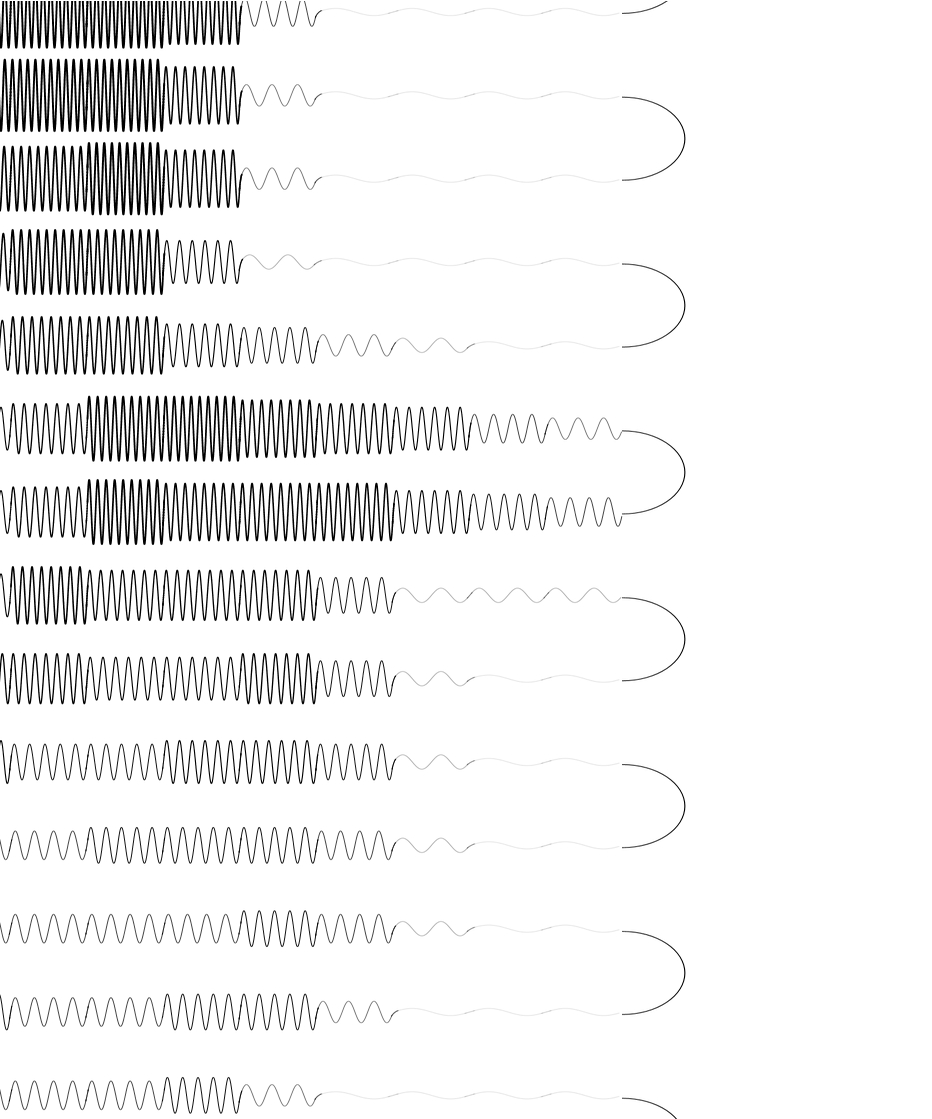
Used Bezier curves to connect the sine curves and semi-circle connections between rows
Load image
In[]:=
ClearAll["Global`*"]
In[]:=
SetOptions[$FrontEnd,"DynamicEvaluationTimeout"->600]
In[]:=
imageFile="C:\\Users\\gag00\\Line Portraits\\portrait50x63.jpg";(*inputimagefilename500x626@JuliaGary*)
img=ColorConvert[Import[imageFile],"Grayscale"];
In[]:=
pixels=ImageData[img];
In[]:=
rows=ImageDimensions[img][[1]];columns=ImageDimensions[img][[2]];{rows,columns}
Out[]=
{50,63}
Rasterize image to smaller size
In[]:=
rastersize=1;
In[]:=
rasterized=Table[Mean[Flatten[pixels[[i;;i+rastersize,j;;j+rastersize]]]],{i,1,columns-rastersize,rastersize},{j,1,rows-rastersize,rastersize}];
In[]:=
dim=Dimensions[rasterized];rows=dim[[1]];cols=dim[[2]];{rows,cols}
Out[]=
{62,49}
In[]:=
rasterized[[49,1]]=0
Out[]=
0
Image[rasterized];
In[]:=
sinecurvethickness=LinearModelFit[{{1.,.00005},{3.,.00010},{10.,.00050},{2.,.00007},{5.,.00030}},x,x];
In[]:=
TransitionCurve[pts_,w1_,w2_,j_]:=Module[{xycurve,ts,points,normals,widths},bez=BezierFunction[pts];du=0.1;us=Range[0,1-du,du];segments=Table[{Thickness[sinecurvethickness[amp[[j]]]],Line[{bez[u],bez[u+du]}]},{u,us}];segments](*Beziercurvesfortransitionsgiven2ptsforeachsinecurve*);
Evaluative
In[]:=
xsize=49;(*xpixelwideyhorizontallines*)ysize=62;xn=3(*linelocationdowntheimage*);
makeGraphic[frequency_]:=Module{plot},xn=frequency;offset=Table[(i-1)*π,{i,xsize}](*offsetalongrowsforeachsinecurve*);ydata:=rasterized[[xn,;;]](*forgivenrowthegraylevels*);xdata=Range[Length[ydata]](*;f=Interpolation[ydata];*);Clip[(10-Round[ydata*10]+1),{1,10}];amp=Clip[(10-Round[ydata*10]+1),{1,10}];w=ConstantArray[1.,xsize];w[[1;;8]]:={0.020,0.020,0.02,0.03,0.04,-0.02,0.02,0.01};xycurve[x_,nthcurve_]:={x+offset[[nthcurve]],5.(amp[[nthcurve]]/20.)Sin[2.xamp[[nthcurve]]]};Off[Solve::ifun];ydelta[amp_]:=-0.1*amp;y[x_,ampp_]:=5.(ampp/20.)Sin[2.xampp];sol=Solve[5.(ampp/20.)Sin[2.xampp]-ys==0,x];PositionAmpxyXY=ConstantArray[1.,{2,10,5}](*left/rightampx1,y1,x2,y2*);xlocation[ys_,ampp_]=x/.sol;xxend[ys_,amp_]:=Pi+xlocation[ys,amp][[1]];xx[ys_,amp_]:=-xlocation[ys,amp][[1]];asel=2;xx[ys_,amp_]:=Pi+xlocation[ys,amp][[1]];Do[xp=xx[ydelta[amp],amp];yp=y[xp,amp];xp2=xx[ydelta[amp/2.],amp];yp2=y[xp2,amp];PositionAmpxyXY[[2,amp]]={xp,yp,xp2,yp2},{amp,1,10}];asel=1;xx[ys_,amp_]:=-xlocation[ys,amp][[1]];Do[xp=xx[ydelta[amp],amp];yp=y[xp,amp];{xp,yp,amp};xp2=xx[ydelta[amp/2.],amp];yp2=y[xp2,amp];PositionAmpxyXY[[1,amp]]={xp,yp,xp2,yp2},{amp,1,10}];BpR2[i_]:=PositionAmpxyXY[[2,i,3;;4]];BpL2[i_]:=PositionAmpxyXY[[1,i,1;;2]];BpR1[i_]:=PositionAmpxyXY[[2,i,1;;2]];BpL1[i_]:=PositionAmpxyXY[[1,i,3;;4]];points=Table[{BpL1[i],BpL2[i],BpR1[i],BpR2[i]},{i,1,10}];lowvalue=-4.85;highvalue=-2.55;plot=Show;plot
Table
[
ParametricPlot[
xycurve[t,j],
{t,2Pi(1./amp[[j]])/40.,Pi-2Pi(1./amp[[j]])/40.},
PlotStyle->Directive[Black,Thickness[sinecurvethickness[amp[[j]]]]],Frame->False
],
{j,1,xsize}
]
,
Graphics[Table[{Black,TransitionCurve[
Flatten[{points[[amp[[j]]]][[3;;4]]+Threaded[{(j-1)Pi,0}],points[[amp[[j+1]]]][[1;;2]]+Threaded[{(j)Pi,0}]},1],
w[[1]],w[[2]],j]},{j,1,xsize-1}]
,Frame->False]
,
makeGraphic[3];
In[]:=
sineMan=GraphicsColumn[Table[makeGraphic[i],{i,1,48}],Spacings->0](*48*);
In[]:=
endcircles=Graphics[{Black,AbsoluteThickness[0.1],Table[{Circle[{2.90Pi,11.90-7.648Pii},5.98,{Pi/2,3Pi/2}],Black,Circle[{117.45Pi,-7.648Pii},5.98,{-Pi/2,Pi/2}]},{i,1,48}]},Axes->False];
In[]:=
sG=Show[Graphics[sineMan],endcircles];
In[]:=
hiRes=Rasterize[sG,"Image",RasterSize->{6000,6000}];
In[]:=
hiResZ=ImageResize[hiRes,{6000,4000}];
In[]:=
Export["C:\\Users\\gag00\\Desktop\\EndCuvesAttached6000.png",hiResZ]
Out[]=
C:\Users\gag00\Desktop\EndCuvesAttached6000.png
End of the program
References
References
Wolfram Community: Generating Images Using Sinusoidal Lines
https://community.wolfram.com/t/generating-images-using-only-horizontal-lines/27417
https://community.wolfram.com/t/generating-images-using-only-horizontal-lines/27417
My Modern Met: Tyler Foust’s One-Line Drawing Portraits
https://mymodernmet.com/tyler-foust-one-line-drawing-portraits
https://mymodernmet.com/tyler-foust-one-line-drawing-portraits
CITE THIS NOTEBOOK
CITE THIS NOTEBOOK
Generating images using sinusoidal lines with various frequencies, line widths and connecting lines
by Gilmer Allen Gary
Wolfram Community, STAFF PICKS, September 10, 2026
https://community.wolfram.com/t/generating-images-using-sinusoidal-lines/27510
by Gilmer Allen Gary
Wolfram Community, STAFF PICKS, September 10, 2026
https://community.wolfram.com/t/generating-images-using-sinusoidal-lines/27510