Here’s another visualization showing where the object will be at different times through the day.
First we assign the object
First we assign the object
Kosmos482=;
Take a time window estimate of the time of the re-entry, centered around 7:00, with error bars of 3.5 hours, sampling every 8 minutes:
dr=DateRange,,;
Compute the positions of the probe at those times:
In[]:=
track=Kosmos482[Dated["Position",#]&/@dr];
Create UTC time strings:
In[]:=
TimeString[date_]:=Text[Style[DateString[TimeObject[date,"Minute"]],12]]
In[]:=
times=MapThread[Text,{TimeString/@dr,track}];
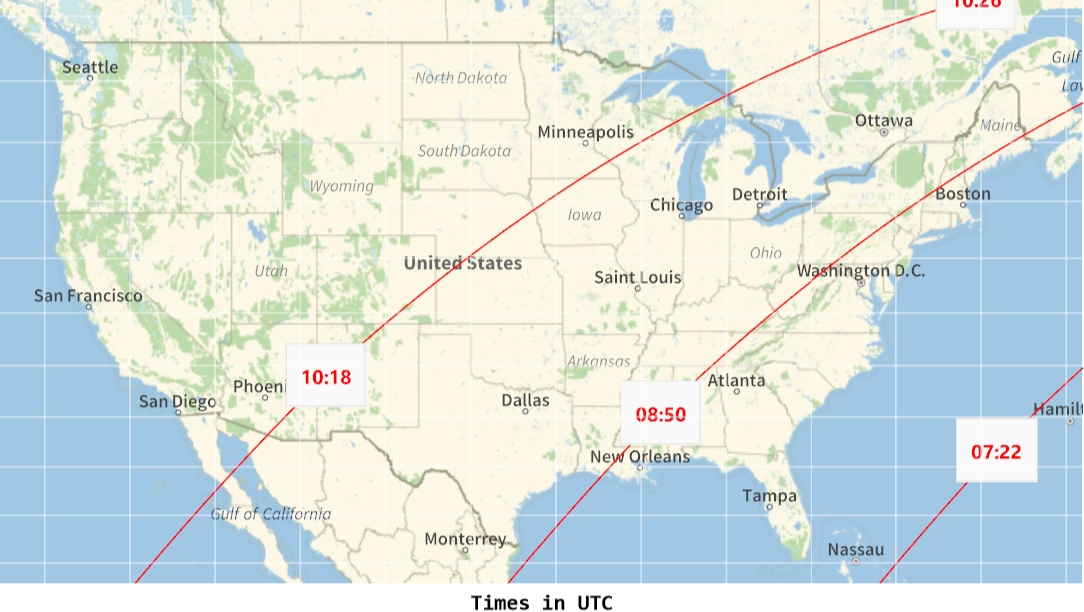
This map shows the trajectory for the computed date range with times in UTC, moving clockwise in the map. An azimuthal projection helps giving the impression of orbiting. The thicker band from Australia to Central America through the Pacific shows the central approximate 30 minutes in the estimated window:
In[]:=
LabeledGeoGraphics{{Red,GeoPath[track],Pink,Thickness[0.01],GeoPath[track[[25;;29]]]},times},,"Times in UTC",Bottom,LabelStyleBold
Out[]=
Times in UTC |
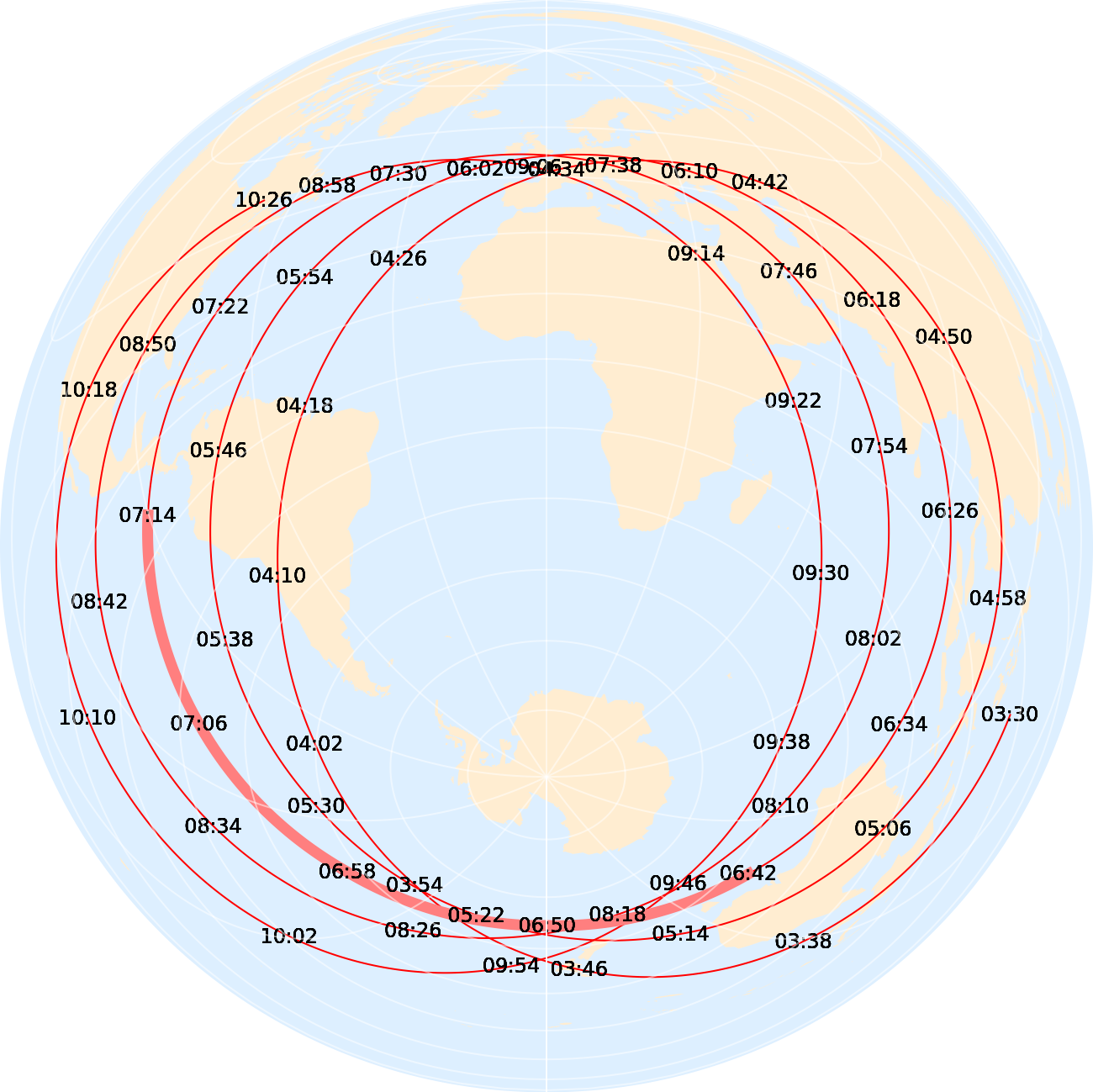
Using Mercator projection:
In[]:=
LabeledGeoGraphics{{Red,GeoPath[track],Pink,Thickness[0.01],GeoPath[track[[25;;29]]]},times},,"Times in UTC",Bottom,LabelStyleBold
Out[]=
Times in UTC |
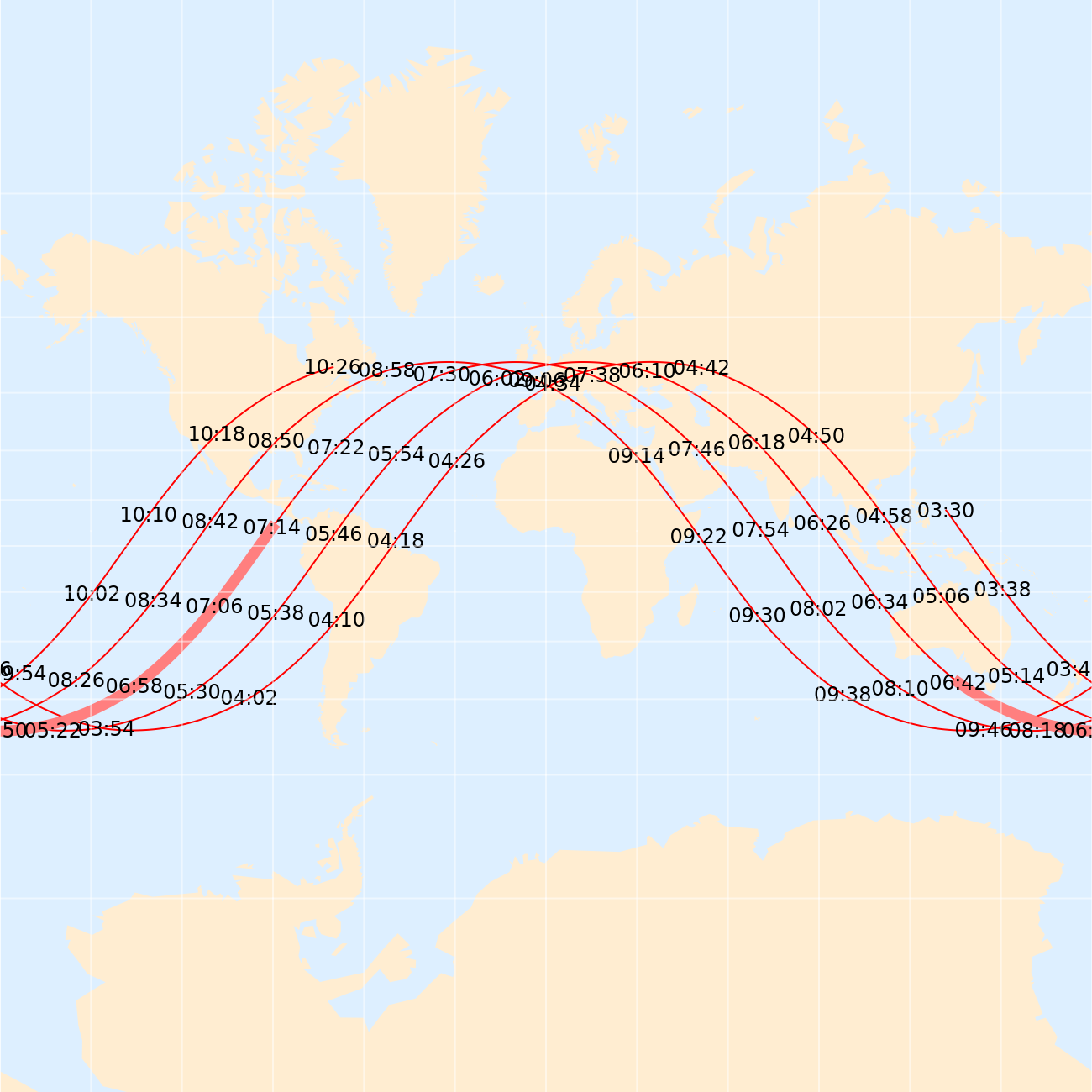
We can focus on United States:
In[]:=
TimeString[date_]:=Text[Panel[Style[DateString[TimeObject[date,"Minute"]],12,Bold,Red]]];times=MapThread[Text,{TimeString/@dr,track}];LabeledGeoGraphics{{Red,GeoPath[track],Pink,Thickness[0.01],GeoPath[track[[25;;29]]]},times},,"Times in UTC",Bottom,LabelStyleBold
Out[]=