This project aims to analyse lyrics, precisely the plethora of aspects that help convert sole lyrics to a full composition. It analyses the sentiment of the lyrics inputted, its symbolic structure, and its phonetic structure. Through the phonetic analysis, it finds possible rhymes, and displays them as WordClouds. The syllabic structure is then further analysed to output a recommended pitch, and range of high frequencies. These functions output a numeric value that the randomAudioGenerator function utilizes as inputs to shape the rhythm, for the lyrics given, utilizing cellular automaton and Resource functions.
Index
Index
• Rhyme Finder
• Note Recommender
• Sentiment Analysis
• Sound Manipulation
• Frequency Recommender
• Artificial Music Generator
• Note Recommender
• Sentiment Analysis
• Sound Manipulation
• Frequency Recommender
• Artificial Music Generator
Compute RhymeFinder
Compute RhymeFinder
The RhymeFinder function utilizes the WordData function and maps through all the words, converting each word to the International Phonetic Alphabet form and then generates the output. The form is then visualized as a WordCloud to discern whether some phonetic sounds are repeated, which help organize the words to form rhyming patterns. The bigger the word when visualized, the higher the frequency of that word in the String. Since the International Phonetic alphabet function converts English to Latin/Greek(with a total of 107 segmental letters), the vowel and consonant sounds are easily distinguishable, through which one can analyze patterns in pronunciation. Thus, it proves to be a great feature to analyzing rhyme schemes.
In[]:=
ExtendedLyrics="never gonna give you up, never gonna let you down, never gonna run around and desert you";RhymeFinder[word_]:=c=WordCloud[WordData[#,"PhoneticForm"]&/@StringSplit[ToString[word]]]RhymeFinder[ExtendedLyrics]
Out[]=
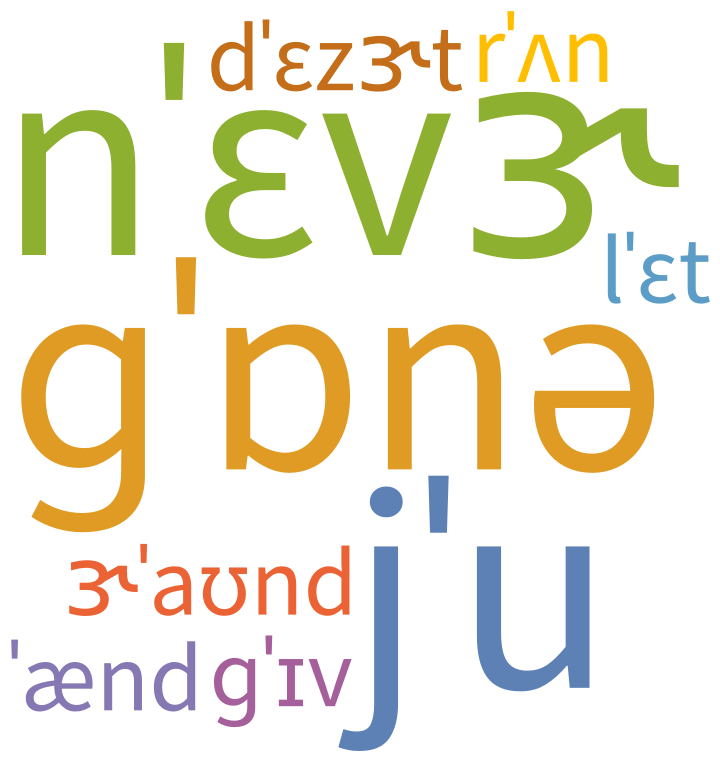
The output demonstrates a fascinating representation of the chorus of "never gonna give you up". Since the words "Never Gonna" is repeated with the highest frequency, it is the largest. Moreover, the rhyming patterns involves the a frequent rhyme of the "oo" sound. This is shown by the second largest symbol 'u. In this case, however, all of the "oo" sounds are made by the word "you", which is why the j is added to the 'u.
Compute the number of notes recommender function
Compute the number of notes recommender function
To analyze the text further, I created a function that would help a musician decipher the number of notes per line. In Pop Music, for example, it is common to assign 1 note per syllable, and in more dramatic songs, slightly over one note. By computing the number of syllables per line, and the Average sentiment of the song, a musician can easily make the decision of the placements of notes in the song. The NoteRecommender function breaks down the syllables in a word, separates them eventually mapped through the whole sentence. The Total function finally finds the number of elements in the specific list.
In[]:=
Lyrics="never gonna give you up";
In[]:=
NumNotesReccomender[x_]:=Total[Map[Length,WordData[#,"Hyphenation"]&/@StringSplit[x],1]]
In[]:=
NumNotesReccomender[Lyrics]
Out[]=
7
Compute Average Sentiment on input-Given a list of lyrics
Compute Average Sentiment on input-Given a list of lyrics
ComputeSentimentScore[]- Primarily, the function takes in a list of lyrics as input, analyzes the sentiment for each line, then converts it to a numerical format. Negative is -1, Positive is +1, and neutral is 0. It then computes the average sentiment score by the geometric mean of the elements in the list. This list has 3 positive and 2 negative statements. The sum is therefore 3-2=1. The sentiment score then divides 1 by the number of elements(5), hence giving 0.2 as the output. The range of possible outputs is from -1 to 1, inclusive. I created an arbitrary list of lyrics to test out the function.
In[]:=
list={"I don't like you","I am happy","I am better than Mozart","I play the Piano","I hate music"};
Testing ComputeSentiScore function which takes a list of Strings as input:
In[]:=
ComputeSentiScore[a_]:=N[Total[ReplacePart[(b=Map[Length,Gather[ToString/@Classify["Sentiment",DeleteStopwords[a]]]]),1->-Abs[First[b]]]]/Total[Abs/@b]]SentiScore=ComputeSentiScore[list]
Out[]=
0.2
Sound Manipulation
Sound Manipulation
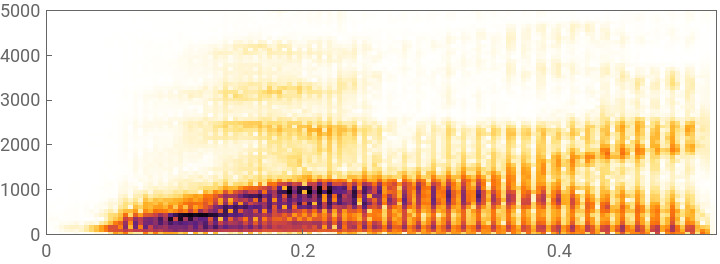
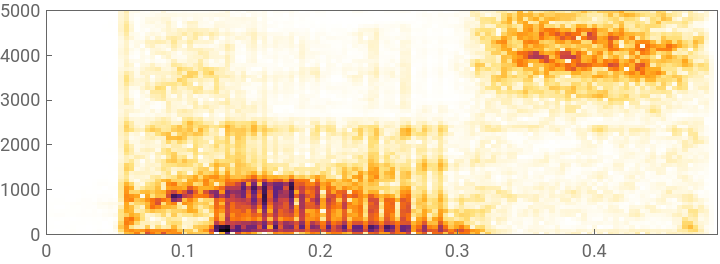
Through the data inputted I generated Sound by mapping the SpeechSynthesize function on a flattened list of syllables. The function intentionally creates different audio-recordings for each syllable to further help with visualizing its frequency.
In[]:=
FindSyllabals[word_]:=ua=Map[SpeechSynthesize,Flatten[ToLowerCase[WordData[#,"Hyphenation"]]&/@StringSplit[word]]]
To help demonstrate, a string with 9 syllables is entered into the function.
In[]:=
FindSyllabals["hello there Perry the platypus"]
Out[]=
,,,,,,,,
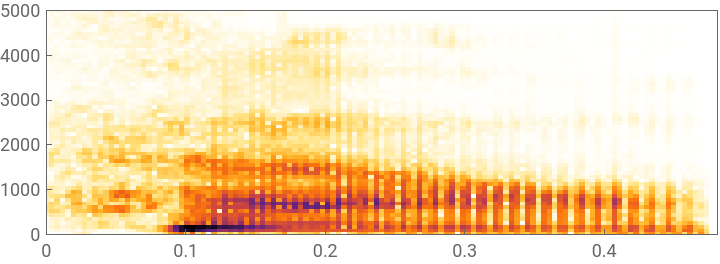
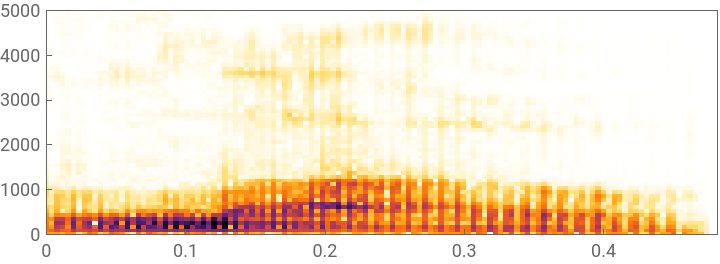
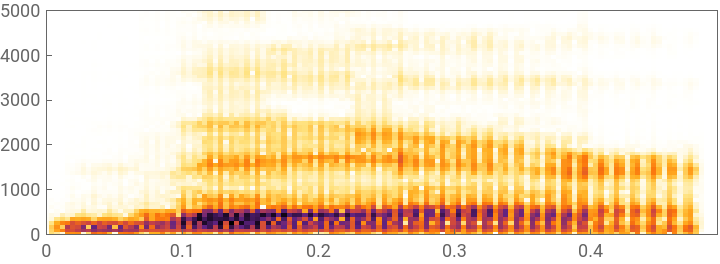
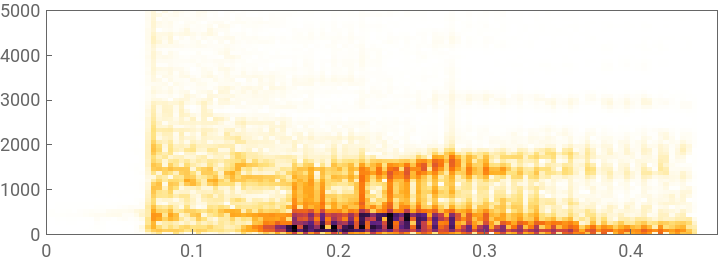
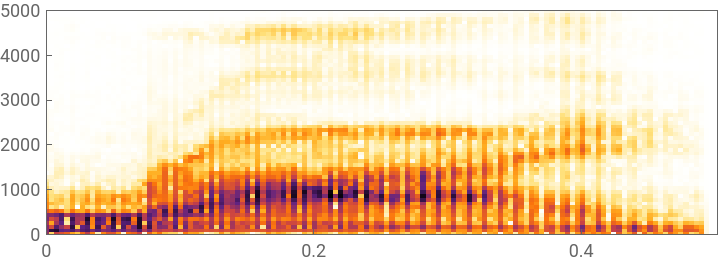
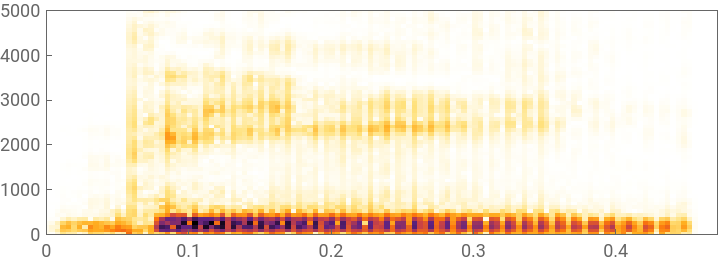
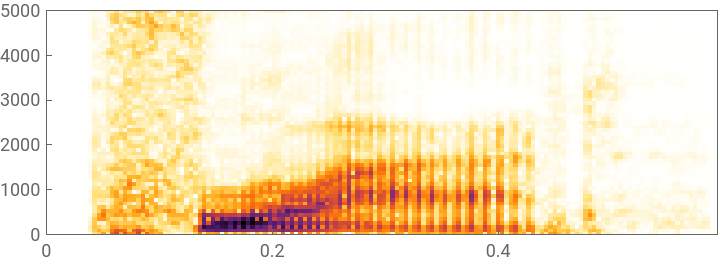
A spectrogram and periodogram are created (as shown below) to visualize the audio recordings
In[]:=
Spectrogram/@ua
Out[]=
,
,
,
,
,
,
,
,
In[]:=
Periodogram/@ua
Out[]=
,
,
,
,
,
,
,
,
The frequency of each audio recording had to be analyzed. A periodogram and spectrograph were great measures of the energy spectrum. However, for frequency, the PitchReconize function had to be utilized and then graphed as a ListLinePlot to visualize and analyze the data.
In[]:=
Freqs=PitchRecognize[#,"Frequency"]&/@ua
Out[]=
TimeSeries,TimeSeries,TimeSeries,TimeSeries,TimeSeries,TimeSeries,TimeSeries,TimeSeries,TimeSeries


In[]:=
GraphFreq=ListLinePlot[PitchRecognize[#,"Frequency"]]&/@ua
Out[]=
,
,
,
,
,
,
,
,
The graphs above show that there are missing values, more in some elements than others, so the data had to be normalized by Deleting the missing values. They seem to assume a sinusoidal shape, for the time frequencies in which audio is broadcaster, after which a decay when the audio is close to ending.
To find the frequency at which the derivate is 0(max), I created a FindMaxFreq function that takes in a list of audio frequencies as input and maps through the frequency values represented in an array, and then finds the maxValue. The max value for each syllable is then visualized as a graph to see the parts of the songs that require greater vocal range than others. In this case the lyrics seem to have little deviation in Max frequency, but stays generally consistent throughout the line.
To find the frequency at which the derivate is 0(max), I created a FindMaxFreq function that takes in a list of audio frequencies as input and maps through the frequency values represented in an array, and then finds the maxValue. The max value for each syllable is then visualized as a graph to see the parts of the songs that require greater vocal range than others. In this case the lyrics seem to have little deviation in Max frequency, but stays generally consistent throughout the line.
Frequency Recommender
Frequency Recommender
The function computes the average note (recommended pitch) of the song, given an audio recording by averaging out the pitch per audio Recording(median) and then finding the geometric mean of all syllables around which the frequency is centered.
The output is within human speech frequency, and is a fairly accurate Frequency Recommender, considering the amount of values that had missing frequencies.
Artificially Generate Music using SentiScore as input
Artificially Generate Music using SentiScore as input
The first function plots a list of triangular cellular automaton, some of which will be useful in generating sound (Rules 30,45,90,150,22,218 are the most interesting visualizations due to the definite patterns they follow-due to which they are also the most useful)
Generating sounds using Cellular Automaton with “Senti” as input
Generating sounds using Cellular Automaton with “Senti” as input
This function uses Cellular Automaton(CA), in the way that WolframTones does, by transposing it, and then finding patterns to artificially generate music for a partial portion of the function. The inputs of the music are determined by the lyrics passed through the ComputeSentimentScore function. It artificially generates rhythm given Sentiment as input. Based on the input, the function uses a Transformed CellularAutomaton to generate musical sequences. The CA sound is a decent generator of neutral music, one with a combination of both positive and negative music stylistic features.
Generating extreme sounds using a randomized customization of MusicalScaleSample, with "Senti" as input
Generating extreme sounds using a randomized customization of MusicalScaleSample, with "Senti" as input
To artificially generate substantially positive and negative musical sequences, the NegativeGenerator and PosiGenerator functions are used, which use the MusicalScaleSample to choose randomly from a list of either minor or major scales based on the ComputeSentiScore returned value. The minor scale and major scales are both example of profound positive and negative music, which therefore correlate to the extreme values of the ComputeSentiScoreFunction.
Before creating the function, I first tested and visualized the sound of the Cello (it is prominently known to be the instrument of Negative, apprehensive sounds) to make sure Mathematica's ExampleData modelled the negative Sentiment accurately.
The NegativeGenerator randomly chooses from a list of minor scales {MinorPentatonic , NeopolitanMinor, HungarianMinor, HarmonicMinor, JazzMinor, BluesScale}
The PositiveGenerator randomly chooses from a list of major scales {MajorPentatonic , NeopolitanMajor, HungarianMajor, HarmonicMajor, JazzMajor,DoubleHarmonic}
The final block of code uses the Sentiment Score as input and based on that chooses what function to call depending on the magnitude of the input.
Conclusion
Conclusion
I found that the randomAudioGenerator accurately played the sequence of notes depending of the Sentiment Score, although, at times, the sentiment score function did not accurately compute the right sentiment for every line. However, this deviation was expected given that the Classify "Sentiment" function classifies the most likely sentiment out of 3 options. FInding the mean of the values, therefore, drastically improved the findings.
Moreover, the Cellular Automata posed a large time constraint on the project due to its intricacy,and the applications "randomness". The "right" rules, from which to play the CA are definitely not definitive, and were purely based on experimentation for my application. There were various other rules with similar patterns, for example {18,26,105,126,154,210}, which were played, but didn't achieve the level of variety required for the application.
The SpeechSyntheis function,furthermore, speaks out the syllables in the default male voice, because it was the closest to mine. However, this function can easily be customized to a large variety of voices that might be a better fit for another user.
Moreover, the Cellular Automata posed a large time constraint on the project due to its intricacy,and the applications "randomness". The "right" rules, from which to play the CA are definitely not definitive, and were purely based on experimentation for my application. There were various other rules with similar patterns, for example {18,26,105,126,154,210}, which were played, but didn't achieve the level of variety required for the application.
The SpeechSyntheis function,furthermore, speaks out the syllables in the default male voice, because it was the closest to mine. However, this function can easily be customized to a large variety of voices that might be a better fit for another user.
Future Steps
Future Steps
The project relies on the information that the emotion of the song is one of the most important features when converting lyrics to music. I interviewed 35 musicians, and the "Sentiment"/"Emotion" of the lyrics was the most prominent feature when deciding the rhythm of the song. In the future, multiple sub-features can be analysed that possibly influence the rhythm substantially. A psychological approach to finding the sub-features might prove worthy, which can further be analysed computationally. Future approaches can also incorporate to predict the values of the frequency curve using Polynomial regression or a similar approach and then find the Recommended Frequency and the series of peak notes.