It is already Halloween time and we see pumpkins everywhere. So, I think it’s a great occasion for a little computational exploration on pumpkins.
In[]:=
Out[]=
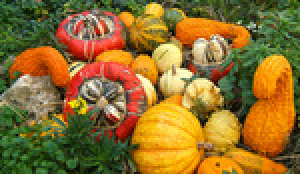
Let’s learn first a bit about Taxonomy of pumpkins:
In[]:=
Out[]=
,,,,,,,,,
Actually, the Genus Cucurbita (gourd) contains several different species of pumpkins:
In[]:=
pumkinSpecies=["SubEntities"]
Out[]=
,,,,,,,,
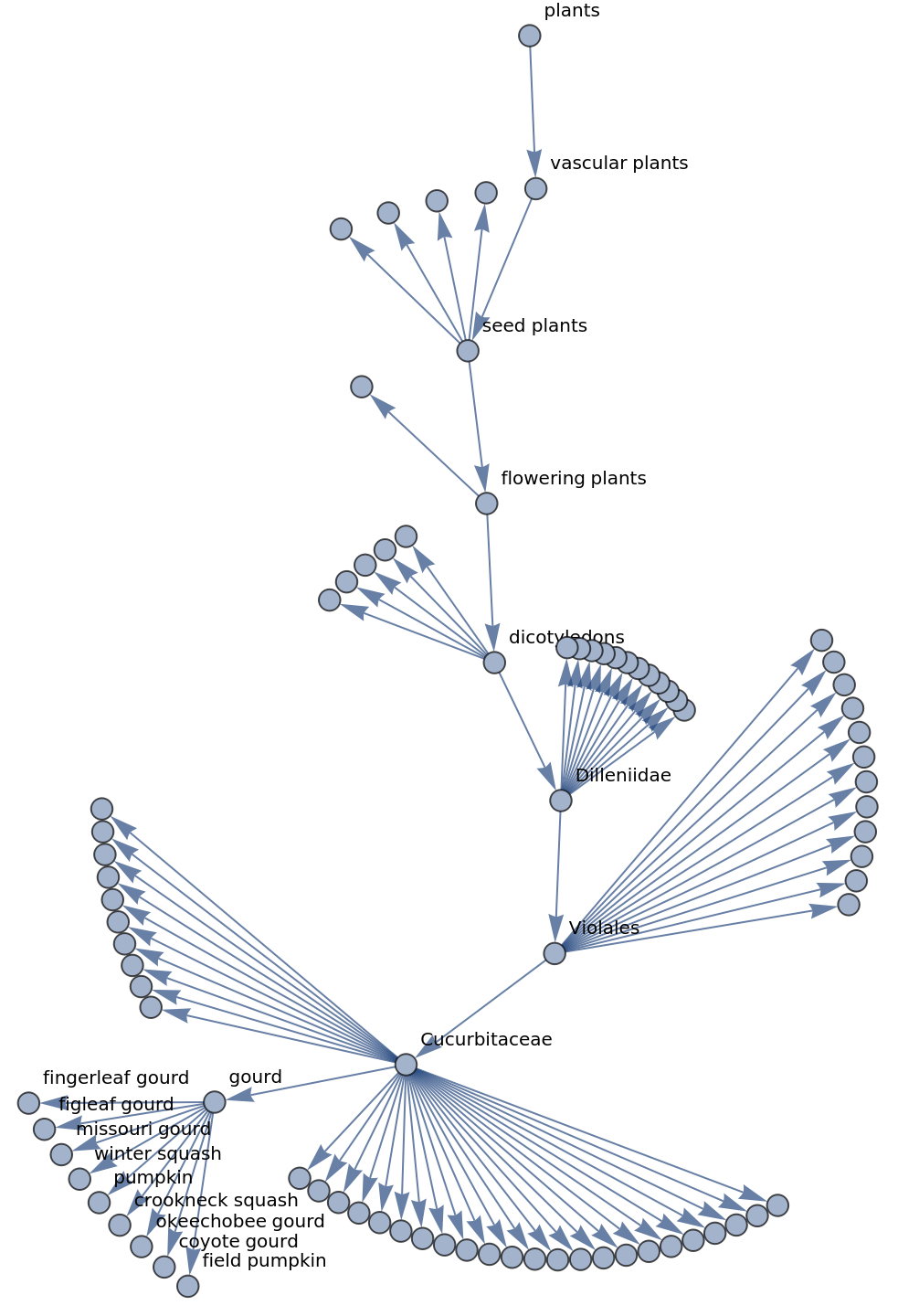
See also its Taxonomic Graph:
In[]:=
Graph["TaxonomyGraph"],VertexLabels,ImageSizeLarge
Out[]=
A couple of weeks ago, I submitted my first function to the Wolfram Function Repository and now I can use it from anywhere now via ResourceFunction:
In[]:=
ResourceFunction["TaxonomicNearest","Description"]
Out[]=
Give the list of taxa to which a specified taxon is nearest
In[]:=
TaxonomicNearest=ResourceFunction["TaxonomicNearest"]
Out[]=
In[]:=
TaxonomicNearest{"tomato","watermelon","eggplant","onion","potato","cucumber"},
Out[]=
,
If you are at the Wolfram Tech Conference, you can learn more about “Species/Plants” Data on my presentation on Computational Taxonomy this Thursday.
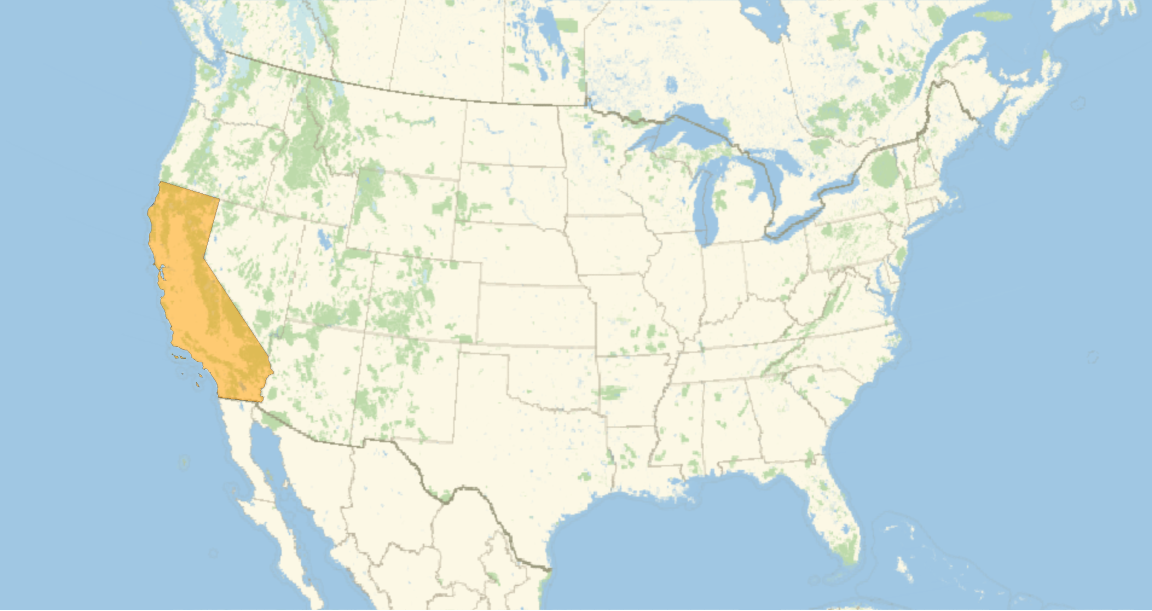
Geographic distribution of pumpkins using data from the USDA:
Geographic distribution of pumpkins using data from the USDA:
In[]:=
pumpkinsUS=,,,,,;
In[]:=
data=PlantData[pumpkinsUS,{"USDAGeographicDistribution","Image"}];
In[]:=
TabView[MapThread[#1->Labeled[GeoListPlot[First[#2],GeoRange->EntityValue[GeoVariant[Entity["Country","UnitedStates"],Automatic],"Polygon"],ImageSize->Large],Last[#2]]&,{entities,data}]]
Out[]=
Visualizing a Pumpkin MRI scan
Visualizing a Pumpkin MRI scan
Some years ago Chip Hurst showed in a post how to visualize vegetables going through an MRI machine.
Here we will only take slices of a pumpkin and reconstruct it.
Here we will only take slices of a pumpkin and reconstruct it.
After we import this gif, there’s a bit of preprocessing we need to do before getting our 3D image.
In[]:=
pumkinslices=Import["http://imgur.com/TvwD0.gif"];pumkinprocessed=RemoveAlphaChannel[ColorConvert[ImageTake[#,{40,-10},{20,-20}],"Grayscale"]]&/@pumkinslices;
In[]:=
ListAnimate[pumkinprocessed,SaveDefinitionsTrue]
Out[]=
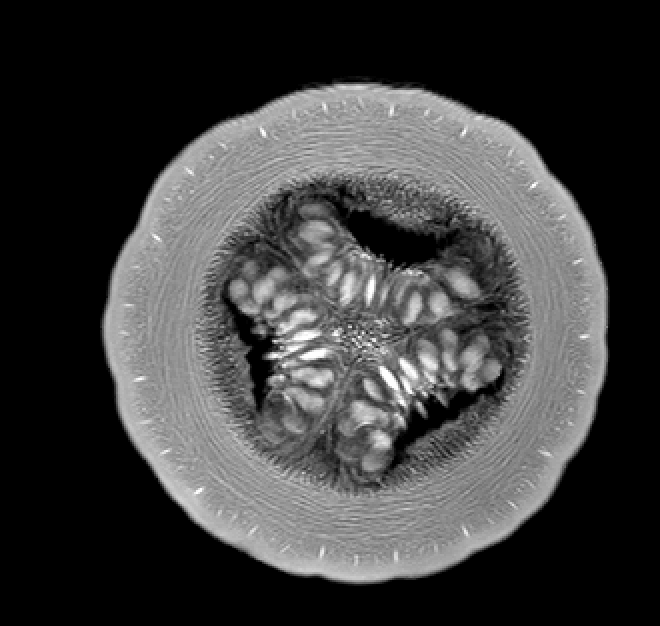
Here we removed the borders for each slice, converted the images grayscale, and lastly removed the alpha channel which will make the background transparent in the 3D image. Now we’re ready to see the 3D image:
In[]:=
Image3D[pumkinprocessed,BoxRatios{1,1,.75}]
Out[]=

Create a Mathematical Pumpkin
Create a Mathematical Pumpkin
This is a profile curve of a horizontal cross section of a pumpkin.
By controlling n and d, you can manipulate the number of ribs and the depth of the grooves on the pumpkin’s surface.
Here is a portion of the curve magnified to show you how the control points are configured. Note that control points at the grooves are duplicated to create sharp creases.
To generate a surface, we need a vertical profile, too. A simple Manipulate gives you an easy way to create one.
To create a surface from the horizontal cross section curve and the vertical B-spline curve, we simulate a surface of revolution by inserting cross section control points perpendicular to the rotational axis—in this case, the z axis.
This is the resulting surface.
Don't forget that healthy diet should include pumpkins :-)
Don't forget that healthy diet should include pumpkins :-)