Contents
Contents
◼
Download a FITS table file from a URL
◼
Open a FITS table file and view table contents
◼
Make 1D and 2D histograms with the data
Summary
Summary
FITS files are used in astronomy to store large amounts of multi-dimensional data and tables. The FITS file we use here comes from an online tutorial and contains observations from the NASA Chandra observatory. It contains, among other things, a list of events with x and y coordinates:
In[]:=
url="http://data.astropy.org/tutorials/FITS-tables/chandra_events.fits";
Download the data. If you already downloaded the file you can skip this step and just evaluate the next input cell to set your local file location:
In[]:=
file=URLDownload[url,"~/chandra_events.fits"];
In[]:=
file="~/chandra_events.fits";
In[]:=
FileSize[file]
Out[]=
You can use Import on the file with the “Elements” argument to see the various data elements you can import:
In[]:=
Import[file,"Elements"]
Out[]=
{Airmass,Author,BitDepth,Channels,ColorSpace,Comments,Data,DataType,Declination,Device,Dimensions,Equinox,ExposureTime,Extension,Graphics,HDUCount,History,HourAngle,Image,ImageSize,MetaInformation,Object,ObservationDate,Observer,Organization,Plaintext,Range,RawData,RawMetaInformation,Reference,RightAscension,SiderealTime,Summary,SummarySlideView,TableData,TableHeaders,TableUnits,Telescope}
For example “Summary” gets a top-level summary of the data:
In[]:=
summary=Import[file,"Summary"]
Out[]=
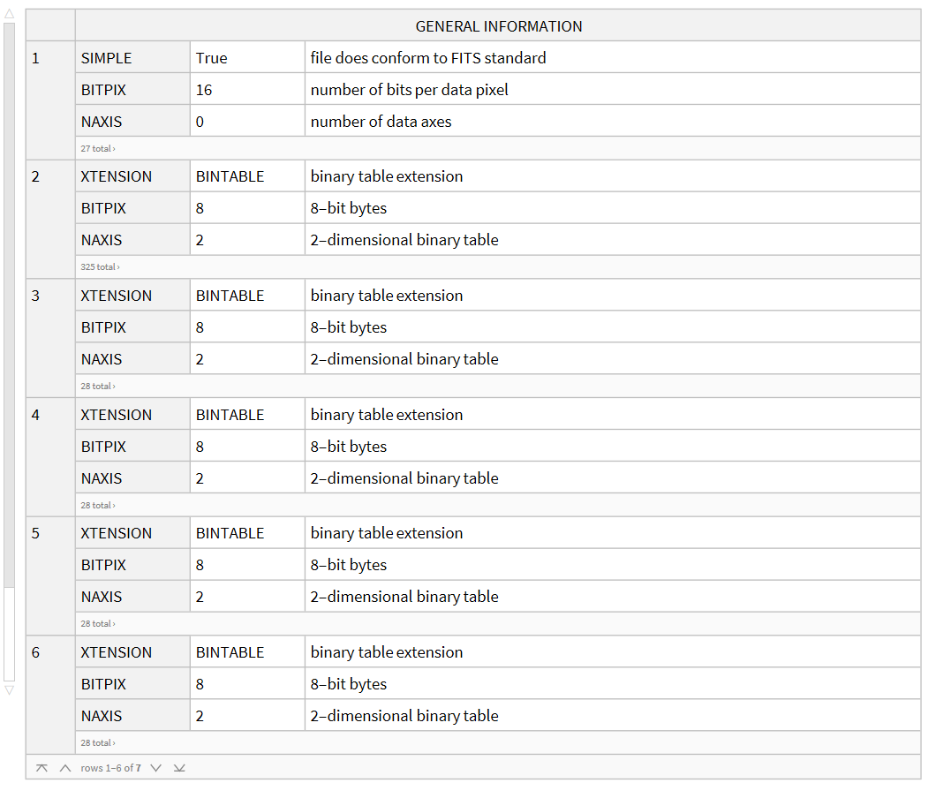
We need a little bit more details so we use “MetaInformation” to get a complete picture:
In[]:=
information=Dataset[Import[file,"MetaInformation"]]
Processing and Displaying
Processing and Displaying
We are specifically interested in reading the “EVENTS” data which is in the second record:
In[]:=
information[All,"GENERAL INFORMATION","EXTNAME"]
Out[]=
This gets the raw events data from the second record:
In[]:=
rawdata=Import[file,{"FITS","Data",2}];
There are 483,964 rows and 19 columns
In[]:=
Dimensions[rawdata]
Out[]=
{483964,19}
The column types can be obtained from the meta-information:
In[]:=
types=information[2,1,KeySelect[StringStartsQ[#,"TTYPE"]&]]
Out[]=
This extracts the column names by themselves:
In[]:=
columns=Normal[Values[types[All,First]]]
Out[]=
{time,ccd_id,node_id,expno,chipx,chipy,tdetx,tdety,detx,dety,x,y,pha,pha_ro,energy,pi,fltgrade,grade,status}
This creates a dataset from the column names and the raw data:
Here are the first ten rows:
We can easily make a histogram for the “energy” column:
The following gets the x-y values for the events. We need to select the main ACIS-I chips, which are the CCDs with ids 0, 1, 2, and 3:
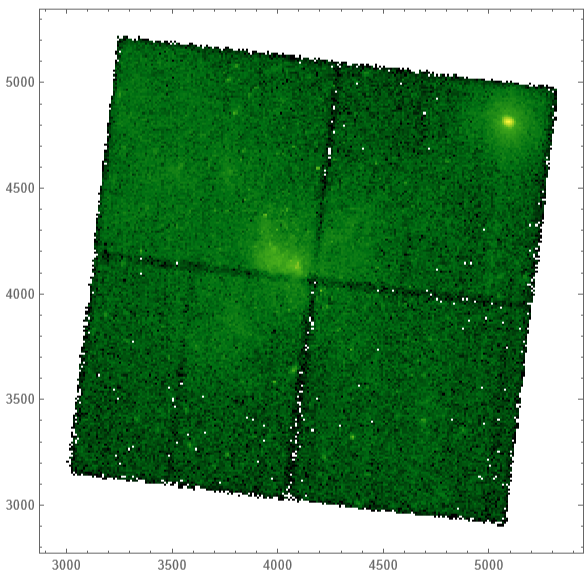
Make a basic density histogram for the x-y data. Note that due to scaling issues there is not a lot of useful visible detail in this histogram:
We can improve this by using a logarithmic scaling function:
CITE THIS NOTEBOOK
CITE THIS NOTEBOOK
Getting a Glimpse of the Galactic Center using NASA Chandra FITS data
by Arnoud Buzing
Wolfram Community, STAFF PICKS, January 19, 2024
https://community.wolfram.com/groups/-/m/t/3106056
by Arnoud Buzing
Wolfram Community, STAFF PICKS, January 19, 2024
https://community.wolfram.com/groups/-/m/t/3106056