CITE THIS NOTEBOOK: Exploring tweets using SQL operators paclet by Damian Calin. Wolfram Community NOV 29 2022.
The objective of this post is to explore and analyse user twitter replies using SQL tables.
Basically I create a wrapper on Twitter service connector ( documented at:https://reference.wolfram.com/language/ref/service/Twitter.html )
using SQL package presented on previous posts and available to download as repository paclet (https://resources.wolframcloud.com/PacletRepository/resources/DamianCalin/SQLOperators)
Basically I create a wrapper on Twitter service connector ( documented at:https://reference.wolfram.com/language/ref/service/Twitter.html )
using SQL package presented on previous posts and available to download as repository paclet (https://resources.wolframcloud.com/PacletRepository/resources/DamianCalin/SQLOperators)
Load SQL paclet
Load SQL paclet
Load the last version of SQLOperators paclet.
https://resources.wolframcloud.com/PacletRepository/resources/DamianCalin/SQLOperators/
https://resources.wolframcloud.com/PacletRepository/resources/DamianCalin/SQLOperators/
PacletInstall["DamianCalin/SQLOperators"];Needs["DamianCalin`SQLOperators`"]
Connect to Twitter service
Connect to Twitter service
In[]:=
twitter=ServiceConnect["Twitter","New"];
You should be redirected to authentication web page , and click “Authorise App”
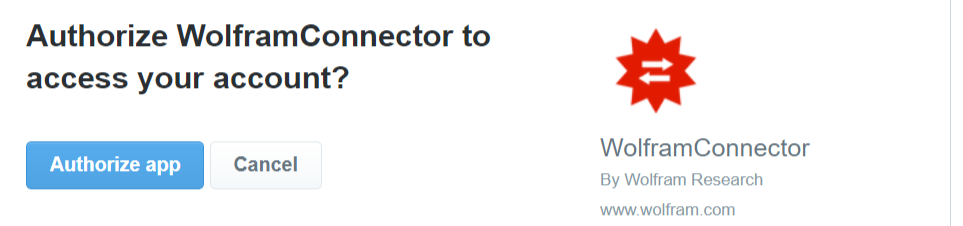
Now you’re connected.
Check if successfully connected by getting replies from by far most popular twitter user :
Check if successfully connected by getting replies from by far most popular twitter user :
In[]:=
twittertwitter["UserData","Username"->"elonmusk"]
Out[]=
ServiceObject

Out[]=
ID44196397,ScreenNameelonmusk,NameElon Musk,LocationMissing[NotAvailable],FavouritesCount15404,FollowersCount119423978,FriendsCount130,TweetsCount20856,CreationDate
Create a SQL table wrapper on service request
Create a SQL table wrapper on service request
twRepliesSQL function gets twitter connector and options as input and returns sql table.
Does some data cleansing by separating text and users replied to.
Does some data cleansing by separating text and users replied to.
ClearAll[twRepliesSQL];twRepliesSQL[connector_,opt__Rule]:=Block[{twreplies=connector["UserReplies",opt],cols={"id","text","date","username","url"}},tableSQL[twreplies//Cases[#,x_:>(x//Values)]&//Cases[#,r_:>(connector["GetTweet","TweetID"->(r//First)]//Normal//Values)]&,cols]//rowTransformSQL[#,Association["id":>id,"text":>StringDelete[text,RegularExpression["^(@\\w+\\s*)+"]],"date":>date,"username":>username,"url":>url,"replyto":>StringCases[text,RegularExpression["@\\w+"]]]]&];
Example of using function.
In[]:=
tbReplies=twRepliesSQL[twitter,"Username"->"elonmusk",MaxItems->180];
Exploring Elon most recent tweets
Exploring Elon most recent tweets
Check table structure
In[]:=
tbReplies//tableSQLAsDataset
Out[]=


Performing searches
In[]:=
tbReplies//whereSQL[#,StringContainsQ[text,"free speech"]]&//tableSQLAsDataset
Out[]=
In[]:=
tbReplies//whereSQL#,date<&//tableSQLAsDataset
Out[]=
In[]:=
tbReplies//whereSQL[#,ContainsAny[replyto,{"@semaforben"}]]&//tableSQLAsDataset
Out[]=
Generating a word-cloud based on last tweets.
In[]:=
tbReplies//summaryMapSQL[#,{text},(StringRiffle[#]//WordCloud)&]&//showTableSQL
Total Rows:1 Elapsed:4.8921
Out[]//TableForm=
text |

Get a hourly histogram of tweets count
Count the most replied users .
I have to flatten and unnest “replyto” column as we have a list structure.
For more details on unnestSQL check the documentation SQLOperators paclet https://resources.wolframcloud.com/PacletRepository/resources/DamianCalin/SQLOperators/guide/SQLOperatorsGuide.html
I have to flatten and unnest “replyto” column as we have a list structure.
For more details on unnestSQL check the documentation SQLOperators paclet https://resources.wolframcloud.com/PacletRepository/resources/DamianCalin/SQLOperators/guide/SQLOperatorsGuide.html
Donations
Donations