Cloud Notebooks Image Quality
Cloud Notebooks Image Quality
In[]:=
Today
Out[]=
Problem: Poor raster quality when rendering Images (GraphicsBox[RasterBox[...]] under the hood) in cloud notebooks. As pointed out in https://community.wolfram.com/groups/-/m/t/3561969 and elsewhere.
Explanation:
When rendering images and raster formats in a cloud notebook, the Wolfram Cloud generates and displays a separate image based on the underlying GraphicsBox expression. That image is created with $ImageResolution = 72 which is the reason for the low-quality. That choice of ImageResolution is a combination of various legacy constraints and very real performance considerations.
Key Things to NOTE
(1) We are actively working on a more general solution to improve image quality generally, and expect to release that in a Wolfram Cloud version prior to the end of the year
(2) This only affects cloud notebook rendering of such images in the Environment (/env), Deployed (/obj), and /statichtml views .
(3) The underlying quality of the image as saved in the notebook is NOT affected
(4) You can still generate an image of higher quality and save it as a file or CloudObject
(2) This only affects cloud notebook rendering of such images in the Environment (/env), Deployed (/obj), and /statichtml views .
(3) The underlying quality of the image as saved in the notebook is NOT affected
(4) You can still generate an image of higher quality and save it as a file or CloudObject
In[]:=
Table[CloudExport[Rasterize[Style[x^2+y^2,40],ImageResolutionr],"PNG",Permissions"Public"],{r,{20,40,100}}]
Possible Workarounds
These approaches typically ONLY work in cloud notebooks and can result in downloaded desktop notebooks with $Failed or otherwise
We are actively working on a more general solution to improve image quality generally, and expect to release that in a Wolfram Cloud version prior to the end of the year
You can use some of the following techniques to directly render images in cloud notebooks to possibly workaround current low-res image quality of cloud notebook rendering of Images and raster formats.
These approaches typically ONLY work in cloud notebooks and can result in downloaded desktop notebooks with $Failed or otherwise
We are actively working on a more general solution to improve image quality generally, and expect to release that in a Wolfram Cloud version prior to the end of the year
You can use some of the following techniques to directly render images in cloud notebooks to possibly workaround current low-res image quality of cloud notebook rendering of Images and raster formats.
FEPrivate`ImportImage
FEPrivate`ImportImage
Utilize FEPrivate`ImportImage for a public URL that returns an image.
By default ImageSize is set based on the actual width and height of the image.
"CloudPixelRatio" is a way to adjust the rendered width and height: imageWidth / pixelRatio and imageHeight / pixelRatio.
This is undocumented, internal use that is subject to change
This same box structure will return $Failed in a desktop notebook.
There is currently a bug with showing $Failed in the cloud html cache (/statichtml view) due to too aggressively preventing certain HTTP requests during html cache rendering.
By default ImageSize is set based on the actual width and height of the image.
"CloudPixelRatio" is a way to adjust the rendered width and height: imageWidth / pixelRatio and imageHeight / pixelRatio.
This is undocumented, internal use that is subject to change
This same box structure will return $Failed in a desktop notebook.
There is currently a bug with showing $Failed in the cloud html cache (/statichtml view) due to too aggressively preventing certain HTTP requests during html cache rendering.
In[]:=
{DynamicBox[FEPrivate`ImportImage[URL["https://www.wolfram.com/common/framework/img/spikey.en.png"],"CloudPixelRatio"1]]//RawBoxes,DynamicBox[FEPrivate`ImportImage[URL["https://www.wolfram.com/common/framework/img/spikey.en.png"],"CloudPixelRatio"2]]//RawBoxes}
Out[]=
{
$Failed
,$Failed
}Wrap in Style Selectable -> False to prevent selection
In[]:=
Style[Dynamic[RawBoxes[FEPrivate`ImportImage[URL["https://www.wolfram.com/common/framework/img/spikey.en.png"]]]],SelectableFalse]
Out[]=
$Failed
In[]:=
Dynamic[RawBoxes[FEPrivate`ImportImage[URL["https://www.wolframcloud.com/obj/jpacey/1_Static_Electron.png"]]]]
Out[]=
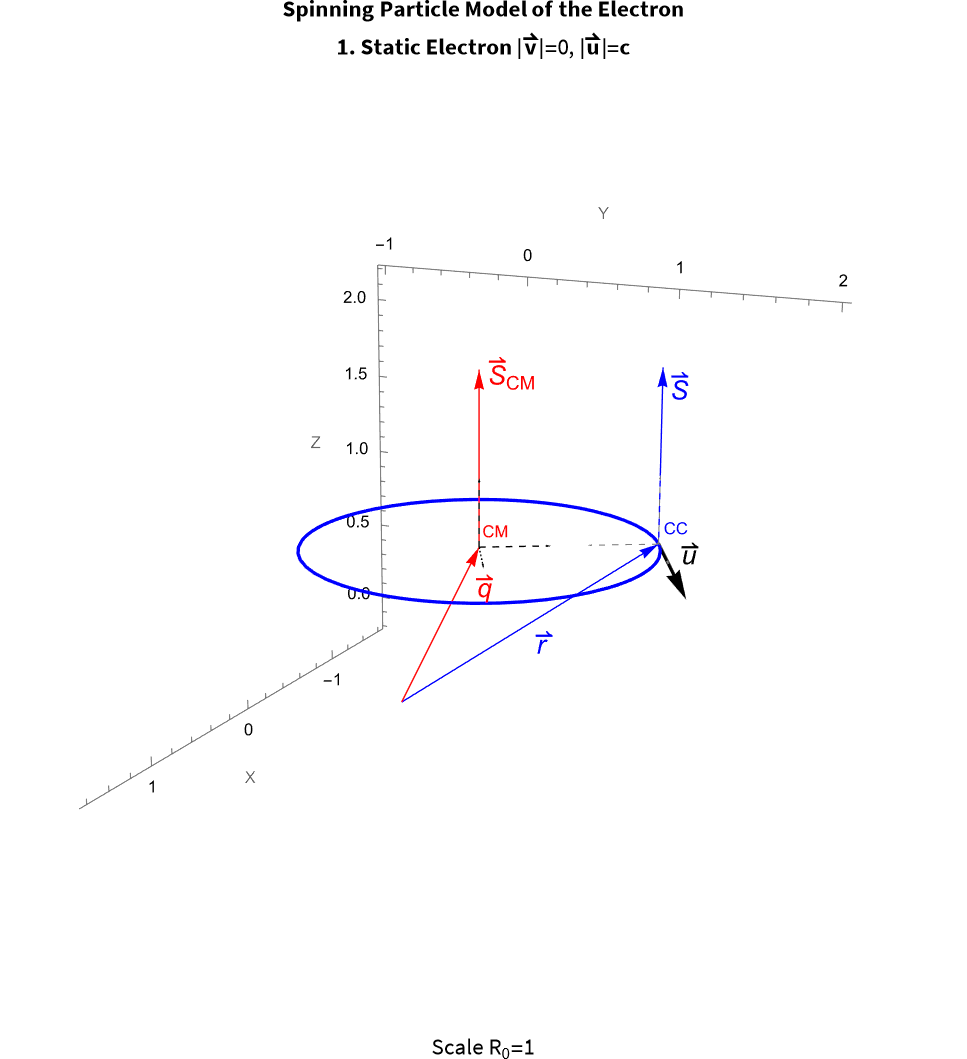
To create a notebook that works in both cloud and desktop you could utilize the above box structure in a TemplateBox or other similar structure with a condition on $CloudEvaluation. That requires some additional preprocessing of specific images or cells.
EmbeddedHTML, only renders in cloud notebooks
EmbeddedHTML, only renders in cloud notebooks
You can utilize EmbeddedHTML[URL["link-to-your-image"]], but you will want to specify an explicit ImageSize option as well.
Here I deployed a PNG image and set its Permissions -> "Public"
Here I deployed a PNG image and set its Permissions -> "Public"
In[]:=
Options[CloudObject["https://www.wolframcloud.com/obj/jpacey/1_Static_Electron.png"],Permissions]
Out[]=
{Permissions{All{Read,Interact},Owner{Read,Write,Execute}}}
In[]:=
myImg=Import[URL["https://www.wolframcloud.com/obj/jpacey/1_Static_Electron.png"]]
Out[]=

In[]:=
ImageDimensions[myImg]
Out[]=
{967,1059}
In[]:=
EmbeddedHTML[URL["https://www.wolframcloud.com/obj/jpacey/1_Static_Electron.png"],ImageSize{967,1059}]
Out[]=