ORIGINAL ARTICLE: Saleh, O.A., Wilken, S., Squires, T.M. et al. Vacuole dynamics and popping-based motility in liquid droplets of DNA. Nat Commun 14, 3574 (2023). https://doi.org/10.1038/s41467-023-39175-0
Article Abstract: Liquid droplets of biomolecules play key roles in organizing cellular behavior, and are also technologically relevant, yet physical studies of dynamic processes of such droplets have generally been lacking. Here, we investigate and quantify the dynamics of formation of dilute internal inclusions, i.e., vacuoles, within a model system consisting of liquid droplets of DNA ‘nanostar’ particles. When acted upon by DNA-cleaving restriction enzymes, these DNA droplets exhibit cycles of appearance, growth, and bursting of internal vacuoles. Analysis of vacuole growth shows their radius increases linearly in time. Further, vacuoles pop upon reaching the droplet interface, leading to droplet motion driven by the osmotic pressure of restriction fragments captured in the vacuole. We develop a model that accounts for the linear nature of vacuole growth, and the pressures associated with motility, by describing the dynamics of diffusing restriction fragments. The results illustrate the complex non-equilibrium dynamics possible in biomolecular condensates.
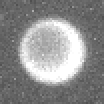
This Notebook serves as a demonstration of the double-sphere fitting code described in the paper by Saleh et al., “Vacuole Dynamics and Popping-based Motility in Liquid Droplets of DNA”. In particular, the notebook loads the image shown in the inset in Fig. 2a (attached at the end of the post) of the paper (which is the minute 15 droplet image also shown in Figure 1c), and applies the fit as described by the equation given in Eqs. S1 and S2 of the supplement.
Image loading
Image loading
The path might need to be adjusted to the appropriate folder for the image
SetDirectory[NotebookDirectory[]];image=Import["Fig2-Minute15Drop.tif"];
the raw image, stored in the tif file, is unadjusted; here the multiplication by 70 assists visualization, to confirm the image is correctly loaded.
image*70
Out[]=
In[]:=
ImageDimensions[image]
Out[]=
{52,52}
Function Definitions
Function Definitions
This function prepares the image for fitting. Specifically, the image will first be converted to a matrix of intensity values using Mathematica’s “ImageData” function. The output of that function will then be subject to “tripletdata,” which creates a triplet for the pixel at position with intensity I. This triplet is the format needed for Mathematica’s fitting functions. Note the factor of 1.6, which is the conversion of pixels to microns
(x,y,I)
(x,y)
(i,j)
tripletdata[imagedata_]:=Flatten[Table[{1.6i,1.6j,imagedata[[i,j]]},{i,Length[imagedata]},{j,Length[imagedata[[1]]]}],1];
This function is the geometric projection of a sphere (the droplet)into 2 dimensions, with a second sphere (the vacuole) subtracted from it. As also described in the Supplement, the variables correspond to the (fixed) pixel positions , and the fitting parameters: droplet radius; droplet center; vacuole radius; vacuole center; background fluorescent intensity; b = fluorescent intensity of the droplet
(x,y)
r=
(xc,yc)=
rv=
(xvc,yvc)=
a=
spherevac2d[r_,x_,y_,xc_,yc_,a_,b_,rv_,xvc_,yvc_]:=If[>+,a+2bSqrt[--],a]-If[>+,2bSqrt[--],0];
2
r
2
(x-xc)
2
(y-yc)
2
r
2
(x-xc)
2
(y-yc)
2
rv
2
(x-xvc)
2
(y-yvc)
2
rv
2
(x-xvc)
2
(y-yvc)
Fitting and display
Fitting and display
Converts the image to an array of triplets:
{x,y,I}
fitdata=tripletdata[ImageData[image]];
The next line carries out the fitting. It is important to use relatively good guesses for the fitting parameters. Generally, in analysis of a time series, this is ensured by using fits from the previous time point to seed the next time point. Here, the initial values include guessing the droplet and vacuole are at the center of the image, with radii roughly estimated from visualizing the image, and labeling intensities guessed from experience:
In[]:=
fit=NonlinearModelFit[fitdata,spherevac2d[r,x,y,xc,yc,a,b,rv,xvc,yvc],{{r,25},{xc,26*1.6},{yc,26*1.6},{a,0.005},{b,0.002},{rv,15},{xvc,26*1.6},{yvc,26*1.6}},{x,y}]
Out[]=
FittedModel
The best fit parameters are shown next, and include the values of r and rv given in the Fig. 2 caption. Note also the vacuole is well off center, as expected from the image:
In[]:=
fit["BestFitParameters"]
Out[]=
{r27.7581,xc42.1368,yc43.1896,a0.00586143,b0.000237249,rv18.7902,xvc39.6953,yvc40.0874}
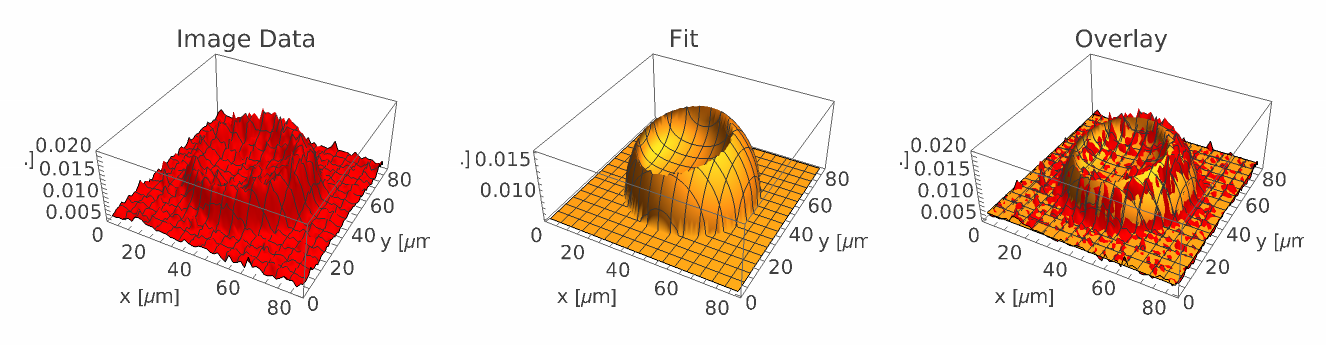
Visualization of the image data, the fit, and an overlay of the two:
In[]:=
dataplot=ListPlot3D[fitdata,PlotStyleRed,PlotRangeAll,AxesLabel{"x [μm]","y [μm]","I [a.u.]"},PlotLabel->"Image Data"];fitplot=Plot3D[fit[x,y],{x,1,83},{y,1,83},PlotStyleOpacity[1],PlotRangeAll,AxesLabel{"x [μm]","y [μm]","I [a.u.]"},PlotPoints100,ExclusionsNone,PlotLabel->"Fit"];GraphicsRow[{dataplot,fitplot,Show[{dataplot,fitplot},PlotLabel->"Overlay"]},ImageSize->Full]
Out[]=
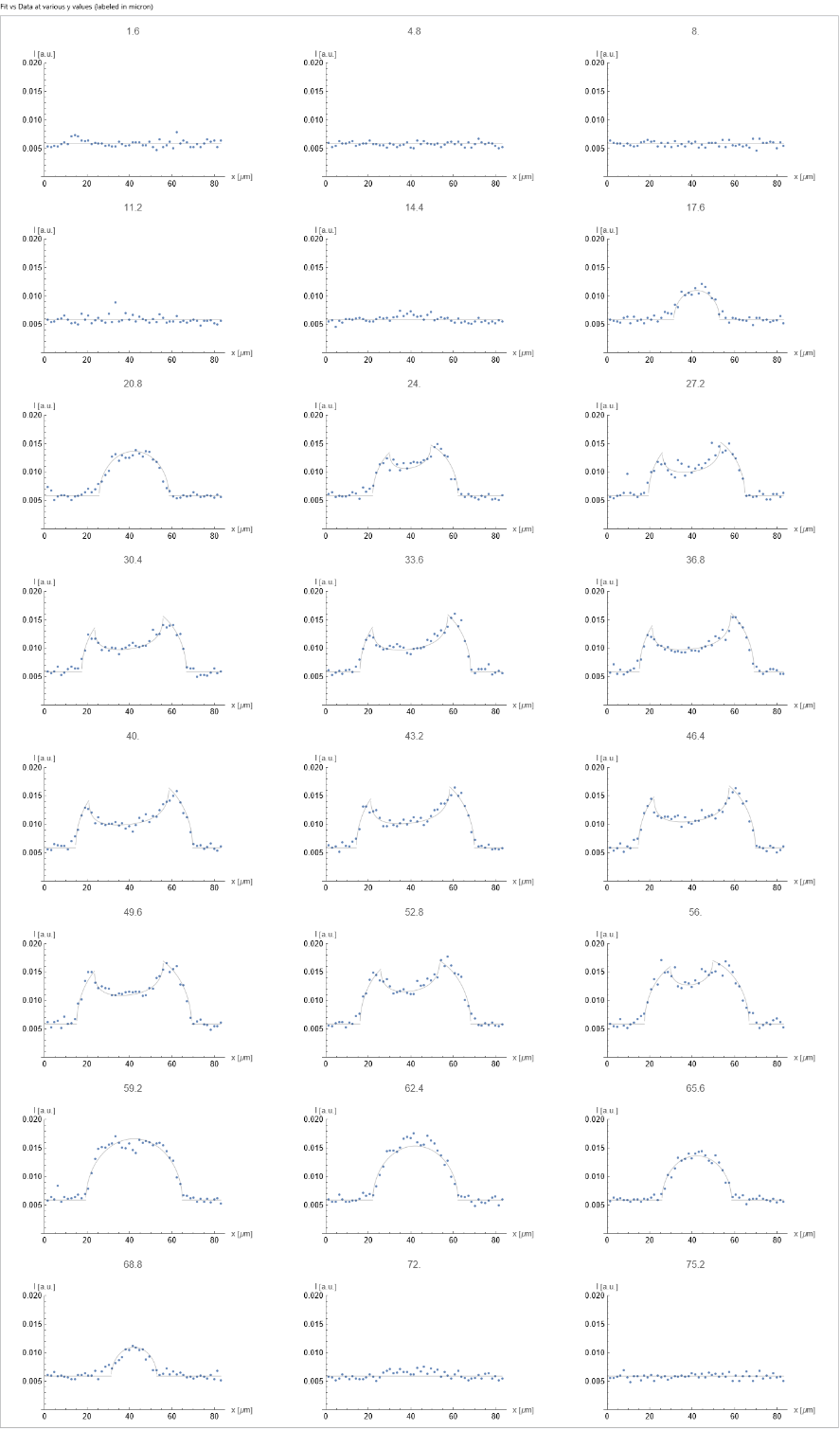
Alternatively the quality of the fit can be assessed by visualizing the image data and the fit, line by line (as in main text Fig. 2B). Here many such lines fits are shown, scanning through the image for every-other row in y.
Creates a list of the y values of very other row, in microns, for all data in the image:
yvalues=Downsample[DeleteDuplicates[fitdata[[All,2]]],2]
Out[]=
{1.6,4.8,8.,11.2,14.4,17.6,20.8,24.,27.2,30.4,33.6,36.8,40.,43.2,46.4,49.6,52.8,56.,59.2,62.4,65.6,68.8,72.,75.2,78.4,81.6}
In[]:=
Panel[GraphicsGrid[Partition[Table[Show[{ListPlot[Select[fitdata,#[[2]]==yvalues[[index]]&][[All,{1,3}]],PlotRange->{All,{0,0.02}},AxesLabel{"x [μm]","I [a.u.]"},PlotLabel->yvalues[[index]]],Plot[fit[x,yvalues[[index]]],{x,0,83},PlotStyle->{Thin,Black}]}],{index,Length[yvalues]}],3],ImageSize->Full],"Fit vs Data at various y values (labeled in micron)"]
Out[]=
CITE THIS NOTEBOOK
CITE THIS NOTEBOOK
Vacuole dynamics and popping-based motility in liquid droplets of DNA
by Omar A. Saleh
Wolfram Community, STAFF PICKS, June 30, 2023
by Omar A. Saleh
Wolfram Community, STAFF PICKS, June 30, 2023