Overview
Overview
I set out to make an abstract art video using measurements of a natural phenomenon. Here is a link to the finished video,
which I call Emergit. Production started with a sound recording of the spoken word "buzzing." The emerging shape is formed by various metrics of the sound. The background is an interaction between a 2D image and a 3D image. I layered a highlight map and a shadow map on top of the relief image and rendered it as a video. Below are the details and code.
Data
Data
The Wolfram Language’s built in speech synthesizer generated the sound recording.
In[]:=
sound=SpeechSynthesize["buzzing"]
Out[]=
I experimented with various words and found that “buzzing”, with its sibilant middle between two different vowels and its smooth beginning and end, made for an interesting shape that gradually rises, writhes around, and then fades back into the background. You may try the code with different words; “function” for instance produces interesting results.
The Wolfram Language can extract dozens of metrics from a sound recording with code such as this:
The Wolfram Language can extract dozens of metrics from a sound recording with code such as this:
In[]:=
zero=AudioLocalMeasurements[sound,"ZeroCrossingRate"];DateListPlot[zero,PlotRange->All]
Out[]=
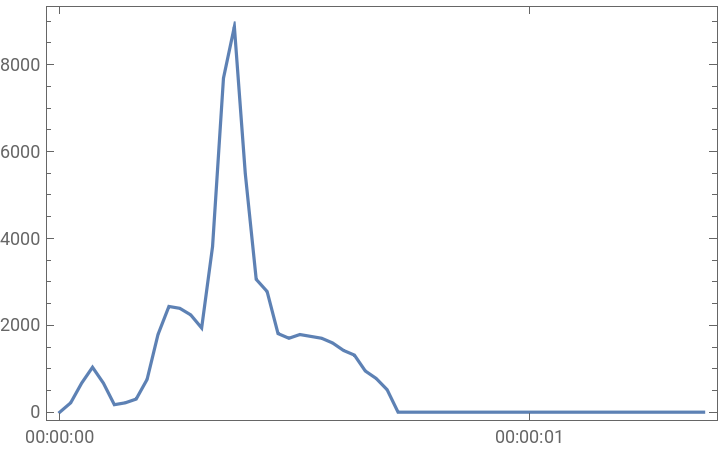
In this case, the measurement is how often the sound waves cross the zero-amplitude line, which happens a lot during sibilant sounds like the “zz” in “buzzing.” For Emergit I used twelve different acoustic metrics, each rescaled to give them roughly equal influence on the shape. They determine the locations and height of five cones along with a series of spline curves that combine to give the central figure of the video its form over time.
Background
Background
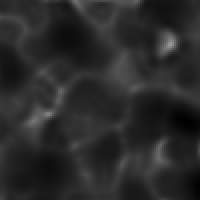
Emergit’s background combines a 2D image with a series of consecutive slices from a 3D image to give it a sense of motion. Both are convolved random images. I combine them by multiplying the pixels and then applying the “EdgeStylization” effect (a personal favorite). Here is a small sample version:
In[]:=
noise1=ImageAdjust[ImageTrim[ImageConvolve[RandomImage[{-1,1},{220,220,220}],GaussianMatrix[{{10,30,30},7}]],{{20,20,20},{200,200,200}}]];noise2=ImageAdjust[ImageTrim[ImageConvolve[RandomImage[{-1,1},{220,220}],GaussianMatrix[{{30,30},12}]],{{20,20},{200,200}}]];ListAnimate[bgFrame=Table[(sliceA=Image3DSlices[noise1][[s]];combo=ImageResize[ImageEffect[ImageMultiply[sliceA,noise2],{"EdgeStylization",2}],100]),{s,1,182}],SaveDefinitions->True]
Out[]=
Foreground
Foreground
The emergent shape starts with five points, one that stays in the video’s center while the others wander about in each of the four quadrants. They all take their cues from strategically chosen features of the sound file. For instance, the point that lives in quadrant II moves to the left when the audio file has frequent zero crossings and upward when it has greater high frequency content. During sibilant sounds, which have high frequency sounds and chaotic wave behavior, part of the foreground shape will surge up and to the left. Here’s what that looks like in miniature:
In[]:=
zero=Rescale[AudioLocalMeasurements[sound,"ZeroCrossingRate"],{-700,10000},{0,1}];hiFr=Rescale[AudioLocalMeasurements[sound,"HighFrequencyContent"],{0,200},{0,1}];Manipulate[Graphics[{Circle[{-zero[t],hiFr[t]},.1]},Axes->True,PlotRange->{{-1,1},{-1,1.8}},ImageSize->Small],{t,0,.603},SaveDefinitions->True]
Out[]=


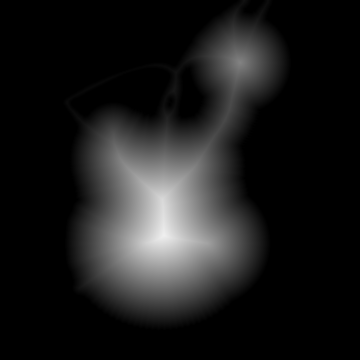
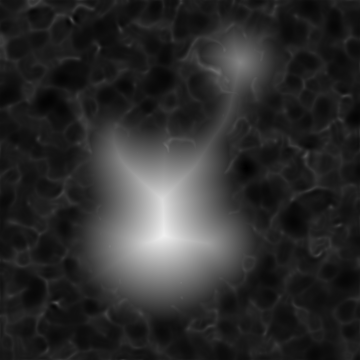
The points are converted to circles, the radii of which are also controlled by features of the sound waves. These circles are filled with a radial gradient, white in the middle blending to black at the perimeter. To add some complexity to the scheme, I include four B-spline curves using the same points. This connects the circles and gives them a less geometric feel. Finally I run the conglomerate shape through a DistanceTransform function to get something that looks like this:
withoutbackground | withbackground |
Relief Map
Relief Map
At this stage I have what is known as a height field. White pixels are the highest elevation, black the lowest. The Wolfram Language has a function, ReliefImage, to turn a height field into a relief rendering with surface colors and shading. Now a frame of Emergit starts to look like the abstract art I’m trying to create:
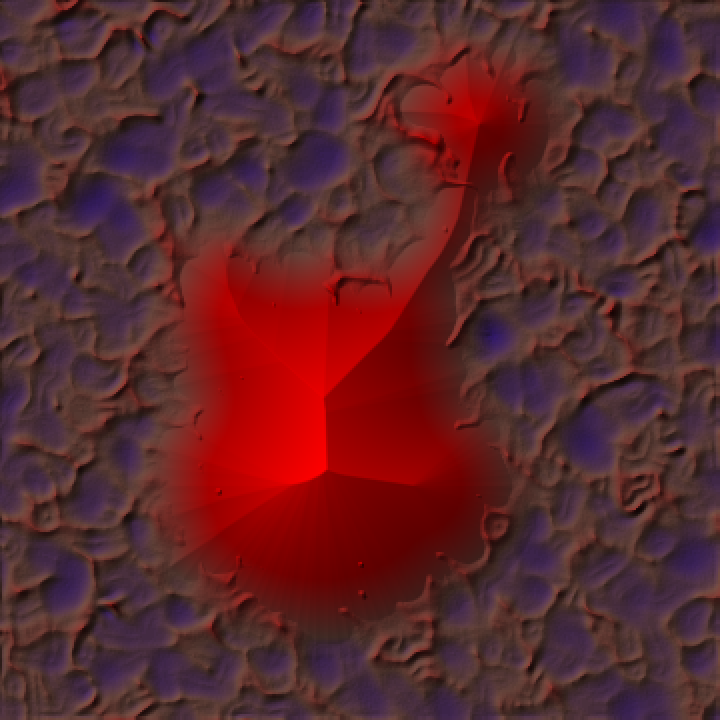
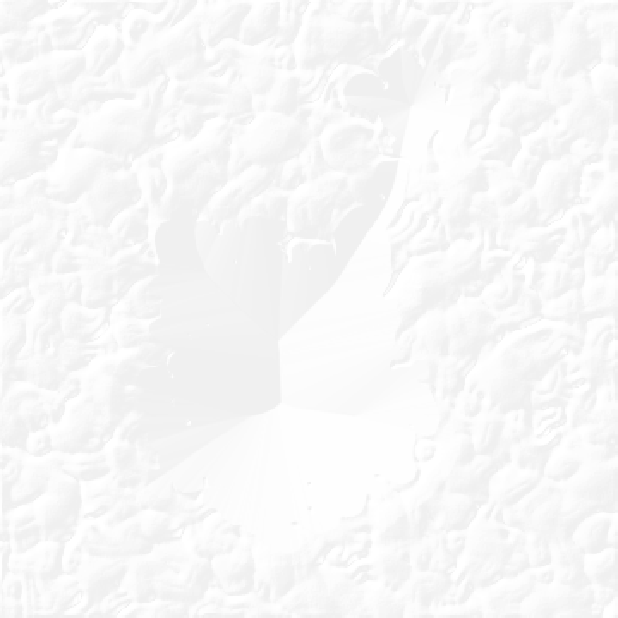
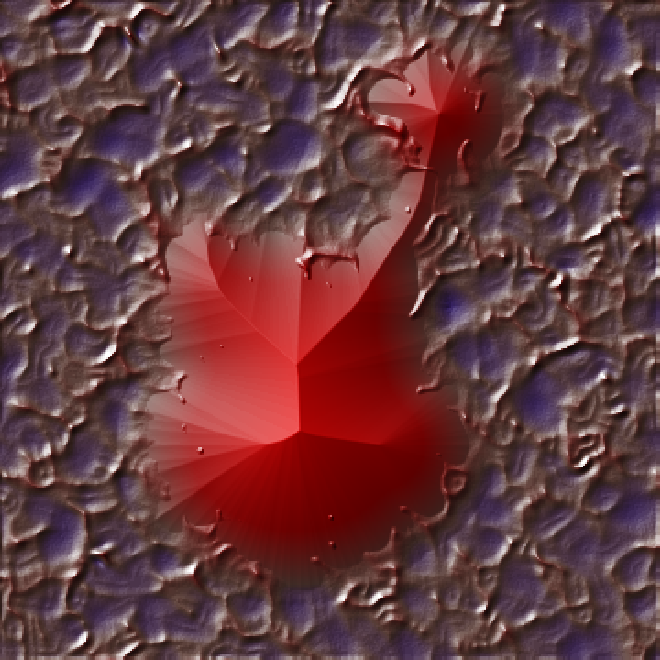
But I can take this a couple more steps before I call it done. First, the rendering above looks dry and plastic-like. Wet or glassy surfaces have highlights, intense white reflections wherever the surface normal reflects the light into the viewer’s eye. The ReliefImage function that turned the height field into the beautiful relief render above will also produce a highlight map when you use a color function that ranges from transparent to white (here seen on a black background and then on the relief map):
Shadow Map
Shadow Map
I almost stopped at this point, but I had a hunch that shadows would make it look better. The effect called self-shadowing is pretty straightforward: Any pixel blocked from seeing the light source gets extra shading and can’t have any highlights. I knew from my settings in the ReliefImage function that the light was coming from the upper-left diagonal at an elevation angle of π / 8. It seemed like I had enough info to calculate which pixels should be shaded. However, the scale of the z axis in the relief image is not clear. It cannot be the same scale as the x and y axes. If it were, the relief would be 1 unit high, 360 units wide and 360 units long. The relief would appear nearly flat. So I eyeballed it. Emergit’s shadows are long enough to make the central shape seem tall, but not long enough to stretch too far out of frame. I settled on a maximum shadow length of 160 pixels, which gives a maximum apparent elevation of 160 tan(π / 8) or about 66.27 pixel lengths.
To make sure that highlights didn’t appear in the shadowed areas, I first combined the highlight map with the shadow map and then added that new lighting map to the relief. Here I show the new lighting map on a gray background and then applied to the relief image:
Wrap
Wrap
The word “buzzing” only takes 0.6 seconds to say, so I slowed it way down to make a 19 second video. That gave me 452 frames similar to the last image above. In the Wolfram Language, all you have to do from there is export the list of frames as a .mov file (or other video format).
I have glossed over many little decisions and details that went into the making of Emergit. For instance, I admire the painting technique, used by such artists as Claude Monet and Maxfield Parrish, of treating shadows as bluer rather than darker, so I gave my shadows a blue tinge. If part of the code or the techniques leave you with questions, feel free to ask.
You may be wondering why I chose to use a recording as the starting point instead of just random values. After all, the word “buzzing” is not recognizable in the final video. The answer is this: I believe that the human mind can sense coherent patterns even without understanding what those patterns are. Random values are not percieved the same way as incomprehensibly complex systems . Think of a series of random lines in 3D versus the rigging of an old sailing ship — the rigging seems to have some purpose, some pattern. In my mind I call this idea coherent complexity. I wanted the background to be interesting random noise, but the foreground I wanted to have some sense of underlying cohesion.
I have glossed over many little decisions and details that went into the making of Emergit. For instance, I admire the painting technique, used by such artists as Claude Monet and Maxfield Parrish, of treating shadows as bluer rather than darker, so I gave my shadows a blue tinge. If part of the code or the techniques leave you with questions, feel free to ask.
You may be wondering why I chose to use a recording as the starting point instead of just random values. After all, the word “buzzing” is not recognizable in the final video. The answer is this: I believe that the human mind can sense coherent patterns even without understanding what those patterns are. Random values are not percieved the same way as incomprehensibly complex systems . Think of a series of random lines in 3D versus the rigging of an old sailing ship — the rigging seems to have some purpose, some pattern. In my mind I call this idea coherent complexity. I wanted the background to be interesting random noise, but the foreground I wanted to have some sense of underlying cohesion.
Code
Code
Here is the Wolfram Language code I wrote to create Emergit. It should work cross-platform and on recent versions of the Wolfram Language. I wrote it on a Mac with macOS Monterey (12.6) and Wolfram Desktop version 13.2. It does not have any dependencies. Be patient, the first chunk of code, which makes the frames for the background, takes about five minutes to evaluate, and the video takes about 36 minutes to render on my machine. I hope you enjoy it.
Background Frames
Background Frames
Final Video
Final Video
Evaluate the “Background Frames” code first to give the variable bgFrame a value.