Finding large graph cuts with SemidefiniteOptimization
by Yaroslav Bulatov
Tue 21 Sep 2021 16:18:08
by Yaroslav Bulatov
Tue 21 Sep 2021 16:18:08
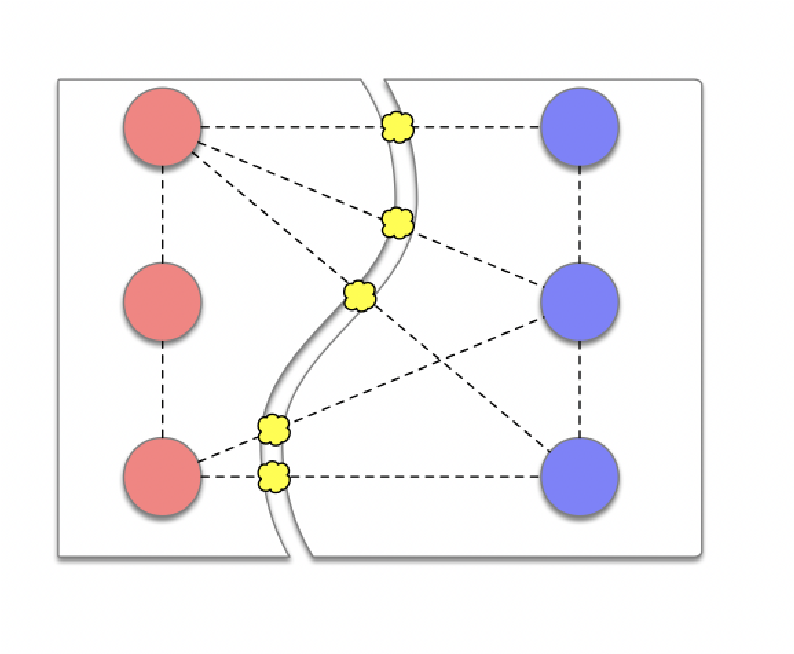
Suppose we want to partition vertices in our graph into two sets and count the number of edges going from one set to another, aka, size of cut. The cut in the graph below has size 5 because there are 5 edges crossing set boundary.Finding largest cut in a graph is NP-complete, aka, MacCut problem.However, there are practical applications of MaxCut like VLSI design, so we may need a good approximation.A simple approximation is naive random cut -- partition vertices into two sets randomly with equal probability.This is a c-approximation algorithm with -- on average it may only get half the edges of max cut.Until 1994, no c-approximation algorithm with was known.SDP relaxation bumps this to c=0.878Below I’ll show how to1. formulate maxcut as optimization over integer vertex labels: intractable2. relax this formulation to real-valued vertex labels: still intractable3. relax to optimization over vector-valued vertex labels: tractable!
c0.5
c>0.5
Step 1: Integer vertex labels
Step 1: Integer vertex labels
Recall that we want to partition our vertices into two sets. Assign to each vertex i a number either 1 or -1, depending on which set it belongs to. The following function returns 0 if , are in the same set, and 1 if they are in different.
x
i
x
i
x
j
f(,)
x
i
x
j
1-
x
i
x
j
2
Given a vertex labeling, compute size of the cut by summing f over all edges. IE, solve following integer programme, with sum over edges E and x a binary valued vector.
max
x
∑
(i,j)∈E
x
i
x
j
For instance, for a chain of length 4 we maximize with x’s restricted to {-1,1}. In code:
f(,)+f(,)+f(,)
x
1
x
2
x
2
x
3
x
3
x
4
setupQP[g_Graph]:=Block;{objective,constraints,domain,vars}=setupQP[
];solution=Maximize[objective,constraints,domain];Print["largest cut is ",First@solution];g=PathGraph[vars,VertexLabelsLast@solution]

largest cut is 3
Out[]=

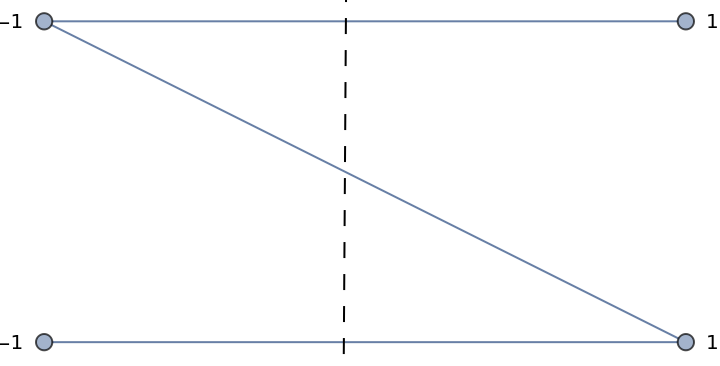
Largest cut is easier to see using BipartiteEmbedding
GraphPlot[g,GraphLayout->"BipartiteEmbedding"]
Step 2: Real-valued vertex labels
Step 2: Real-valued vertex labels
Reuse QP from Step 1, but drop the Integer constraint
domain=domain/.Integers->Reals;First@Maximize[objective,constraints,domain]
Out[]=
3
This is real-valued relaxation and gives the correct solution, but is just as slow. Our objective is quadratic, what if we use QuadraticOptimization[] built-in?
objective/.QuadraticOptimization[-objective,constraints,domain]
Out[]=
1.5
Doh, no longer get maxcut. In fact, it’s as bad as naive random cut. QuadraticOptimization[] requires objective to be convex.
Is our objective convex? Lets plot QP objective for the graph consisting of two vertices connected by an edge.
{objective,constraints,domain,vars}=setupQP[
];Plot3Dobjective,

Out[]=

We can visualize objective and constraints from the top
Out[]=
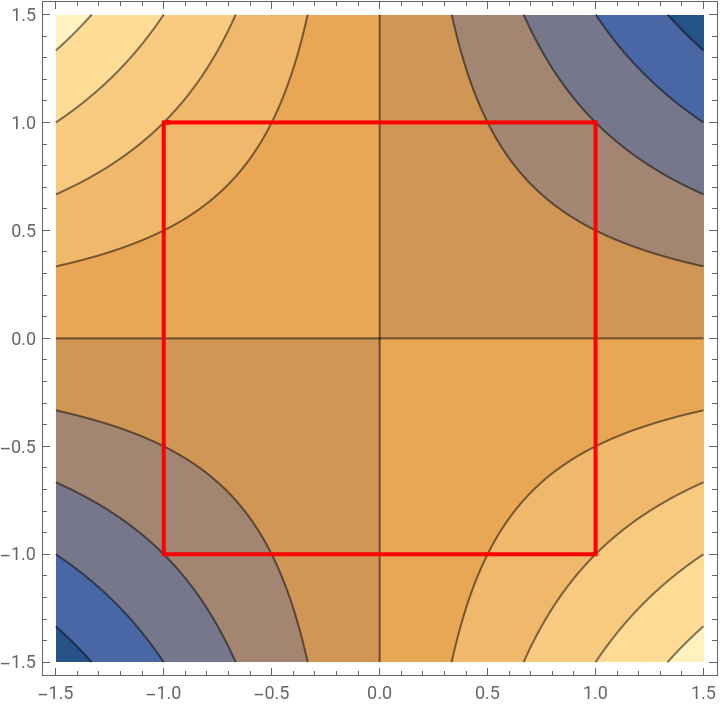
Quite non-convex. What about random graphs? For higher dimensional objectives, plot the values in a random 2D slice.
SeedRandom[30];g=RandomGraph[BernoulliGraphDistribution[20,.5]];GraphPlot[g,PlotTheme->"Web"]
Out[]=
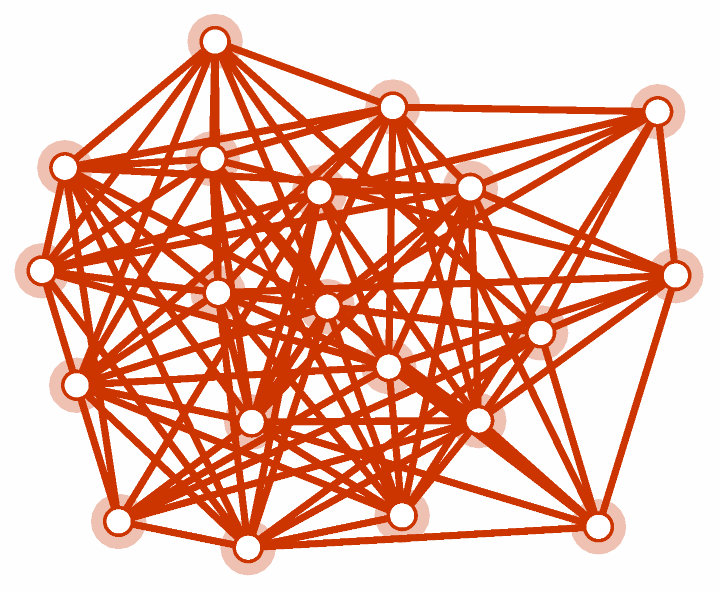
Red boundary is our hypercube constraint intersected with a random plane, while contours are values of objective.
Alternatively, you can look at eigenvalues of QP objective corresponding to random graphs and see that they have different signs, indicating non-convexity.
There’s probably some algebraic graph theory which shows this to be true more generally. Bottom line, QP relaxation is still intractable.
Step 3: Vector-valued vertex labels
Step 3: Vector-valued vertex labels
This gives vector labels of vertices. To get back to binary labels, take a random hyperplane going through 0, and label all vectors 1 or -1 depending on which side of the hyperplane they land
Visualize with graph plot helpers:
And after thresholding on the first coordinate
We can do this for a grid graph . Unlike naive randomized cut, this approach always produced optimal max cut in a few simple graphs I tried.