Fruit flies have eyes composed of several hundred, hexagonal units called ommatidia. Each ommatidia perceives a part of the image along its optical line, which are then collected and put together in the brain in order to form a completed image. My project focused on gaining more insight into this intricate process and to do that, I created hexagonal grids of different sizes, divided the images into hexagonal segments and checked how accurately each grid detected an image. This data would help in estimating how many ommatidia fruit flies need in order to detect an image.
Dividing the images into hexagonal segments
Dividing the images into hexagonal segments
The first line of action was to find a suitable dataset for this project. After some searching in the Wolfram Data Repository, I chose the MNIST dataset which contains handwritten letters and numbers.
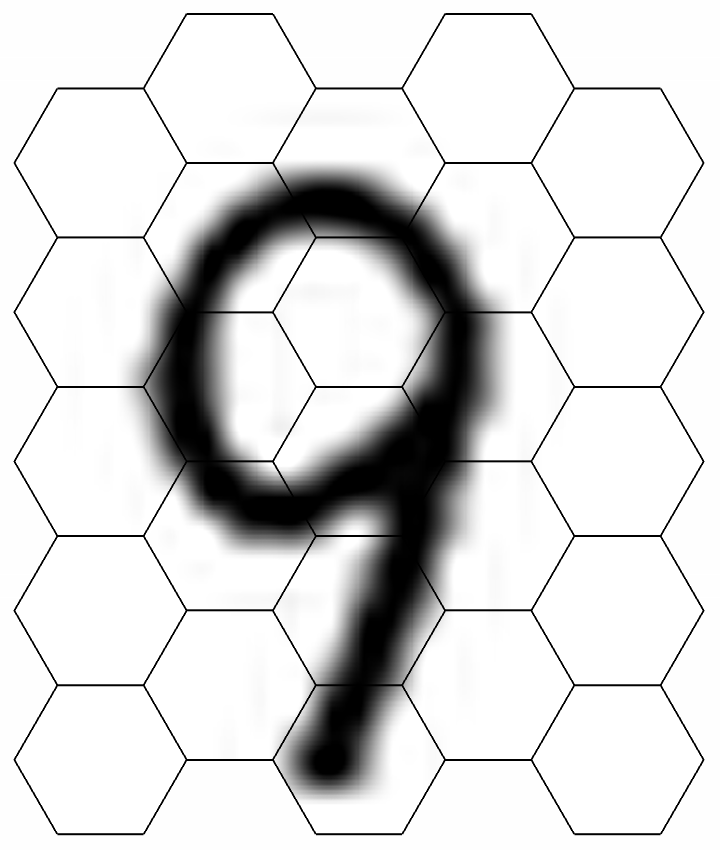
I then tried using different functions to create a hexagonal grid. In order to try and fit the image into the hexagonal grid, I had to tweak the values of the multipliers and the offsets of each grid.
Multipliers (i.e the value that appears after the Polygon and VertexTextureCoordinates here!) helps in magnifying the image which we superimpose on the grid, whereas offsets (i.e the value that appears after x and y while using the Table function) helps shift the image along the x and y coordinates.
Here is the data for a 5*5 grid:
I then tried using different functions to create a hexagonal grid. In order to try and fit the image into the hexagonal grid, I had to tweak the values of the multipliers and the offsets of each grid.
Multipliers (i.e the value that appears after the Polygon and VertexTextureCoordinates here!) helps in magnifying the image which we superimpose on the grid, whereas offsets (i.e the value that appears after x and y while using the Table function) helps shift the image along the x and y coordinates.
Here is the data for a 5*5 grid:
In[]:=
h[x_,y_]:=Polygon[0.1*Table[1{Cos[2 Pi k/6]+x,Sin[2 Pi k/6]+y},{k,6}],VertexTextureCoordinates->0.1*(Table[1{Cos[2 Pi k/6]+x+1,Sin[2 Pi k/6]+y-8.5},{k,6}])]hex=GraphicsEdgeForm[Directive[Black,Thin]],FaceForm[],LightBlue,Tableh1.5j,*+*+
3
4
j
(-1)
3
*i,{j,5},{i,5},ImageSize->280hexp=Tableh1.5j,3
4
j
(-1)
3
*(5-i),{i,5},{j,5}//Flatten;Out[]=

6*6
6*6
7*7
7*7
8*8
8*8
9*9
9*9
10*10
10*10
Combining the image and the grid
Combining the image and the grid
Since I had to find out how the image gets projected onto the ommatidia, I then selected a random image from the MNIST dataset, which I would then merge with the hexagonal grid.
In[]:=
image=RandomSample[ResourceData["MNIST"],1]//Keys;image=image[[1]]reimg=ImageResize[image,560]
Out[]=

Out[]=
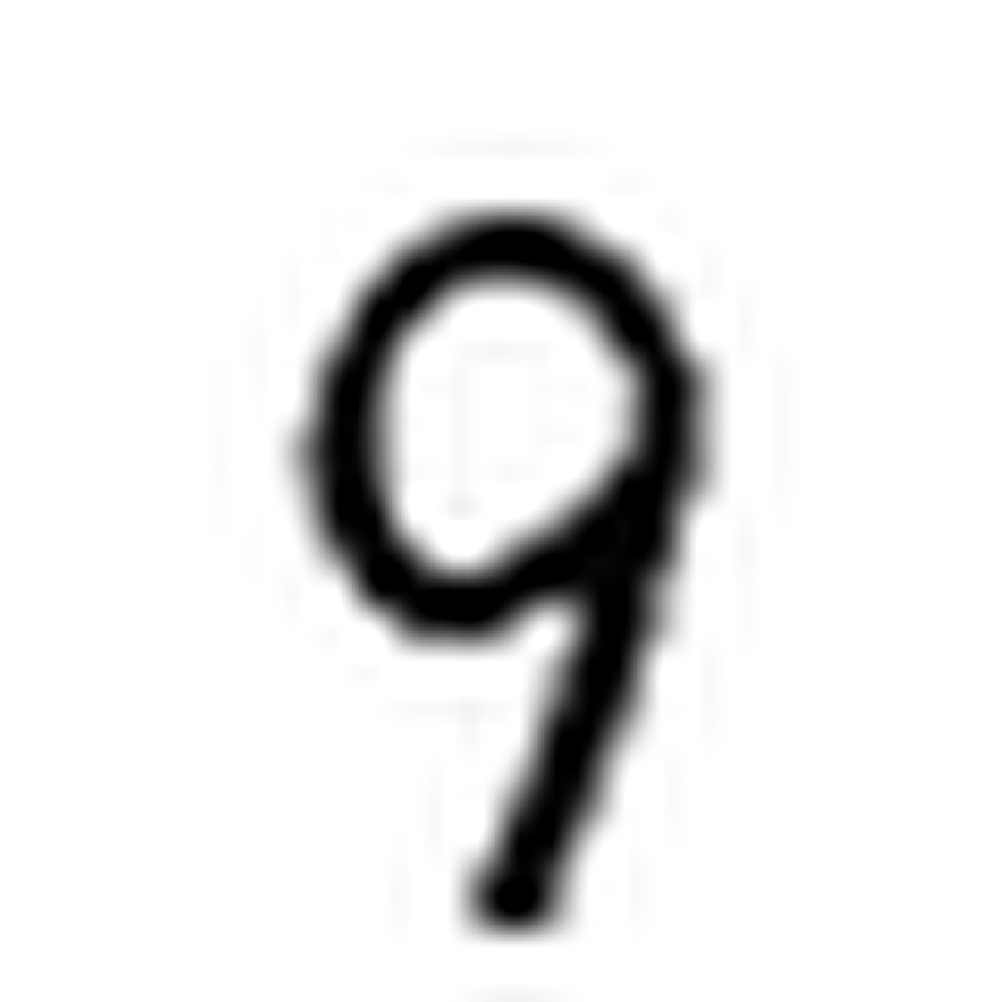
Combining the hexagonal grid and the image:
In[]:=
pic=Graphics[{EdgeForm[Black],Texture[reimg],GeometricTransformation[#,Composition[TranslationTransform@RandomReal[.00{-1,1},2]]]&/@hexp}]
Out[]=
Formatting the data
Formatting the data
I defined a variable 'tab' and then managed to extract a segment of the hexagonal grid:
In[]:=
tab=Table[GeometricTransformation[cases[[i]],Composition[TranslationTransform@({0,0})]],{i,1,Length[cases]}]
In[]:=
Total[ColorNegate[Binarize[Image[Graphics[{EdgeForm[Black],Texture[imgs[[1]]],#}]]]]]&/@tab
Importing the data which we would use to train the Classifier function:
In[]:=
data=RandomSample[ResourceData["MNIST"],1000];
In order to train the Classifier function, I had to find the number of black pixels contained in the image. To do so, I used the functions ColorNegate, which gives the negative of the original color and Binarize, which creates a binary image of the image by replacing the colored pixels with either 0 or 1 (a binary image).
The image is color negated as the number of blank segments is more than that of the black or partially filled segments. In order to make the computation easier, I switched the values and denoted black by 1 (instead of 0) and white by 0 (instead of 1).
This is for the 5*5 grid:
This is for the 5*5 grid:
vecs=Monitor[Table[ParallelTable[Total[ColorNegate[Binarize[Image[Graphics[{EdgeForm[Black],Texture[imgs[[x]]],tab[[i]]}]]]]],{i,1,Length[tab]}],{x,01,25}],x];
Subtracting the number of now white pixels from the values obtained from running the code above to remove the values for empty hexagons and then dividing by the maximum to rescale the values between (0,1) to be input into ML models:
In[]:=
vec=
vecs-4581
Max[vecs-4581]
Out[]=
Defining a variable which forms an association of the values of the above input:
alldata=Table[vecs[[i]]->Values[data][[i]],{i,1,1000}]
Out[]=
These values are then formatted to make them suitable for input into the Classifier function:
Running the Classifier function
Running the Classifier function
Since I was done generating the hexagonal grids and superimposing the image of the number on them, I then had to test how accurately segments of the number would be detected. To do this, I ran the Classifier function on different grids to generate the ClassifierFunction, which can then be used to classify a new unlabeled function.
ClassifierMeasurements helps measure the accuracy of the test data. This would help me determine how the accurately the Machine Learning function had predicted the number versus what the actual number was. It would also generate a grid displaying the same.
5*5
5*5
10*10
10*10
Results
Results
Comparing the accuracy rates
Comparing the accuracy rates
After I had run the ClassifierMeasurements function on each of the datasets, I obtained the accuracy rates for each hexagonal grid, which helped me to determine how accurately the Machine Learning function had determined the number versus what the actual number was.
Accuracy vs Number of Hexagonal Segments
On comparing the accuracy rates, the general observation is that the accuracy shoots up from a 5*5 grid to a 6*6 grid and then remains relatively constant.
Accuracy vs Width of the Grid
Similar to the previous case, as the width of the grid increases, the accuracy is also seen to increase.
Conclusion
Conclusion
It is observed that as the number of segments in a hexagonal grid increases, the accuracy with which the Classifier function is able to detect an image also increases. The eye of a fruit fly has around 700-800 ommatidia, and this project is meant to give an idea of the accuracy rates for a number of such magnitude. Since 100 cells are enough to give an accuracy of 85%, it can be further concluded that an insect with that many ommatidia might be able to recognise certain digits or letters.
Future steps
Future steps
◼
Expanding the grid and analyzing how the accuracy will improve on doing so.
◼
Since the eye of a fruit fly is curved, we need to determine the curvature of the eye in order to accurately predict how light falls into the fruit fly's eye.
◼
Each ommatidia of the fruit fly’s eye contains about 8 photoreceptors, which is something we might have to consider while dealing with colored images.