A fundamental step in designing a model and visualizing simulation results is exploring the range of parameter and initial values of interest. For a SystemModel, this is usually done by simulating the model with the chosen values, plotting the simulation results and analyzing them.
An advanced user can optimize this workflow by using a Manipulate object in the Wolfram Language. But this requires having familiarity with the functionality as well as gathering a significant amount of model information, which can be time consuming. This post shows how to automate this process, so that even a beginner user can create dashboards for their model on the fly.
The following code shows how the new Wolfram Function Repository function SystemModelManipulate can be used for this purpose. As any repository function, any downloading is done automatically by calling it, making it ready to be used like any built-in Wolfram Language function:
In[]:=
CloudImport["https://wolfr.am/13xOXiVWV","MO"];ResourceFunction["SystemModelManipulate"]["HeatExchange"]
Out[]=
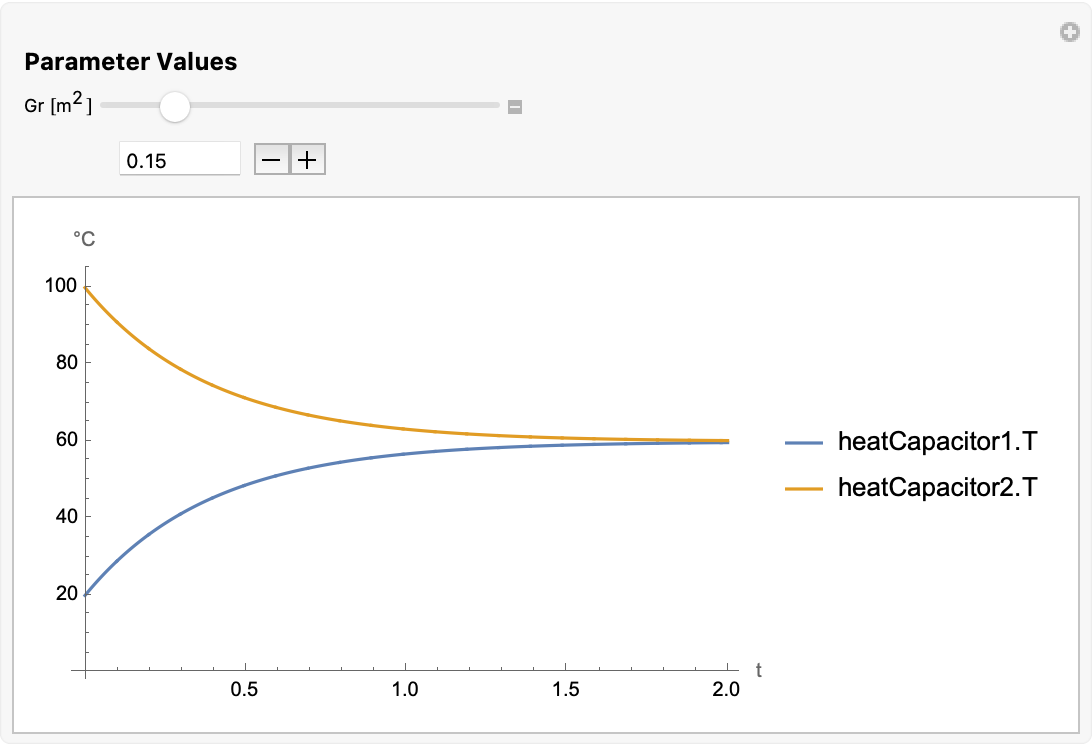
The workflow for a System Modeler user
The workflow for a System Modeler user
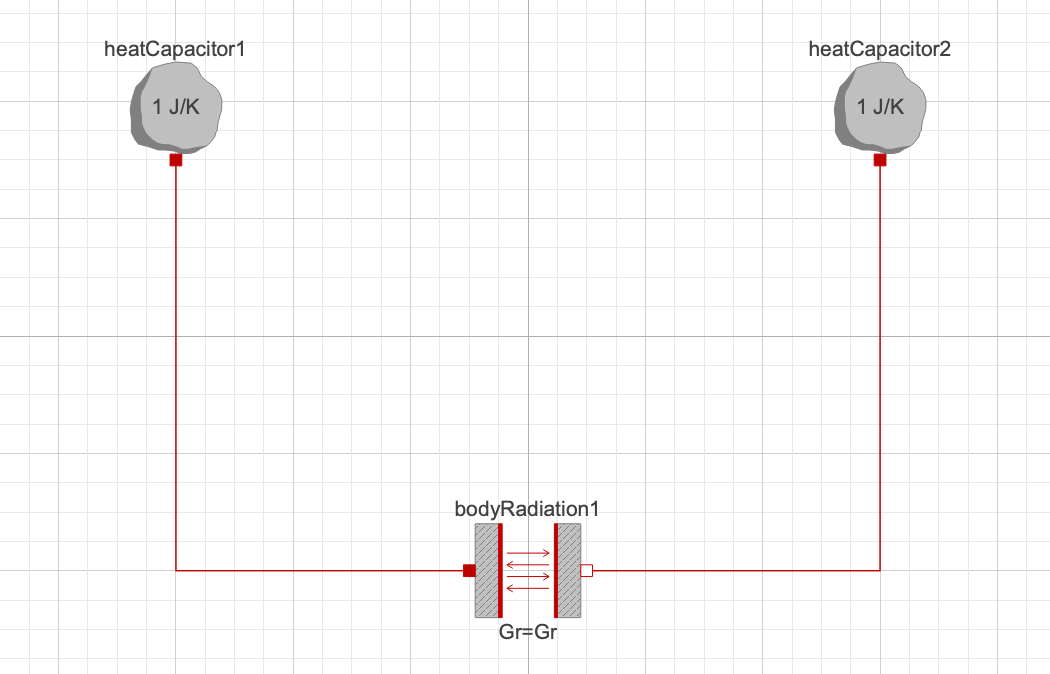
1 - Create a Model:
1 - Create a Model:
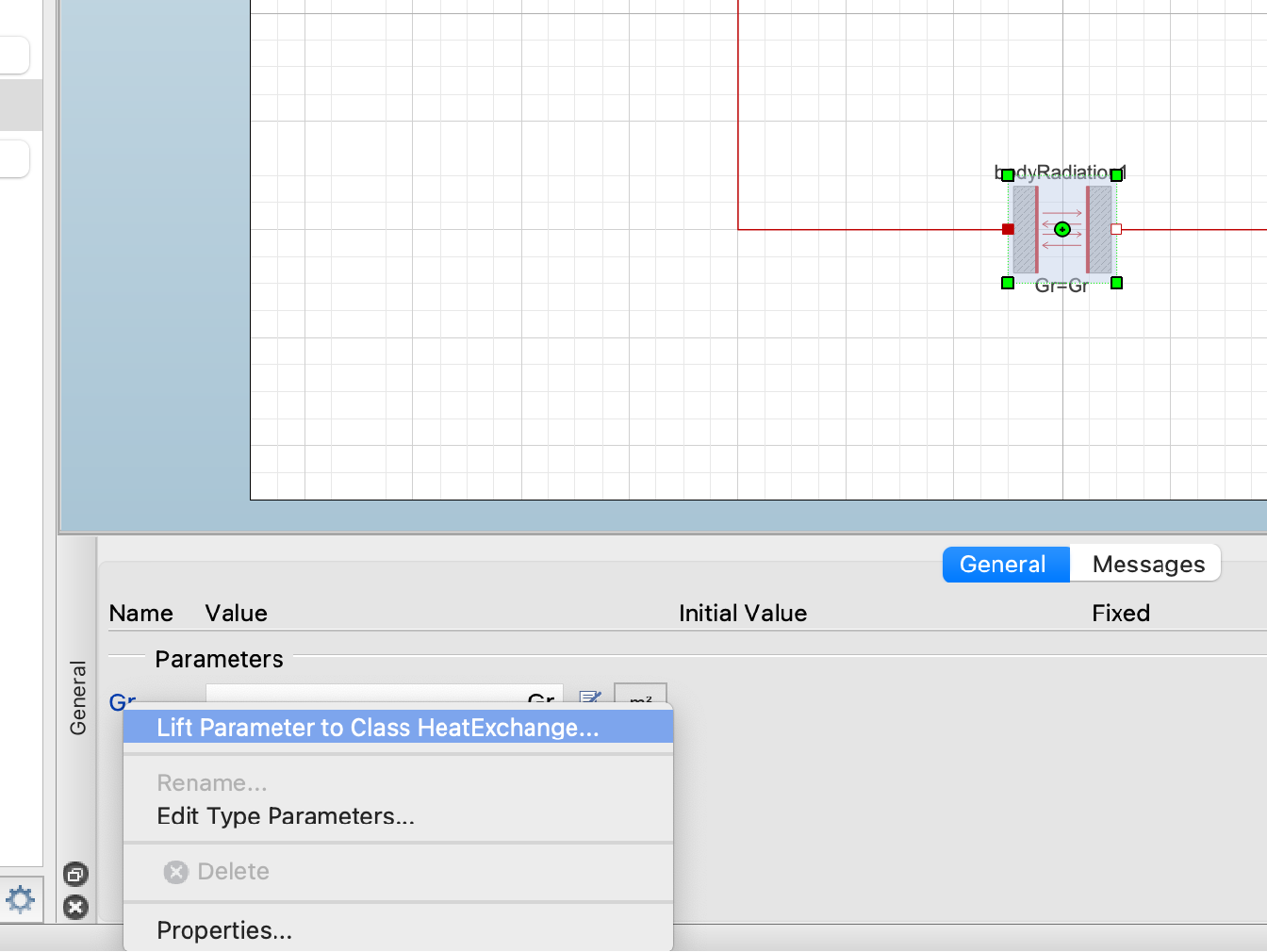
2 - Lift parameter values of interest to top-level:
2 - Lift parameter values of interest to top-level:
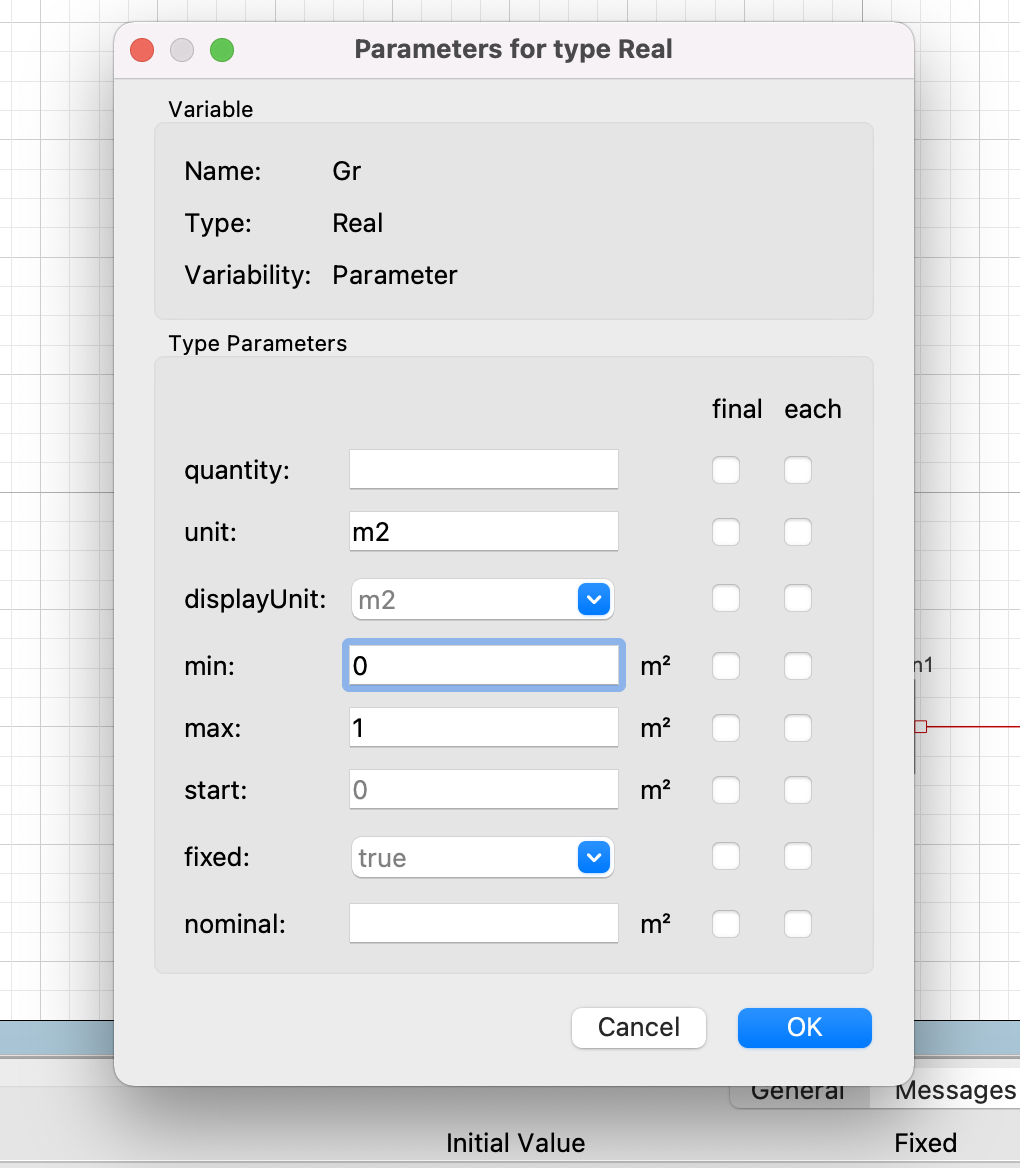
3 - Specify attributes such as min, max or unit for your parameter:
3 - Specify attributes such as min, max or unit for your parameter:
This step is not necessary but it will provide SystemModelManipulate more information to create more fitting controllers.
4 - Give a default simulation time and simulate. Create a default plot and add it to the model:
4 - Give a default simulation time and simulate. Create a default plot and add it to the model:
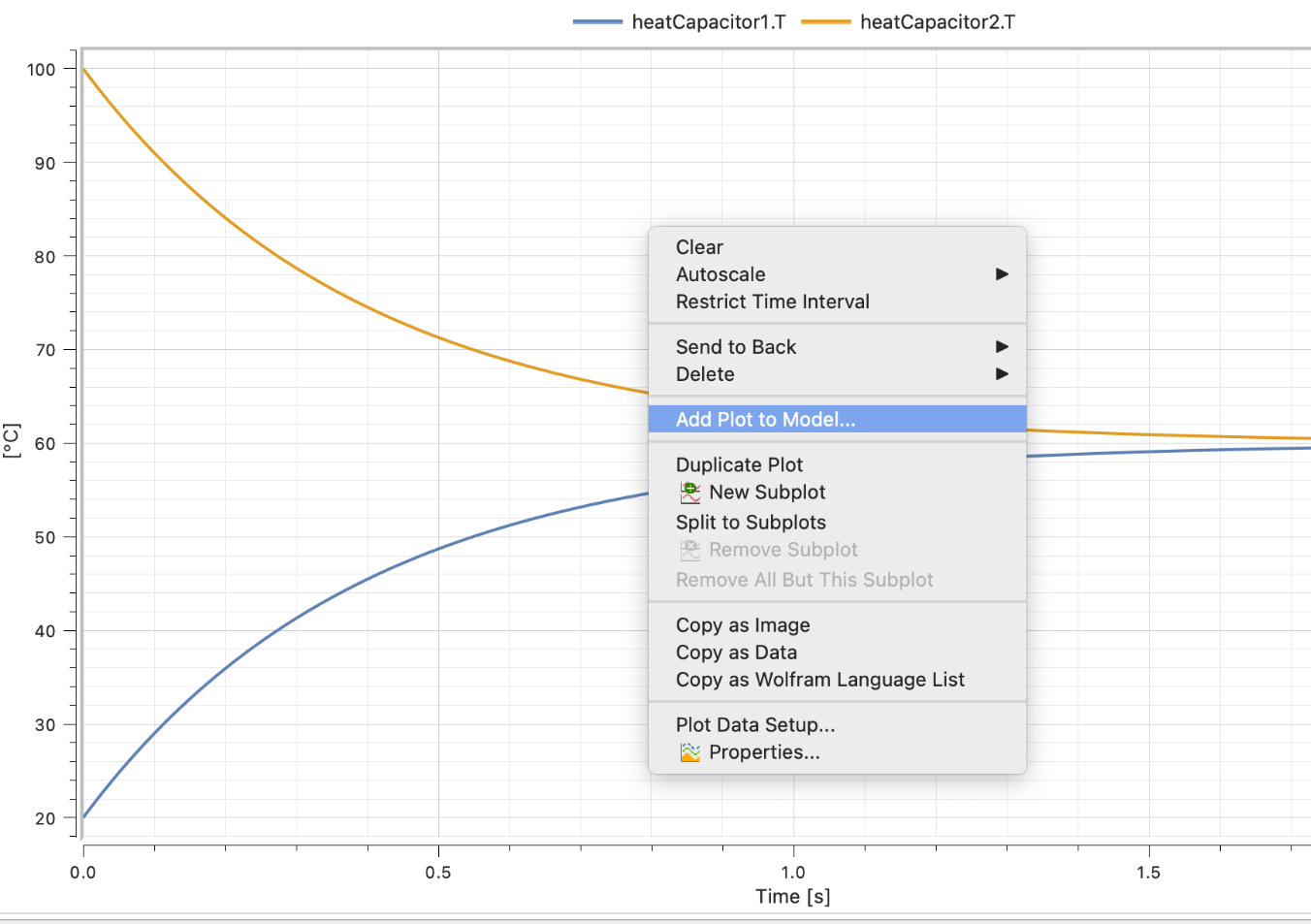
5 - Use SystemModelManipulate:
5 - Use SystemModelManipulate:
In[]:=
ResourceFunction["SystemModelManipulate"]["HeatExchange"]
Out[]=
Learn more
Learn more