The evolutions of hypergraphs undergoing successive rewriting events is a central theme for the Wolfram Physics Project. Individual hypergraphs are typically plotted using the GraphLayout option “SpringElectricalEmbedding” which preserves and displays the overall shape and topology of the hypergraph. Animations of WolframModels undergoing successive updating events has historically suffered from instability in the placement of vertices from one frame to the next. In this project an algorithm is implemented which solves this problem and computes vertex coordinates for hypergraph animations in a temporally coherent manner.
Included Packages and Functions
Included Packages and Functions
The Problem: Incoherent Animations
The Problem: Incoherent Animations
The standard method for plotting hypergraphs undergoing sequential updating events is to use the “EventsStatesPlotsList” command for a WolframModel.
In[]:=
wmEvolution=WolframModel[{{{1,1,2},{1,3,4}}->{{4,4,3},{2,5,3},{2,5,3}}},{{1,1,1},{1,1,1}},<|"MaxEvents"->75|>];
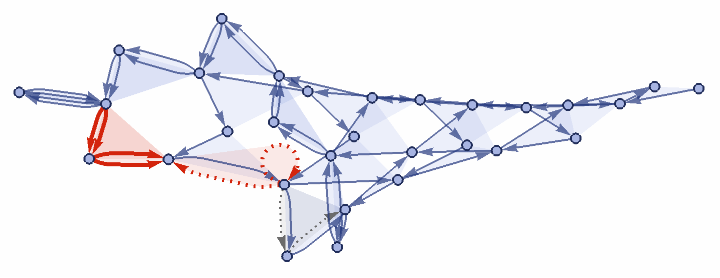
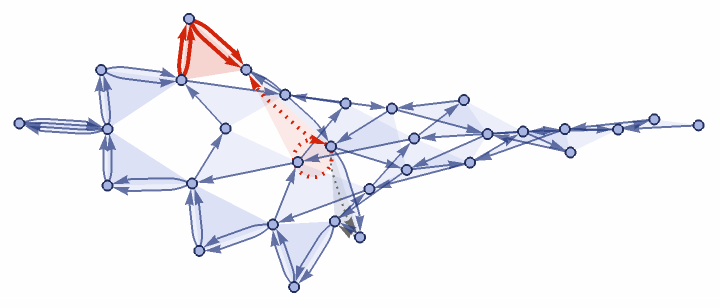
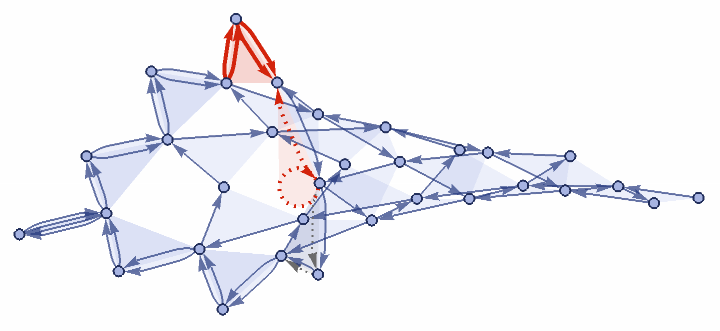
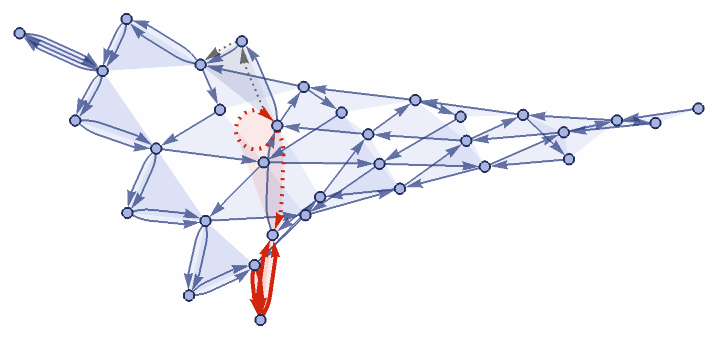
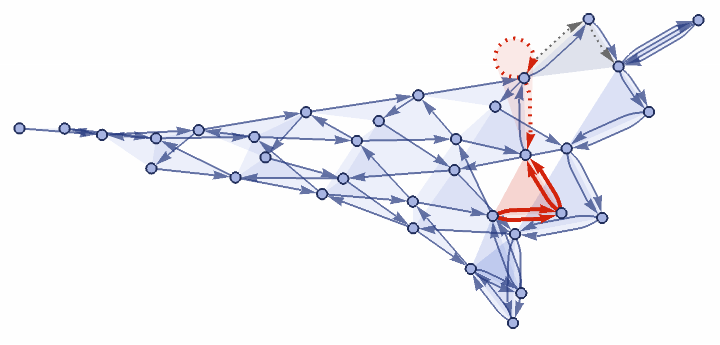
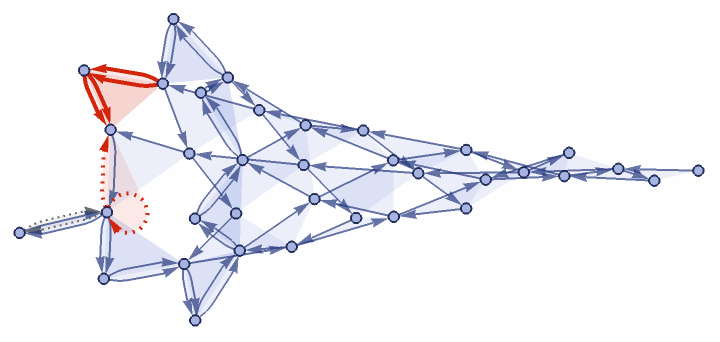
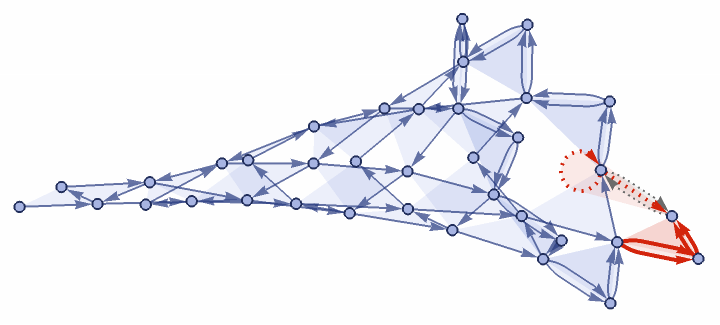
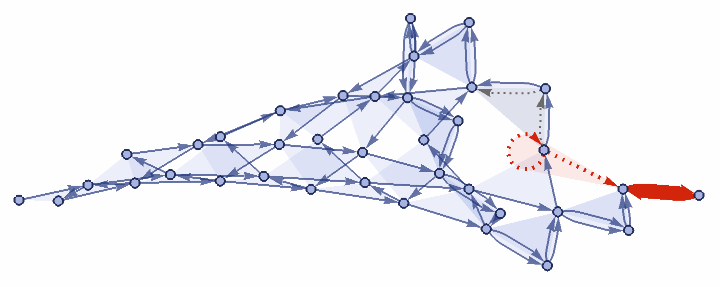
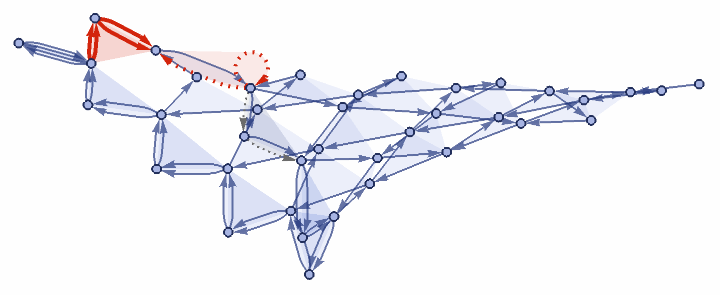
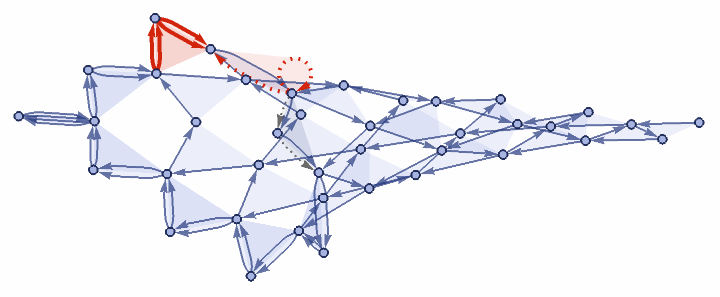
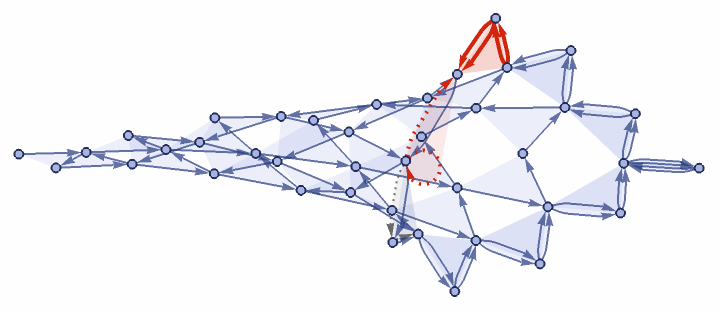
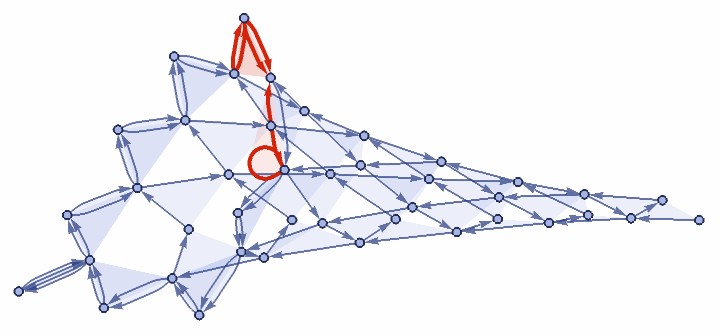
Each state in the evolution is plotted independently.
No information from previous or subsequent states is used in the plot of an individual state.
As a consequence, the placement of vertices and the overall orientation of the hypergraph may vary a lot from one state to the next.
In this example, the hypergraph swaps between left and right orientations.
No information from previous or subsequent states is used in the plot of an individual state.
As a consequence, the placement of vertices and the overall orientation of the hypergraph may vary a lot from one state to the next.
In this example, the hypergraph swaps between left and right orientations.
In[]:=
wmStatePlots=wmEvolution["EventsStatesPlotsList"];Grid[Partition[Take[wmStatePlots,-12],3]]
Out[]=
The Solution: Solving for VertexCoordinates
The Solution: Solving for VertexCoordinates
Stacking the Evolution and Adding Edges, Constraints
Stacking the Evolution and Adding Edges, Constraints
At the heart of the problem of incoherent animations is that each state in the evolution of the hypergraph is plotted independently, with no information being shared between states.
Each vertex is free to be moved anywhere because it is not told to stay close by to its location in the previous state.
A solution to this is to first compute the complete sequence of hypergraphs and assimilate them into a new stacked graph with edges added for vertices which persist from one event to the next.
This new graph includes the complete history of the evolution.
The vertices of each event is confined to a separate layer and interstitial edges are created between layers for vertices which survive from one event to the next.
These added edges are what ensure temporal coherence for vertex positions in the animation.
Coordinate constraints are added using the VertexCoordinates option for GraphEmbedding which inform the solver to keep each event confined to a separate layer.
Each vertex is free to be moved anywhere because it is not told to stay close by to its location in the previous state.
A solution to this is to first compute the complete sequence of hypergraphs and assimilate them into a new stacked graph with edges added for vertices which persist from one event to the next.
This new graph includes the complete history of the evolution.
The vertices of each event is confined to a separate layer and interstitial edges are created between layers for vertices which survive from one event to the next.
These added edges are what ensure temporal coherence for vertex positions in the animation.
Coordinate constraints are added using the VertexCoordinates option for GraphEmbedding which inform the solver to keep each event confined to a separate layer.
In[]:=
wmEvolution//WolframModelAnimation2DStackPlot
Out[]=

Extracting the Animation from the History Graph
Extracting the Animation from the History Graph
This new graph, which incorporates the entire history, is fed into GraphEmbedding along with the added interstitial edges and added layer constraints. The solver uses “SpringElectricalEmbedding” to compute vertex coordinates and the derived animation is constructed by retrieving the graphs at each layer in sequence.
In[]:=
wmEvolution//WolframModelAnimation2D
Out[]=
3D Animation of Wolfram Model
3D Animation of Wolfram Model
The algorithm used by GraphEmbedding is robust and general enough to solve for vertex coordinates in any dimension.
In order to make a 3D animation of an evolving Wolfram Model, 3D graphs are stacked as layers into 4D space, interstitial edges are made for persistent vertices, coordinate constraints are added to keep the 3D graphs confined to their respective layers, and finally the sequence of 3D hypergraphs are extracted from the 4D data.
The 3D hypergraphs are rendered using Line and Polygon graphics primitives.
Highlighting has been added to show new (Red) and deleted (green) hyperedges.
In order to make a 3D animation of an evolving Wolfram Model, 3D graphs are stacked as layers into 4D space, interstitial edges are made for persistent vertices, coordinate constraints are added to keep the 3D graphs confined to their respective layers, and finally the sequence of 3D hypergraphs are extracted from the 4D data.
The 3D hypergraphs are rendered using Line and Polygon graphics primitives.
Highlighting has been added to show new (Red) and deleted (green) hyperedges.
In[]:=
wmEvolutionGraphicsComplexes3D=wmEvolution//WolframModelAnimation3D;Manipulate[Graphics3D[wmEvolutionGraphicsComplexes3D[[eventIndex]],Boxed->False,Axes->False,ImageSize->{400,400},Background->Black],{eventIndex,1,Length[wmEvolutionGraphicsComplexes3D],1},SaveDefinitions->True]
Out[]=


Examples of 3D Animations
Examples of 3D Animations
Flower
Flower
Conclusions and Future Work
Conclusions and Future Work
This project presents a proof of concept for producing temporally coherent animations of hypergraph evolutions in 3 dimensions.
There is a lot more development that can be expanding on this result.
There is a lot more development that can be expanding on this result.
◼
Add options for customized styles and highlighting
◼
Sometimes the animations have a long-range drift which might be mitigated by adding more constraints for the GraphEmbedding solver
◼
Adding more interstitial edges or strengthening their spring constants in the solver could help
◼
Another solution might be to increase the mass of older vertices, making them harder to move compared to newly created vertices
◼
Solving for the whole history at once is very cumbersome and animating 100’s of states is infeasible
◼
Implementing a revised algorithm which solves for a few events at a time and stitching the results together would reduce computation time considerably
Keywords
Keywords
◼
Wolfram Physics Project
◼
Hypergraph
◼
Wolfram Model
◼
Animation 3D
Acknowledgment
Acknowledgment
Special thanks to Hatem Elshatlawy and Nik Murzin, for their guidance and support during the Wolfram Summer School.
I am also grateful for Max Piskunov for the work he has done with SetReplace and its helpful documentation.
A personal thank you goes out to Stephen, for his excitement and infectious enthusiasm, and to all instructors and TA’s who helped make the Wolfram Summer Program possible.
I am also grateful for Max Piskunov for the work he has done with SetReplace and its helpful documentation.
A personal thank you goes out to Stephen, for his excitement and infectious enthusiasm, and to all instructors and TA’s who helped make the Wolfram Summer Program possible.
References
References
CITE THIS NOTEBOOK
CITE THIS NOTEBOOK
Animating Wolfram Model evolutions in 3D
by Dugan Hammock
Wolfram Community, STAFF PICKS, July 12, 2023
https://community.wolfram.com/groups/-/m/t/2959098
by Dugan Hammock
Wolfram Community, STAFF PICKS, July 12, 2023
https://community.wolfram.com/groups/-/m/t/2959098