This post shows how to visualize MRI scans with the Image3D function and two-dimensional slices presented with a Video object. The sample MRI images are in the popular FreeSurfer format. This format is not yet supported natively in the Wolfram Language, so we can use a bit of code encapsulation to import this data:
ImportFreeSurfer[file_String]:=Module[{session,obj,na},session=StartExternalSession[<|"System""Python","ID""3d330484-690d-471d-9c5b-97ce5e5ef91c","Evaluator"<|"Dependencies"{"nibabel"}|>,"SessionProlog"{"import nibabel as nib"}|>];obj=ExternalEvaluate[session,"nib.load"->{file}];na=obj["get_fdata"->{}];NumericArray[Rescale[Normal[na]]]]
This ImportFreeSurfer function takes a file name as its argument. It starts an external session with StartExternalSession. It uses one Python package named nibabel which provides access to various neuroimaging formats, specifically the FreeSurfer format that we’re interested in for this post. The ExternalEvaluate command loads the file and returns an ExternalObject object that can then be used to obtain the actual data in the form of a NumericArray. As the final step, we Rescale the imported data so it can be used with the image processing functions to be used later.
The sample data is coming from another Python package called mne. We only use this package because it has some interesting sample data. The first image we will import is an MRI scan of a person, let’s call him Mr. Beardie Man:
In[]:=
voxels=ImportFreeSurfer["/Users/arnoudb/mne_data/MNE-sample-data/subjects/sample/mri/T1.mgz"]
Out[]=
NumericArray

A voxel is a pixel, but for 3D images. It is tiny part of the 3D image, which in this case has voxels. The concept of ViewPoint is a bit complex here because the source data of Mr. Beardie Man is not aligned with the Image3D concepts of Front, Left, Top, etc.
3
256
In[]:=
image=Image3D[voxels];Row[{Image3D[image,ViewPoint->Front,ImageSize->Medium],Image3D[image,ViewPoint->Left,ImageSize->Medium]}]

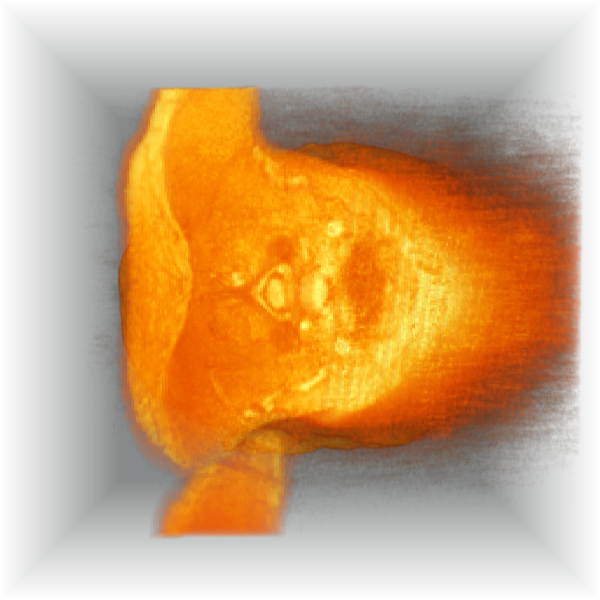
In[]:=
image=Image3D[Transpose[voxels,2]];Row[{Image3D[image,ViewPoint->Front,ImageSize->Medium],Image3D[image,ViewPoint->Left,ImageSize->Medium]}]
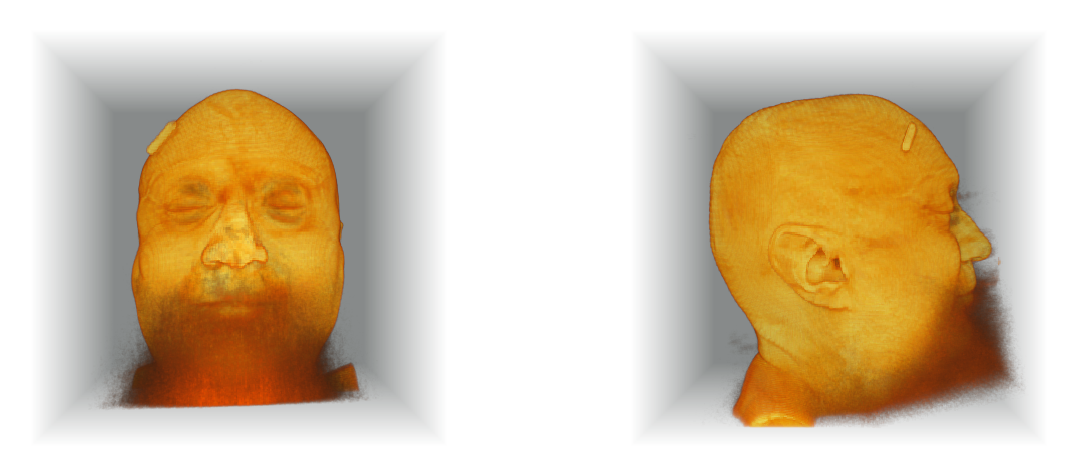
In[]:=
image=Image3D[Transpose[voxels,2]];Row[{Image3D[image,ViewPoint->Top,ImageSize->Medium],Image3D[image,ViewPoint->Right,ImageSize->Medium]}]
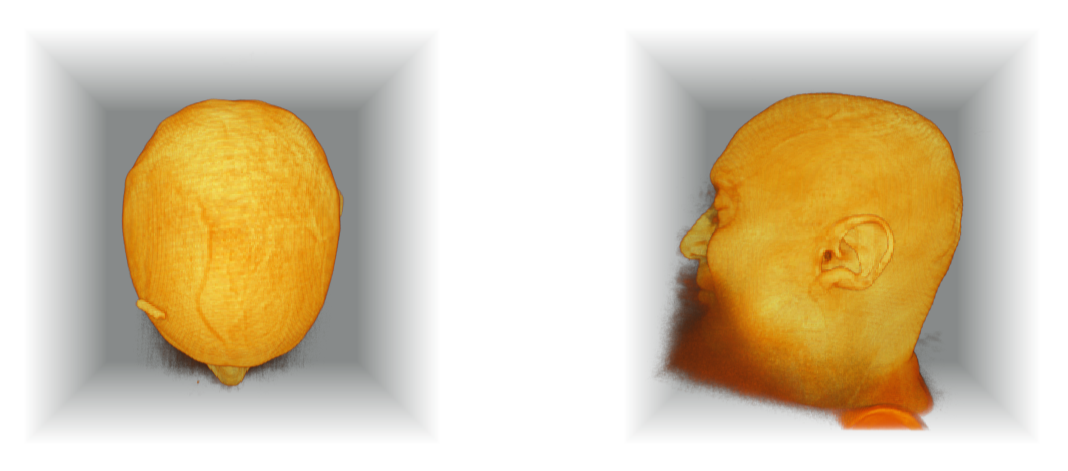
Now we can use Image3DSlices and FrameListVideo to make a video that slices and dices in various directions. To be more precise the video shows three images side by side: The first image show the top to bottom slices (eyeballs and nose show in the middle of the video, the second image shows back to front (eyeballs and nose come last), and the third image shows left to right (so one ear, then brain, then the other ear):
In[]:=
image=Image3D[Transpose[voxels,2]];video=FrameListVideo[ImageAssemble[{#}]&/@Transpose[{Image3DSlices[image],Image3DSlices[image,All,2],Image3DSlices[image,All,3]}],FrameRate->10]
Out[]=
I hope that with this post I have shown a few useful techniques to visualize MRI data scans. Especially the External Evaluation framework is useful when you need to quickly use functionality that the Wolfram Language does not already have. It provides a powerful way to access more functionality from other programming languages, while still being able to use the Wolfram Language for all its built-in capabilities.
CITE THIS NOTEBOOK
CITE THIS NOTEBOOK
Visualizing MRI scans in FreeSurfer format
by Arnoud Buzing
Wolfram Community, STAFF PICKS, July 9, 2025
https://community.wolfram.com/groups/-/m/t/3496326
by Arnoud Buzing
Wolfram Community, STAFF PICKS, July 9, 2025
https://community.wolfram.com/groups/-/m/t/3496326