Recently I made a Christmas card as a practice on how to use various Wolfram technologies to develop a website. As people are giving positive feedback on it, I think it would be nice to share my experience here.
The whole project involves 4 main parts:
◼
◼
APIFunction-s deployed on Wolfram Cloud;
◼
Databin as persistent data storage;
◼
3D models generated offline in the desktop version of Mathematica.
I'm going to talk about the first 3 parts in this post, and a separate post for the 4th part as it's relatively unrelated to the cloud stack.
When finished, the whole project consists of 4 static files on the cloud:
xmas/ spikey.json stem.json leaves.json xmas.html
3 public web APIs:
https://www.wolframcloud.com/obj/.../snowflake
https://www.wolframcloud.com/obj/.../getDecor
https://www.wolframcloud.com/obj/.../submitDecor
https://www.wolframcloud.com/obj/.../getDecor
https://www.wolframcloud.com/obj/.../submitDecor
and 1 private Databin called “Christmas Present Store”.
The whole design
The whole design
In this project, we will make a single page website. When a browser visits this website, it will query our server, ask for five PNG images for the snow scene, and three 3D models for the Christmas tree scene. Those resources will be used by scripts in the webpage.
By design, there are two API interactions between the webpage and the server, and one API interaction solely on the server-side.
◼
When the cover page is clicked, the card will open, a query to the getDecor API will be made. When succeed, the server will query a persistent storage separately hosted on the cloud (i.e. the private Databin “Christmas Present Store”), generate 3D models of some polyhedrons according to the query result and use that as getDecor’s response. It will then be processed on the client-side. Finally, the polyhedrons will be put in the tree scene.
◼
When any of the present boxes under the tree is clicked, a query to the submitDecor API will be made. When succeed, the server itself will call the genDecor API, which will randomly generate a polyhedron and add it to “Christmas Present Store”. Finally submitDecor will ask “Christmas Present Store” for some latest added polyhedrons and generate 3D models of them as response to the client. The response will then be processed and rendered on the client-side.
Utilities
Utilities
As usual, here is the code dump of some helper functions. Readers can evaluate then safely skip this section.
code dump of helper functions
code dump of helper functions
/16/19 21:07:42 In[1]:=
ClearAll[pipe,branch]pipe=RightComposition;branch=Through@*{##}&;
ClearAll[corssSectionProfile]corssSectionProfile=BSplineFunction2,{{0.,1.},{0.,1.}},{3,3},{False,False},,Automatic,,{0,0},MachinePrecision,"Unevaluated";
Databin as persistent cloud storage
Databin as persistent cloud storage
Datadrop service is designed to store a large number of small records. In our project, a private Databin will be used to store customer generated data, but will only be accessible by our own APIs.
CreateDatabin[<|"Name""Christmas Present Store",Permissions"Private"|>]
/29/19 21:46:18 Out[153]=
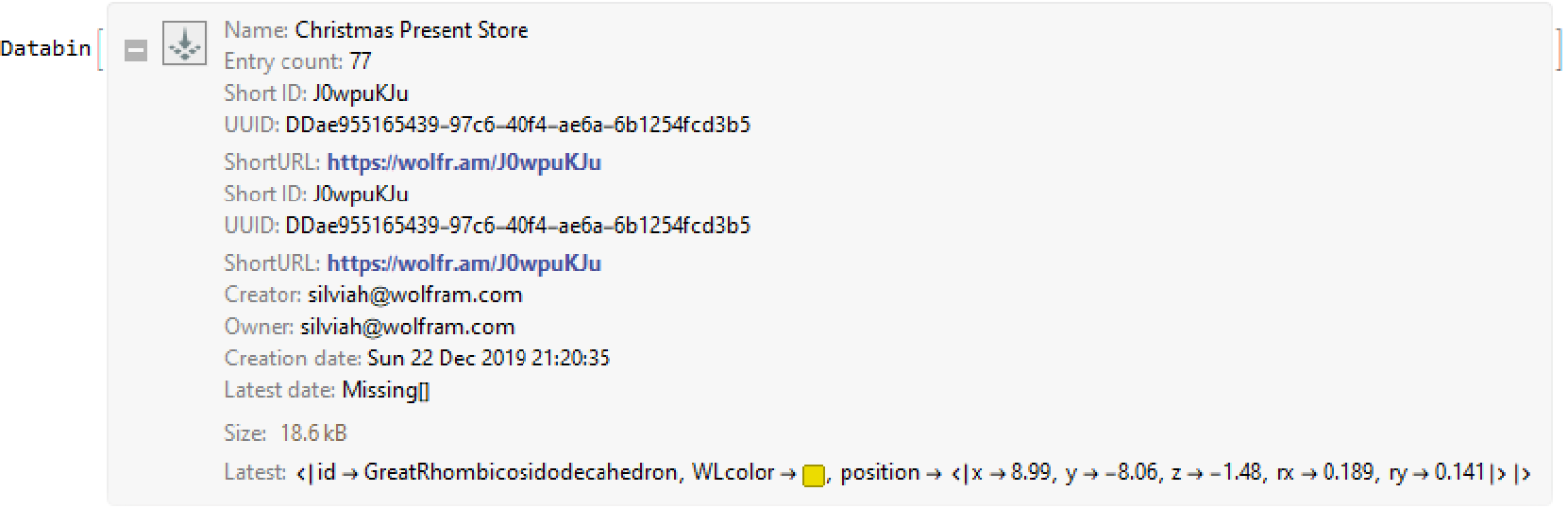
Note although Private permission is enough, we have made our “Christmas Present Store” partially public. Readers who are interested can read it freely through short ID “J0wpuKJu”, or from the following address:
Serving static resources through the Wolfram Cloud
Serving static resources through the Wolfram Cloud
There are 2 kinds of static resources involved in our Christmas card project: 3 JSON files representing the 3D models of the Spikey and the Christmas tree (one for stem, one for leaves), and 1 HTML file for our one page website.
JSON
JSON
We will talk about the content of the JSON files in a separate post. To serve them from the cloud, we just need to upload them with a simple CloudExport command (refer to section Hosting APIs on the Wolfram Cloud » getDecor for the implementation detail of the metadataToModel function).
CloudExport<|"id""Spikey","WLcolor"|>//pipe[metadataToModel@pipe[ScalingTransform[2{1,1,1}],TranslationTransform[{0,0,30}]],#〚{"vtx","color","mesh"}〛&],"JSON","xmas/spikey.json",Permissions"Public"

/22/19 21:36:45 Out[24]=
/29/19 12:50:02 In[65]:=
"https://www.wolframcloud.com/obj/user-ae9080e9-a3d2-4e3f-ad43-2cd6e62b0594/xmas/spikey.json"//URLRead//ImportString[#@"Body","RawJSON"]&//Dataset
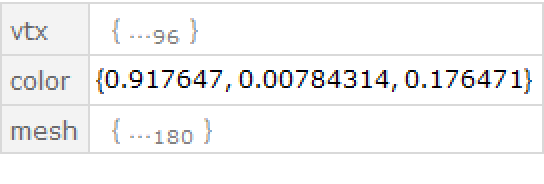
This can be done similarly for the stem and leaves:
CloudExport//Uncompress,"JSON","xmas/stem.json",Permissions"Public"
CloudExport//Uncompress,"JSON","xmas/leaves.json",Permissions"Public"
HTML
HTML
For the HTML file, the simplest way is to upload it as raw HTML string:
CloudExport//Uncompress,"HTML","xmas.html",Permissions"Public"
For JavaScript libraries, they are either hosted on a third-party CDN or inlined within the HTML, so there is no need to serve them individually.
Serving dynamic resources through the Wolfram Cloud
Serving dynamic resources through the Wolfram Cloud
In our webpage, there is also a dynamic resource, i.e. the snowflakes. Eagle-eyed readers might have noticed that when the webpage is refreshed, the shapes of the snowflakes will change. In fact, despite the snowy scene is adopted from THREE.js official sprite example, we made some change so that instead of using static PNG files for the snowflake images, the webpage will query an API defined as following, which will randomly generate a snowflake and return it as a proper PNG resource. The core of the API is adopted from Simon Woods' brilliant code.
Note how we combine HTTPResponse and APIFunction[...,“String”] to get a customized API result. Also note how we added “Headers”{{“Access-Control-Allow-Origin”,”*”}} to the header so the API can be called from a domain different from www.wolframcloud.com, which is needed if the webpage is hosted elsewhere, say, on a local developing web server.
A 101 tip: although every call to our API https://.../snowflake will get a random image, to actually get 5 different images in one page, we will need to get around the browser cache mechanism. One common way is to call it with an extra dummy parameter, say, .../snowflake?s=1 , .../snowflake?s=2 , etc.
Hosting APIs on the Wolfram Cloud
Hosting APIs on the Wolfram Cloud
As we mentioned at the beginning, we will need to deploy 4 APIs.
genDecor
genDecor
We can optionally deploy genDecorFunc as a stand-alone API, or just use it directly in any server-side code, as it won’t be called remotely.
Submit 40 initial decorations to “Christmas Present Store”
Submit 40 initial decorations to “Christmas Present Store”
In the following code we will locally generate 40 polyhedron decorations, located near the envelope surface (defined through corssSectionProfile) of the tree leaves, then add them to the “Christmas Present Store” through DatabinUpload.
getDecor
getDecor
Because of the data structure design on the client-side, we will need to make sure the 3D models are composed with only triangles, so some post-process of the PolyhedronData will be needed.
Besides the 3D models, we would also like to give informations on how to query the objects in Wolfram Language. Those informations are assigned to the “WL Code” key. They will eventually become the golden cursive message on the right side of inner page of the Christmas card.
We customize the return result of our API with HTTPResponse:
Test the API:
submitDecor
submitDecor
As we already talked before, the submitDecor API will call genDecor to generate a random polyhedron, place it at an appropriate position and persist the information, then do what getDecor does by directly call it:
Conclusion
Conclusion
As what we have shown in this post, developing and deploying server-side APIs and resources are extremely easy with Wolfram Language, Wolfram Cloud and Datadrop service. For this small festival project, most of the time I spent is on modeling the tree and writing the client-side scripts. So I hope readers have got a taste of how developing a website would be like using the Wolfram cloud stack. Next time, I would like to talk about how we model the tree (spoiler: it’s adopted from VFX HIVE’s "Model a Christmas tree in Houdini", but in a Wolfram Language style).
Credits
Credits