FastF1 gives us access to F1 lap timing, car telemetry(Date, Speed, RPM, Gear, Brake,...) and session results. Visualize the data of Lap 12/58 in the FORMULA 1 ROLEX AUSTRALIAN GRAND PRIX 2023 obtained using this API.
"F1 ROLEX AUSTRALIAN GRAND PRIX 2023: Lap 12" | ||||||
| | |||||
"Max Verstappen" | ||||||
| ||||||
"Lewis Hamilton" | ||||||
| ||||||
"Albert Park Circuit,Melbourne" | ||||||
Get infomation
Get infomation
Get information(Date, Speed, RPM, Gear, Brake,...) on the top 10 drivers as of Lap 12 based on the article.
In[]:=
info=;
Each info contains driver name, date, location, rpm, speed, gear, brake. For reference, see Max Verstappen’s information on RED BULL RACING HONDA RBPT at the top.
In[]:=
info[[1,1]](*drivername*)info[[1,2,;;3]](*date*)info[[1,3,;;3]](*location*)info[[1,4,;;3]](*rpm*)info[[1,5,;;3]](*speed:Km/h*)info[[1,6,;;3]](*gear*)info[[1,7,;;3]](*brake*)
Out[]=
Max Verstappen
Out[]=
{2023-04-02 05:39:41.346,2023-04-02 05:39:41.480,2023-04-02 05:39:41.594}
Out[]=
{{-1183,-1341},{-1260,-1270},{-1349,-1187}}
Out[]=
{11558,11592,11032}
Out[]=
{291,292,293}
Out[]=
{7,7,7}
Out[]=
{False,False,False}
Define the information to be used later .
In[]:=
drivernames=info[[All,1]];colors={,,,,,,,,,};

Lap
Lap
Visualize the status of the top 10 drivers of LAP 12 on the circuit.
Collect information for the same date and plot the location of 10 cars for each date.
(*thesamedate*)intersection=Intersection@@Table[info[[i]][[2]],{i,Length@info}];isno=Length@intersection;(*firstpositionofthesamedate*)spos=FirstPosition[Table[MemberQ[intersection,#[[2,i]]],{i,Length@#[[2]]}],True][[1]]&/@info;(*locationof10cars*)carxy=Table[info[[i]][[3,spos[[i]];;spos[[i]]+isno-1]],{i,Length@info}];(*legend*)legend10=PointLegend[Directive[#,AbsolutePointSize[8]]&/@colors,Style[#,10,Bold,Gray]&/@drivernames];(*title*)title1=Style["F1 ROLEX AUSTRALIAN GRAND PRIX 2023: Lap 12",Bold,Black];circuitname=Style["Albert Park Circuit,Melbourne",10,Gray];(*circuit*)circuit1=ListLinePlot[info[[1]][[3]],Axes->False,PlotStyle{Gray,Thickness[.015]},ImageSize->200,AspectRatio->1];(*images*)show1[n_,circuit_]:=Show[circuit,Graphics[Table[{colors[[i]],Disk[carxy[[i,n]],{300,350}]},{i,Length@info}]]];imgs1=ParallelMap[show1[#,circuit1]&,Range[Length@carxy[[1]]]];imgs1=ParallelMap[Grid[{{title1,SpanFromLeft},{#,legend10},{circuitname,SpanFromAbove}},AlignmentTop]&,imgs1];(*animate*)ListAnimate@imgs1
Overtake
Overtake
Visualize Max Verstappen overtaking Lewis Hamilton in the middle of the circuit.
The data extraction is the same as before, only the range to be visualized is limited.
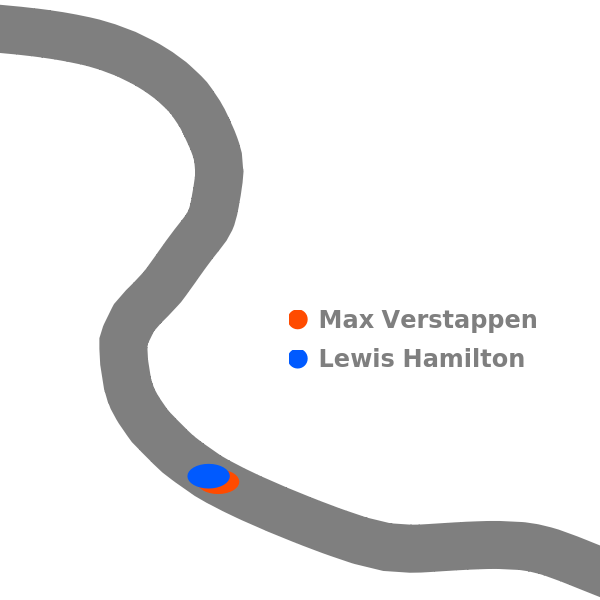
Running the above cell will generate an animation, but due to space limitations in the notebook to be published, a snapshot is shown .
Cornering
Cornering
Visualize differences between Max Verstappen and Lewis Hamilton in speed, gear, and braking during a cornering.
Lewis Hamilton has a little less time to use the brake. On the other hand, Max Verstappen changes the gears more frequently(Max: 7→6→5→4→3. Lewis: 8→6→5→3)
brakeonoff={"False"->"","True"->"+Brake"};plot2D[data_,col_,str_,end_,shift_]:=Block[{name,date,location,rpm,speed,gear,brake},{name,date,location,rpm,speed,gear,brake}=data;ListLinePlot[Table[Callout[location[[n]],Row[{Style[ToString@speed[[n]]<>"Km/h-"<>ToString@gear[[n]],col],Style[brake[[n]]/.brakeonoff,col]}],{shift,location[[n,2]]},LabelVisibility->All,CalloutStyleDotted,BackgroundTransparent],{n,str,end}],PlotStyle{PointSize[.03],col,Thickness[0.01]},AspectRatio->1,PlotRange->{{-7250,-6100},Automatic},Axes->False,Joined->True,Mesh->Full,ImageSize->600]];str=95;end=120;ver2D=plot2D[info[[1]],{Opacity[.6],colors[[1]]},spos[[1]]+str+1,spos[[1]]+end,-6550];ham2D=plot2D[info[[2]],{Opacity[.6],colors[[2]]},spos[[2]]+str,spos[[2]]+end-2,-6300];(*legend*)legend2R=PointLegend[Directive[#,AbsolutePointSize[8]]&/@colors[[;;2]],Style[#,12,Bold,Gray]&/@drivernames[[;;2]],LegendLayout"Row"];Column[{legend2R,Show[ham2D,ver2D,Graphics[{Thickness[.01],LightGray,Arrow[{{-6800,6000},{-6900,6150}}]}]]},AlignmentRight]
Cockpit
Cockpit
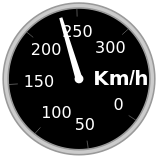
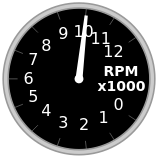
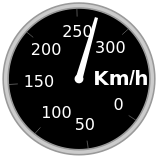
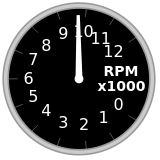
Visualize the cockpits of Max Verstappen and Lewis Hamilton.
Create something like a game screen using WL built-in functions Grid, AngularGauge, etc. It will take a little time to generate an animation, but I hope you will enjoy it.
Running the above cell will generate an animation, but due to space limitations in the notebook to be published, a snapshot is shown .
You may also import the animation.
CITE THIS NOTEBOOK
CITE THIS NOTEBOOK
Visualizing Formula 1 Rolex Australian Grand prix 2023
by Kotaro Okazaki
Wolfram Community, STAFF PICKS, April 18 2023
https://community.wolfram.com/groups/-/m/t/2900779
by Kotaro Okazaki
Wolfram Community, STAFF PICKS, April 18 2023
https://community.wolfram.com/groups/-/m/t/2900779