There have been some confusions and “mysterious” feelings about some of Graphics3D’s View-options. I tried to understand them by experiments. I think some of them are worth sharing with the community.
Names["View*"]//Multicolumn
ViewAngle | ViewPoint | ViewProjection | ViewVertical |
ViewCenter | ViewPointSelectorSettings | ViewRange | |
ViewMatrix | ViewPort | ViewVector | |
Interactive Graphics3D has been introduced into Wolfram Language for years. It supports basic 3D scene manipulations with very high performance. If you have read my previous post about LuxcoreRender, it should be no surprise I wanted to build an interactive scene viewer based on Graphics3D, essentially using it as a control object, so the rendering camera can be configured in an intuitive visual way. Except when I compared “how” the scenes are manipulated in Wolfram Language with that in Blender, I saw they are quite different:
◼
In Blender, the focus is on finding a sweet spot for rendering, much like taking a photo. It’s common to have unwanted objects out of the picture frame. Noticeably, camera manipulation works exclusively in “absolute” coordinate system.
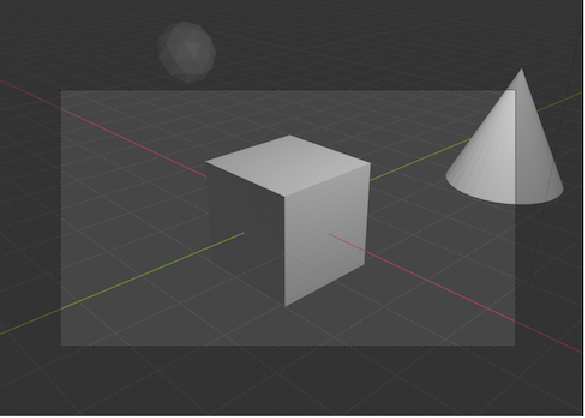
◼
On the other hand, in Wolfram Language, the default setting is designed such that the user can conveniently view the whole scene from any direction. To accomplish this, it sometimes involves automatic zoom-in/out, camera rolling, etc. This automated mechanism serves its purpose nicely, but if I want to interact with 3D scenes the Blender way, I’ll need to control the View-options differently.
The mysterious View
The mysterious View
Perhaps the most important aspect of various View-options is they operate in different kinds of coordinate systems -- some in “absolute”, some in “scaled” and some in other “scaled”. I strongly suspect that these different scaled systems made View-options rather “mysterious”. Searching the Community and the sister site on StackExchange, a lot of questions and discussions around them show up.
The mysterious ViewVertical
The mysterious ViewVertical
The first thing that came to mind -- the frequently mentioned View-synchronization trick through Dynamic -- doesn't seem to do what I want. Synchronized ViewPoint in different PlotRange means different absolute position/direction of the camera:
DynamicModule{vp={1.3,-2.4,2},vvert={0,0,1}},OverlayGraphics3DFaceForm[],EdgeForm,Cuboid[{0,0,0},{3,2,1}],PlotRange{{0,0,0},{3,2,1}},PlotRangePaddingNone,ViewPointDynamic[vp],ViewVerticalDynamic[vvert],ImageSize200,Background,,Graphics3DFaceForm[],EdgeForm,Cuboid[{0,0,0},{5,3,1}],PlotRange{{0,0,0},{5,3,1}},PlotRangePaddingNone,ViewPointDynamic[vp],ViewVerticalDynamic[vvert],ImageSize200,Background,,{1,2},2,AlignmentCenter

3
5


⟹ |
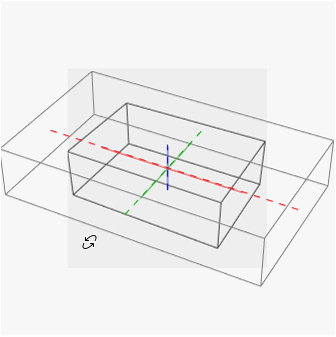
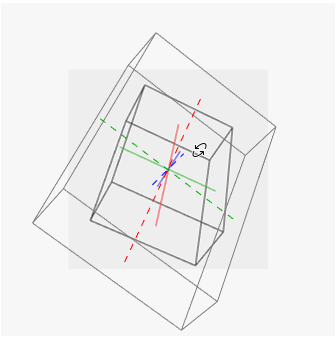
I know ViewVector works in absolute coordinate system, maybe I can sync the view through that? Sadly, the view quickly got out of sync after playing with it for some time:
DynamicModule{vvert={0,0,1},viewRay={10,3,5},camera1,camera2,viewCenter1={3,2,1}/2,viewCenter2={5,3,1}/2},camera1=viewRay+viewCenter1;camera2=viewRay+viewCenter2;ColumnOverlayGraphics3DFaceForm[],EdgeForm,Cuboid[{0,0,0},{3,2,1}],PlotRange{{0,0,0},{3,2,1}},PlotRangePaddingNone,ViewVerticalDynamic[vvert],ViewVectorDynamic[{camera1=viewRay+viewCenter1,viewCenter1}],ImageSize200,Background,,Graphics3DFaceForm[],EdgeForm,Cuboid[{0,0,0},{5,3,1}],PlotRange{{0,0,0},{5,3,1}},PlotRangePaddingNone,ViewVerticalDynamic[vvert],ViewVectorDynamic[{camera2,viewCenter2},({camera2,viewCenter2}=#;viewRay=camera2-viewCenter2)&],ImageSize200,Background,,{1,2},2,AlignmentCenter,Grid[{{"viewRay:",Dynamic[viewRay],"vvert:",Dynamic[vvert]},{":",Dynamic[camera1],":",Dynamic[camera2]},{":",Dynamic[viewCenter1],":",Dynamic[viewCenter2]}},Alignment{{":",Left,":",Left},Center}],AlignmentLeft
3
5
camera
1
camera
2
viewCenter
1
viewCenter
2
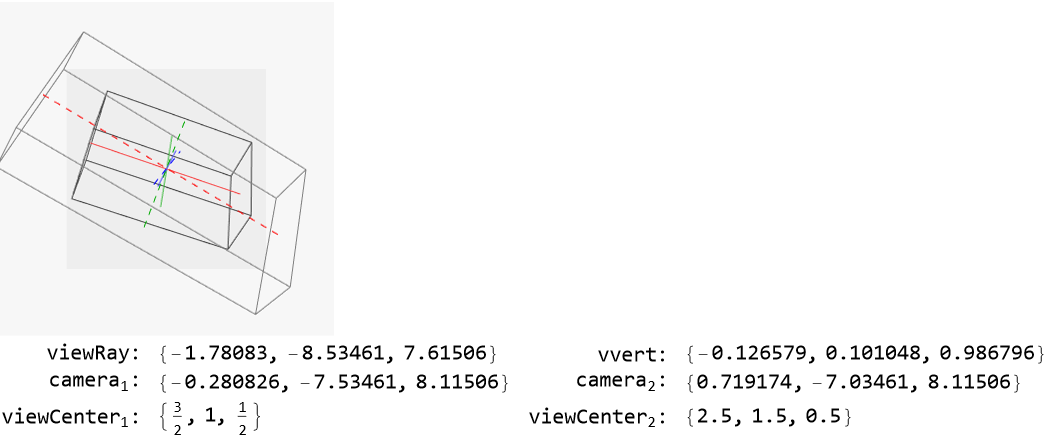
But hold on a second, if I now using pure rotate ( instead of ), the view can actually sync again!


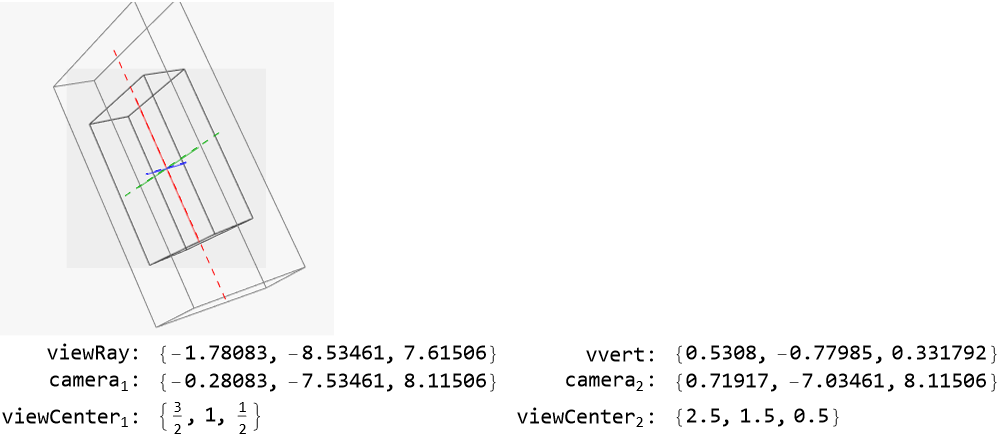
After going back to study the documentation again, I realized that ViewVertical works in a scaled coordinate system which maps any plot-range region to unit cube -- the same as ViewCenter but different from ViewPoint. So the solution is simple for this one: always mapping the vertical directions back to absolute coordinate system before syncing, which is easily implemented as a function chain vert2tovert1 of two anisotropic ScalingTransform:
Withvert2tovert1=RightCompositionScalingTransform[{4,3,3}-{-1,0,2}],ScalingTransform,DynamicModule{vp={1.3,-2.4,2},vvert1,vvert2={0,0,1}},vvert1=vvert2//vert2tovert1;OverlayGraphics3DFaceForm[],EdgeForm,Cuboid[{1,2,3},{4,4,4}],PlotRange{{1,2,3},{4,4,4}},PlotRangePaddingNone,ViewVerticalDynamic[vvert1=vvert2//vert2tovert1],ViewPointDynamic[vp],,Graphics3DFaceForm[],EdgeForm,Cuboid[{-1,0,2},{4,3,3}],PlotRange{{-1,0,2},{4,3,3}},PlotRangePaddingNone,ViewVerticalDynamic[vvert2],ViewPointDynamic[vp],,{1,2},2,AlignmentCenter
1
{4,4,4}-{1,2,3}
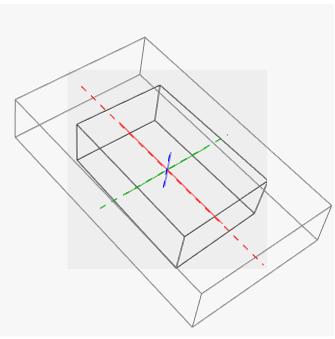
However note the PlotRangePaddingNone: by default it’s not None, then the true plot range will need to be computed before getting the correct vert2tovert1. Usually I just use the super convenient completePlotRange from Alexey Popkov.
As a summary, now I knew how to map ViewVertical to absolute coordinate system and vice verse:
The even more mysterious ViewPoint
The even more mysterious ViewPoint
ViewVertical is easy, and I would have thought everything is perfect and call it a day had I not encounter this phenomena (play the animation to see it):
But in previous setup, the camera was specified, the view target was fixed, yet I saw a “mysterious” resizing while rotating the view, which should never happen if it was just camera rolling!
Why the cyclical resizing? Could it be the ViewAngle being auto-adjusted while rotation? I thought. But fixing that didn’t help:
I already knew how to map ViewVertical to absolute coordinate system. Similarly, according to my understanding of the documentation, ViewPoint and camera absolute position (i.e. the first element of ViewVector) convert to each other with proper transformations:
Plotting out the camera track (cameraTrack) immediately led to the Aha! moment for me!
Note here the original sphere is made transparent to see the view-center inside it. Several important points and indicators are presented:
A view along the original view-vector immediately revealed the secret:
See it from another angle:
So by observing that camera track, I believe the real truth is:
Which surely explains and reaffirmed my guess about why the resizing occurred in the first place!
That also explains why I never noticed this “secret”. Usually when I use 3D graphic functions, I rarely bother to manually specify a view-center. Remembering the default setting is for convenient view of the whole scene from any direction, I see it’s understandable view-center coincides with the center of plot region by default. Therefore, there is no difference between rotating around the two centers:
Or when the camera starts at a location far from both centers, the difference is barely noticeable:
ViewVertical revised
ViewVertical revised
With the understanding of ViewPoint, I went back to ViewVertical. This sentence in the documentation triggered my curious:
Only the direction of the vector specified by ViewVertical is important; its magnitude is irrelevant.
I’ll let the graphic tell my findings directly:
So it turned out not only the magnitude of ViewVertical is irrelevant, as long as it’s a vector that belongs to a special plane (which I call it “vertical plane”), its effect is identical (aside from maybe an up-side-down flip). And this “vertical plane” is just the plane spanned by view-vector (viewDir) and a seeding view-vertical vector (vvert), anchored at view-center.
Control the View
Control the View
With all the puzzles around View-options solved, I can finally adjust Graphics3D to follow my wish.
Fixing the view-distance
Fixing the view-distance
For example, even just simply projecting camera from Sphere[bboxCenter,Norm[cameraInit-bboxCenter]] to Sphere[viewCenter,Norm[cameraInit-viewCenter]], the scene will be free of resizing phenomena:
Fixing the rotation axis
Fixing the rotation axis
Hopefully I’ll find the solution to that flaw soon. But the take-away here is, with all the understanding of the View-options, I finally feel ready to use Graphics3D as a handy GUI control object for my larger projects!