Motivation
Motivation
Some tips for image conversion and data serialization.
For anyone interested in image processing in both WL and Julia for Introduction to Computational Thinking 18.S191 Fall 2020 course. Youtube Link here.
For anyone interested in image processing in both WL and Julia for Introduction to Computational Thinking 18.S191 Fall 2020 course. Youtube Link here.
Prerequist
Prerequist
I install Julia-1.5.3 via homebrew on macOS for instance
$ brew install julia
Once installation is done I follow this instruction to install ZMQ and JSON in a terminal with Julia running. After they are installed, I can run RegisterExternalEvaluator to link Julia to WL
In[]:=
RegisterExternalEvaluator["Julia","/usr/local/bin/julia"]
Out[]=
7d0829b2-a95d-4780-8f7f-92e38dced69b
Verify registration
In[]:=
FindExternalEvaluators["Julia"]
Out[]=

Check the version
In[]:=
VERSION
Out[]=
major1,minor5,patch3,prerelease{},build{}
Download extra packages
Pkg.add("Images")
Pkg.add("QuartzImageIO")
Pkg.add("QuartzImageIO")
Add the proper name space and modules before using Images package
In[]:=
using Images
Check the current linked Julia session running on my machine
In[]:=
juliaSession=ExternalSessions[][[1]]
Out[]=
ExternalSessionObject


Import Image and Change Orientation
Import Image and Change Orientation
Sample input file from MIT computational thinking course 1.
In[]:=
url = "https://i.imgur.com/VGPeJ6s.jpg"
download(url,"philip.jpg")
download(url,"philip.jpg")
Out[]=
philip.jpg
You can either import using Julia or WL. When I import image from Julia, I convert the image object to raw double array first with Julia’s ImageCore.channelview function. If no conversion is specified, ZeroMQ will convert image pixel data into a very large list of millions lines of dictionary/association for JSON file, then WL imports the JSON file to display it with some format rearrangement. This data serialization-and-deserialization process take rather long time
In[]:=
imgDataJulia=ExternalEvaluate[juliaSession,"img = load(\"philip.jpg\");channelview(img)"];
I can save some notebook file size and improve response by rasterizing output image automatically with $Post. This only affect output. values in variables in imgJulia1 is intact
In[]:=
$Post=If[MatchQ[#,_Image|_ByteArray|_NumericArray],Rasterize[#,RasterSize300],#]&
Out[]=
If[MatchQ[#1,_Image|_ByteArray|_NumericArray],Rasterize[#1,RasterSize300],#1]&
In[]:=
imgJulia1=Image[imgDataJulia,ColorSpace"RGB"]
Out[]=

Notice that the convention is slightly different between WL and Julia. Comparing to what’s shown in the online video or direct import with WL code , Corgi’s head point downward instead of right.
In[]:=
imgWL=Import["https://i.imgur.com/VGPeJ6s.jpg"]
Out[]=

I need to swap the first and second dimension of image data from Julia’s color channel multi-dimensional array
In[]:=
ImageData[imgWL]//Dimensions
Out[]=
{3675,2988,3}
In[]:=
ImageData[imgJulia]//Dimensions
Out[]=
{2988,3675,3}
Now this is the image with correct orientation after transposition
In[]:=
imgJulia2=Image[Transpose[imgDataJulia,{2,1,3}],ColorSpace"RGB"]
Out[]=

Save and Share Large Array
Save and Share Large Array
High definition image is a large numeric array. I found the following function really useful in keep such data persistently on local machine and sharing across internet for data integrity purpose. WL automatically translate ImageData to packed array
In[]:=
Developer`PackedArrayQ[ImageData[imgWL]]
Out[]=
True
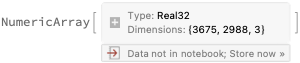
I can use NumericArray as well which also support functions like Take, Part or ListPlot
In[]:=
NumericArray[ImageData[imgWL],"Real32"]
Out[]=
If I would like to save the data on disk or within notebook in a compact manner, either of function below works and I can export a WXF binary file later
In[]:=
bin=BinarySerialize[ImageData[imgWL],PerformanceGoal"Size",Method{"PackedArrayRealType""Real32"}]
Out[]=

Or
In[]:=
ExportByteArray[ImageData[imgWL],"WXF",PerformanceGoal"Size",Method{"PackedArrayRealType""Real32"}]
Out[]=
To save the ByteArray object, I just need to write them into a file
In[]:=
myfile=CreateFile[FileNameJoin[{$HomeDirectory,"test1"}]];BinaryWrite[myfile,bin];Close[myfile]
Out[]=
/Users/shenghuiy/test1
Import it again to check if the file is saved properly
Restore $Post to no definition so the front end no longer rasterize image output automatically
Summary
Summary
◼
Install Julia from your favorite repository and package management system
◼
Register Julia with WL and add required packages like ZMQ and JSON
◼
Transposition of Image data is needed between image process functions in both languages