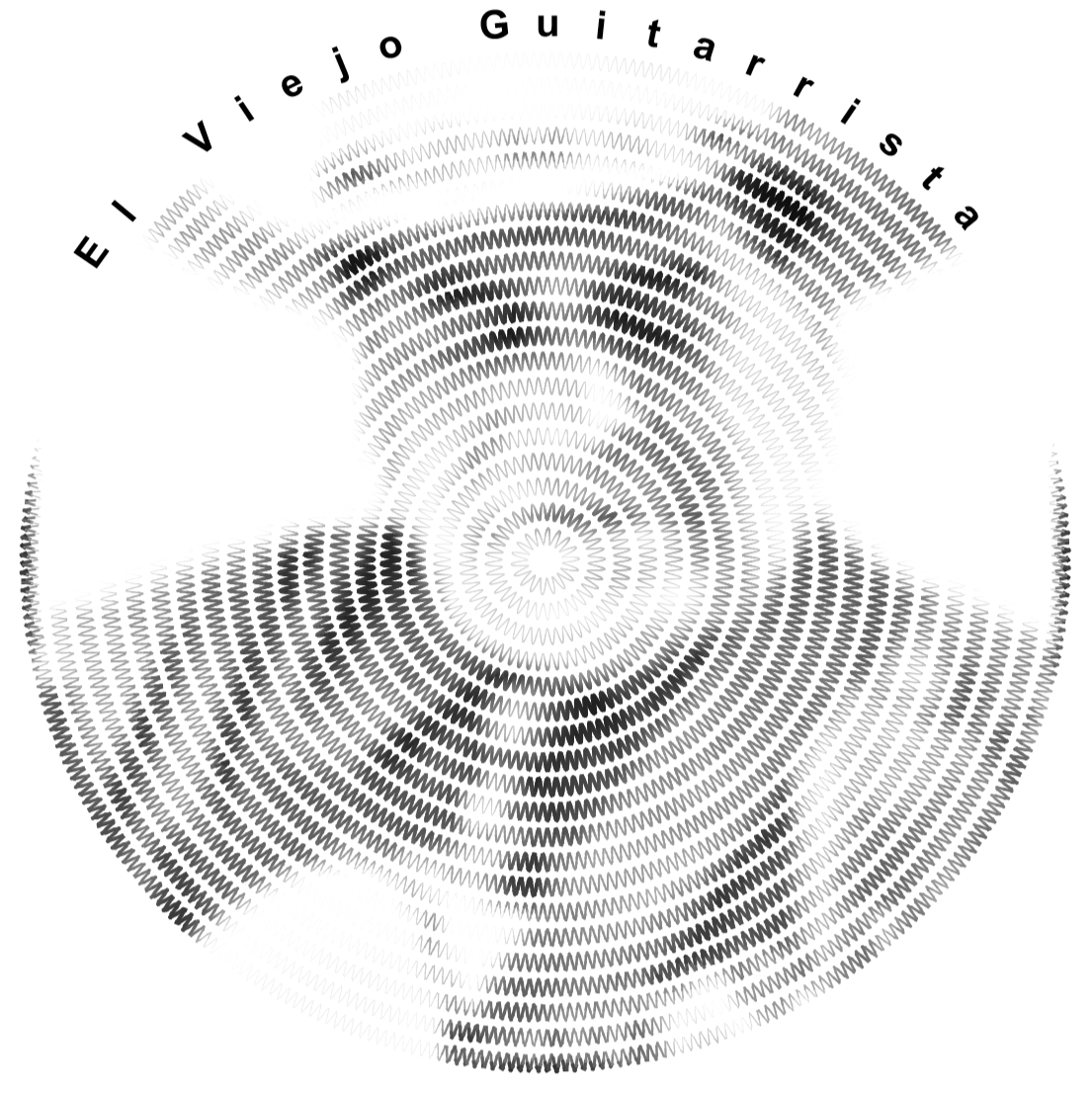
This program “Generating Images using Circular Sinusoidal Lines” transforms a black-and-white image into a rendering composed of a series of circular sinusoidal curves. Pixels in the original image are used to give the gray level and thickness of the sine waves, e.g., amplitude and line thickness vary according to the pixel values around the radius. By modulating these parameters, the program recreates the tonal structure and visual details of the source image using oscillating lines rather than discrete pixels.
This numerical algorithm was created with the assistance of Wolfram Mathematica AI Assistant Chat via some of its suggestions.
Two related notebooks are:
i. Generating Image using only Horizontal Lines
https://community.wolfram.com/t/27417
2.Generating Image using Sinusoidal Lines
https://community.wolfram.com/t/27510
i. Generating Image using only Horizontal Lines
https://community.wolfram.com/t/27417
2.Generating Image using Sinusoidal Lines
https://community.wolfram.com/t/27510
In[]:=
imageFile="C:\\Users\\gag00\\Line Portraits\\UnGuitarrista.jpg"(*inputimagefile*);
In[]:=
grayImg=ColorConvert[Import[imageFile],"Grayscale"];
In[]:=
ImageDimensions[grayImg]
Out[]=
{50,63}
In[]:=
squareUp=(2*10./50.)*63./2.(*12.6*);
In[]:=
grayValue[x_,y_]:=ImageValue[grayImg,{x,y},DataRange->{{-10.,10.},{-squareUp,squareUp}}];
In[]:=
circleCenter={0,-2.5}(*Circlescenteroffsetfromimagecenter*);
In[]:=
curve[r_][t_]:=(r+0.16Sin[36tr]){Cos[t],Sin[t]}+circleCenter;
segmentStyle[p1_,p2_]:=Module[{mid,g},mid=(p1+p2)/2;g=grayValue@@mid;{GrayLevel[g],AbsoluteThickness[3.05-3g]}];
In[]:=
tValues=Subdivide[0,2Pi,2000];
sines=GraphicsTable[With[{pts=curve[r]/@tValues},MapThread[Join[segmentStyle[#1,#2],{Line[{#1,#2}]}]&,{Most[pts],Rest[pts]}]],{r,0.5,10.0,0.5}],;
In[]:=
textOnCircleRadial[text_,r_,theta1_,theta2_]:=Module {chars,angles}, chars=Characters[text]; angles=Subdivide[theta1,theta2,Length[chars]-1]; Graphics[Table[With[{pt=r{Cos[theta],Sin[theta]}+circleCenter,ch=chars[[i]]},Rotate[Text[Style[ch,24,Bold],pt],theta-Pi/2,pt]],{i,Length[chars]},{theta,{angles[[i]]}}]//Flatten,PlotRange->All]
In[]:=
textLabel=textOnCircleRadial["El Viejo Guitarrista",10.75,145Degree,40Degree];
In[]:=
Show[sines,textLabel]
Out[]=
End of Program
CITE THIS NOTEBOOK
CITE THIS NOTEBOOK
Generating images using circular sinusoidal lines with various thicknesses and line gray values
by Gilmer Allen Gary
Wolfram Community, STAFF PICKS, September 14, 2026
https://community.wolfram.com/t/28010
by Gilmer Allen Gary
Wolfram Community, STAFF PICKS, September 14, 2026
https://community.wolfram.com/t/28010