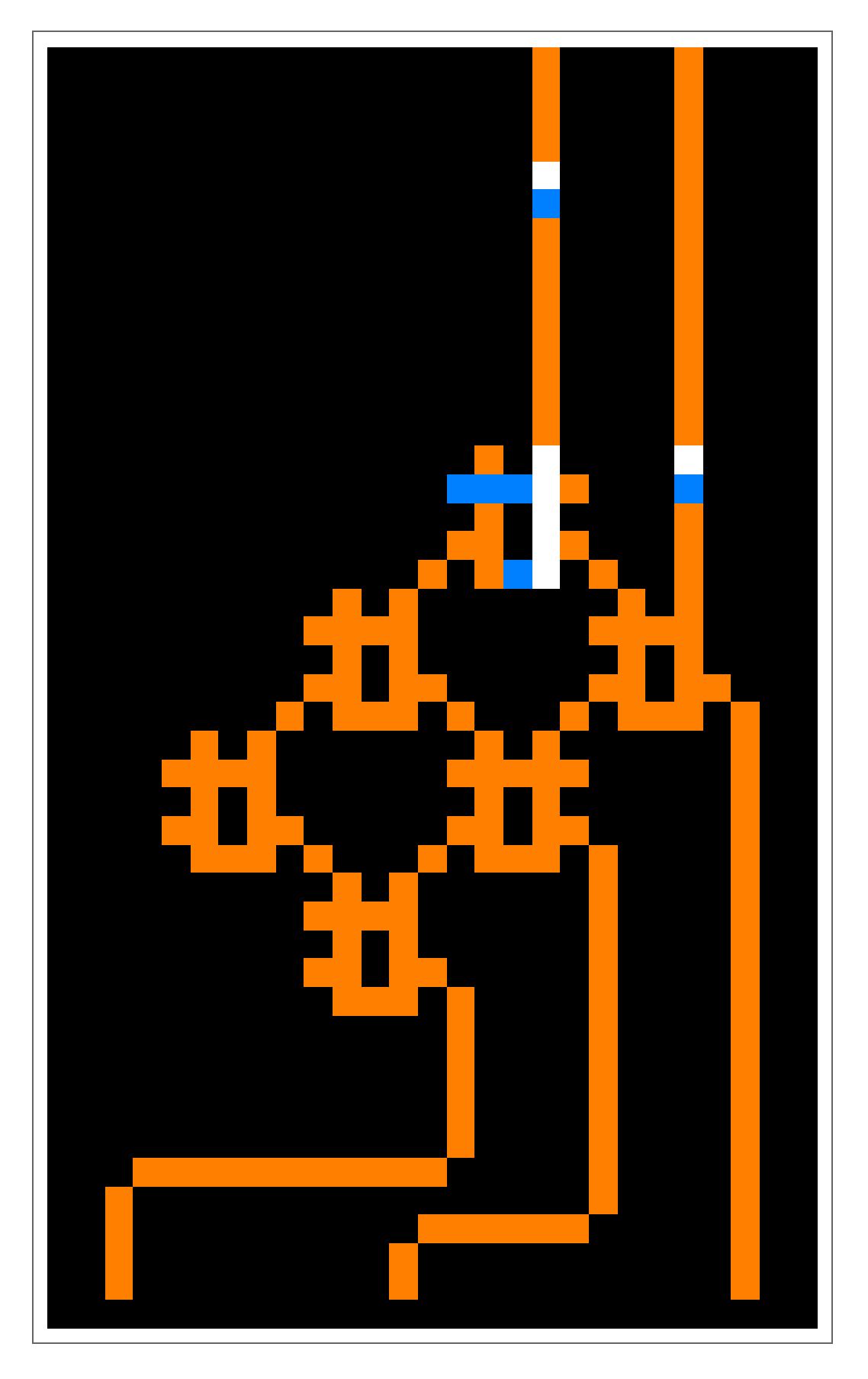
This two-part series explores the construction of a functional computer within Wireworld, a cellular automaton environment.
The first part establishes the core concepts—covering Wireworld’s rules, electron behavior, and signal propagation—before showing how to assemble basic logic gates.
The first part establishes the core concepts—covering Wireworld’s rules, electron behavior, and signal propagation—before showing how to assemble basic logic gates.
What is Wireworld?
What is Wireworld?
Wireworld is a two-dimensional cellular automaton created by Brian Silverman in 1984. It operates on an infinite square grid where each cell can exist in one of four distinct states:
Out[]=
init
init
In[]:=
PacletInstall["DanielS/Wireworld"]
Out[]=
PacletObject

In[]:=
<<DanielS`Wireworld`
The elements of Wireworld
The elements of Wireworld
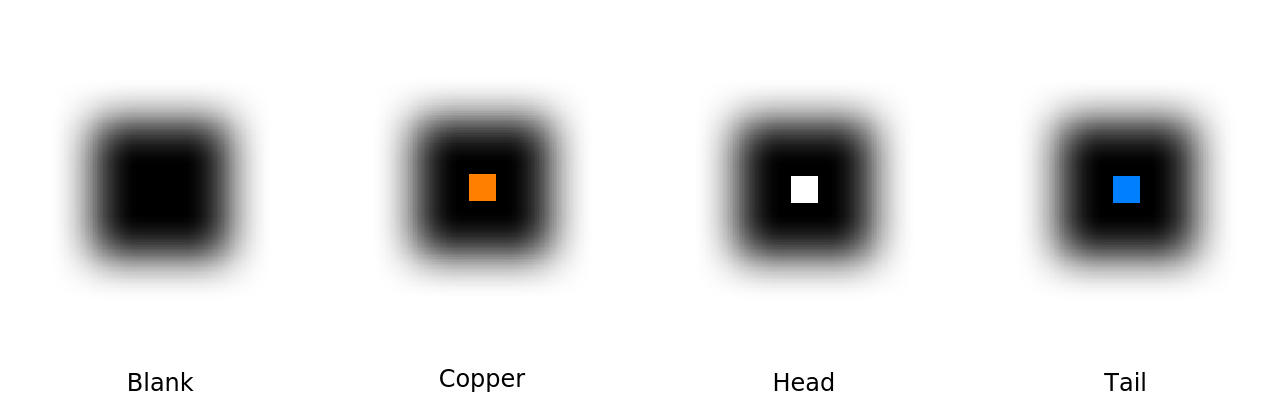
Wireworld is a two-dimensional cellular automaton which can be in one of four different cells:
◼
Empty (): represents blank space (shown in black)
0
◼
Electron Head (): the active “head” of an electron signal (shown in white)
1
◼
Electron Tail (): the trailing end of an electron signal (shown in blue)
2
◼
Wire (): conducts electrons and forms the circuitry (shown in orange)
3
Out[]=
Wireworld’s simple rules allow it to simulate digital logic, making it a fascinating model for computational experiments.
The rules of Wireworld
The rules of Wireworld
Wireworld evolves in discrete time steps called generations. Each cell updates its state based on its current value and its eight neighboring cells (Moore neighborhood).
The rules are as follows:
1
.Electron Head (White) → Electron Tail (Blue)
◼
Electron heads always turn into electron tails
2
.Electron Tail (Blue) → Wire (Orange)
◼
Electron tails always turn into wire cells
3
.Wire (Orange) → Electron Head (White)
◼
Only if exactly 1 or 2 neighboring cells are Electron Heads
◼
Otherwise, remains unchanged
4
.Empty (Black) → Empty (Black)
◼
Never changes—acts as inert background
You can initialize the grid with any pattern and observe its evolution. For example, here’s a simple starting configuration:
◼
A straight line of copper wire cells (orange)
◼
A single electron head-tail pair (white-blue) placed on the wire
Out[]=
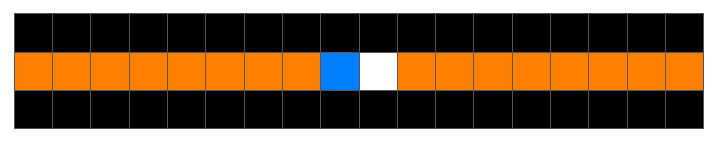
Watch how signals propagate and interact based on these rules:
Out[]=
Electrons
Electrons
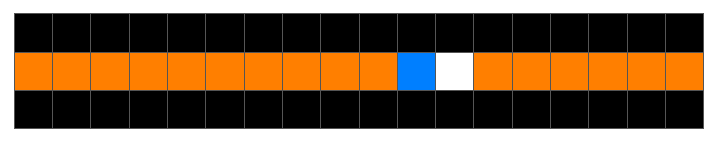
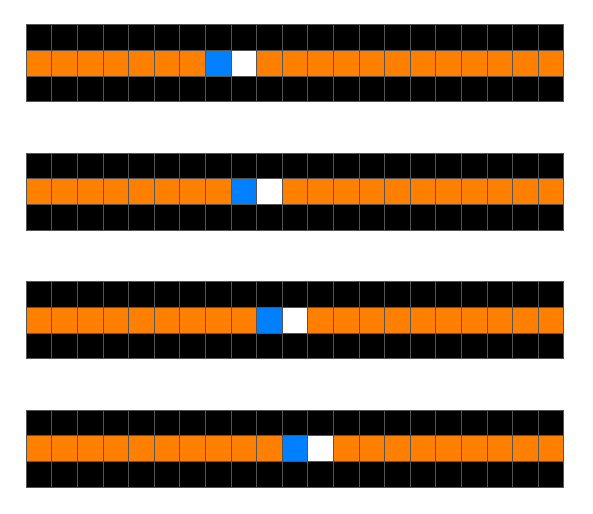
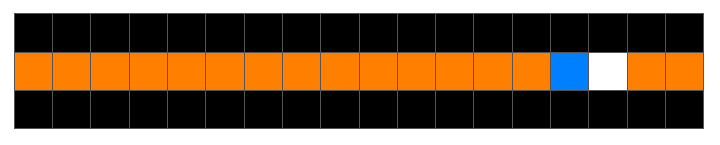
An electron consists of a head and a tail. Along a line of wire cells, it will propagate in the direction pointed by the head at the rate of one cell per generation:
Out[]=
Out[]=
Electrons can turn around corners:
An electron meets a fork in the road (which splits a single signal into two identical copies):
An electron caught in a loop will go around it forever:
Split off a fork from the loop to create a steady source of electrons:
Let’s discuss more about how we can use this stream of electrons.
Signals
Signals
Wires serve as a way to transport sequences of electrons from one location to another. Since electron patterns maintain their structure as they travel along a wire, we can encode data in these patterns and use wires to transmit information.
A straightforward implementation divides the wire into equal segments of length n. Each segment represents one bit: an electron at the segment’s start denotes a ‘1’, while an empty segment denotes a ‘0’. This approach works provided both ends remain synchronized — the receiver must know when each new segment begins.
While Michael Greene demonstrated that all necessary computer logic can be implemented in 3-micron technology [CITE], this tutorial uses the more conservative 6-micron technology for simplicity and compactness.
In the following configuration, the loop on the left generates a new electron every 6 simulation steps. You can observe this timing by noting the consistent 6-cell spacing between successive electron heads:
The animation below shows some 6-micron signals. The top wire transmits a continuous stream of zeros, while the middle wire carries a constant sequence of ones. The bottom wire repeats the pattern ‘1110’ indefinitely:
Controlling electron emission
Controlling electron emission
You may have observed a connection between the loop size in our earlier examples and the timing of electron emissions.
This relationship follows a straightforward rule: The emission interval equals the loop’s total length.
This relationship follows a straightforward rule: The emission interval equals the loop’s total length.
Here are some key observations:
1
.Length Determines Timing
◼
A loop with length n emits electrons every n steps.
◼
Example: The 12-cell loop below emits electrons at 12-step intervals:
2
.Shape Independence
◼
Only the total cell count matters—the loop’s geometry is irrelevant:
3
.Practical Limitation
◼
This explains why creating a reliable 3-step emitter is challenging (the minimum loop length must accommodate electron heads/tails)
◼
Can you design a functional 3-interval emitter? Below is a working 4-interval emitter:
The diode
The diode
A diode allows the flow of electrons in only one direction:
An electron flowing the “right” way through a diode (electrons come from the top):
An electron flowing the “wrong” way through a diode (electrons come from the bottom):
While we rarely use the diode in practice—since bidirectional communication on a single wire is uncommon—it serves as a useful demonstration to reinforce Wireworld’s rules.
The animation below displays two wires with opposing diode configurations. The upper wire contains a forward-facing diode, while the lower wire’s diode is oriented backward. This demonstrates how diodes prevent electron flow in the direction opposite to their orientation.
How diodes work
How diodes work
Let’s revisit Wireworld’s rules:
◼
A copper cell turns into an electron head if it borders exactly one or two electron heads
◼
If three neighboring cells are electron heads, the copper cell stays unchanged
This behavior is what makes diodes work.
When an electron flows through the diode, it eventually reaches a state (seen at generation 1 in this example) where three cells in a column simultaneously become electron heads.
◼
Forward direction (top wire): The electron propagates right because each copper cell in the next column only borders two heads—meeting the activation rule
◼
Reverse direction (bottom wire): The flow stops because the next copper cell borders three heads, forcing it to remain inert
This asymmetry enables the diode’s one-way blocking effect.
The OR gate
The OR gate
The OR gate is the most fundamental logic component in Wireworld.
Below is an animation demonstrating its operation with all four possible input combinations (I’m not plotting the two electron emitters on the left for the sake of simplicity):
Below is an animation demonstrating its operation with all four possible input combinations (I’m not plotting the two electron emitters on the left for the sake of simplicity):
The above animation demonstrates the gate processing all four possible input combinations in sequence. At generation 0, the gate receives ‘00’ (no input), followed by ‘10’ at generation 6 (input only from above), ‘01’ at generation 12 (input only from below), and finally ‘11’ at generation 18 (both inputs active). This sequential demonstration clearly shows the gate’s response to every possible input state.
The OR gate component consists of just five copper cells arranged in a plus-sign configuration, with one subtle but crucial design feature — an extra placed cell on the left arm. The extra cell serves the critical function of preventing signal backflow. Without this element, a signal arriving at one input would propagate backward through the inactive input wire, most likely causing destructive interference with incoming electrons. The additional cell creates a blocking mechanism — when only one input is active, it results in three adjacent electron heads forming at the gate’s center, which stops any reverse propagation.
Here is an example of what could happen when the extra cell on the left is omitted:
The exclusive-OR gate
The exclusive-OR gate
This animation demonstrates a 6-micron XOR gate implementation (input emitters omitted for clarity):
The XOR gate uses the same input timing sequence as our earlier OR gate example.
The difference is, as you might expect, is that the electrons entering the XOR gate at generation 18 are not propagated to the right.
The difference is, as you might expect, is that the electrons entering the XOR gate at generation 18 are not propagated to the right.
The AND-NOT gate
The AND-NOT gate
One possible implementation of this gate is the following:
The gate above has two outputs that calculate different logic functions at the same time. The top output gives you “A AND NOT B”, while the bottom output gives you “A OR B” (flipping the gate upside down, will flip these outputs).
The secret to how this gate works lies in small copper “ears” — single extra cells sticking out near the outputs. When an ear is present, that output calculates the AND-NOT function.
Without an ear, it calculates the OR function instead. You can choose to add ears to both outputs if needed.
Without an ear, it calculates the OR function instead. You can choose to add ears to both outputs if needed.
Other implementations
Other implementations
Of course, the above implementation is not the sole way of setting up an AND-NOT gate.
A simpler configuration is the following one (the lower and upper inputs being ‘A’ and ‘B’, respectively):
A great explanation of how this works can be found in https://www.quinapalus.com/wires5.html (this page also links to many other alternatives).
The ROM
The ROM
We can create a read-only memory (ROM) by arranging multiple AND-NOT gates in a grid pattern.
Each gate stores one bit of data, determined by a simple design feature:
Each gate stores one bit of data, determined by a simple design feature:
◼
‘0’ is stored by adding an “ear” (extra copper cell) to the gate’s northeast output
◼
‘1’ is stored by leaving this ear out
So, how is the data from the ROM read?
1
.An electron enters from the bottom of the ROM array
2
.It travels northwest through the grid of gates
3
.At each gate missing an ear (storing ‘1’), a new electron is emitted from the northeast output
4
.These emitted electrons flow northeast and exit the ROM’s edge
A minimal decoder
A minimal decoder
The following specific ROM design functions as a 2-bit memory with address decoding, capable of storing all possible 2-bit binary numbers (00, 01, 10, 11).
Here’s how it’s structured:
◼
3 Input Lines: These serve as address selectors that activate different rows in the ROM grid
◼
The combination of active/inactive inputs determines which memory location is accessed
◼
Only one input line is active at any time (one-hot encoding)
◼
2 Output Lines: These carry the stored data bits
◼
Each output line represents one bit of the stored word
◼
Together they provide the complete 2-bit output
The animations show how the ROM reads different numbers.
First, for the number 1 (binary 01), only the right wire lights up with an electron.
For the number 2 (binary 10), only the left wire activates. Finally, for the number 3 (binary 11), both wires light up at the same time.
This shows how the ROM uses electron pulses to represent numbers - one wire for each digit in the binary code.
First, for the number 1 (binary 01), only the right wire lights up with an electron.
For the number 2 (binary 10), only the left wire activates. Finally, for the number 3 (binary 11), both wires light up at the same time.
This shows how the ROM uses electron pulses to represent numbers - one wire for each digit in the binary code.
Note: Electrons take longer to reach the outputs from left-side gates - in this case, about 5 generations longer than those from right-side gates. This timing difference is important for proper synchronization when reading the stored data.
ROMs for seven-segment displays
ROMs for seven-segment displays
In part two of this tutorial, we’ll implement ROMs with 10 inputs and 7 outputs to drive seven-segment displays in the final Wireworld computer.
These ROMs will serve as lookup tables that convert binary values into display patterns.
These ROMs will serve as lookup tables that convert binary values into display patterns.
Acknowledgments
Acknowledgments
Special thanks to Brian Silverman, the creator of Wireworld, for both developing this remarkable cellular automaton and for his invaluable help in understanding its underlying engineering principles.
This guide draws significant inspiration from (and in some cases directly references) the excellent Wireworld resource at https://www.quinapalus.com/wi-index.html.
I highly recommend visiting their page for further exploration of Wireworld’s capabilities.
I highly recommend visiting their page for further exploration of Wireworld’s capabilities.
Resources
Resources
CITE THIS NOTEBOOK
CITE THIS NOTEBOOK
Building a Wireworld computer: a two-part series
by Daniel Sanchez
Wolfram Community, STAFF PICKS, August 5, 2025
https://community.wolfram.com/groups/-/m/t/3524901
by Daniel Sanchez
Wolfram Community, STAFF PICKS, August 5, 2025
https://community.wolfram.com/groups/-/m/t/3524901