CITE THIS NOTEBOOK: Tool for graphing images of transformations: trnsfrm by A Horwitz. Wolfram Community MAR 24 2023.
No advanced math here, just a tool which I use in the classroom and for personal entertainment. This notebook has demonstrations for using trnsfrm, a program which directly applies a transformation map to points within primitives Point, Line and Polygon in an existing Graphics or Grapics3D picture in order to draw its image in the range, either in 2 or 3 dimensions. I don’t remember the edition or page number, but the code for shape2 is similar to an example in Roman Maeder’s ”Programming in Mathematica”. I wrote trnsfrm for Version 3, but added code for Version 6 and higher to be able to transform points inside GraphicComplex lists . It’s usually fast and reliable, though not always perfect. I recently I had to add /.Indeterminate0 on the last command in order to make it draw a graph when there are error messages for an Indeterminate coordinate. If it fails to work because of errors in getting a PlotRange , or you want a plot range different from the default choice, you can list the option PlotRange->_ using a specific range or “All”. Sometimes the lighting of 3 dimensional images is odd: bright on one side and very dark on the other side.
To minimize notebook size , most 2 dimensional images are in bitmap format. The same is true for a few 3 dimensional images: these can't be rotated unless you execute commands to draw them again.
The Program
The Program
If your transformation is written as a vector with expressions in terms of x , y and z, then you must list {x,y,z} as an argument in trnsfrm. If your transformation is a vector function f[x,y] or f[x,y,z] , then you must list the variables . If your transformation has the form f[{x,y}] or f[{x,y,z}], then writing “f “ without listing the variables will work , unless f is defined as a pure function: then you will need to write f[x,y, z] and list {x,y,z} in the arguments .
trnsfrm[shape_,fexpression_,{x_,y_},opts___]:=Module[{xx,yy,g},g[{xx_,yy_}]:=fexpression/.{xxx,yyy};(*Print[g[{u,v}]]*)trnsfrm[shape,g,opts]];trnsfrm[shape_,fexpression_,{x_,y_,z_},opts___]:=Module[{xx,yy,zz,g},g[{xx_,yy_,zz_}]:=fexpression/.{xxx,yyy,zzz};(*Print[g[{u,v,w}]]*)trnsfrm[shape,g,opts]];trnsfrm[shape_,g_,opts___]:=Block[{plotshells,headlist,heads,gimage,mapg,choice,predim,postdim,shape2},plotshells={Join[{opts},Options[shape]],Join[{opts},Options[Graphics]],Join[{opts},Options[Graphics3D]]};headlist={Graphics,Graphics3D}; shape2=shape/.{poly:Polygon[_]Map[g[#1]&,poly,{2}],line:Line[_]Map[g[#1]&,line,{2}],point:Point[_]Map[g[#1]&,point,{1}],
grpcmplx:GraphicsComplex[_,u___]GraphicsComplex[Map[g[#]&,grpcmplx[[1]],{1}],u]
,arrow:Arrow[_]Map[g[#1]&,arrow,{2}]
}; mapg=Map[g[#]&,{{u,v},{u,v,w}}]; Print["the map is ",DeleteCases[mapg,g[___]][[1]]];predim=4-Position[mapg,g[_]]1,1;Print["dimension of the preimage = ",predim];postdim=Length[Flatten[DeleteCases[mapg,g[___]],1]];Print["dimension of the image = ",postdim]; If[predim/postdim===1,choice=1,choice=postdim];rplace[a_,b_,c_]:=a/.c->b;shape2=rplace[shape2,plotshells[[choice]],shape2〚2〛];heads=headlistpostdim-1;shape2=rplace[shape2,heads,shape2〚0〛];shape2/.Indeterminate0.];Here are transformations for mapping points in the plane into planar regions and onto parametric surfaces in space.
grph[g_][{x_,y_}]:={x,y,g[{x,y}]};ftorus[bigr_,smallr_][{x_,y_}]:=N[{(bigr+smallr*Cos[x])Cos[y],(bigr+smallr*Cos[x])Sin[y],smallr*Sin[x]}];fpolar[{r_,theta_}]:=N[{r*Cos[theta],r*Sin[theta]}];(*fcylinderandfspherecanbeusedformappingcylindricalandsphericaltorectangularcoordinates*)fcylinder[r_][{theta_,z_}]:=N[{r*Cos[theta],r*Sin[theta],z}];fsphere[ro_][{phi_,theta_}]:=N[{ro*Sin[phi]Cos[theta],ro*Sin[phi]Sin[theta],ro*Cos[phi]}];cone[slope_][{x_,y_}]:={x,y,slope*Sqrt[x^2+y^2]};conepolar[slope_][{r_,theta_}]:={r*Cos[theta],r*Sin[theta],slope*r};fellipsoid[a_,b_,c_][{phi_,theta_}]:=N[{a*Sin[phi]Cos[theta],b*Sin[phi]Sin[theta],c*Cos[phi]}];moebiusmap[{u_,t_}]:= N[{6*Cos[u]+t*Cos[u/2]*Cos[u],6*Sin[u]+t*Cos[u/2]*Sin[u],t*Sin[u/2]}];
These are for images of fractional linear transformations of z=x+Iy.
cmplxdiv[{x_,y_},{v_,w_}]:=(1/(v^2+w^2))*{x*v+y*w,v*y-x*w};fraclin[{a_,b_},{c_,d_}][{x_,y_}]:=cmplxdiv[{a*x+b,a*y},{c*x+d,c*y}];
Here is a composition of maps for drawing a "bumpy torus" parametric surface.
newtorus[bigr_,smallr_][{x_,y_,z_}]:=N[{(bigr+(smallr+z)*Cos[x])Cos[y],(bigr+(smallr+z)*Cos[x])Sin[y],(smallr+z)*Sin[x]}];g32:=(Cos[3*#[[2]]]*Sin[2*#[[1]]])&;bumpytorus[bigr_,smallr_][{x_,y_}]:=newtorus[bigr,smallr][{x,y,g32[{x,y}]}]
Coordinate Transformations
Coordinate Transformations
Here is how to use the conepolar map to draw a frustum. For the domain, PlotPoints40 is used to ensure the boundary circles don’t look like polygons. The second frustum uses plot options for axis labels and font size.
In[]:=
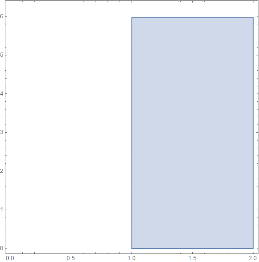
domain=RegionPlot[(1≤r≤2)&&(0≤theta≤1.9*Pi),{r,0,2},{theta,0,2*Pi},PlotPoints40]
Out[]=
(*transformationconepolar[slope]hasinputvariablesintheformofalist{r,theta},soinputvariablesneednotbeusedasargumentsintrnsfrm*)
In[]:=
conepolar[slope_][{r_,theta_}]:={r*Cos[theta],r*Sin[theta],slope*r};
In[]:=
trnsfrm[domain,conepolar[1]]
the map is {uCos[v],uSin[v],u}
dimension of the preimage = 2
dimension of the image = 3
Out[]=

Using conepolar[slope][{r, t}] requires using input variables {r,t}, in the arguments.
In[]:=
trnsfrm[domain,conepolar[5][{r,t}],{r,t},AxesTrue,AxesLabel{"x","y","z"},LabelStyle16]
the map is {uCos[v],uSin[v],5u}
dimension of the preimage = 2
dimension of the image = 3
Out[]=

We use fsphere to transform spherical to rectangular coordinates, in order to draw a spherical element of volume.
In[]:=
fsphere[ro_][{phi_,theta_}]:=N[{ro*Sin[phi]Cos[theta],ro*Sin[phi]Sin[theta],ro*Cos[phi]}];
inequalities:=(1≤ro≤1.2)&&(Pi/6≤phi≤1.2*Pi/6)&&(Pi/3≤theta≤1.2*Pi/3);smallvol=RegionPlot3D[inequalities//Evaluate,{ro,0,1.5},{phi,0,Pi/4},{theta,0,Pi/2},PlotPoints40,LabelStyle16,AxesLabel{"ρ","ϕ","θ"},MeshNone,ImageSize200];(*ThedefaultAxesLabelandBoxRatiosarethosefromdeltavolumesonewonesmustbespecifiedasplotoptions*)volelement=trnsfrm[smallvol,fsphere[ro][{phi,theta}],{ro,phi,theta},AxesLabel{"x","y","z"},BoxRatiosAutomatic,ImageSize300];{smallvol,volelement}//Row
Mapping Images on a Plane to Surfaces
Mapping Images on a Plane to Surfaces
The following example uses a mooninite which fits inside a [-2.5, 2.5] x [-2.5, 2.5] square. These are its points.
Shear Transformations
Shear Transformations
For showing a linear algebra class what vertical and horizontal shear transformations do, I’d like a domain with many features, for example adding vectors and flow lines to the combined picture above to make a new picture, combined1.
Forbidden Planet
Forbidden Planet
We modify the pictures in combined1 by removing the vectors and multiplying points of the mooninite by .8 to reduce its size
We reposition the domain to make it easy to map onto a sphere. The transformation maptonewdomain shifts the domain [-3, 3] x [-3, 3] to new rectangle [0, 6] x [0, 6], then multiplies by a factor of π/6 horizontally and π/3 vertically to make it into a rectangular region [0, π] x [0, 2π] ,
which will be mapped onto a sphere.
which will be mapped onto a sphere.
We need PlotRangeAll because the default plot range does not show the entire image.
We draw a planet and an atmosphere, then show them together.
Roman Holiday
Roman Holiday
A link https://en.wikipedia.org/wiki/Roman_surface on Wikapedia describes a map f(x, y, z )=(yz, xz, xy) from a sphere onto a Roman surface. We use trnsfrm to find the f- image of sfear .
Here’s what happens when you apply the Roman surface map f(x, y, z )=(yz, xz, xy) to a Roman surface. I typed “romansurface=” in front of the Roman surface graph, and shift-entered to assign the graphics to the name, then used it below. I won’t try to guess why it looks that way. A “bitmap” image is used to reduce file size.
Using the Roman surface map f(x, y, z )=(yz, xz, xy) on the atmosphere yields a strange image which seems to be opaque rather than having Opacity[.12] as it did in the planet. Using f to transform the planet and atmosphere, or showing their separate images under f produces the same picture, which hides much of the Roman surface. A “ bitmap” image is used for the transformed planet with atmosphere.