Match pattern in TimeSeries
by Damian Calin
by Damian Calin
The objective is to find ups and downs, zig zags or any given pattern expressed as a list of successive variations.
Functions first
Functions first
ClearAll[addmatch,loopmatches,matchpattern,matchpatternall,matchpatternskip];addmatch[matches_,ts_,val_,interval_:30]:=Block[{tuple=matches//Last},ts//TimeSeriesWindow[#,{tuple[[1]],DatePlus[tuple//First,interval]}]&//Normal//Rest//Cases[#,{t_,v_}/;Between[(v/tuple[[2]]-1),val//Interval]{t,v}]&//Map[Join[matches,{#}]&,#]&];loopmatches[matches_,ts_,val_,interval_]:=Map[addmatch[#,ts,val,interval]&,matches]//Flatten[#,1]&;matchpatternall[ts_,pattern_,interval_:30]:=Block[{matches},matches= ts//Normal//Cases[#,row_{row}]&;Fold[loopmatches[#1,ts,#2,interval]&,matches,pattern]//MapIndexed[{#2//First,#1//TimeSeries}&,#]&];matchpatternskip[ts_,pattern_,interval_:30]:=Block[{finalmatches,matches,index,row},index=ts["FirstDate"];ts//Normal//Map[row=#;If[First[row]>=index,matches=Check[Fold[loopmatches[#1,ts,#2,interval]&,{{row}},pattern]//First,{}]//Quiet;index=Check[matches//Last//First,index]//Quiet;matches, {}]&,#]&//Cases[#,t_/;t≠{}]&//MapIndexed[{#2//First,#1//TimeSeries}&,#]&];matchpattern[ts_,pattern_,interval_:30,skipnext_:True]:=If[skipnext,matchpatternskip[ts,pattern,interval],matchpatternall[ts,pattern,interval]];
Out[]=
6
Null
Demo
Demo
Define a pattern of variations.. Use Around to allow some approximation
pattern={Around[0.1,0.01],Around[-0.1,0.01],Around[0.1,0.01],Around[-0.1,0.01],Around[0.1,0.01],Around[-0.05,0.01]}
Out[]=
{0.100±0.010,-0.100±0.010,0.100±0.010,-0.100±0.010,0.100±0.010,-0.050±0.010}
The pattern will look like this based on default value of 10..
FoldList[#1+#1*#2["Value"]&,10,pattern]//ListLinePlot
Out[]=
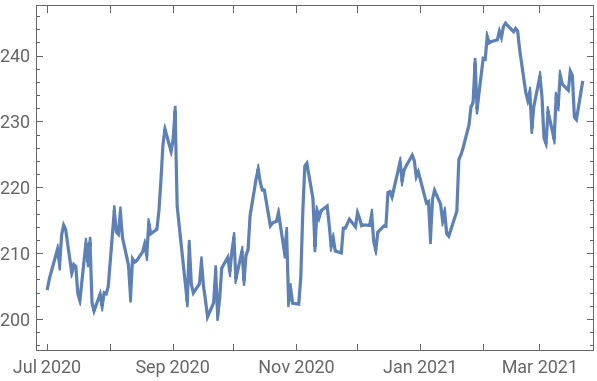
We try to identify previous illustrated pattern on a Financial data time series
tsdata=FinancialData["MSFT",{"20200701",Today}];tsdata//DateListPlot
Out[]=
Null
Inputs: - ts : time series - pattern: list of variations - interval (default 30 days) : max interval to search for a single match - skipnext (default True) : False - finds all matches ; True - finds non overlapping matchesOutput: - 2 dimensional list containing matches { {1 , ts } , {2, ts} .. {n , ts} } Find all possible matches .
matchpattern[tsdata,pattern,30,False]//Short
Out[]//Short=
1,TimeSeries,2,TimeSeries,510,513,TimeSeries


Finds non overlapping matches (once a match is found it will look up for next match past the last date of previous match)
matchpattern[tsdata,pattern,30,True]//Short
Out[]//Short=
1,TimeSeries
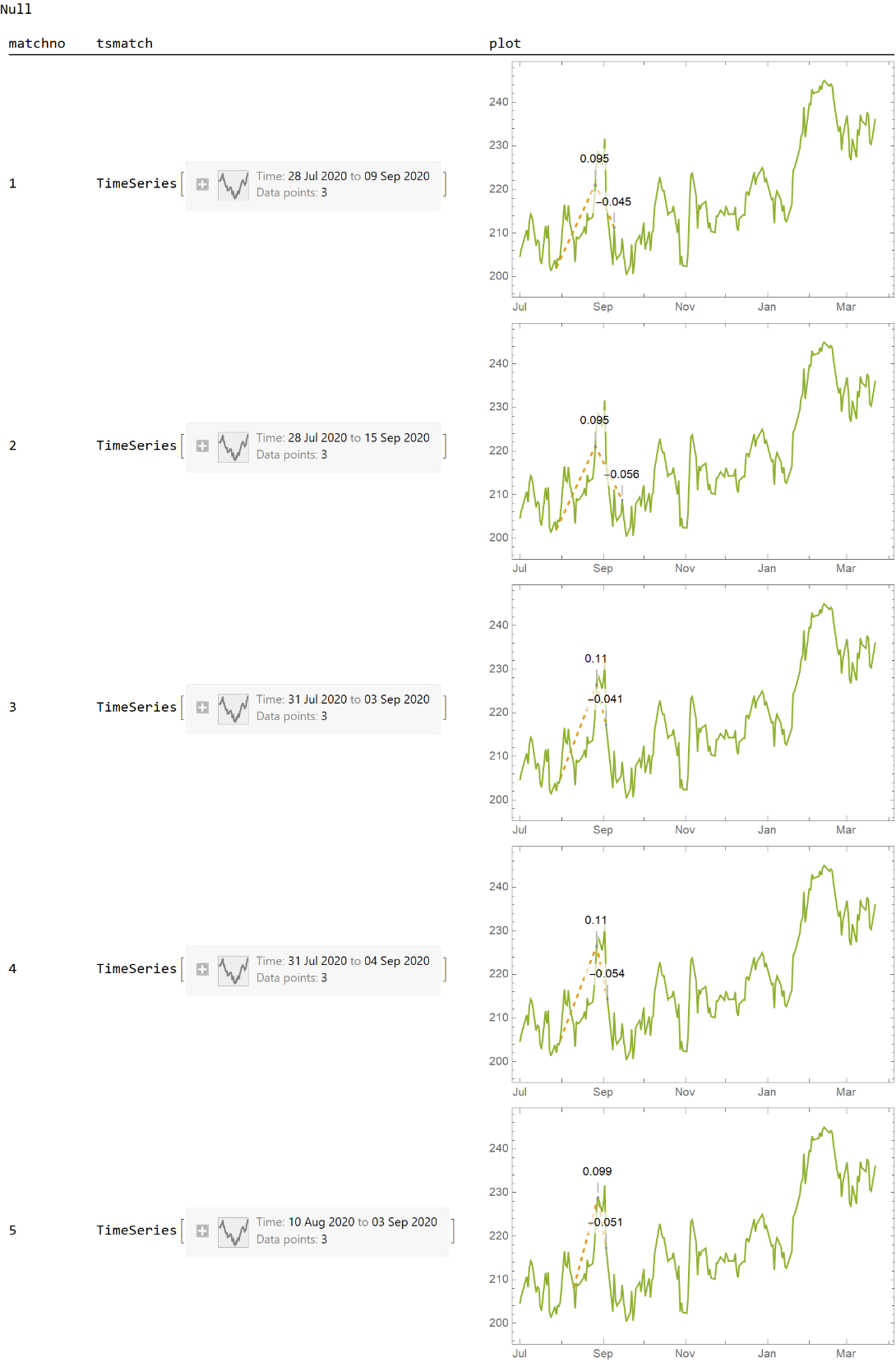
Manipulate and plot matches using SQL functions.
Sql functions could be found and load from: https://www.wolframcloud.com/obj/damcalrom/Published/SQL_Operators.nb
Sql functions could be found and load from: https://www.wolframcloud.com/obj/damcalrom/Published/SQL_Operators.nb
(*customplotfunctiontodisplayvariationsandvisualizepatterndatapoints*)custplotmatches[ts_,tsdata_]:=With[{tscallout=MapThread[Join[#1,{#2}]&,{ts//Normal//Rest,(ts//Values//Ratios)-1}]//Cases[#,{t_,v_,r_}Callout[{t,v},r//N[#,2]&,Above]]&},{tscallout,ts,tsdata}//DateListPlot[#,Joined{False,True,True},PlotStyle{PointSize[Small],{Dashed,Thick}},ImageSizeMedium]&];(*mainquery*)matchpattern[tsdata,pattern,30,False]//(*allmatches*)Take[#,5]&//(*limittofirstmatches*)tableSQL[#,{"matchno","tsmatch"}]&//addColumnsSQL[#,Association["plot"custplotmatches[tsmatch,tsdata]]]&//showTableSQL
Total Rows:5 Elapsed:3.08654
Out[]=
Non overlapping matches
Plot all consecutive matches on single plot