Using NBodySimulation[] to model animal movements
Using NBodySimulation[] to model animal movements
Basic gravity model
Basic gravity model
To kick things off this is one of the documentation examples
In[]:=
data=NBodySimulation["InverseSquare",{<|"Mass"1,"Position"{0,0},"Velocity"{0,.5}|>,<|"Mass"1,"Position"{1,1},"Velocity"{0,-.5}|>,<|"Mass"1,"Position"{0,1},"Velocity"{0,0}|>},4];ParametricPlot[Evaluate[data[All,"Position",t]],{t,0,4}]
Out[]=
Replicating it with a custom function for animal movement
Replicating it with a custom function for animal movement
Movement models designed to simulate flocking-type behavior typically have two force components that relate to the locations of different animals, and in particular to the distance between them. One is an attraction-repulsion force, and the other is an orientation force. The attraction repulsion for is a bit ike a spring, and the NBodySimulation function does have a spring-like force option (“Harmonic”), but we will write our own.
First, we look at the example of a custom function from the documentation.
In[]:=
force[r_,e_]:=With[{delta=#1["Position"]-#2["Position"]},Function[deltaeRamp[2r-Norm[delta]]^(3/2)/(2Norm[delta])]];
From this we see that custom functions are entered as pure functions, with the first argument corresponding to the focal animal and the second argument to a neighbor. NBodySimulation will apply this function to all pairwise combinations of individuals. And the underlying data structure of the state of the system is such that we can pull different state properties, such as “Position”, “Velocity” and “Momentum”.
For animals, we want a function that repels as short distances, attracts at longer distance, but which fades to zero and even longer distances (because animals will eventually lose awareness of each other when the separation gets big enough). A handily suitable and ‘tuneable’ function for the sgn and strenth of the attraction/repulsion force is provided by the ‘Mexican hat’ wavelet function (in this case over the non-negative reals)
In[]:=
ManipulatePlot-1Exp-,{dist,0,30},PlotRange->All,{{s,2},1,3},{{σ,5},2,8}
-2
4
π
3σ
s
dist
2
σ
s
dist
2
2
σ
Out[]=


We then apply this to the ‘delta’ vector between the animals. The Manipulate below shows the attraction/repulsion force on the focal animal (in the center) caused by the location of its neighbor.
In[]:=
ManipulateModule{delta,dist,strength},delta={0,0}-pos2;dist=Norm[delta];strength=-1Exp-;Graphics[{Black,Point[{0,0}],Point[pos2],Arrow[{{0,0},{0,0}+(delta/Norm[delta])*strength*30}]},PlotRange->{{-15,15},{-15,15}}],{{s,2},1,3},{{σ,5},2,8},{{pos2,{10,10}},Locator}
-2
4
π
3σ
s
dist
2
σ
s
dist
2
2
σ
Out[]=
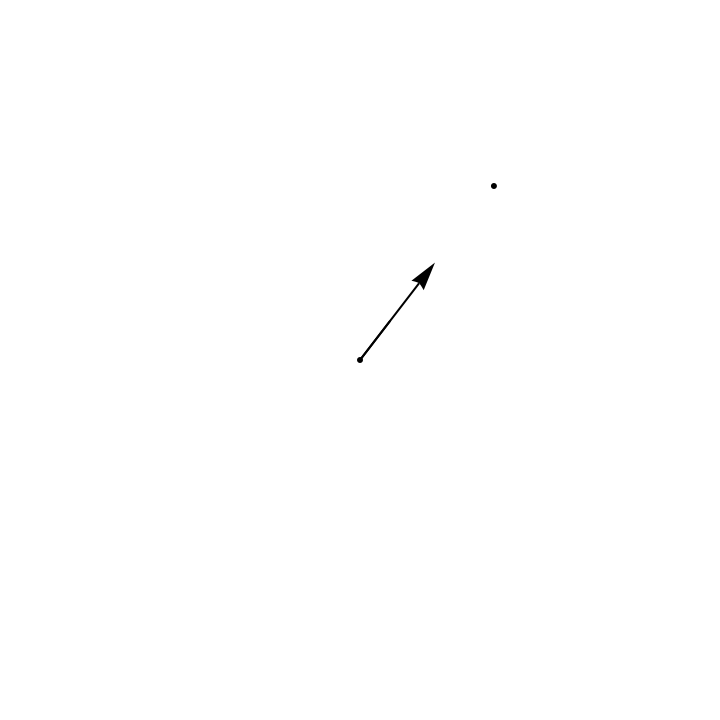
Now for the orientation force. This will be a function of the direction of the neighbor, which is provided by the “Velocity” parameter of the system state. It will also be stronger the closer they are together. We will use an exponential decay. In the manipulate below, we assume the neighbor is moving north
In[]:=
Manipulate[Module[{delta,dist,strength},delta={0,0}-pos2;dist=Norm[delta];strength=Exp[-a*dist];Graphics[{Black,Point[{0,0}],Point[pos2],Arrow[{{0,0},{0,0}+{0,1}*strength*15}]},PlotRange->{{-15,15},{-15,15}}]],{{a,0.5},0.01,1},{{pos2,{10,10}},Locator}]
Out[]=
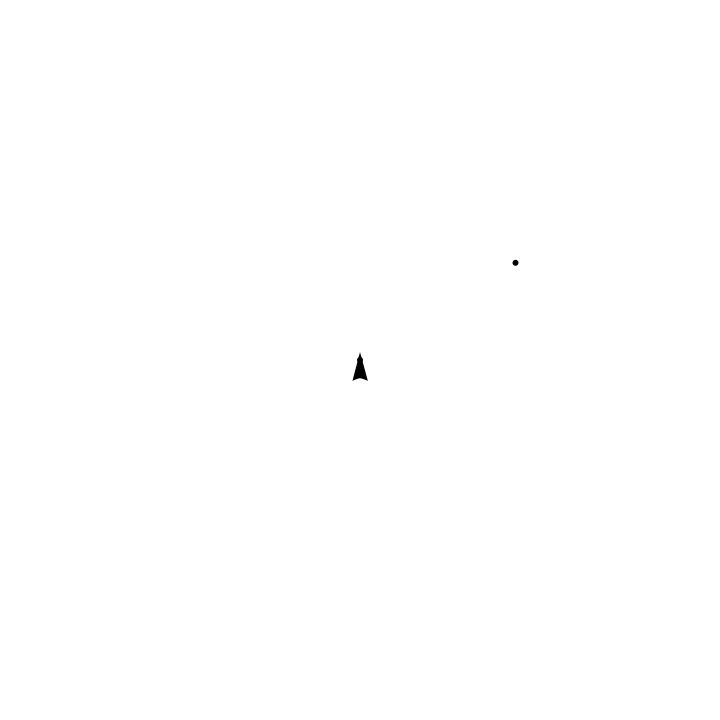
Now we can write a function that combines these (using a parameter e to weight the orientation force relative to the attraction/repulsion force) and creates a pure function for insertion into NBodySimulation.
In[]:=
force[σ_,s_,a_,e_]:=With{delta=#1["Position"]-#2["Position"]},Function(delta/Norm[delta])*-1Exp-+e*(#2["Velocity"]/Norm[#2["Velocity"]])*Exp[-a*Norm[delta]]
-2
4
π
3σ
s
Norm[delta]
2
σ
s
Norm[delta]
2
2
σ
In[]:=
force[5,2,0.5,1]
Out[]=
(#1[Position]-#2[Position])-2-1Exp-(Norm[#1[Position]-#2[Position]](&
2
Norm[#1[Position]-#2[Position]]
2
5
2
Norm[#1[Position]-#2[Position]]
2
2
5
1/4
π
3×5
))+#2[Velocity]Exp[-0.5Norm[#1[Position]-#2[Position]]]
Norm[#2[Velocity]]
So let’s simulate! We start with a relatively weak orientation force (weight 0.1)
Here is an animation
With stronger orientation, the animals eventually align their movements and set off in a random direction..
To add some complexity, we can add a ‘migration’ term: an external force. Here we go back to the low orientation simulation but add that external force (in a south-west direction).
We can also add a boundary
This boundary is not very realistic for animals because NBodySimulation assumes an elastic bounce, which animals do not do.
Now for the bit I am stuck on. To really be useful in animal movement simulation, we would like to have an arbitrary potential surface, representing areas that are relatively good and bad. As this is simulation is in continuous time and space (using NDSolve under the hood, I believe), my idea was to use an InterpolationFunction object. But I can’t get it to work, in part because I don’t think I understand what potential means in this context. Here is a simulation that removes any pairwise forces and replaces the external force we used for migration by an external potential. My thinking was that external potential should be a single-valued function of space, and the simulation would automatically calculate force as the 2D derivative of the potential function. But that can’t be right because this, which makes the potential just the x coordinate of the space
ought to make the animals move left or right (depending on whether they are moving up- or down the potential gradient). But they don’t; they just move along their initial vectors under their own momentums.
So, can anyone explain what external potential is meant to be in this context? There are no examples in the documentation... :(