The use of remote sensing technologies to produce high-quality satellite imagery of urban landscapes has been popularized over the past decade, however, many individuals and companies are unclear on how they should use such images. This project explores a possible application of such technology through the Wolfram Language’s expansive satellite imagery collection in hopes of creating an algorithm that can accurately draw a border to separate urban areas from non-urban areas via image processing techniques.
Motivation
Motivation
When I was first assigned to this project at the start of summer camp, I honestly did not think that it would be possible to accurately map out the borders of cities. I knew from background experience that political borders are cities are often irregular and extremely variable and I was stumped for a while on whether or not this would even be possible with just image processing. However, as I progressed through the camp and learned more about image processing and satellite imagery, I started to understand how important my project was. Numerous remote sensing companies have been able to take high-quality satellite photos of Earth for the past few years now with the caveat being that no one knows how to use this imagery productively. I realized that my project, while not relatively complex, could show others one of the numerous applications Earth-orbiting remote sensing technologies could be used for which greatly motivated to do whatever I could to accurately map out city borders to the nearest degree.
Introduction
Introduction
At the start of this project I understood how difficult it would be to draw the political borders of a city via satellite imagery, thus, I shifted my focus towards highlighting and drawing borders around the regions that represent urban areas in a satellite image. From looking at a multitude of satellite images of cities across the world I soon realized that urban areas typically were best represented as darker and greyer than non-urban areas which were typically green or blue. As such, my goal for this project shifted towards recognizing and highlighting urban areas via image processing and then drawing a border to create an algorithm that is able to accurately determine the boundaries between urban and non-urban landscapes.
Retrieve Satellite Image of San Jose
In[]:=
SanJoseSatelliteImage = GeoImage
Out[]=
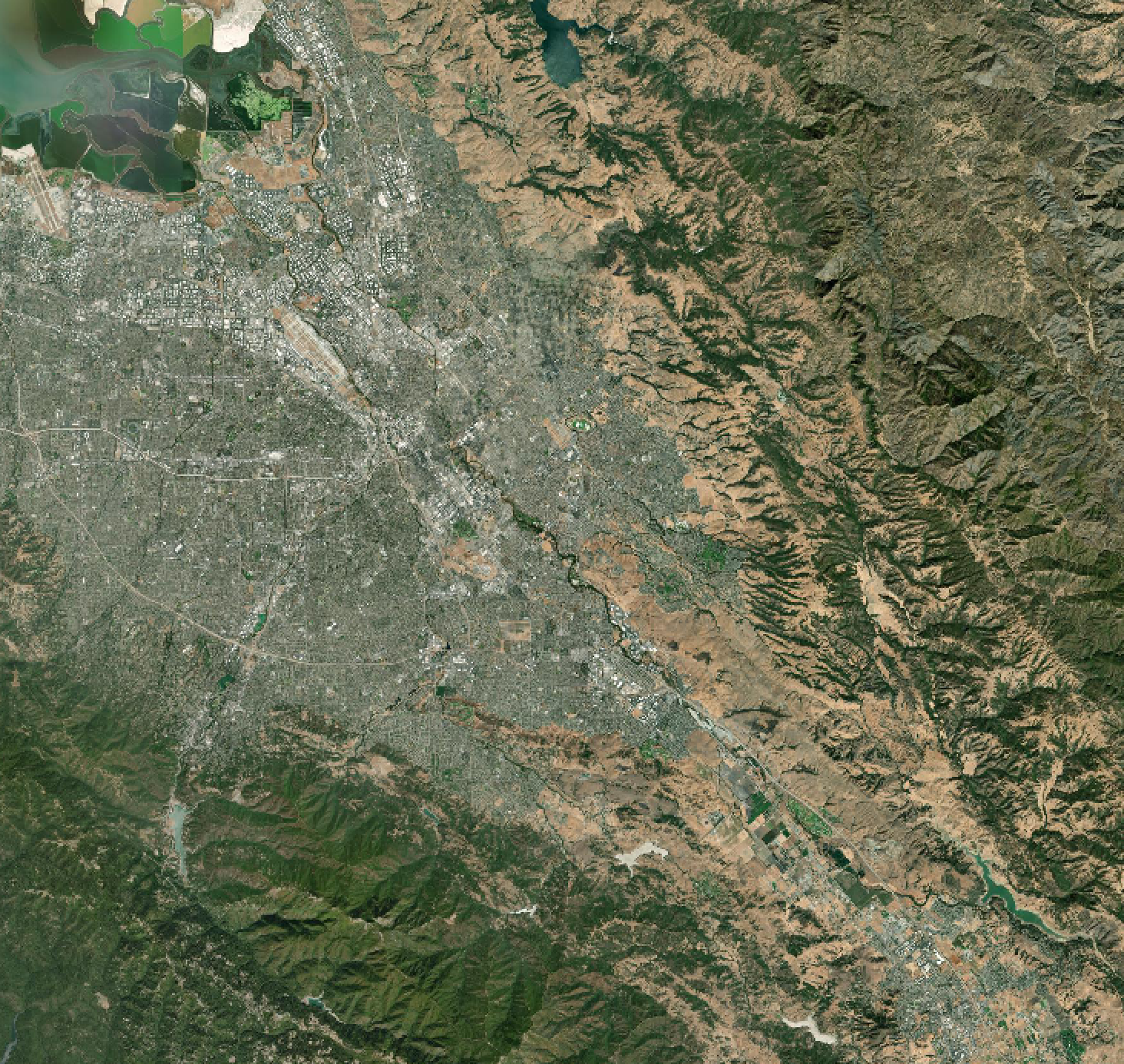
Image Processing
Image Processing
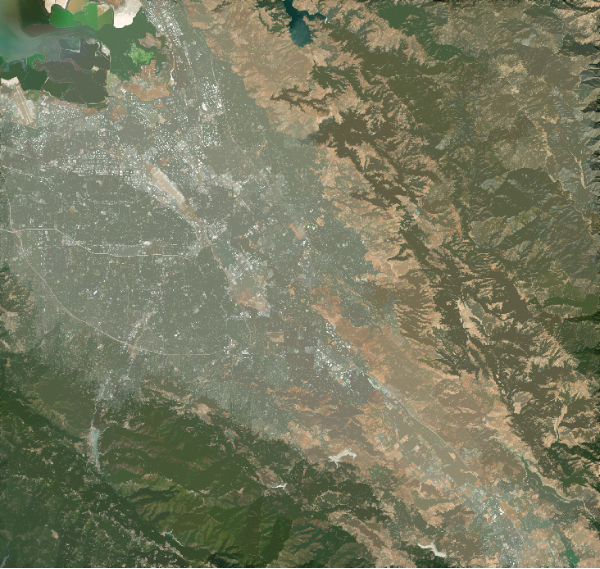
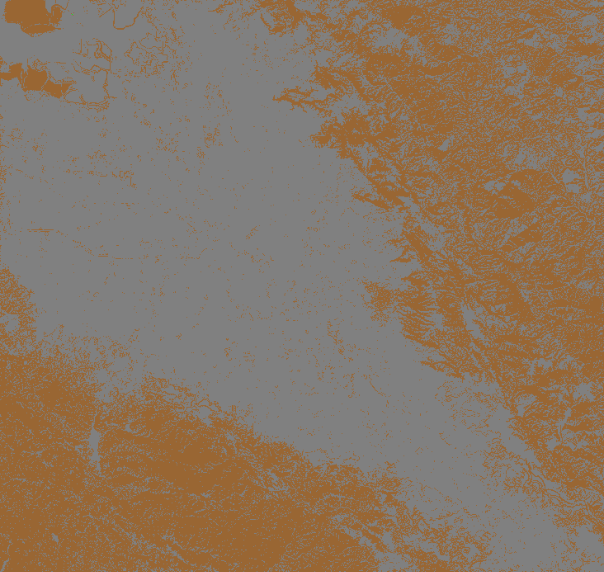
The image processing algorithm used for my purposes was relatively simple with it's main purpose to recognize and highlight areas on a satellite image that represent urban ground. After looking at various satellite images of large cities in the United States, I realized that the best colors that represented cities were typically light gray while green, brown, and blue typically represented areas outside of city municipalities.
Smooth out RGB colors in a Satellite Image:
In[]:=
smooth = FillingTransform[SanJoseImage]
Out[]=
Sharpen image and limit the number of distinct colors to Blue, Gray, Green, and Brown:
In[]:=
quantized = ColorQuantize[Sharpen[smooth], {Blue, Gray, Green, Brown}, Dithering -> False]
Out[]=
Binarize Image:
In[]:=
processedimage = Binarize[quantized]
Out[]=
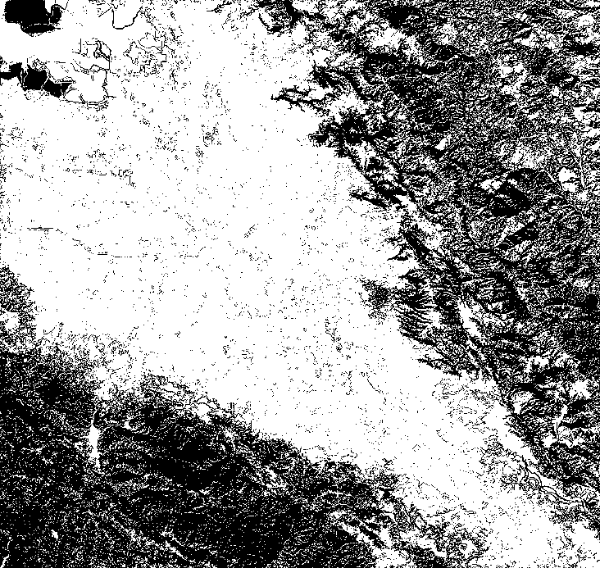
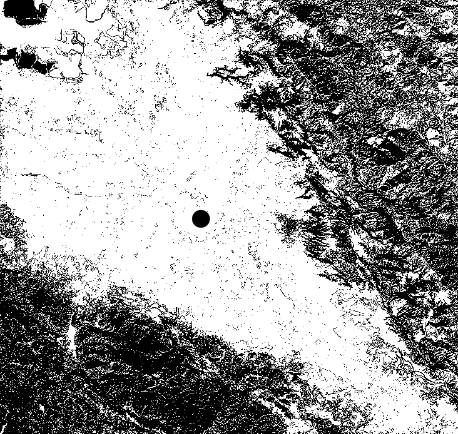
Once this image processing phase was done, it made it much easier to see which areas represented urban landscapes (white values) and which areas represent non-urban landscapes (black values).
Determining the Urban Center
Determining the Urban Center
Once the satellite images were binarized, it made it relatively easy to find the "center of mass" of all urban areas. Finding the urban center of a satellite image accurately would prove to be extremely important when actually mapping out the borders of a city in future steps.
Find the average coordinate value of all coordinates with an ImageData value of 1:
In[]:=
UrbanCenter = Total[Position[ImageData[processedimage], 1]]/Length[Position[ImageData[processedimage],1]] // N
Out[]=
{321.184,343.229}
Visualize the Urban Center of an Image (Black dot represents Urban Center):
In[]:=
HighlightImage[processedimage, ImageMarker[UrbanCenter, Graphics[{PointSize[0.05], Point[{UrbanCenter}]}]]]
Out[]=
Send out the Vectors
Send out the Vectors
Vectors originating from the coordinate value of the Urban Center one calculated were sent out from all directions. For the purposes of this section, only one vector from the UrbanCenter with the angle measure of 70 degrees was sent.
Create vector with the direction of 70 Degrees:
In[]:=
angle = 70 Degree;dvec = {Cos[angle], Sin[angle]}
Out[]=
{Sin[20°],Cos[20°]}
Extracting Coordinates along a Vector
Extracting Coordinates along a Vector
Once a vector with any particular direction was sent out from the Urban Center, it was important for us to determine the exact coordinate values of the pixels that fell along that vector
Select the pixels that fall under dvec and extract their coordinate values:
Finding the Boundary
Finding the Boundary
At this point I was ready to find the coordinate value of the pixel that represented the border between an urbanized land and non-urban land. To do this I developed an algorithm that would take the coordinate values of pixels that fell along a particular vector (what my previous function did) and then partitioned these coordinates into groups of 15. Afterwards, I retrieved the pixel value (0 or a 1) for each coordinate. Finally, to determine which coordinate value represented the boundary along a particle city I took the first coordinate in a partition where the average pixel value in that partition was less that 0.15 as that indicates an area transitioning from an urban landscape to a non-urban landscape.
Find coordinate that represents the boundary of a city along a particular vector:
Afterwards, I made the algorithms that were able to get all of the coordinates along a particular vector and then find the coordinate value that represented the border into a function so that this process could be repeated for every possible directional vector.
Repeat process for every possible integer value direction of a vector to get a cumulative list of coordinates that represent the boundary of a city:
Drawing the Border
Drawing the Border
We were now finally ready to draw the border and visualize it on the original satellite image that was passed in. This proved a bit tricky as I had to create a line that connected all of the coordinates that represented the border of an urban area in a satellite image and then overlay it on top of the original satellite image that was passed through while making sure the border that was drawn fit the dimensions of the satellite image.
Determine the dimensions of the image:
Connect coordinates together to create a boundary using ListLinePlot:
Overlay border on top of the original satellite image:
Retrieving Political Border
Retrieving Political Border
At this point I was curious to see how accurate my border drawing function was so I decided to compare it with the actual political borders of a city. While this comparison is not perfect as political boundaries tend to be complicated with no clear method of accurately predicting them, it provided me some way to see how well my algorithm was doing.
Remove background from a political border of a city:
Overlay political boundary:
Tying it all Together - It's Function Time
Tying it all Together - It's Function Time
Finally, I tied all of these individual algorithms together and cleaned up the code into a couple of organized function so that this process could be repeated with not only different satellite images of cities but also with different city names via the Interpreter function.
Image Processing Function
Image Processing Function
UrbanCenter Function
UrbanCenter Function
Coordinate Values along a Vector Function
Coordinate Values along a Vector Function
Get Border Coordinates Function
Get Border Coordinates Function
Get Political Border Function
Get Political Border Function
Final Draw Border of City Image Function
Final Draw Border of City Image Function
Final Draw Border of City Function
Final Draw Border of City Function
Gallery
Gallery
Take a look at some of the city boundaries that were generated. The thick red borders in red represent the borders my algorithm were able to create while the border in black represents the political boundary.
Conclusion
Conclusion
Limitations
Limitations
The algorithm developed is not perfect and has a few key limitations that must be addressed before it can reliably map out the borders of urban areas in a particular city:
◼
Unable to tell the difference between water and land in a satellite image (New York City Gallery Image)
◼
Get Border Coordinates Function is not efficient
◼
Borders are often sharp and are not smooth/easy to look at
◼
Image Processing function often mistakes non-urban land that are brown in color as urban lands
Discussion
Discussion
It is my hope that this project served as a way to show the numerous applications of high-quality satellite imagery. From doing something as simple and silly as trying to determine the borders of cities to tracking deforestation levels at a particular location, the potential use for remote sensing technologies is immense and I am excited to see what lies ahead in terms of the future of this technology.
Future Extensions
Future Extensions
I believe that much more can be done with the current functions I have created. In the near future I would love to continue working on this project and do everything I could to make the algorithms I develop to draw borders around urban landscapes more optimized and more accurate. I believe the first step to do this would be by improving the image processing function so that it more inclusive in terms of what it defines as urban and non-urban land. I believe that this could be done by using the image processing function, WatershedComponents. Afterwards, I would like to incorporate some sort of machine learning algorithm that looks at the pixel values of coordinates and is able to literally draw a border from that. This would also lead to some cool animations as we could see how the model worked and each time it failed to draw the border. Lastly, I would like to test these functions out with cities outside of the United States, especially smaller cities in Europe, and see how that effects the accuracy of my algorithm.
Acknowledgements
Acknowledgements
I would like to acknowledge all of the wonderful directors and mentors who made Wolfram Summer Camp 2021 possible and would like to thank them for providing me this opportunity to further explore the intricacies of the Wolfram Language through a meaningful research project. I would like to personally thank my mentor, Peter Barendse, for helping me throughout the entire program and providing valuable advice whenever I needed it. Lastly, I would like to thank my parents for allowing me to sign up for this program and dedicate two and a half weeks towards it.
References
References
1
.Beigbeder, T. (2017). All the roads leads to deep learning : mapping satellite pictures. Wolfram Community. https://community.wolfram.com/groups/-/m/t/1136633.
2
.Wolfram Language & System Documentation Center. (n.d.). https://reference.wolfram.com/language/.
Keywords
Keywords
◼
Image Processing
◼
Remote Sensing
◼
Satellite Imagery
◼
Urban Areas
◼
Borders