CITE THIS NOTEBOOK: Walking tracks graphics with AnglePath by Bowen Ping. Wolfram Community April 5 2023.
There are some interesting examples in the documentation of function AnglePath. In this notebook, a function is used to generate more beautiful graphics with different functions for step sizes and angles. There are many interesting graphics with different patterns, some of whom are shown in this notebook.
Function Walker
Function Walker
It starts with a function walker, which is aimed to make it easier to input arguments. The graphics will be generated as we record the tracks of the “walker”.
In order to plot beautiful figures, the options of Graphics and Line need to be added.
In[]:=
Options[walker]=Join[Options[Graphics],Options[Line]];
The arguments of function walker are afunc, range and any options, where the afunc is for calculating the angle of every step, sfunc for the step size and the range for minimum, maximum and step size of iterator growth.
In[]:=
walker[afunc_,range_?NumberQ,OptionsPattern[]]:=Graphics[Line[AnglePath[afunc[#]&/@Range[range]],Apply[Sequence,#->OptionValue[#]&/@Options[Line][[All,1]]]],Apply[Sequence,#->OptionValue[#]&/@Options[Graphics][[All,1]]]];walker[afunc_,range_List,OptionsPattern[]]:=Graphics[Line[AnglePath[afunc/@Range@@range],Apply[Sequence,#->OptionValue[#]&/@Options[Line][[All,1]]]],Apply[Sequence,#->OptionValue[#]&/@Options[Graphics][[All,1]]]];walker[{afunc_,sfunc_},range_List,OptionsPattern[]]:=Graphics[Line[AnglePath[{afunc[#],sfunc[#]}&/@Range@@range],Apply[Sequence,#->OptionValue[#]&/@Options[Line][[All,1]]]],Apply[Sequence,#->OptionValue[#]&/@Options[Graphics][[All,1]]]];
Here defined are two functions, one for one argument for the celling of the range, one for the range list. The latter one will be used more.
Back to Examples
Back to Examples
Let’s first look at the examples in the documentation, which are:
In[]:=
examples=Row[{Graphics[Line[AnglePath[Range[0,10,.01]]]],Graphics[Line[AnglePath[Range[0,100,.01]]]],Graphics[Line[AnglePath[N@Range[10000]]]],Graphics[Line[AnglePath[N@Range[100000]]]],Graphics[Line[AnglePath[Table[tSin[t],{t,0,50,.01}]]]],Graphics[Line[AnglePath@N[Table[{i,8},{i,1000}]],VertexColorsMap[Hue,Subdivide[0,0.8,1000]]]]}];
Since the graphics would make computer very laggy, here I didn’t show the results.
The first four graphics can be regarded as identity function act on the table with different lower and upper limits and step size, to be exactly, which are:
In[]:=
Column[Short[#,0.5]&/@{Range[0,10,.01],Range[0,100,.01],Range[10000],Range[100000]}]
Out[]=
{0.,0.01,0.02,0.03,993,9.97,9.98,9.99,10.} |
{0.,0.01,0.02,9995,99.98,99.99,100.} |
{1,2,3,4,5,6,9988,9995,9996,9997,9998,9999,10000} |
{1,2,3,4,5,99990,99996,99997,99998,99999,100000} |
The first two have equal steps but different upper bounds, while the last two are exactly the opposite, which makes them generate different figures.
And the last second one use function t sin(t) to generate the walk angle.
The last one changes the step size while walking but with same angle.
The function walker can walk with different angle generated by func and range with unit walk step. The ways to generate the examples using walker are:
In[]:=
exa=Row[{walker[Identity,{0,10,0.01}],walker[Identity,{0,100,0.01}],walker[Identity,10000],walker[Identity,100000],walker[#Sin[#]&,{0,50,0.01}],walker[{Identity,8&},{0,1000},VertexColorsMap[Hue,Subdivide[0,0.8,1000]]]}];
Generate New Graphics
Generate New Graphics
Now try to generate some graphics using simple functions we know.
In[]:=
TableForm[Function[{func},walker[func,{#1,#2,0.01},Axes->True]&@@@Table[{0,i},{i,10,100,30}]]/@{Sin,Cos,Exp,Identity,ArcTan},TableHeadings->{{"Sin","Cos","Exp","Identity","ArcTan"},None}]
Out[]//TableForm=
Sin | ||||
Cos | ||||
Exp | ||||
Identity | ||||
ArcTan |
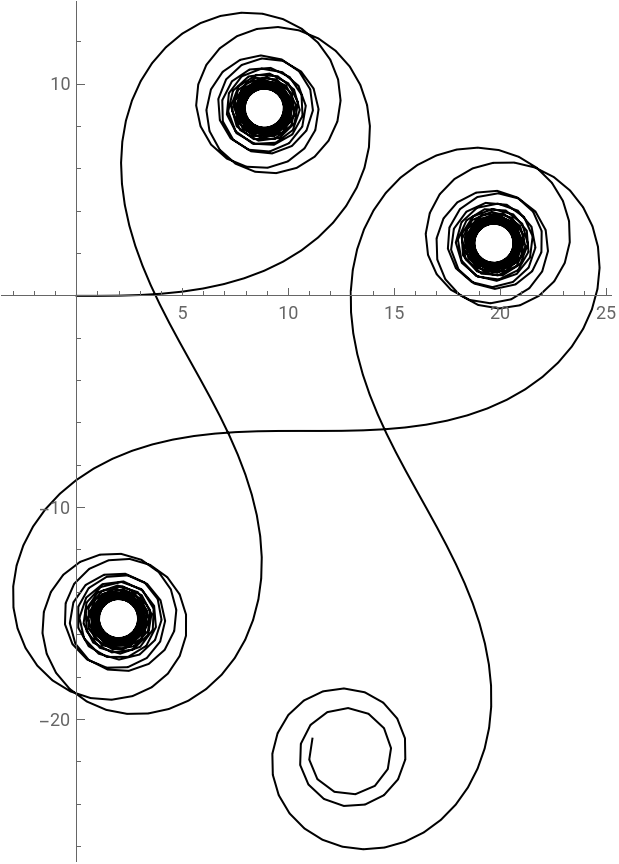
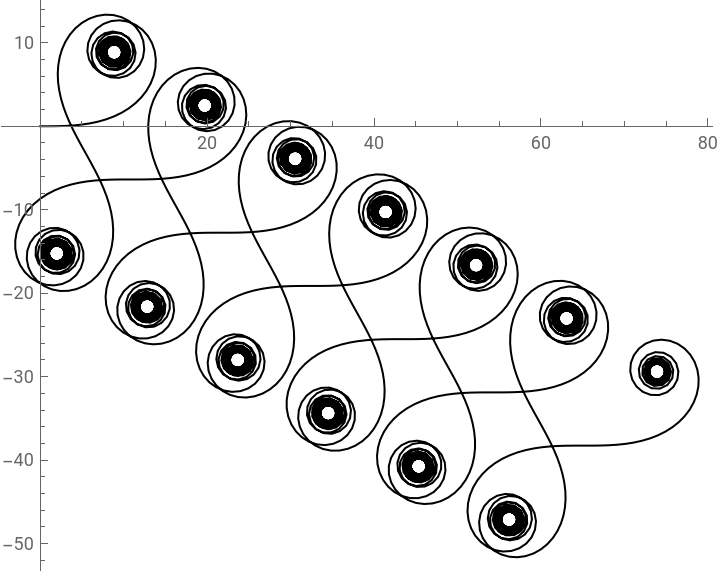
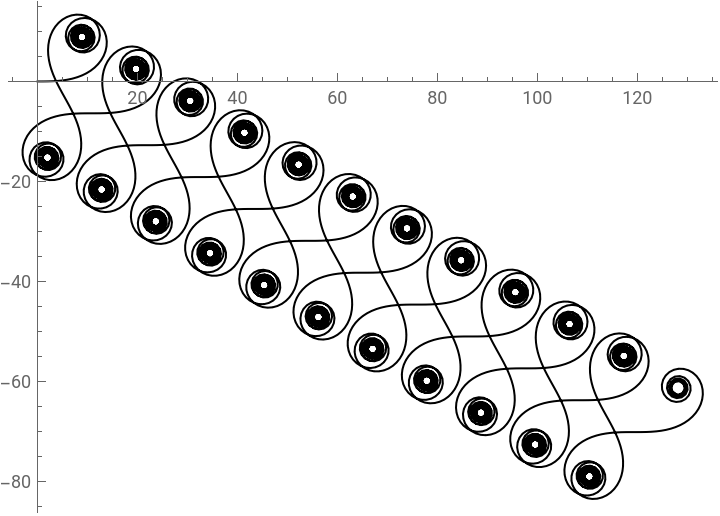
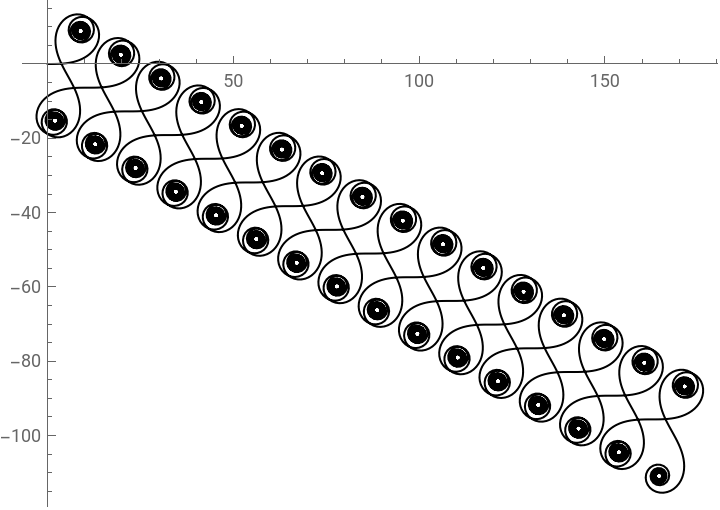
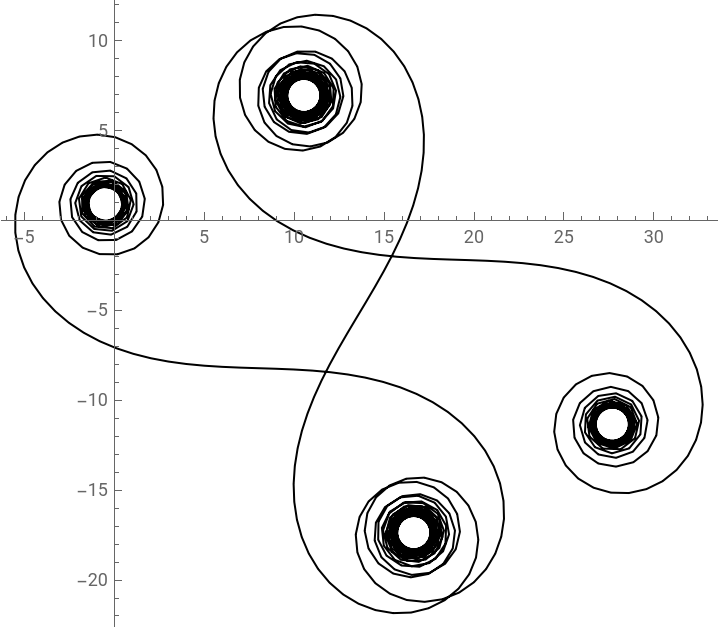
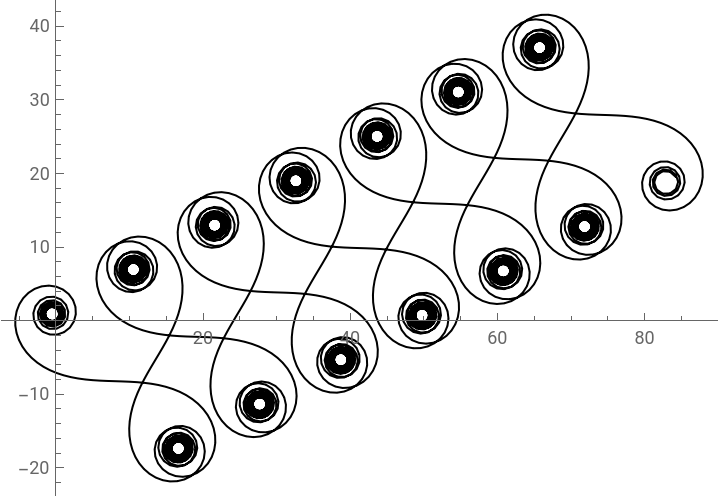
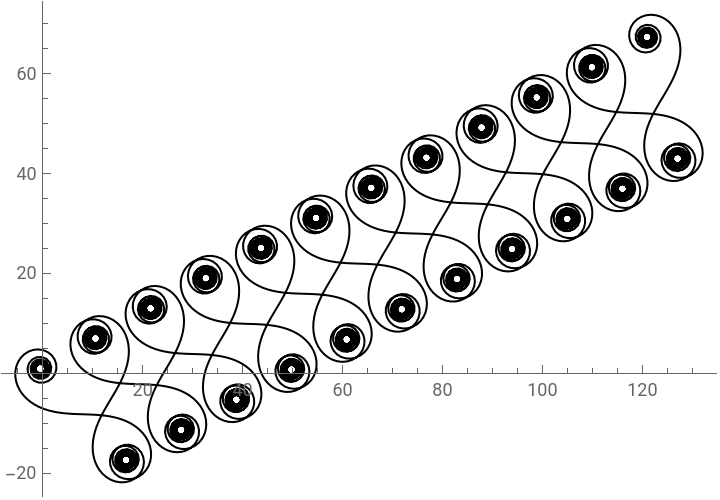
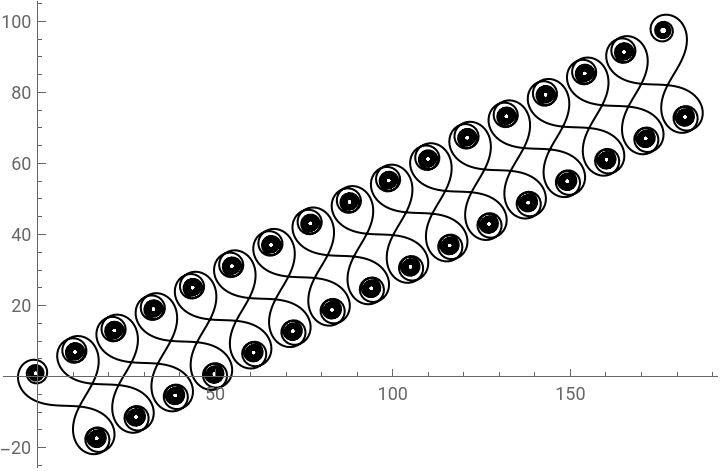
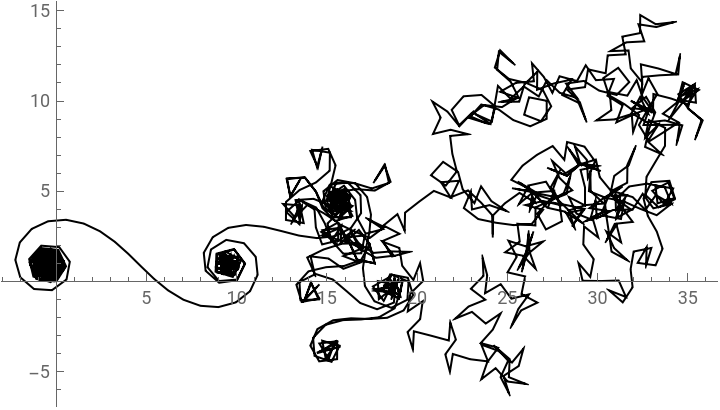
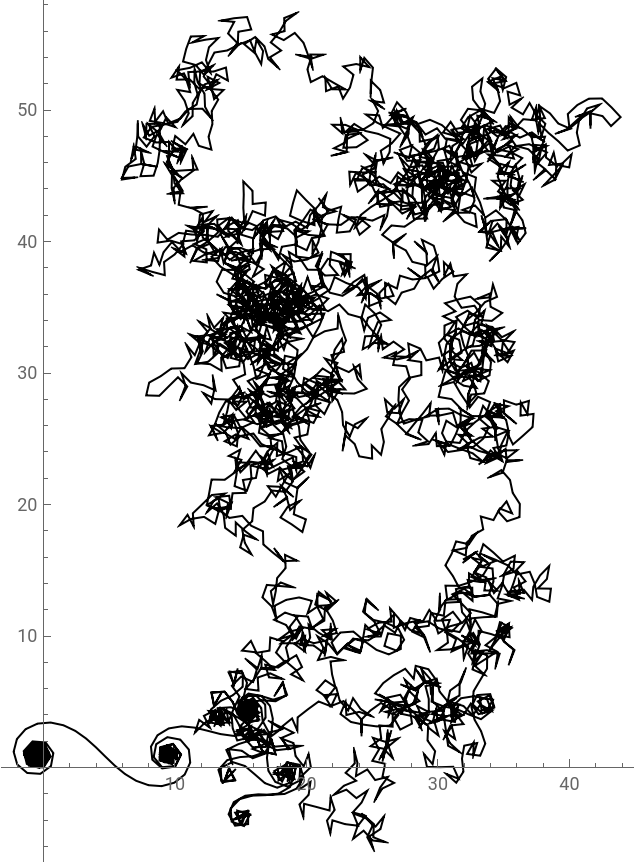
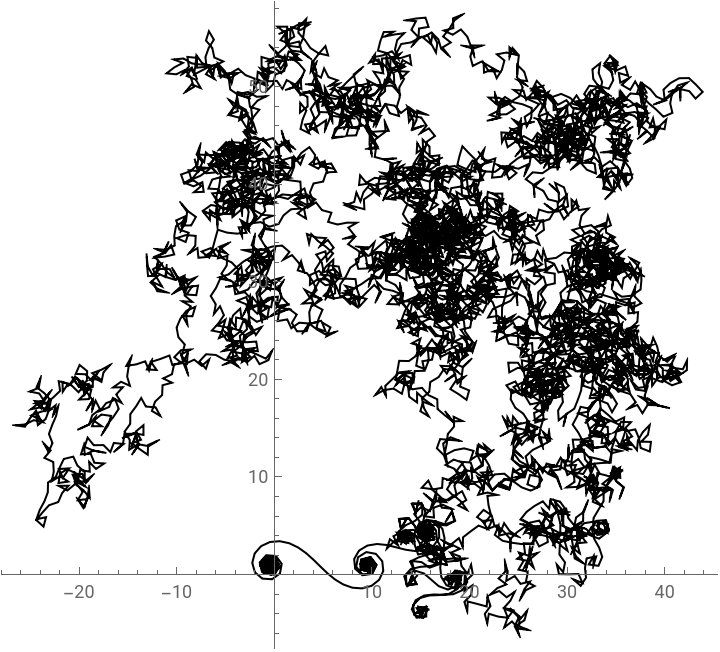
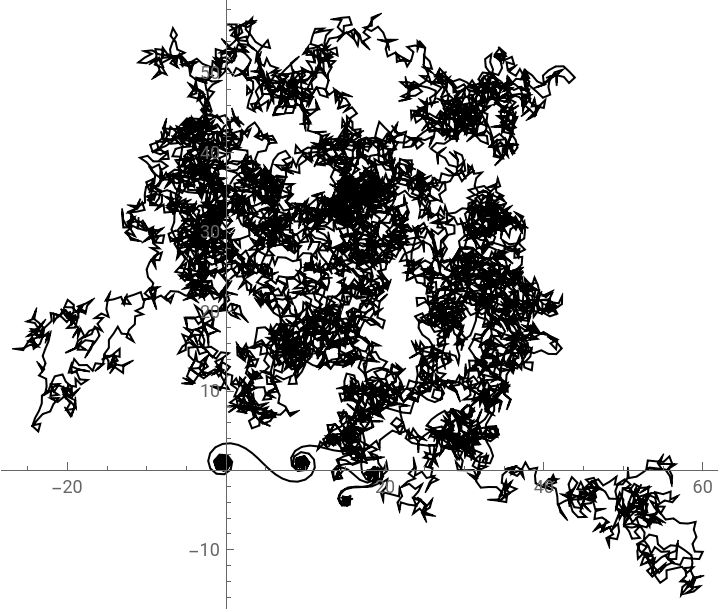
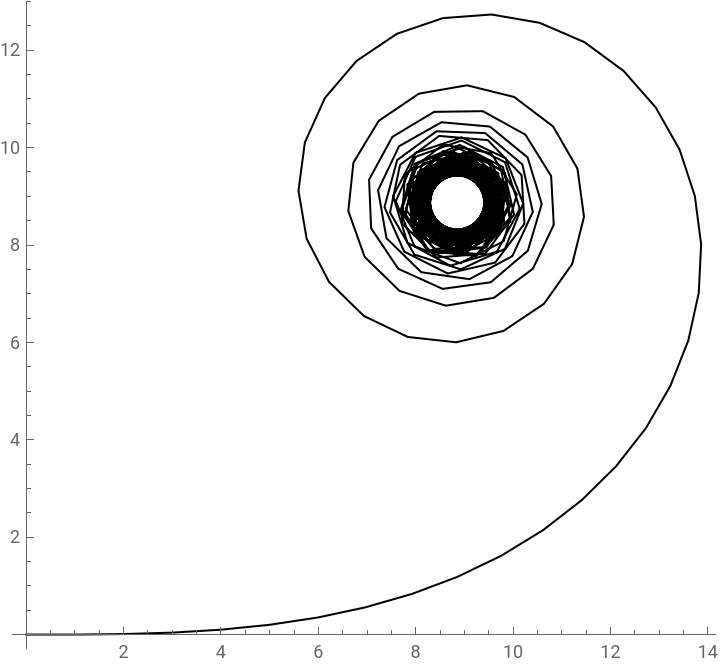
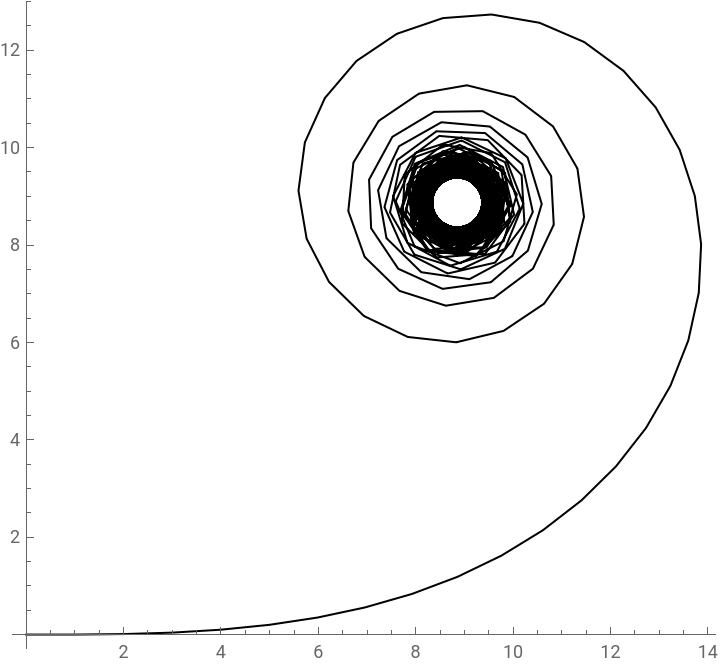
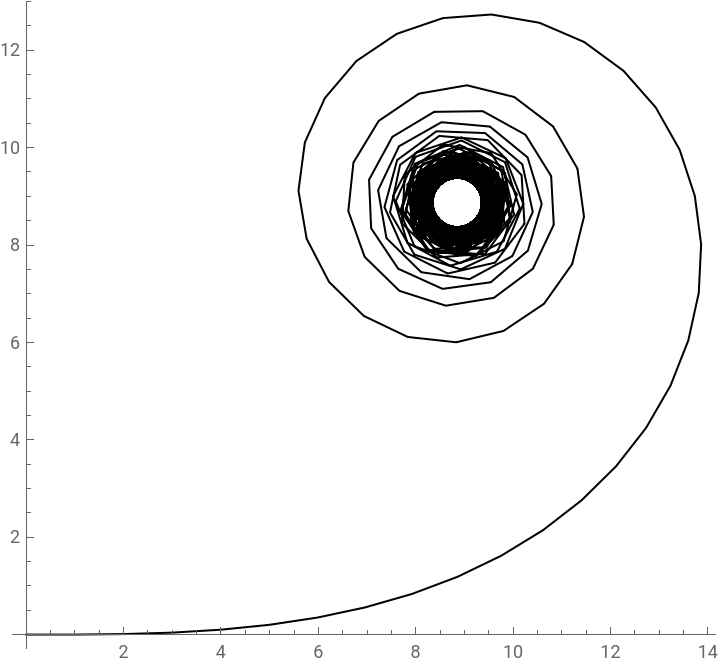
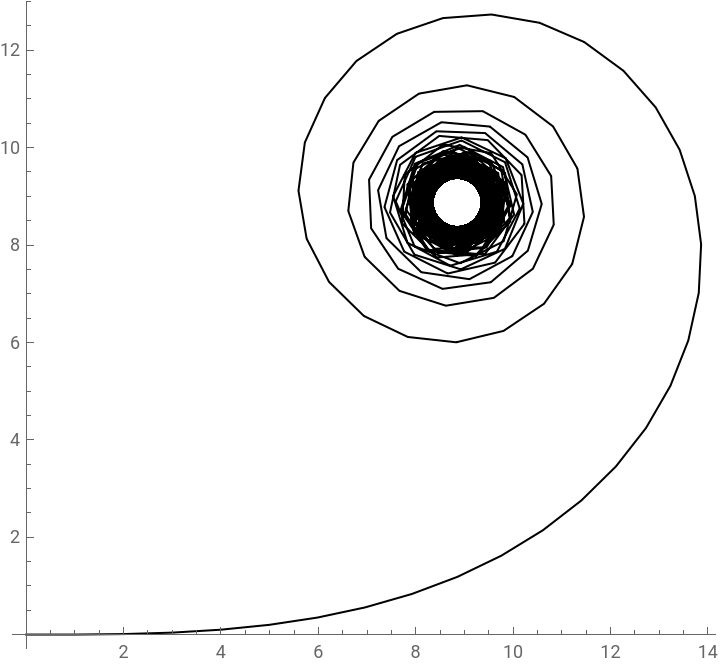
Now we have many complex graphics generated by different functions. Since the sin and cos are periodic, so are the graphics. But those of exponential and identity are chaos for now, which will consume too many resources if keep generating. As for ArcTan, it seems like converge into something. Let’s find out what it is!
ArcTan
ArcTan
In[]:=
{walker[ArcTan,{0,100,1}],walker[ArcTan,{0,100,0.1}],walker[ArcTan,{0,10,0.1}]}
Out[]=
,

,


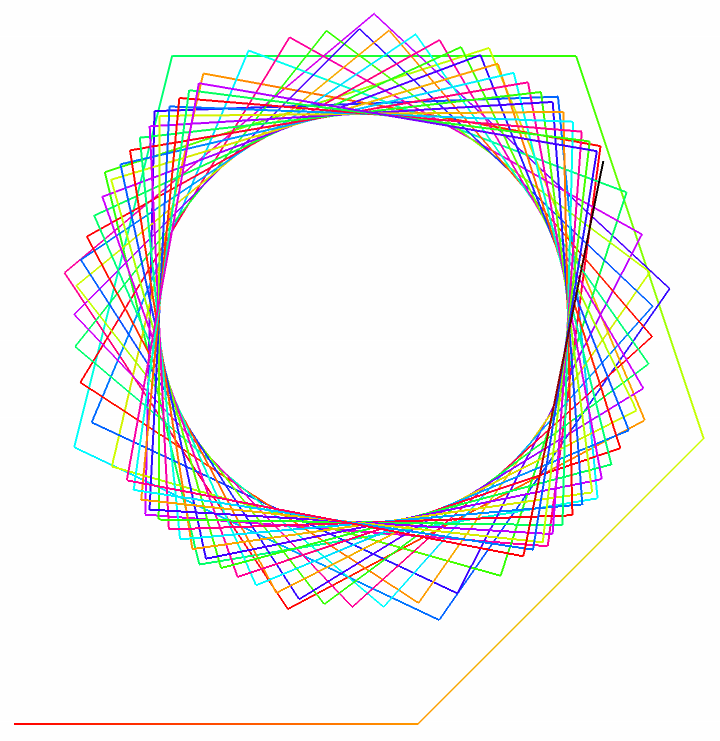
With the three graphics above, it seems that the line converges to a ring, or a circle. The second argument in the list, which is the upper limit, only affects the thickness of the ring, which is easy to understand - the more iterations, the thicker the ring. However, the third determines the radius of the ring, by comparing the first to second graphics.
Now decorate the plot with colors!
In[]:=
walker[ArcTan,{0,100,1},VertexColors->Hue/@Subdivide[0,10,100]]
Out[]=
Monotonically Increasing Functions
Monotonically Increasing Functions
The functions Exp, Identity are both monotonically increasing in [0, ∞), whose graphics show chaos only. Let’s study more functions like them!
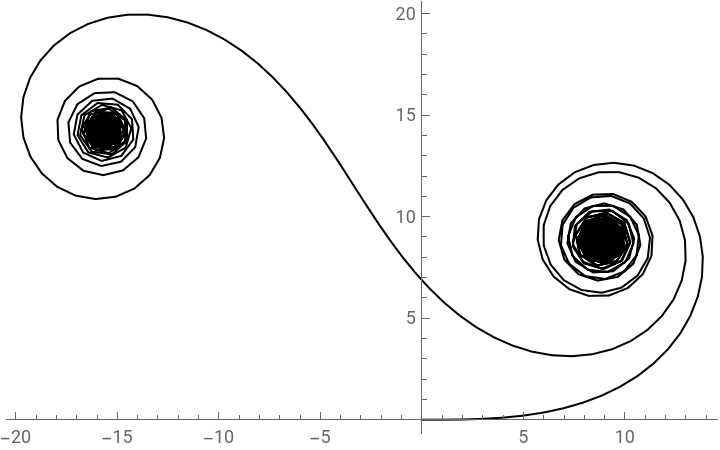
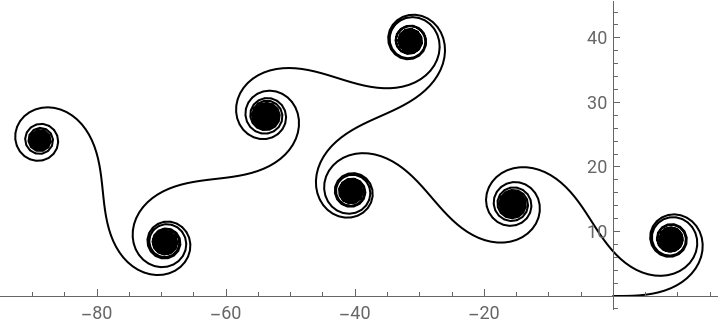
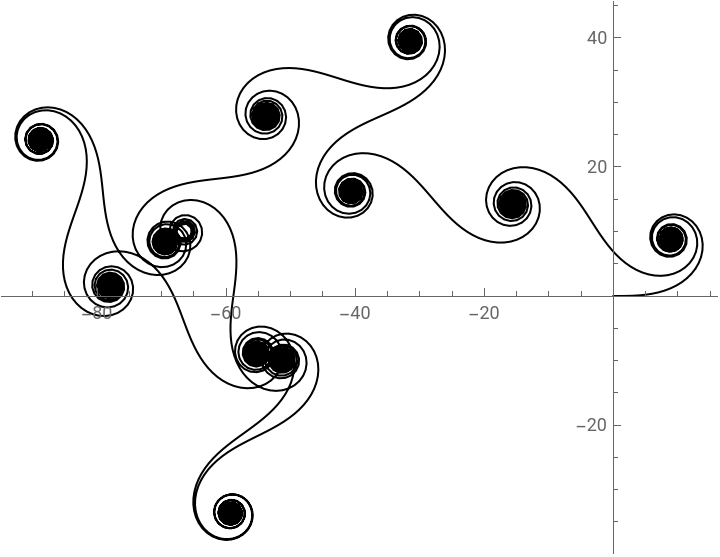
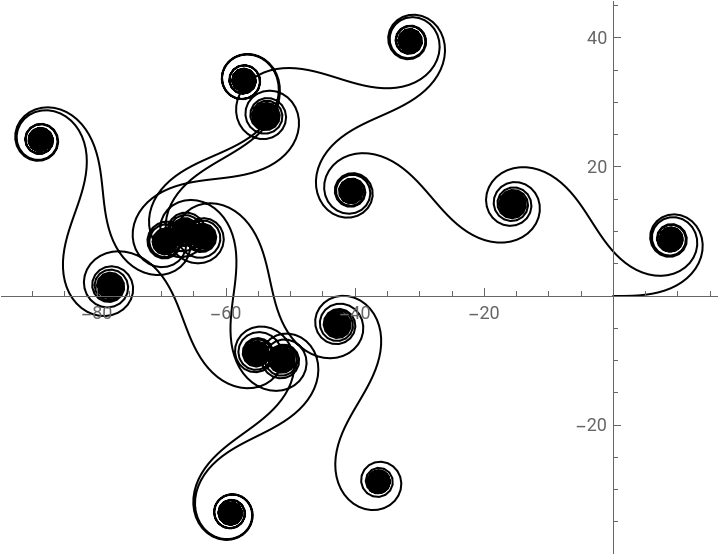
According to the graphics, the only one who converges is Log’s. Others look like a mess at all. So let’s study Log.
Oh! Function log generate a graphics in shape of S with two disks at both ends. And it seems that the final outcome is irrelevant to three argument in list.
And we can draw half of that respectively:
Lets decorate them all!
Oh, these look dizzying!
Periodic Functions
Periodic Functions
We found that, the periodic functions sin and cos generated periodic graphics, and we will study the periodic function here.
Let’s begin with the simplest periodic function, which is:
The periodicity of f is 2. f only takes two discrete values 0 and 1 in a period. The function is really easy, but we will see how many complex graphics it can generate.
You can use the command above to generate a interactive graphics, which can show how it changes with different arguments.
But it may large amounts of resources, if your computer does not respond after entering, please adjust the second argument in the list smaller and the third larger!
But it may large amounts of resources, if your computer does not respond after entering, please adjust the second argument in the list smaller and the third larger!
Here are some of graphics I found that look good:
They are all black and white. If you want, it is easy to decorate them with colors. For example,
And Don’t forget sin and cos, here they are. Now I change the limits and step size to more natural figures, which show more elegant outcomes.
They look like a vine with flowers. The scalar of Pi in upper limit is the number of “flowers” (for sin) or that plus 1 (for cos) and the step size determines the complexity of the “flower”.
Decorate the flowers now!
There is another kind of periodic function, which is built by function f:
The periodicity is also 2 but the lower limit is down to -1. The graphics it generates are very different from that generated by f.
The following command can be used to generate interactive graphics, but resource-consuming.
Unlike the graphics before, which generated by f most converge to a ring, or a circle, these graphics are diverging or extended, some of which are with fractal structures.
More Tries with Changing Step Size
More Tries with Changing Step Size
The discussion above all use unit step sizes. If different step sizes are considered, more beautiful graphics can be generated.
A beautiful example in the documentation with different step sizes is:
It is generated by step size function Identity and angle function 8. We can try more different functions. For example, try f to be both step sizes and angle functions.
The last one looks like the logo!
With step size function, the graphics can be more complex and interesting. There are more interesting graphics to be discovered and more decoration could be used for beautifying the plots.