1. Motivation
1. Motivation
Last year I send my wife, Julia, a 3D printed heart pendant. Now I am wondering, what I should send to her as birthday gift in this year? More precisely, what should I build to express my love?
In my opinion, love is mutual, love is interactive. A couple could feel each other, take care of each other, affect each other. The thing is bidirectional, not just one way. Well...... I don’t know much about love, nevertheless how to visualize an interactive love. But I do know there are plenty of interference phenomenons in physics.
In the article I am going to describe in detail how my new jewelry is mathematically designed and prototyped in WL new 3D rendering feature (12.3+).
In the article I am going to describe in detail how my new jewelry is mathematically designed and prototyped in WL new 3D rendering feature (12.3+).
2. Heart Shape
2. Heart Shape
Firstly, I downloaded a heart curve from Wolfram Alpha or MathWorld. First heart curve is dedicated to a first lady.
In[]:=
PlaneCurveData,"CartesianEquation"
Out[]=
Functiona.,Functionx.,y.,a.
3
+-
2
x.
2
y.
2
a.
2
x.
3
y.
Set the parameter to 17 (unit: millimeter) to determine the overall the size of heart jewelry:
a.
In[]:=
With[{a=17},ContourPlot[-a0,{x,-20,20},{y,-25,15},MaxRecursion3,ContourStyleDirective[Blue,Thick]]]
3
(+-)
2
x
2
(y+7.5)
2
a
2
x
3
(y+7.5)
Out[]=
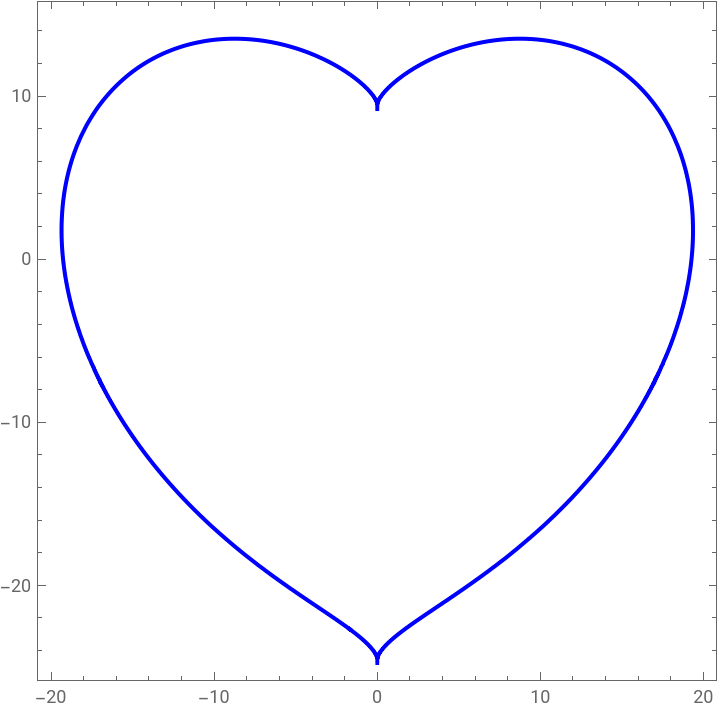
Use ImplicitRegion to fill the enclose the region. Unfortunately, I have to break the heart in pieces with BoundaryDiscretizeRegion for the sake of numeric computation.
In[]:=
firstHeartCurve=ImplicitRegion[-17≤0,{x,y}];heartRegion=BoundaryDiscretizeRegion[firstHeartCurve,MaxCellMeasure{"Length"0.1}]
3
(+-)
2
x
2
(y+7.5)
2
17
2
x
3
(y+7.5)
Out[]=

3. Wave surface
3. Wave surface
I use the code from Wave interference Demonstrations authored by Stephen Wolfram to create a visual effect of pond ripples with interference. This for sure adds dynamic to my final design.
Use one-liner expresses the sources of wave with simplicity and elegance:
In[]:=
wave[xy_,a_,p_,f_,d_][x_,y_]:=a(1-d)Cos[fNorm[{x,y}-xy]-p];
The patterns of two sources wave interference is exactly what I want to express. I carefully tune the wave parameters, source position, amplitude, frequence etc. so that the wave form fits in the heart region properly:
In[]:=
DensityPlot[0.03(wave[{-10,2.5},10,10,2,0.3][x,y]+wave[{5,-7.5},8,8,1,0.1][x,y]),{x,-20,20},{y,-25,15},ImageSize400,MeshFunctions{#3&},Mesh5,FrameTrue,AxesTrue,PlotPoints50,MaxRecursion1,PlotRangeAll,ColorFunction"Rainbow",PlotLegendsAutomatic]
Out[]=
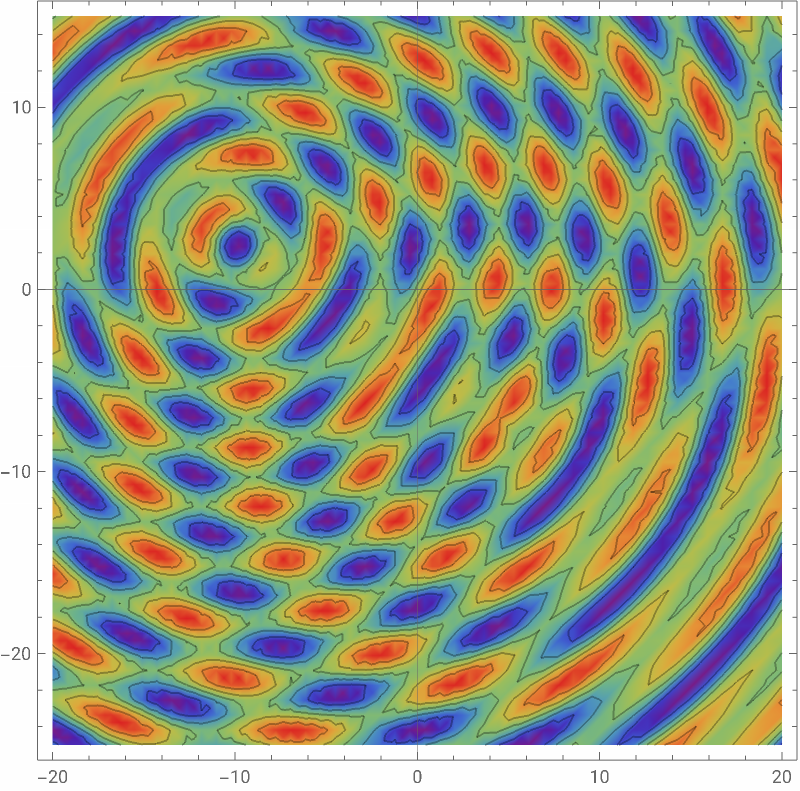

Using ParametricPlot3D and RegionFucion to combine the wave surface and heart shape. A little swimming pond is made.
In[]:=
waveSurface=ParametricPlot3D[{x,y,0.03(wave[{-10,2.5},10,10,2,0.3][x,y]+wave[{8,-7.5},8,8,1,0.1][x,y])},{x,-21,21},{y,-25,15},ExclusionsNone,AxesTrue,BoxedFalse,MeshFalse,MaxRecursion1,PlotRangeAll,PlotPoints100{1,1},PlotLegendsAutomatic,PlotTheme"ThickSurface",ImageSize400,ColorFunctionColorData["BrownCyanTones"],ColorFunctionScalingTrue,RegionFunctionFunction[{x,y,z},With[{a=17},-a≤0]]]
3
(+-)
2
x
2
(y+7.5)
2
a
2
x
3
(y+7.5)
Out[]=


4. Key Roles
4. Key Roles
Mandarin duck (鸳鸯) symbolizes love and forever companion in China. Regardless of their versatile avian mobility, the couples never act alone and always share good time with each other when cruising in pond or the sky. The followings are some images of the activities of mandarin duck.
Out[]=
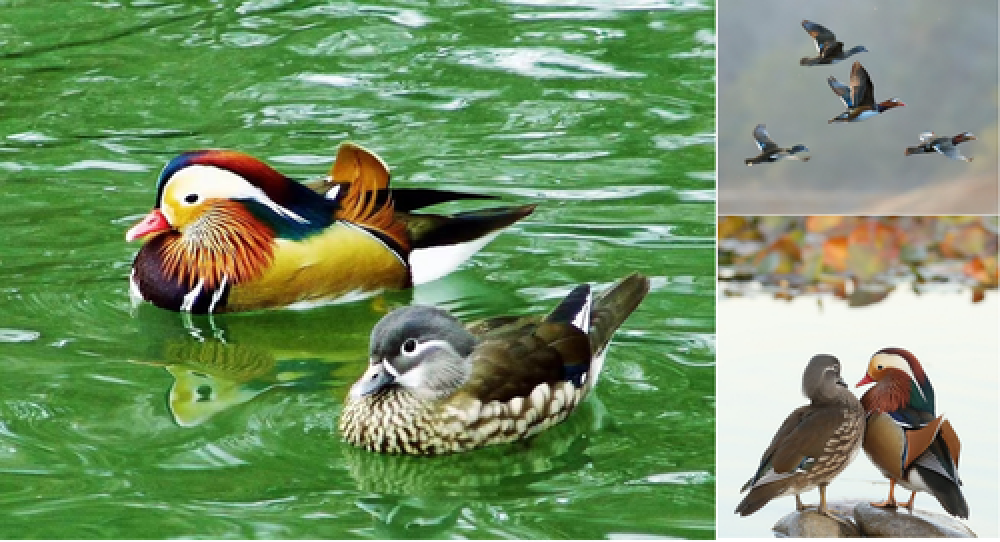
Well, to sculpture the duck with the exact detail probably takes decades of training in fine art. Paul Abbott’s magic duck, from Wolfram One-Liner Competition 2010, reminds me of the effective minimalism representation of the same idea. The spherical coordinates duck is so lovely and it takes the Joker’s card in the official Wolfram playing card collection.
In[]:=
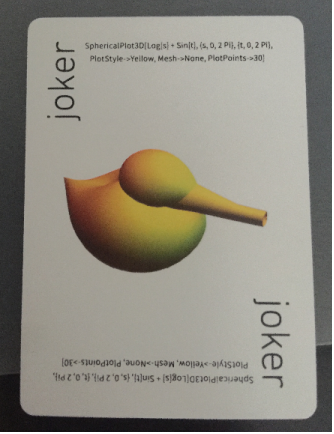
I use the same code here and tune the first parameter for plot range from 0.1 instead of 0. The bird’s beak resembles the actual on the duck after this modification:
The eye-less duck, a result from a pure math abstract shape, implies is coincident to one of Shakespeare’s best phrase: Love is blind.
5. Assembly
5. Assembly
The position and orientation of the two ducks, in very nerdy terms, is like the initial condition for pursuit curve problem. It is a combination of 3D plot function and geometric transformation function on the 3D objects.
Generate ducks from our parametric equations on parameterized spherical coordinate:
Generate the basic graph element from the 3D objects:
Adjust the position and direction of the ducks:
Attach the ducks to the wavy base, Actor and actress are ready.
6. Rendering
6. Rendering
After I refined the 3D model in a STL editor, I can now import them back to WL to render the 3D with some realistic light effect:
Extract the basic 3D objects
In old version Mathematica, a 3D graphics will be probably looks like this way.
MaterialShading is then introduced in 12.3. The powerful feature can quickly enhance more metal texture effect. In my particular case:
◼
The male duck is more colorful in nature, so I plan it with a golden coating, it will be seems more shining later.
◼
The female duck looks gray alike. In nature, female animal usually don’t appear as beautiful as male, of course female human is an exception. So I will build female duck in silver, then leave it with no polishing and high surface roughness. Later, the nature will take over, silver surface will oxidize and become darker. Of course, female human is an exception in nature.
◼
The wave plate will be made in silver as well, but polished to decrease roughness, until it looks like mirror or water surface reflecting effect.
Clothing, camera and lighting are ready.
7. Jewelry Prototype
7. Jewelry Prototype
Use similar method and process described in 3D printing and lost-wax casting, my jewelry is brought to life. Silver is a good material to present fluid. The pattern of interference wave are clear and shining. It is very relaxing to see the duck couple play with the wave together casually.
One more thing worth mention is the difference between a traditional jewelry with 3D scene jewelry. A traditional jewelry usually looks good from just one view point, like front view. But a 3D scene jewelry looks full of love stories from all different view points. This is because the mathematically generated surface keeps the physics right and tight.