CITE THIS NOTEBOOK: Converting MoveNet for Wolfram Language by Kotaro Okazaki. Wolfram Community FEB 2 2023.

I have previously posted how to convert a trained model of PyTorch for Wolfram Language. It was a tedious process. In Version 13.2 a new construct NetExternalObject is introduced, which makes it easy to import an ONNX model. So, in this post, I will post how to convert a trained model of TensorFlow for Wolfram Language. It is an easy process.
Specifically, a trained model published on TensorFlow Hub is converted to an ONNX model, which is then imported into a notebook as an external network. The model used as a sample is MoveNet published in 2021, which predicts human joint locations of people in the image and detects up to 6 people simultaneously.
TensorFlow > ONNX
TensorFlow > ONNX
You can convert a trained model of TensorFlow to an ONNX model by running the following in Google Colab.
1. Get the trained model (MoveNet) from TensorFlow Hub
!wget -q -O movenet_multipose_lightning_1.tar.gz
2. Create a directory and uncompress under it
!mkdir movenet_multipose_lightning_1
!tar -zxvf movenet_multipose_lightning_1.tar.gz -C movenet_multipose_lightning_1/
3. Install tf2onnx which converts TensorFlow to ONNX
pip install tf2onnx
4. Convert MoveNet of TensorFlow to ONNX model
!python -m tf2onnx.convert --saved-model movenet_multipose_lightning_1 --output movenet_multipose_lightning_1.onnx
5. Download the ONNX model(movenet_multipose_lightning_1.onnx)
ONNX > Wolfram Language
ONNX > Wolfram Language
Import of the ONNX model will fail, but it can be imported as an external network.
In[]:=
Import["movenet_multipose_lightning_1.onnx"]

Out[]=
$Failed
In[]:=
net=Import["movenet_multipose_lightning_1.onnx","NetExternalObject"]
Out[]=
NetExternalObject


Input 1×a×b×3 is as follows. Create an encoder which defines a transformation from an image to a list of arrays later.
- a is related to the width of the image and b is related to the height.
- a and b are both multiples of 32.
- The larger should be 256.
- a is related to the width of the image and b is related to the height.
- a and b are both multiples of 32.
- The larger should be 256.
Output 1×6×56 is as follows
- The first 51 of 56 is the 17 keypoints to each person having 3 values; the x,y, and confidence score. The order of the 17 keypoints is 1:nose, 2:left eye, 3:right eye, 4:left ear, 5:right ear, 6:left shoulder, 7:right shoulder, 8:left elbow, 9:right elbow, 10:left wrist, 11:right wrist, 12:left hip, 13:right hip, 14:left knee, 15:right knee, 16:left ankle, 17:right ankle.
- The last five are the object’s box information and its confidence score.
- The first 51 of 56 is the 17 keypoints to each person having 3 values; the x,y, and confidence score. The order of the 17 keypoints is 1:nose, 2:left eye, 3:right eye, 4:left ear, 5:right ear, 6:left shoulder, 7:right shoulder, 8:left elbow, 9:right elbow, 10:left wrist, 11:right wrist, 12:left hip, 13:right hip, 14:left knee, 15:right knee, 16:left ankle, 17:right ankle.
- The last five are the object’s box information and its confidence score.
Evaluation function
Evaluation function
Define helper functions to evaluate neural network.
Define a function to get the size to be used by an encorder from an image.
In[]:=
ClearAll[encodesize];encodesize[img_Image]:=Block[{w,h},{w,h}=ImageDimensions[img];If[w>=h,{256,Round[h*256/w,32]},{Round[w*256/h,32],256}]];
Define a functions to get a skeleton and a bounding box for a person.
In[]:=
ClearAll[getpose];getpose[no_Integer,res_,size_List,obj_]:=Block[{thickness,pointsize,person,pts,skeleton,object},thickness=0.005;pointsize=Medium;(*skeleton*)person=ArrayReshape[res[[1]][[no]][[;;51]],{17,3}];pts=size{#2,1-#1}&@@@person;skeleton=Graphics[{(*face*)White,Thickness[thickness],Line[pts[[#]]&/@{4,2,1,3,5}],(*leftside*)Cyan,Thickness[thickness],Line[pts[[#]]&/@{10,8,6,12,14,16}],(*rightside*)Orange,Thickness[thickness],Line[pts[[#]]&/@({10,8,6,12,14,16}+1)],(*sholder&hip*)Yellow,Thickness[thickness],Line[pts[[#]]&/@{6,7}],Thickness[thickness],Line[pts[[#]]&/@{12,13}],(*points*)Red,PointSize[pointsize],Point[pts]}];(*object:boundingbox*)object=If[obj,pts=size{#2,1-#1}&@@@ArrayReshape[res[[1]][[no]][[52;;55]],{2,2}];Graphics[Rectangle@@pts],Nothing];(*output*){skeleton,object}];
Define a function to visualize the pose keypoints, object detections and skeletons.
In[]:=
ClearAll[showMultiPose];Options[showMultiPose]={"Object"->False};(*boundingbox:offn/on*)showMultiPose[img_Image,threshold_Real:0.3,OptionsPattern[]]:=Module[{obj,size,res,encoder,confidences,no,pts,thickness,pointsize,pose},obj=OptionValue["Object"];size=ImageDimensions@img;encoder=List@*IntegerPart@*ConstantTimesLayer["Scaling"255.]@*NetEncoder[{"Image",encodesize[img],InterleavingTrue}];res=net[encoder[img]];confidences=(res[[1]][[#]][[52;;]]&/@Range[6])[[All,-1]];no=Flatten[Position[confidences,n_/;n>=threshold]];If[Length@no>=1,HighlightImage[img,Flatten[getpose[#,res,size,obj]&/@no],ImageSizeMedium],$Failed]];
Usage
Usage
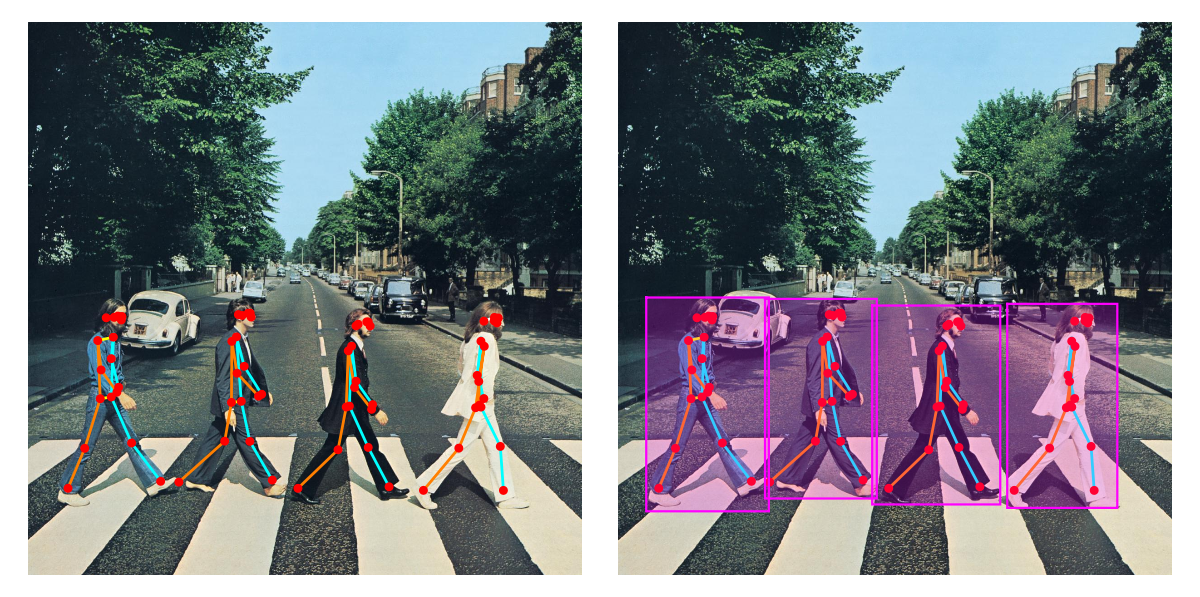
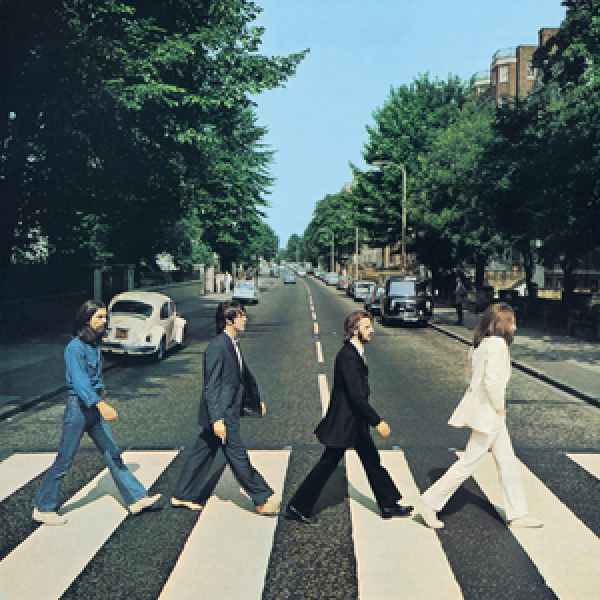
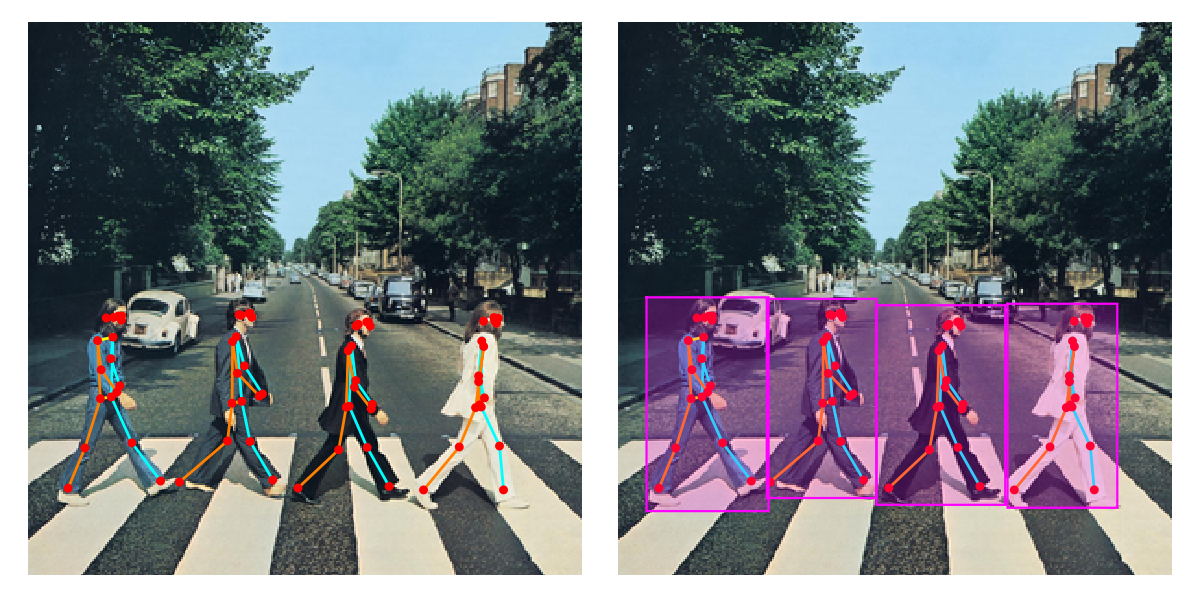
The first example
In[]:=
img=
;GraphicsRow[{showMultiPose[img],showMultiPose[img,"Object"->True]}]
Out[]=
Of course, this model can predict human joint locations of a single person.
Other examples. Note the change in a confidence threshold.
Finally
Finally
In the previous conversion methods, models are created using NetGraph/NetChain and import the weights, so it is possible to change models and train with other data. This conversion method, on the other hand, does not allow changing models or training with other data.
However, if the trained models of TensorFlow, PyTorch are converted to ONNX models, we can easily import them to Wolfram Language and run directly, so I look forward to seeing more attractive ideas using various neural network models in the Wolfram Language.