The goal of this project was to generate frame-by-frame skeleton guides for video dances so that anyone can learn how to dance their favourite dance. This was done by finding the critical frames (frames which contributed to the most decisive movements) in a dance video. The OpenPose neural net and image analysis functions were utilized to detect human body, hand, facial, and foot key-points on frames and obtain the critical frames respectively. The critical frames are further presented using 3D and 2D visualizations.
Importing the OpenPose library to Wolfram
Importing the OpenPose library to Wolfram
Artificial Neural Networks are at the forefront of modern-day Machine Learning. A neural network is made up of an input layer, some hidden layers and an output layer. One such example of a neural network is OpenPose which detects human body key-points on images, which is used in this approach. To import the pre-trained OpenPose neural net to Wolfram, I implemented the code from the following post: https://community.wolfram.com/groups/-/m/t/1787163
Extracting the first 23 layers of VGG-19, a deep Convolutional Neural Network used to classify images, and changing the Encoder:
In[]:=
vgg19=NetModel["VGG-19 Trained on ImageNet Competition Data"];vgg19sub=Take[vgg19,{1,23}];enc=NetExtract[vgg19,"Input"];enc=NetReplacePart[enc,{"ImageSize"->{368,368},"VarianceImage"->{0.229,0.224,0.225},"MeanImage"->{0.485,0.456,0.406}}];featurefirst=NetReplacePart[vgg19sub,"Input"->enc];
Adding Convolution and Ramp Layers :
In[]:=
feature=NetAppend[featurefirst,{"convadd1"->ConvolutionLayer[256,3,"Stride"->1,"PaddingSize"->1],"reluadd1"->Ramp,"convadd2"->ConvolutionLayer[128,3,"Stride"->1,"PaddingSize"->1],"reluadd2"->Ramp}];
Constructing the Stage Maps and creating OpenPose :
blk11=NetChain[{ConvolutionLayer[128,3,"Stride"->1,"PaddingSize"->1],Ramp,ConvolutionLayer[128,3,"Stride"->1,"PaddingSize"->1],Ramp,ConvolutionLayer[128,3,"Stride"->1,"PaddingSize"->1],Ramp,ConvolutionLayer[512,1,"Stride"->1,"PaddingSize"->0],Ramp,ConvolutionLayer[38,1,"Stride"->1,"PaddingSize"->0]}];blk12=NetChain[{ConvolutionLayer[128,3,"Stride"->1,"PaddingSize"->1],Ramp,ConvolutionLayer[128,3,"Stride"->1,"PaddingSize"->1],Ramp,ConvolutionLayer[128,3,"Stride"->1,"PaddingSize"->1],Ramp,ConvolutionLayer[512,1,"Stride"->1,"PaddingSize"->0],Ramp,ConvolutionLayer[19,1,"Stride"->1,"PaddingSize"->0]}];blkx1=NetChain[{ConvolutionLayer[128,7,"Stride"->1,"PaddingSize"->3],Ramp,ConvolutionLayer[128,7,"Stride"->1,"PaddingSize"->3],Ramp,ConvolutionLayer[128,7,"Stride"->1,"PaddingSize"->3],Ramp,ConvolutionLayer[128,7,"Stride"->1,"PaddingSize"->3],Ramp,ConvolutionLayer[128,7,"Stride"->1,"PaddingSize"->3],Ramp,ConvolutionLayer[128,1,"Stride"->1,"PaddingSize"->0],Ramp,ConvolutionLayer[38,1,"Stride"->1,"PaddingSize"->0]}];blkx2=NetChain[{ConvolutionLayer[128,7,"Stride"->1,"PaddingSize"->3],Ramp,ConvolutionLayer[128,7,"Stride"->1,"PaddingSize"->3],Ramp,ConvolutionLayer[128,7,"Stride"->1,"PaddingSize"->3],Ramp,ConvolutionLayer[128,7,"Stride"->1,"PaddingSize"->3],Ramp,ConvolutionLayer[128,7,"Stride"->1,"PaddingSize"->3],Ramp,ConvolutionLayer[128,1,"Stride"->1,"PaddingSize"->0],Ramp,ConvolutionLayer[19,1,"Stride"->1,"PaddingSize"->0]}];openpose=NetGraph[{"feature"->feature,(*feature*)"blk11"->blk11,"blk12"->blk12,(*stage1*)"blk21"->blkx1,"blk22"->blkx2,(*stage2*)"cat12"->CatenateLayer[],"blk31"->blkx1,"blk32"->blkx2,(*stage3*)"cat23"->CatenateLayer[],"blk41"->blkx1,"blk42"->blkx2,(*stage4*)"cat34"->CatenateLayer[],"blk51"->blkx1,"blk52"->blkx2,(*stage5*)"cat45"->CatenateLayer[],"blk61"->blkx1,"blk62"->blkx2,(*stage6*)"cat56"->CatenateLayer[]},{"feature"->"blk11","feature"->"blk12",(*stage1*){"blk11","blk12","feature"}->"cat12",(*stage2*)"cat12"->"blk21","cat12"->"blk22",{"blk21","blk22","feature"}->"cat23",(*stage3*)"cat23"->"blk31","cat23"->"blk32",{"blk31","blk32","feature"}->"cat34",(*stage4*)"cat34"->"blk41","cat34"->"blk42",{"blk41","blk42","feature"}->"cat45",(*stage5*)"cat45"->"blk51","cat45"->"blk52",{"blk51","blk52","feature"}->"cat56",(*stage6*)"cat56"->"blk61","cat56"->"blk62"}]
Out[]=
NetGraph


Downloading the posemodelscratch.pth file (a data file for Machine Learning with PyTorch) which contains the weights and biases and imporingt it(If you want to run this code on your own machine, be sure to have Python downloaded and change the pathoffile variable to where you have stored posemodelscratch.pth):
session=StartExternalSession["Python"];parameters=ExternalEvaluate[session,"import torchimport numpy as npimport pickle as pklnet_weights = torch.load( r'pathtofile', map_location={'cuda:0': 'cpu'})keys = list(net_weights.keys())parameters = {}for i in range(len(keys)): t = net_weights[keys[i]] x = t.numpy() parameters[keys[i]] = x.flatten()parameters"];DeleteObject[session];keys=Keys[parameters];parameters=Values[parameters];
Parsing the weights and biases :
layernames=GroupBy[Keys@Information[openpose,"Layers"],First]//Values;convlayernames=(Position[Information[openpose,"Layers"],_ConvolutionLayer]//Flatten)[[All,1]]convlayernamesGH={{"feature","conv1_1"},{"feature","conv1_2"},{"feature","conv2_1"},{"feature","conv2_2"},{"feature","conv3_1"},{"feature","conv3_2"},{"feature","conv3_3"},{"feature","conv3_4"},{"feature","conv4_1"},{"feature","conv4_2"},{"feature","convadd1"},{"feature","convadd2"},{"blk11",1},{"blk11",3},{"blk11",5},{"blk11",7},{"blk11",9},{"blk21",1},{"blk21",3},{"blk21",5},{"blk21",7},{"blk21",9},{"blk21",11},{"blk21",13},{"blk31",1},{"blk31",3},{"blk31",5},{"blk31",7},{"blk31",9},{"blk31",11},{"blk31",13},{"blk41",1},{"blk41",3},{"blk41",5},{"blk41",7},{"blk41",9},{"blk41",11},{"blk41",13},{"blk51",1},{"blk51",3},{"blk51",5},{"blk51",7},{"blk51",9},{"blk51",11},{"blk51",13},{"blk61",1},{"blk61",3},{"blk61",5},{"blk61",7},{"blk61",9},{"blk61",11},{"blk61",13},{"blk12",1},{"blk12",3},{"blk12",5},{"blk12",7},{"blk12",9},{"blk22",1},{"blk22",3},{"blk22",5},{"blk22",7},{"blk22",9},{"blk22",11},{"blk22",13},{"blk32",1},{"blk32",3},{"blk32",5},{"blk32",7},{"blk32",9},{"blk32",11},{"blk32",13},{"blk42",1},{"blk42",3},{"blk42",5},{"blk42",7},{"blk42",9},{"blk42",11},{"blk42",13},{"blk52",1},{"blk52",3},{"blk52",5},{"blk52",7},{"blk52",9},{"blk52",11},{"blk52",13},{"blk62",1},{"blk62",3},{"blk62",5},{"blk62",7},{"blk62",9},{"blk62",11},{"blk62",13}};convlayerpos=Flatten[Position[layernames,#]&/@convlayernamesGH,1]getDimB[layer_]:=Dimensions@NetExtract[layer,"Biases"]getDimW[layer_]:=Dimensions@NetExtract[layer,"Weights"]convs=NetExtract[NetInitialize[openpose],#]&/@convlayerpos;dimW=getDimW/@convs;dimB=getDimB/@convs;dim=Flatten[Transpose[{dimW,dimB}],1];parametersReshape=MapThread[ArrayReshape,{parameters,dim}];
Out[]=
{{feature,conv1_1},{feature,conv1_2},{feature,conv2_1},{feature,conv2_2},{feature,conv3_1},{feature,conv3_2},{feature,conv3_3},{feature,conv3_4},{feature,conv4_1},{feature,conv4_2},{feature,convadd1},{feature,convadd2},{blk11,1},{blk11,3},{blk11,5},{blk11,7},{blk11,9},{blk12,1},{blk12,3},{blk12,5},{blk12,7},{blk12,9},{blk21,1},{blk21,3},{blk21,5},{blk21,7},{blk21,9},{blk21,11},{blk21,13},{blk22,1},{blk22,3},{blk22,5},{blk22,7},{blk22,9},{blk22,11},{blk22,13},{blk31,1},{blk31,3},{blk31,5},{blk31,7},{blk31,9},{blk31,11},{blk31,13},{blk32,1},{blk32,3},{blk32,5},{blk32,7},{blk32,9},{blk32,11},{blk32,13},{blk41,1},{blk41,3},{blk41,5},{blk41,7},{blk41,9},{blk41,11},{blk41,13},{blk42,1},{blk42,3},{blk42,5},{blk42,7},{blk42,9},{blk42,11},{blk42,13},{blk51,1},{blk51,3},{blk51,5},{blk51,7},{blk51,9},{blk51,11},{blk51,13},{blk52,1},{blk52,3},{blk52,5},{blk52,7},{blk52,9},{blk52,11},{blk52,13},{blk61,1},{blk61,3},{blk61,5},{blk61,7},{blk61,9},{blk61,11},{blk61,13},{blk62,1},{blk62,3},{blk62,5},{blk62,7},{blk62,9},{blk62,11},{blk62,13}}
Out[]=
{{1,1},{1,3},{1,6},{1,8},{1,11},{1,13},{1,15},{1,17},{1,20},{1,22},{1,24},{1,26},{2,1},{2,3},{2,5},{2,7},{2,9},{5,1},{5,3},{5,5},{5,7},{5,9},{5,11},{5,13},{8,1},{8,3},{8,5},{8,7},{8,9},{8,11},{8,13},{11,1},{11,3},{11,5},{11,7},{11,9},{11,11},{11,13},{14,1},{14,3},{14,5},{14,7},{14,9},{14,11},{14,13},{17,1},{17,3},{17,5},{17,7},{17,9},{17,11},{17,13},{3,1},{3,3},{3,5},{3,7},{3,9},{6,1},{6,3},{6,5},{6,7},{6,9},{6,11},{6,13},{9,1},{9,3},{9,5},{9,7},{9,9},{9,11},{9,13},{12,1},{12,3},{12,5},{12,7},{12,9},{12,11},{12,13},{15,1},{15,3},{15,5},{15,7},{15,9},{15,11},{15,13},{18,1},{18,3},{18,5},{18,7},{18,9},{18,11},{18,13}}
Linking the weights and biases :
replacenames=Flatten[Transpose[{Flatten@{#,"Weights"}&/@convlayernamesGH,Flatten@{#,"Biases"}&/@convlayernamesGH}],1];rule=Thread[replacenames->parametersReshape];trainedOpenPose=NetReplacePart[openpose,rule]
Out[]=
NetGraph

Defining maxpts which returns the identified points. Also, defining the main function, showpose, which takes in an image, connects the points via lines, and overlays them on top of the image:
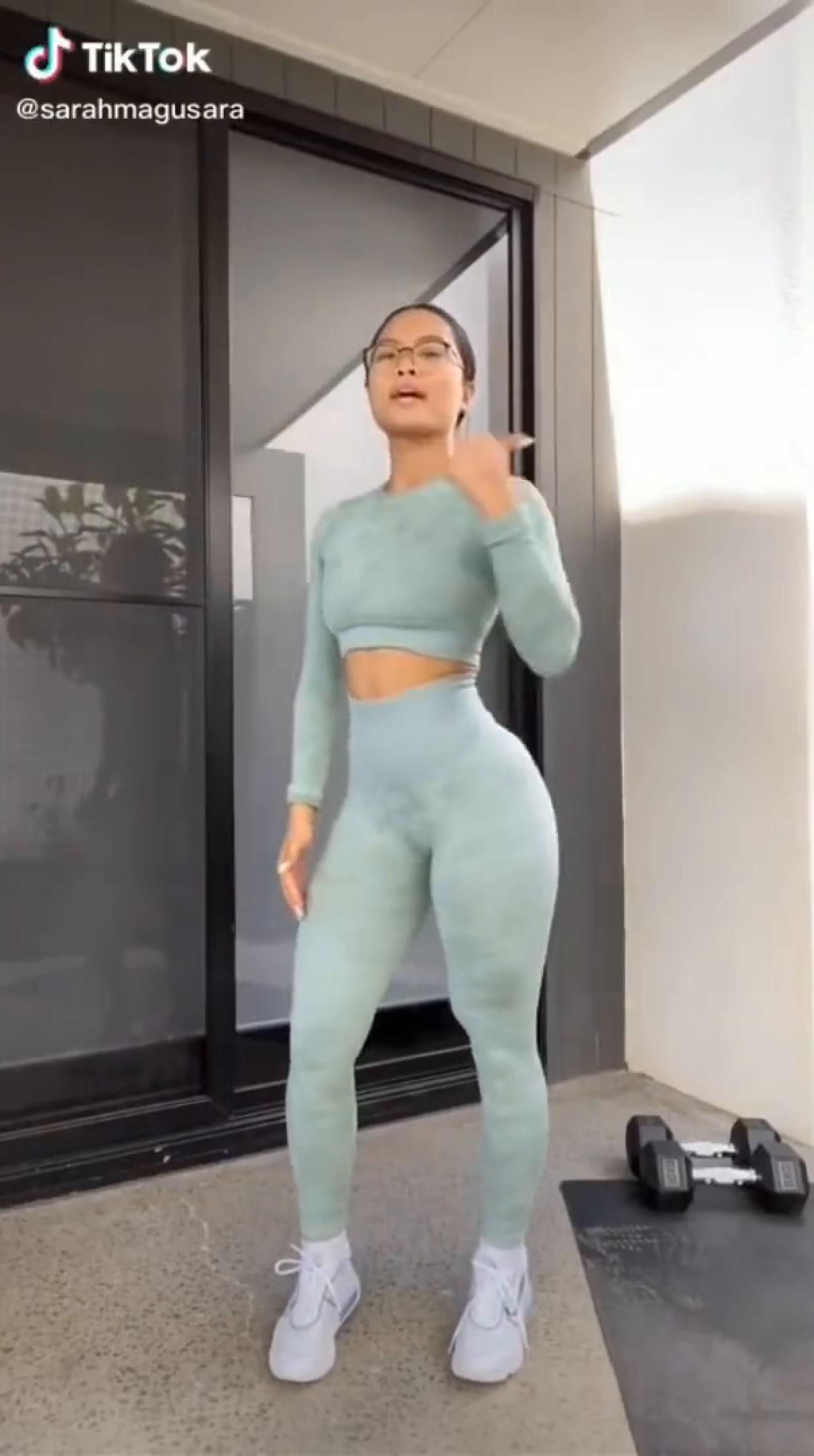
maxpts[img_,confidences_,idex_]:=Module[{pos,pts,h},pos=Reverse@First@Position[h=confidences[[idex]],Max@h];pts=(pos/46)*ImageDimensions@img;pts={pts[[1]],(ImageDimensions@img)[[2]]-pts[[2]]}]showpose[img_]:=Module[{bodylist,size,out,confidences,pts,pose},bodylist={1,2,3,4,5,6,7,8,9,10,11,12,13,14};size={368,368};out=trainedOpenPose[img];confidences=out[[2]];pts=maxpts[img,confidences,#]&/@bodylist;pose=Graphics[{Yellow,Thickness[.0125],Line[pts[[#]]&/@{1,2}],Green,Line[pts[[#]]&/@{2,3,4,5}],Cyan,Line[pts[[#]]&/@{2,6,7,8}],Orange,Line[pts[[#]]&/@{2,9,10,11}],Magenta,Line[pts[[#]]&/@{2,12,13,14}],PointSize[Large],Red,Point[pts],White,Point[{{0,0},ImageDimensions@img}]},ImagePadding->All];Show[img,pose]]img=
;showpose[img]
Finding the critical frames
Finding the critical frames
Defining a function which takes in an image and the list of points to be obtained from it :
As we can see, getpoints returns a list of points :
The dataset used was obtained from DensePose. This is the link for the download. For our purposes, we will use a subset (one video) of the dataset which has been uploaded to cloud.
Importing the dataset(a short dance video whose frames have been extracted):
The imageDistances[] function compares a single frame in the dataset to every other frame using the ImagesDistance[] and Table[] functions and returns a list of all the values obtained.
FindPeaks gives the positions and values of the detected peaks in a list . For example:
The following are the recognized key frames:
Getting the points of the all the key frames:
Testing out listofkeyframepoints:
Visualizing and creating instructions for dance steps
Visualizing and creating instructions for dance steps
The final step is to create visual instructions for the user to learn the dance. In this section, I created several Dynamic outputs to do the same in both 2D and 3D.
Using ListAnimate, I created a 2D GIF like visualization of the key frames:
Using Two Tables[] and Append[], I converted the list of 2D key frame points to 3D by appending the keyFrameCounter as the 3rd variable in place of z. This represents the Time axis in the 3D visualization:
Next, using ListAnimate[], we can visualize the key frame dance steps in three dimensions, with the changing z coordinate representing how much time is to be taken to transition into the next dance step:
Conclusion
Conclusion
◼
The method used to find the key frames works extremely well and coincides with what a human would observe as 'dance steps' in a dance.
◼
The 2D visualization of the dance frames can be used as an efficient manual to learn a dance from a video.
Future Work
Future Work
◼
A neural net can be worked upon which classifies in words what every dance move or key frame requires the user to do. The same can be done for finding the key frames.
◼
Finding trends and analyzing the unique dance patterns of different individuals. For example: Find the difference in dance patterns of popular dancers compared to not-as-popular dancers. Time Series Clustering or k-series Clustering could be a way to achieve the same goal.
Acknowledgements
Acknowledgements
◼
I would like to thank the Wolfram Summer Camp team for the learnings and opportunities I got from the Wolfram High Summer Camp. I would also like to thank my mentor Rahul Sharma for helping me complete this project. Also a big thanks to the TA’s Yana and Theo for being awesome!
References
References