The goal of this project is to create a webpage that allows users to specify what color of flower they want, and the page will output flower images of that color and the names of each flower. Users are able to specify the color of flower they want through a color slider, which allows for more input options and personalized results. Names and images of flowers closest in hue to the inputted color are then displayed in an orderly grid.
Introduction
Introduction
Something that repeatedly astonishes me is the wide variety of flower hues found in nature. These colors not only add brilliance to the flowers, but they also affect the types of pollinators that flock to the petals. Knowing what pollinators are in your garden is essential information for green thumbs who plant flowers among vegetables for better yield! My hope is that this project will become a resource for gardeners browsing flowers to plant, while increasing people’s love of the beautiful world around us.
Initial Attempts at Working with Data
Initial Attempts at Working with Data
Sample Data
Sample Data
Retrieving Sample Data
Retrieving Sample Data
The first step in my project was to collect data. I was able to retrieve images and names of flowers that were already sorted by color from the website https://www.flower-db.com/en.
Imported some sample images, naming it for future use:
In[]:=
sampleRedimages=Import["https://www.flower-db.com/en/search/color?q=red","Images"];
A simple animation to display the sample images:
In[]:=
ListAnimate[Image[ImageResize[#,200]&/@sampleRedimages,ImageSize->200],SaveDefinitions->True]
Out[]=
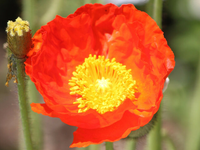
Also imported the HTML, from which I will retrieve the names of the flowers:
In[]:=
html=Import["https://www.flower-db.com/en/search/color?q=red","HTML"];
Displaying Sample Data
Displaying Sample Data
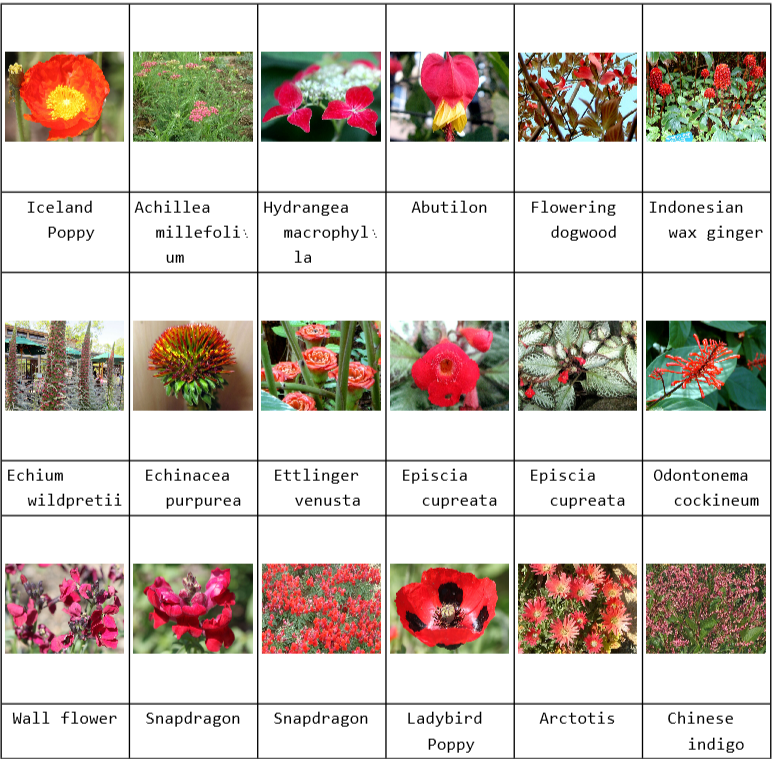
From here, I found a way to display the data nicely--this is how I am going to display the flower names and images in the completed webpage.
From the HTML import, got a list of the flower names:
In[]:=
sampleRednames=DeleteCases[StringSplit[StringSplit[Import["https://www.flower-db.com/en/search/color?q=red","HTML"],{" results)","‹ Prev"}][[2]],""],""]
Out[]=

Associated the images of the flowers with the names of the flowers:
In[]:=
sampleRed=AssociationThread[sampleRedimages->sampleRednames];
A grid to display the associations:
In[]:=
Grid[Riffle[Partition[Keys[sampleRed],6],Partition[Values[sampleRed],6]],Frame->All]
Out[]=
Larger Dataset
Larger Dataset
Retrieving More Data
Retrieving More Data
Once I had a feel for what my end product would be, I imported a larger dataset by color.
The function colorAssoc imports the data from the first 8 pages of the specified color in the website, sorting them into associations:
In[]:=
colorAssoc[color_String]:=DeleteDuplicates[<|Table[AssociationThread[Import[StringJoin["https://www.flower-db.com/en/search/color?q=",color,"&page=",ToString[pagenum]],"Images"]->DeleteCases[StringSplit[StringSplit[Import[StringJoin["https://www.flower-db.com/en/search/color?q=",color,"&page=",ToString[pagenum]],"HTML"],{" results)","‹ Prev"}][[2]],""],""]],{pagenum,3}]|>]
Displaying More Data
Displaying More Data
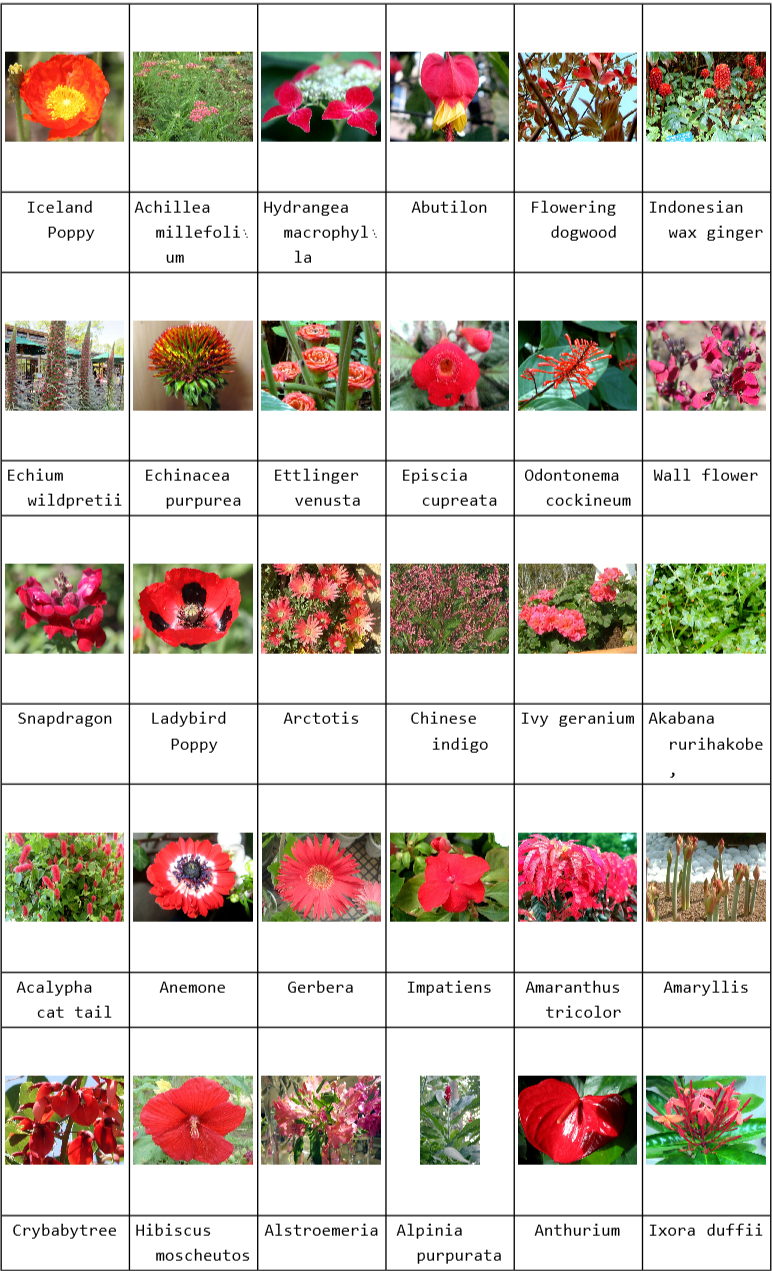
Then, I worked on displaying the data on a larger scale.
This displays the flower images and names in a nice grid when the color is specified:
In[]:=
displayGrid[x_]:=Grid[Riffle[Partition[Keys[x],6],Partition[Values[x],6]],Frame->All]
In[]:=
displayGrid[colorAssoc["red"]]
Out[]=
New Strategy & Data Retrieval
New Strategy & Data Retrieval
Up to this point, I had been taking the flower images and names from the site that had already been categorized by color. After my meeting with Stephen Wolfram, we decided it was important to categorize the flower images by color using the Wolfram language instead of using the pre-categorized data.
These are the colors of flowers that data will be gathered for:
Creates an association where the keys are the color of flower and the values are the first 3 XML pages when you search for that color on the database:
From the imported XML pages, each flower is represented by an association that contains the name of the flower and the image of the flower:
Flattening out the data:
Image Processing
Image Processing
Now that all the images had been imported, DominantColors, RemoveBackground, and Nearest helped Wolfram to more easily sort through the colors of the images.
Gets the top 3 dominant colors of each image, removing the background of anything that contains green so that the foliage is not seen as a main color:
Running all of the data through, which adds the top three dominant colors (minus any green) to the association for each flower:
Getting rid of nested lists within the data:
Finding the Nearest Dominant Flower Colors
Finding the Nearest Dominant Flower Colors
After I had the data, I began creating functions that would take a color input and return images of flowers with DomiantColors closest to the input.
Used Nearest to find the closest dominant colors in the images to the given color:
Finding the Location of each Dominant Color in the Dataset
Finding the Location of each Dominant Color in the Dataset
At this point, I needed to take the dominant colors from the previous function getColor and get the image and name of the flower corresponding to that dominant color. To do this, I used the function Position, which finds the location of the color in the dataset.
getPosition retrieves each association from the dataset that contains one of the dominant colors outputted in getColor:
There are 17 more outputs, but here is the first one as an example!
Putting Images and Names in Grid Format
Putting Images and Names in Grid Format
Now that I had the relevant associations, all I needed to do was display the images and names of the flowers in a grid! That way, when someone inputted a color, they would get the results in a nice format.
The getDisplay function returns a beautiful grid of flowers:
ColorSlider Input
ColorSlider Input
As an extension to the project, I added a color slider. Using a color slider as an input would allow users to be more specific in what color of flower they would want, with more personalized results!
The slider allows users to pick from a rainbow of colors:
Creating A Manipulate & Publishing to Cloud
Creating A Manipulate & Publishing to Cloud
To put everything together, I created a manipulate that took a color input from a color slider and outputted the grid of flowers.
I also added some text and buttons allowing users to find flowers of predefined colors for easy access:
Here's the link to the webpage and a screenshot of what it looks like. One thing I noticed was that the page didn't display the color slider. This is probably because Wolfram Cloud sometimes has trouble processing dynamics and visuals. If the webpage takes too long to load or the color slider isn't working, you can download the notebook from the webpage and play with it on your end!
Image of Flower Color Search:
Next Steps
Next Steps
The webpage that I created fairly effectively displayed the colors of flowers nearest to the one inputted on the slider. However, for colors like blue and green, the sky or greenery tends to interfere with the results, which sometimes display flowers with blue or green in their background instead of blue or green flowers. My results would be more accurate if I did more image processing so that only the petal colors would be recognized as the dominant colors. This is something I could complete as I have more time.
At this point, this project only sorts plants by their flower color, but my end vision for this project is a comprehensive gardening tool that helps gardeners like me decide what flowers and vegetables to grow for a bountiful yield. Extensions of this project could include displaying--along with the image and name of flower--the types of pollinators each flower attracts, a list complementary vegetables that grow well with each flower, or the conditions the flower requires to grow in. The possibilities are limitless, and I am excited to continue building off of what I have accomplished!!
At this point, this project only sorts plants by their flower color, but my end vision for this project is a comprehensive gardening tool that helps gardeners like me decide what flowers and vegetables to grow for a bountiful yield. Extensions of this project could include displaying--along with the image and name of flower--the types of pollinators each flower attracts, a list complementary vegetables that grow well with each flower, or the conditions the flower requires to grow in. The possibilities are limitless, and I am excited to continue building off of what I have accomplished!!
Acknowledgements
Acknowledgements
I want to thank my mentors, Diya Elizabeth and Anika Patel, for helping me to fix my code and for their patient tips and guidance along this whole process! You guys are awesome!
Also, I want to give a shout out to my mentor group, Zoya Brahimzadeh and Karan Chakravarthy. Thank you for your moral support and encouragement! I couldn't do it without you all!
Also, I want to give a shout out to my mentor group, Zoya Brahimzadeh and Karan Chakravarthy. Thank you for your moral support and encouragement! I couldn't do it without you all!
References
References
Science & Technology Inst., Co. (n.d.). Flower Database. Flower database. Retrieved July 20, 2022, from https://www.flower-db.com/en