Minimal boolean representations of rules 30 and 86
In[]:=
r30[{a_,b_,c_}]:=Xor[a,Or[b,c]]
In[]:=
r86[{a_,b_,c_}]:=Xor[Or[a,b],c]
Generating initial conditions
In[]:=
i[x_]:=Join[Table[0,x],{1},Table[0,x]]
Step function. You can change which rule to use here
In[]:=
step[init_]:=r86[#]/.{0False,1True}&/@Partition[init,3,1,2]
Making a graphics disk for a single row of input. len_ tells you how far to make the Disk radius. Both lined and unlined versions.
In[]:=
graphicsDisk[list_,len_]:=With[{length=Length[list]},Thread[{list/.{1Black,0White},Function[a,Disk[{0,0},len,a]]/@Reverse@Table[{Plus@@Table[2Pi/length,{length-i}],Plus@@Table[2Pi/length,{length-i+1}]},{i,0,length-1}]}]]
linedGraphicsDisk[list_,len_]:=With[{length=Length[list]},Thread[{list/.{1Black,0White},list/.{1EdgeForm[White],0EdgeForm[Black]},Function[a,Disk[{0,0},len,a]]/@Reverse@Table[{Plus@@Table[2Pi/length,{length-i}],Plus@@Table[2Pi/length,{length-i+1}]},{i,0,length-1}]}]]
getCells eliminates the whitespace surrounding the full cellular automaton input so you only get the "triangle".
In[]:=
getCells[list_]:=Flatten[Drop[Drop[Split[list],1],-1]]
cells is the input we are going to use for our final graphics function
In[]:=
cells=getCells/@NestList[step,i[100],80]/.{True1,False0};
This is a hacky function that generates the actual output. It is a layering of Disk objects starting from the outermost layer and working toward the innermost.
In[]:=
MapIndexed[Function[{c,l},graphicsDisk[c,l[[1]]]],cells]//Reverse//Rotate[#,90Degree]&//Graphics
Out[]=
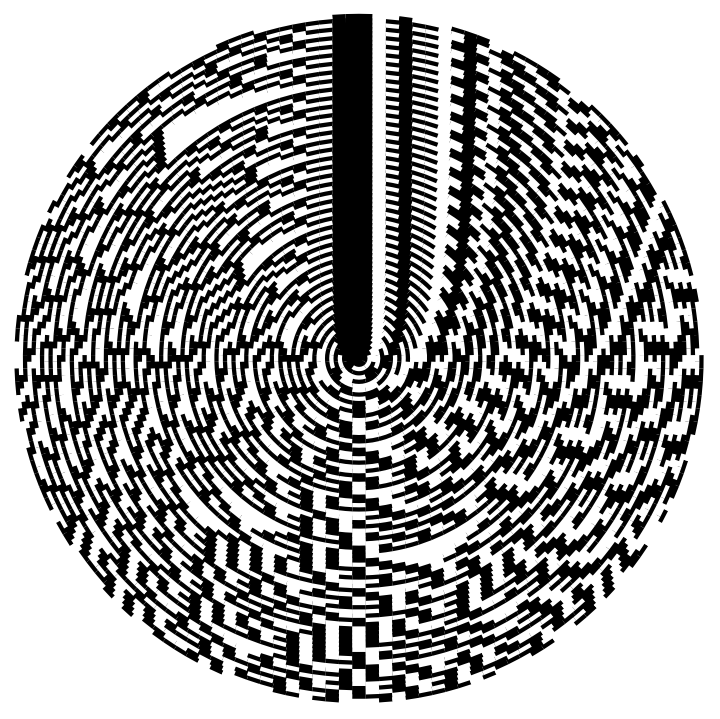
As you can see, the disk version of this graphic accentuates the "outermost edges" of the cellular automaton and makes it look as if the supposed random output of the cellular automaton exists within a "continuum" of the left-hand-side of the pattern and the right-hand-side.
cells2=(getCells/@NestList[step,i[100],20]/.{True1,False0});
In[]:=
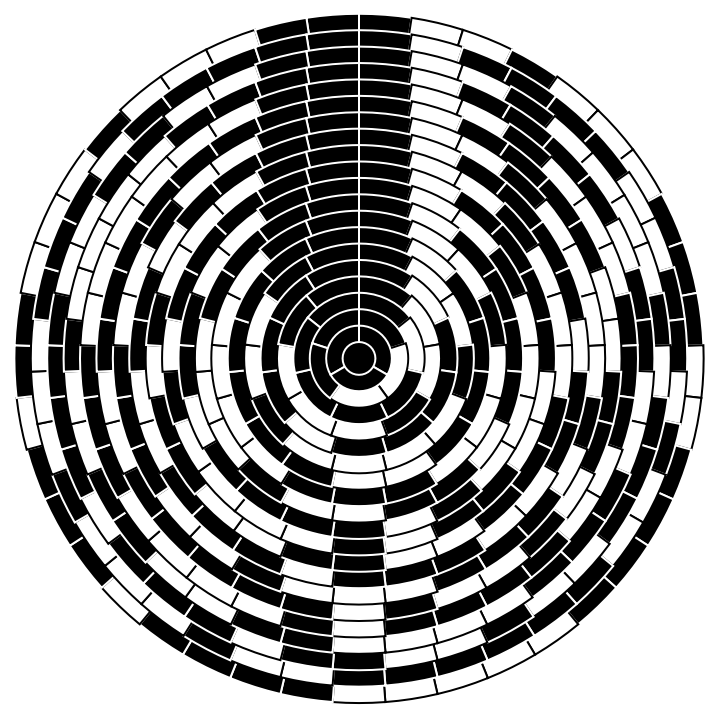
MapIndexed[Function[{c,l},linedGraphicsDisk[c,l[[1]]]],cells2]//Reverse//Rotate[#,90Degree]&//Graphics
Out[]=