Raspberry Pi is a series of small single-board computers (SBCs) developed in the UK by the Raspberry Pi Foundation in collaboration with Broadcom. Originally created to help teach computer science in schools, but it is now used in areas such as industrial automation, robotics, home automation, IoT devices, and hobbyist projects. STEM: Science, Technology, Engineering, Mathematics.
Mathematica is free on every Raspberry Pi
Mathematica is free on every Raspberry Pi
◼
Mathematica is IDEAL for STEM students and teachers, but the old models (RPI3, RPI4) were too weak to run Mathematica
◼
Not a single Raspberry Pi project website / vendor / community mentions the use of Mathematica
But now: the Raspberry Pi 5 is powerful enough, and Mathematica 14.2 runs amazingly well
◼
Every function is included (incl. all math, parallel processing, compilation, camera, full interactivity, 3D visualizations etc.), except CUDA support and some video functions.
◼
The RPI-5 features:
- 2.4 GHz quad-core Cortex-A76 CPU
- a VideoCore VII GPU
- PCIe support, and 2/4/8/16 GB RAM
- 2.4 GHz quad-core Cortex-A76 CPU
- a VideoCore VII GPU
- PCIe support, and 2/4/8/16 GB RAM
◼
But note: 8 GB or 16 GB (best) of RAM ($ 101 / $ 154 on Amazon) is a required minimum to run Mathematica
◼
Save money: with the free NoMachine software a bare bone RPI5 can be remotely controlled by any (even old) laptop, desktop or tablet. This save syou a screen, mouse and keyboard purchase.
◼
How to prepare your RPI5: https://www.21stcenturycoding.net/prepare/
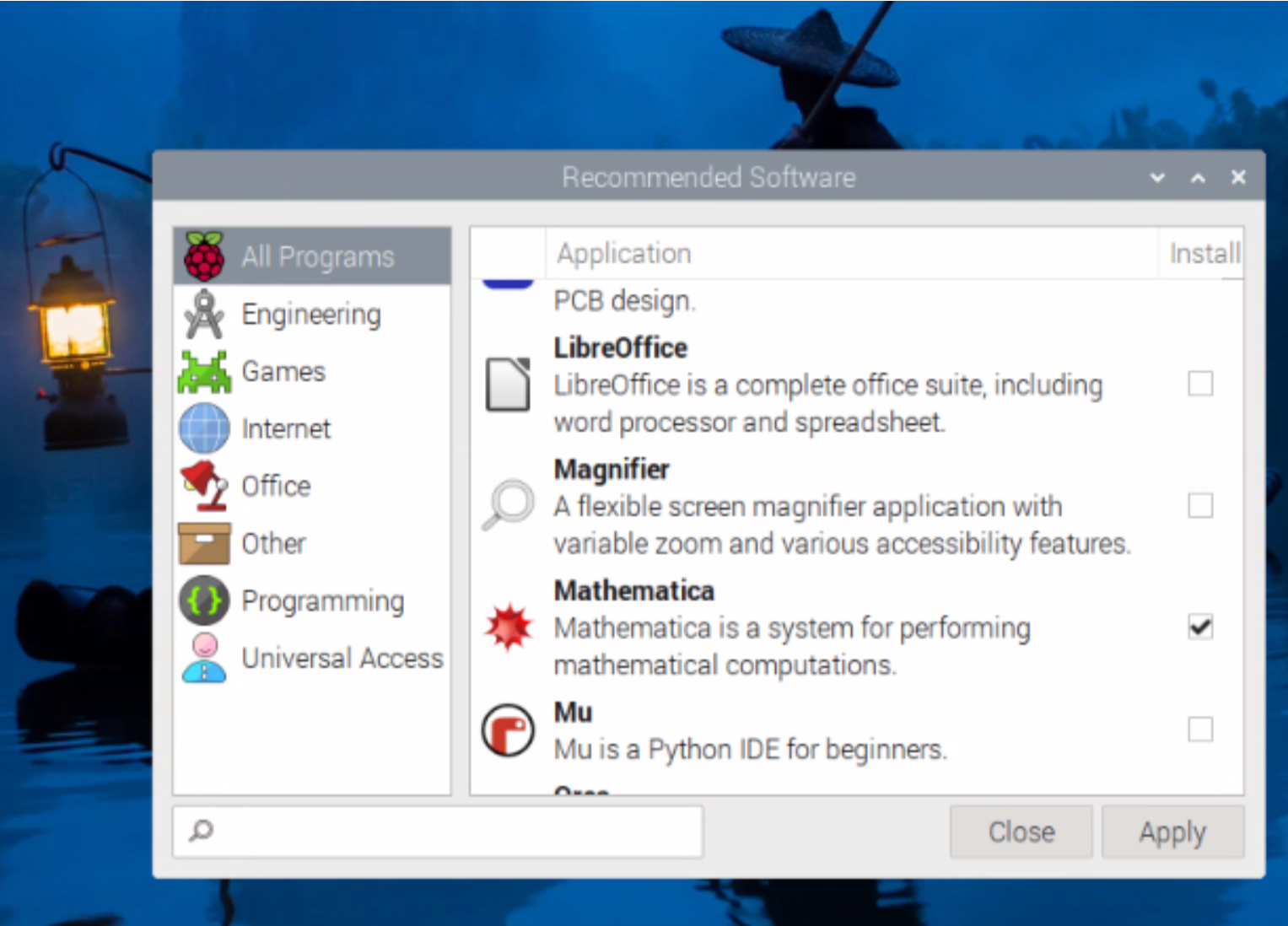
Installation is with two clicks!
Ubiquitous and popular: 1.9 million RPI-5 units sold in 2024
Ubiquitous and popular: 1.9 million RPI-5 units sold in 2024
◼
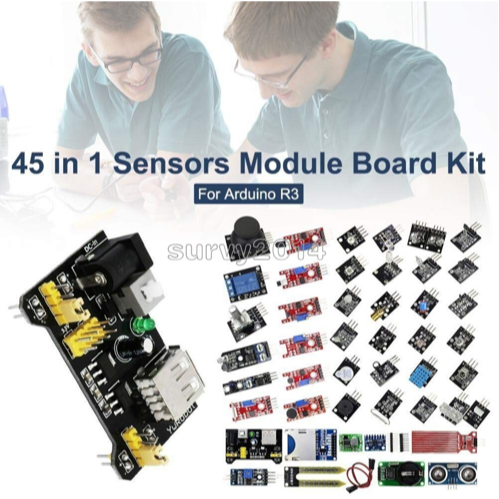
Interact with an amazing array of (cheap) sensors, motors, displays, joysticks, cameras, LEDs, speakers, switches, pumps etc. through GPIO pins, Bluetooth, USB ports and WiFi
◼
Most users struggle with cumbersome software (often outdated and old-fashioned, with endless searches on many user groups)
◼
Interesting! We can now integrate
- low-level Python/C-C++ for interface control (sensors, motors, displays etc.) and
- high-level Mathematica for professional analysis and advanced visualization in just a few lines of code
This gives a super-boost to your Raspberry Pi 5 projects.
- low-level Python/C-C++ for interface control (sensors, motors, displays etc.) and
- high-level Mathematica for professional analysis and advanced visualization in just a few lines of code
This gives a super-boost to your Raspberry Pi 5 projects.
Mathematica is cheap and mature
Mathematica is cheap and mature
But far too few people know it ...
◼
Current LLMs today typically learn Python, C++ and Java. It would be timely to add the WL code of millions of new Mathematica users!
The new Raspberry Pi 5 turns out to remarkably powerful and is very well capable to run many aspects of Mathematica. Everything you will see now, is run on a Raspberry Pi 5 with 4GB, and a 64GB SD card.
I installed the Raspberry Pi 5 OS via the Raspberry Pi Imager: Debian Linux, 64 bit with the Raspberry Pi desktop. Mathematica is 64 bit.
In[]:=
$Version
st21 century coding with Mathematica
st
21
For those who program in Mathematica for the first time, I have made a 1 hour ‘Gentle Introduction into Mathematica’, with YouTube video and full notebook for download, see here: https://youtu.be/cmRDY-MRmNs
It’s graphical, WYSIWYG (what you see is what you get)
It’s graphical, WYSIWYG (what you see is what you get)
Images can be dragged into the code from web browsers or other programs:
In[]:=
ManipulateImageRotate
,ϕ,All,{ϕ,0,2π}

Out[]=


Or with the geometric formulas:
In[]:=
ManipulateImagePerspectiveTransformation
.
,DataRange{{-1,1},{-1,1}},{{a,1,"x-magnify"},-1,1},{{b,0,"x-shear"},-2,2},{{c,0,"y-shear"},-2,2},{{d,1,"y-magnify"},-1,1},{{x,-1,"x-shift"},-2,2},{{y,-1,"y-shift"},-2,2},{{α,0°,"rotation angle"},-90°,90°},{{s,1,"zoom"},0.5,2},Button["Reset",{a=1;b=0;c=0;d=1;x=-1;y=-1;α=0°;s=1},Background->LightBlue]
,

Cos[α] | -Sin[α] | x |
Sin[α] | Cos[α] | y |
0 | 0 | s |
a | b | 1 |
c | d | 1 |
0 | 0 | 1 |
Out[]=

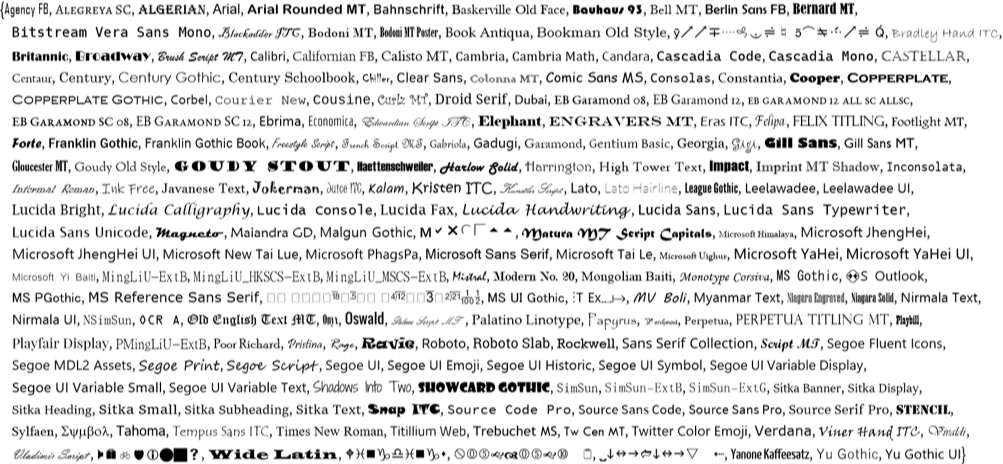
Finally, a GUI like Microsoft Office (365 now) with proper styling:
In[]:=
Style[#,FontFamily#]&/@$FontFamilies
Out[]=
NOTEBOOKS WERE INVENTED BY WOLFRAM
NOTEBOOKS WERE INVENTED BY WOLFRAM
Outstanding 3D graphics
Outstanding 3D graphics
Beautiful graphics are often seen on YouTube, but can you make it yourself?
E.g. this example by 3Blue1Brown (Gary Grant, Kahn Academy, 350,000 views:
E.g. this example by 3Blue1Brown (Gary Grant, Kahn Academy, 350,000 views:
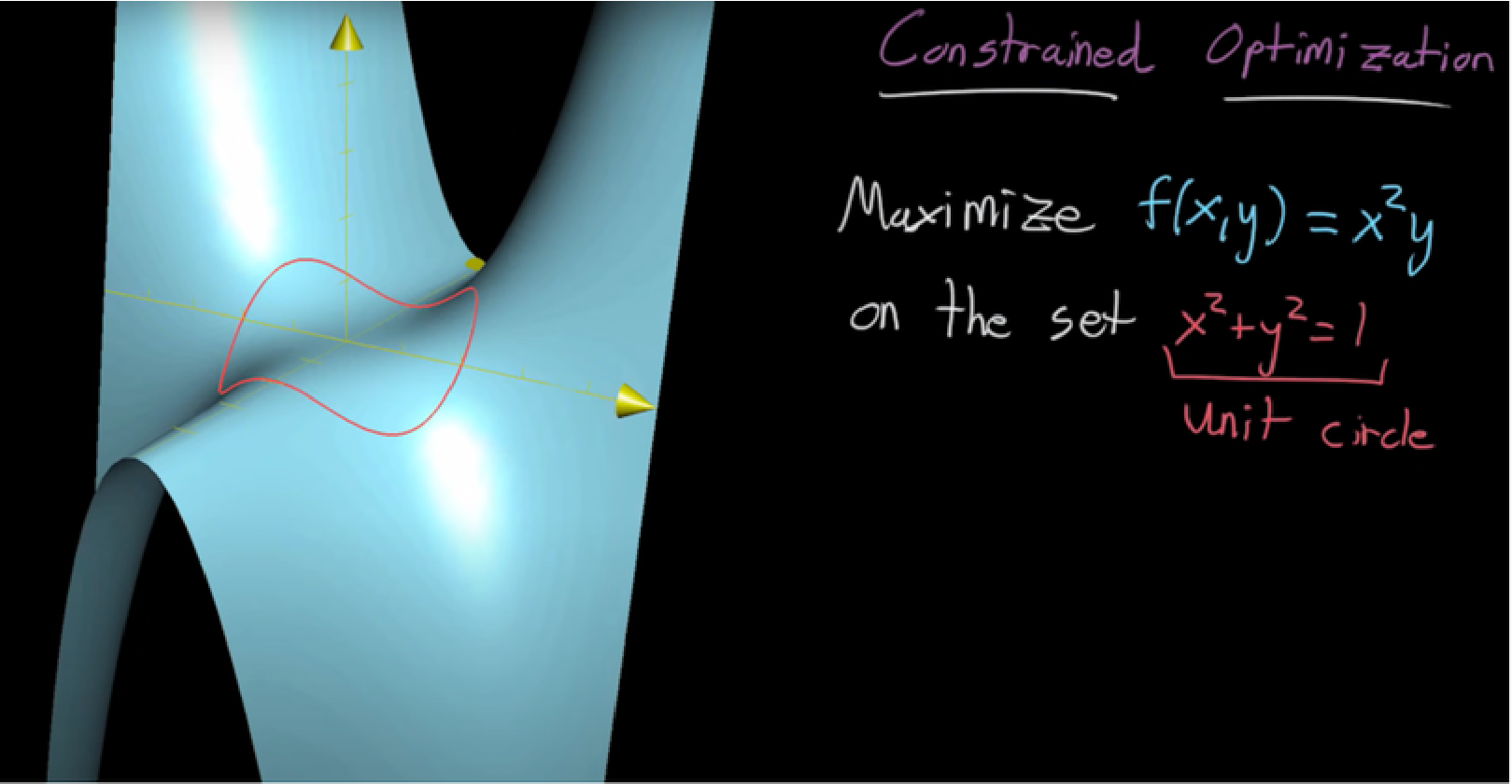
Note the power of Wolfram’s symbolic expression representation in the next example:
A Mercator projection of our planet:
Mathematica is very precise:
Mathematica is very precise:
A Pisot number:
Note the many consecutive zero's in this remarkable Pisot number.
Everything is interactive
Everything is interactive
Vary anything, in any expression:
Interpolation and overfitting / polynomial regression:
Hold and add or remove points with a mouse click.
CITE THIS NOTEBOOK
CITE THIS NOTEBOOK
Wolfram & Raspberry Pi 5: complete STEM applications, advanced visualizations & GPIO sensor support
by Bart ter Haar Romeny
Wolfram Community, STAFF PICKS, October 9, 2025
https://community.wolfram.com/groups/-/m/t/3558592
by Bart ter Haar Romeny
Wolfram Community, STAFF PICKS, October 9, 2025
https://community.wolfram.com/groups/-/m/t/3558592