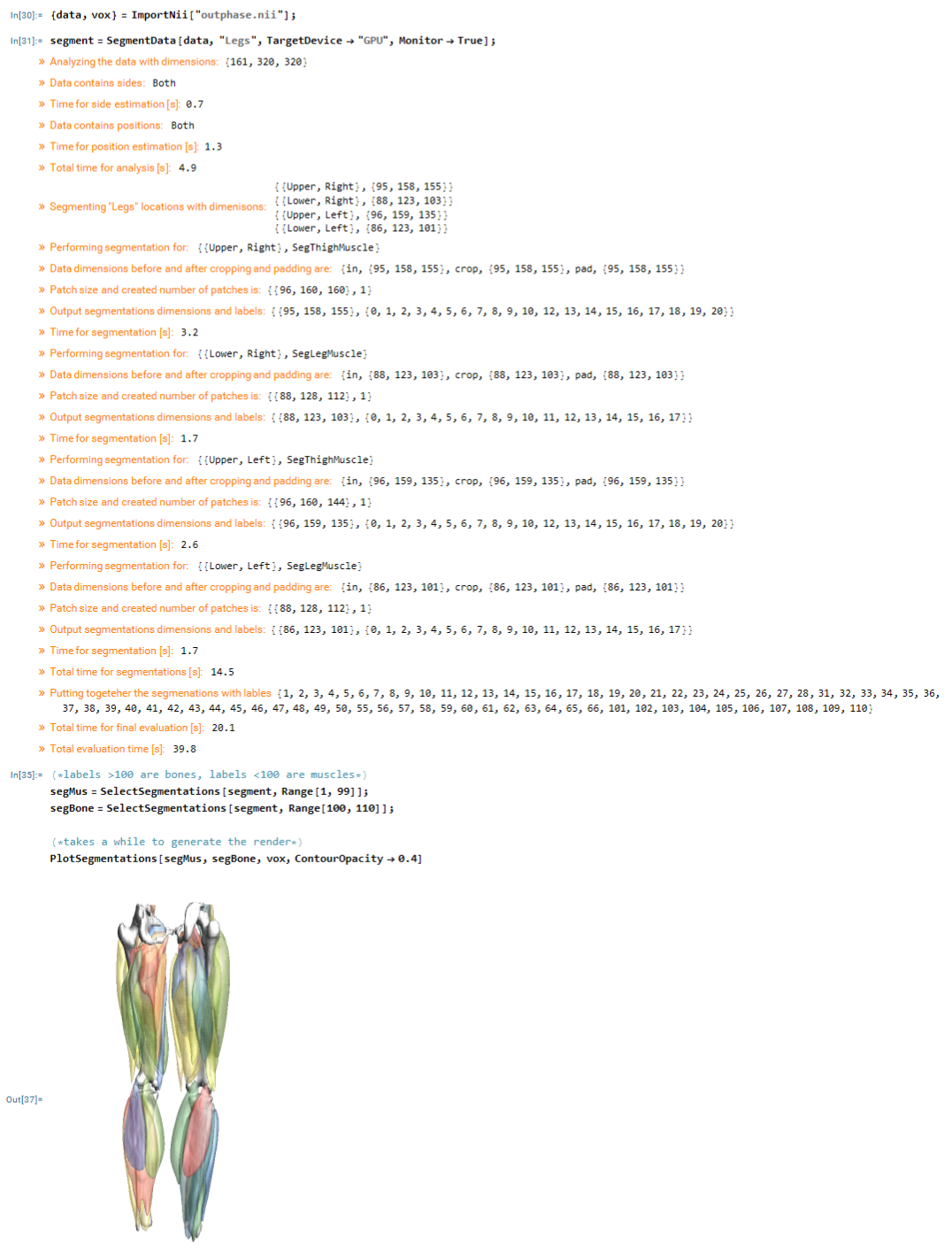
A few years ago I had shared a paclet for making UNET convolutional neural networks to this community. Although, I stopped developing the stand alone paclet since I incorporated this in my main paclet QMRITools (QMRITools.com) i did not stopped developing the UNet functionality. It is sill being used to improve automated segmentation of leg muscles which is done by the function SegementData which follows the above flowchart
In mathematica it looks like this
Over the years I have experimented with many different UNET architectures which can all be generated with the function MakeUnet which has changed a lot since the original UNET paclet. Below is a demonstration of its current capabilities in the latest version of QMRITools.
<<QMRITools`netIm=Information[#,"SummaryGraphic"]&;makeNetIm=With[{im=Information[#,"SummaryGraphic"]},Show[im,AspectRatio->0.5,ImageSize->Max[AbsoluteOptions[im,ImageSize][[1,2]]]]]&;netSumIm=Row[{NetSummary[#],netIm[#]}]&;
MakeUnet Function
MakeUnet Function
In[]:=
Echo[Grid@Transpose@{Options@MakeUnet},"MakeUnet options"];Echo[Show[MakeFunctionGraph[MakeUnet,LabelPlacement->Automatic,AllowSelfDependencies->True],ImageSize->600],"Function graph"];Echo[Row[{Darker@Green,"Public function ",Blue,"Private function"}],"Legend"];
»
MakeUnet options
NetworkArchitectureUNet |
BlockTypeResNet |
ActivationTypeGELU |
RescaleMethodConv |
NetworkDepth5 |
DownsampleScheduleAutomatic |
SettingScheduleAutomatic |
FeatureSchedule32 |
DropoutRate0.2 |
MonitorCalcFalse |
»
Function graph
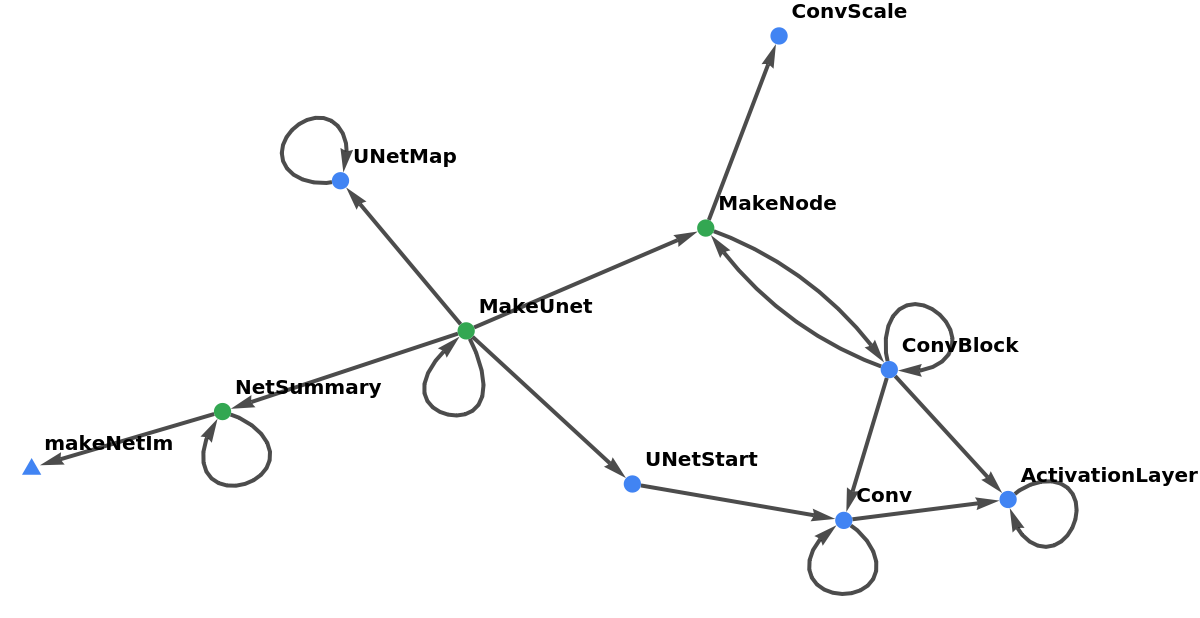
»
LegendPublic function Private function

The internal Make node function
The internal Make node function
MakeNode with options
MakeNode with options
In[]:=
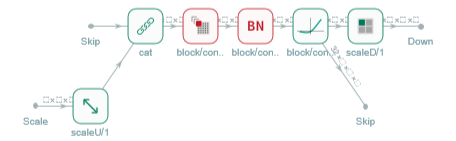
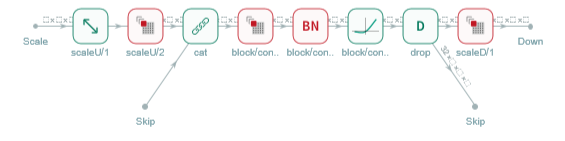
scale={2,2};(*{inputscaling,outputscaling}*)skipConn={1,True};(*{numberofinputskipconnetions,outputskipconnnectionyes/no}*)conf={"Conv",{32,16},{"GELU",3}};(*nodeconfiguration*)
In[]:=
netIm@MakeNode[scale,skipConn,conf]netIm@MakeNode[scale,skipConn,conf,DropoutRate->.5,RescaleMethod->"Conv"]
Out[]=
Out[]=
Node configurations
Node configurations
Turn scaling on or off
netIm@MakeNode[#,skipConn,conf]&/@{{2,2},{2,1},{False,False}}
Out[]=

Change number of input skip connections and change names of output connections
netIm@MakeNode[scale,#,conf]&/@{{1,True},{1,False},{2,True},{3,2}}
Out[]=
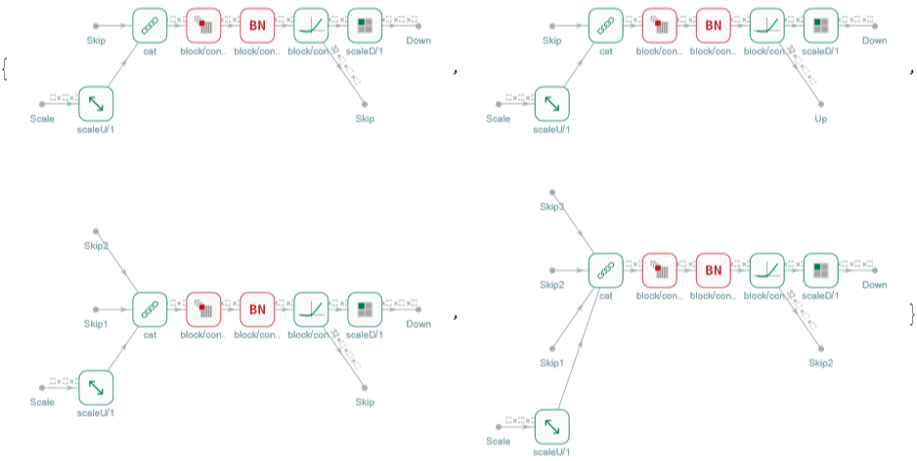
Change the node type
Grid[{#,netIm@MakeNode[{1,1},{0,True},{#,{32,16},{"GELU",3}}]}&/@{"Conv","UNet","ResNet","DenseNet","Inception","U2Net"},Alignment->{Left,Top}]
The default node Settings
Debugging MakeNode
Debugging MakeNode
Using MakeUnet
Using MakeUnet
Make a Unet
Make a Unet
Summarize a Unet
Summarize a Unet
Change the network Depth
Change the network Depth
Debugging
Debugging
Configure MakeUnet
Configure MakeUnet
Example configurations
Example configurations
Show all configurations - takes a while
Show all configurations - takes a while
CITE THIS NOTEBOOK
CITE THIS NOTEBOOK
Demonstration of MakeUnet to generate various UNET architectures
by Martijn Froeling
Wolfram Community, STAFF PICKS, August 21, 2024
https://community.wolfram.com/groups/-/m/t/3253101
by Martijn Froeling
Wolfram Community, STAFF PICKS, August 21, 2024
https://community.wolfram.com/groups/-/m/t/3253101