In Mathematica 12.3, a new data structure like lists and integers was added, namely Trees. In this project, I use these new structures and the way that they are defined to allow for substitution systems to act on the leaves, as well as probabilistic substitutions and other kinds of substitutions to be done.
Introduction
Introduction
Mathematica 12.3 added a new data structure, Trees. They are quite versatile and relatively easy to define, and for me, they were very intuitive.
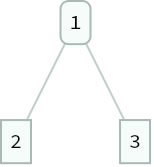
An example tree, where the root vertex is 1 and the leaves are 2 and 3:
In[]:=
Tree[1,{2,3}]
Out[]=
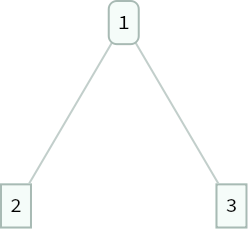
Trees are defined as a head vertex, and then a list of leaves. Any of these elements can be of (almost) any type, so we can put strings in the root vertex or even trees as leaves:
In[]:=
Tree["string",{Tree[1,{2,3}],{"x","y","z"}}]
Out[]=
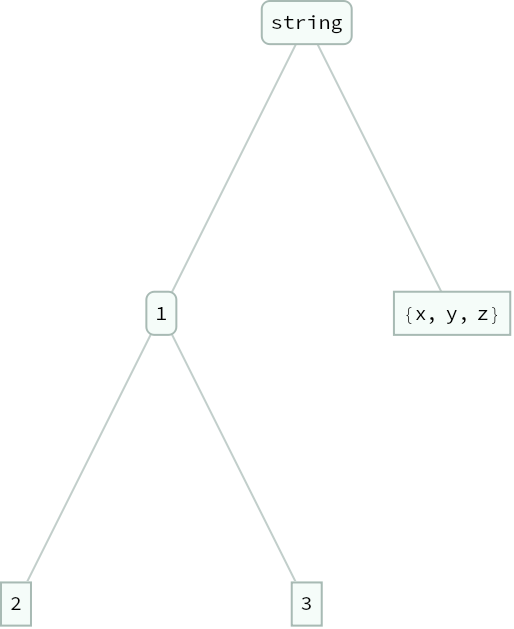
Now, due to how new the trees are, some things had to be done not on the Tree data structure themselves, but a placeholder type that does not evaluate. For the purposes of my project, I used an expression named "tree" to differentiate, so Tree is the real thing and "tree" is the placeholder. One thing to note is that Trees have an interesting structure when shown with FullForm:
In[]:=
Tree[1,{"string",2}]//FullForm
Out[]//FullForm=
Tree[1,List[Tree["string",None],Tree[2,None]]]
Every leaf is represented as a Tree with no leaves of its own, which will prove to be useful below.
Basic Functions
Basic Functions
Let's start out by defining a tree and some rules to be used for the rest of this essay. Using integers is easiest for demonstration purposes, so here is the tree:
exampletree=tree[1,{tree[1,{tree[2,None],tree[3,None]}],tree[4,{tree[2,None]}],tree[1,None]}];showTree[exampletree]rules={1->4,2->{3,4},3:>RandomChoice[{0.6,0.4}->{{1,2},{5,6}}],(*:>/RuleDelayedsothattherandomnessiseffective*)4:>RandomChoice[{1/3,1/3,1/3}->{{1},{2},{3}}]};
Out[]=
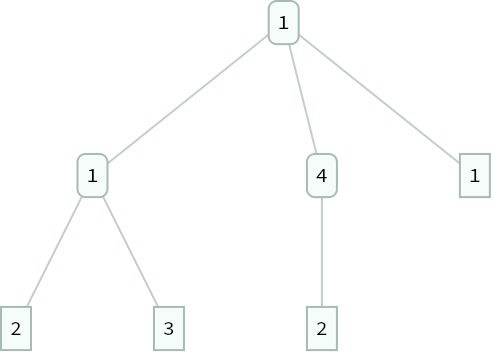
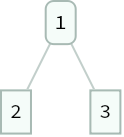
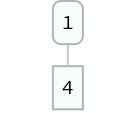
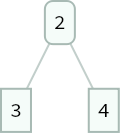
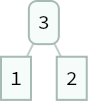
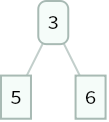
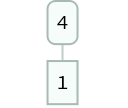
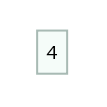
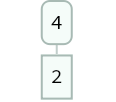
For two of these rules in particular, namely the third and fourth, these give random results, according to weights; the replacement is similar to following a path on a Markov chain. These are inputted as weightsvalues, so the third rule would give a 60% chance of returning {1,2} and a 40% chance of returning {5,6}.
This next function turns each normal rule into a "tree rule", where instead of replacing an integer with a list it replaces a leaf labeled with the integer with a tree built from the list. The With[] in the third definition is a trick that I wasn't familiar with, called the Trott-Strzebonski trick, which inserts evaluated expressions without evaluating what is around them.
The delayed rules are mainly used for RandomChoice, where you can have a choice between two ore more subtrees (with weights) as the next step:
In[]:=
toTreeRule[a_->{b___}]:=tree[a,None]->tree[a,tree[#,None]&/@{b}]toTreeRule[a_->b_]:=toTreeRule[a->{b}]toTreeRule[a_:>RandomChoice[w___->{b___List}]]:=tree[a,None]:>With[{eval=tree[a,tree[#,None]&/@RandomChoice[w->{b}]]},eval/;True]
It's also quite useful to define some visualization functions. To show the "tree" is just a matter of replacing each tree in the expression with Tree, as the two have the same structure. This does bring up the reason that this can't be done with Tree structures, as "tree"s do not evaluate, while Trees do; this means that replacement rules and similar operations cannot be used on Trees. Showing a rule or list of rules is a bit more involved, but works well.
In[]:=
ruleToList[rule_Rule]:={rule〚1〛,rule[[2]]}(*A helpful function for displaying random rules*)showTree[tr_tree]:=tr/.tree->TreedisplayRules[rule_Rule]:=showTree/@(tree[rule〚1〛,None]->Evaluate[toTreeRule[rule]]〚2〛)displayRules[rule_RuleDelayed]:=#〚1〛->{showTree/@toTreeRule[rule[[1]]->#〚2〛]}&/@(Transpose[ruleToList[(rule/. RandomChoice->HoldForm[RandomChoice])[[2,1]]]])displayRules[rules_List]:=displayRules/@rules
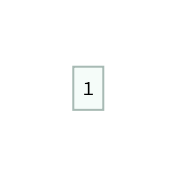
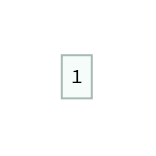
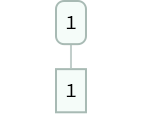
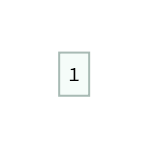
An example for both normal and delayed rules:
In[]:=
displayRules[1->{2,3}]displayRules[1:>RandomChoice[{.75,.25}->{{1},{2,3}}]]
Out[]=
Out[]=
0.75
,0.25
Final Function
Final Function
With all of these functions, we now have the tools to make the main function to replace leaves. The general structure is replacing in the "tree", which is where the earlier leaf notation in the introduction comes in useful. Say we wanted to specifically replace a leaf labeled with the integer 1; if we just replaced 1, then higher levels of the tree could be modified. By explicitly replacing tree[1,None], this only applies to the leaves, which is the desired result.
Using Nest[] to repeatedly replace according to the given rules:
In[]:=
replaceTreeLeaves[tr_tree,irules:(_List|_Rule|_RuleDelayed),t_Integer:1]:= Module[{rules=If[ListQ[irules],irules,{irules}]},Nest[ReplaceAll[#,(toTreeRule/@rules)]&,tr,t]]
The module is to check the rules based on the amount; if there is only one rule, the function converts it to a list so that it can interpret it easier. The amount of steps can be specified, and using either 5 or 10 usually gives the best results.
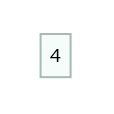
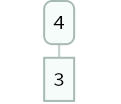
If we use our rules and tree from earlier, running for 5 steps, we get this:
I'll also include the rules here for reference.
In[]:=
displayRules[rules]showTree[replaceTreeLeaves[exampletree,rules,5]]

,

,0.6

,0.4

,
1
3

,
1
3
,
1
3
Out[]=
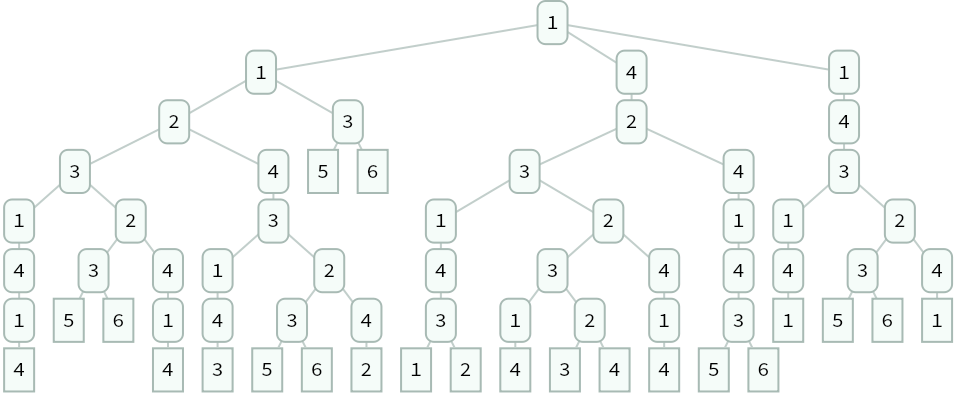
One interesting thing to note is that due to the random aspects of these rules, we can do this multiple times to see different results:
Running the function three times with the same tree and rules:
In[]:=
Row@Table[showTree[replaceTreeLeaves[exampletree,rules,3]],3]
Finally, a longer case for fun:
Using 10 iterations this time (originally 20, but it was a slideshow):
Future Ideas/Extensions
Future Ideas/Extensions
In future, I have multiple extensions in mind for this project:
◼
I'd like to use more Trees and use less placeholder variables, but that might need to wait for a future Mathematica update.
◼
Using NestTree[] can give similar results, so recreating this code using that function would be nice.
◼
I want to see if I can find any particularly interesting or useful applications of this project, and any nice visualizations.
Acknowledgements
Acknowledgements
I would like to thank all of the directors, TAs and mentors at the Wolfram Summer Camp for holding the camp, and my mentor, Peter Barendse, for helping with my project and code.
Keywords
Keywords
◼
Tree Graphs
◼
Graph Theory
◼
Substitution Systems