I will discuss how to find the border coordinates between two countries. For example, let’s consider Iran.
Show polygons of Iran and its bordering countries in different styles:
In[]:=
GeoGraphicsEdgeForm[Black],["Polygon"],FaceForm[Red],EntityValue["BorderingCountries"],"Polygon"
Out[]=
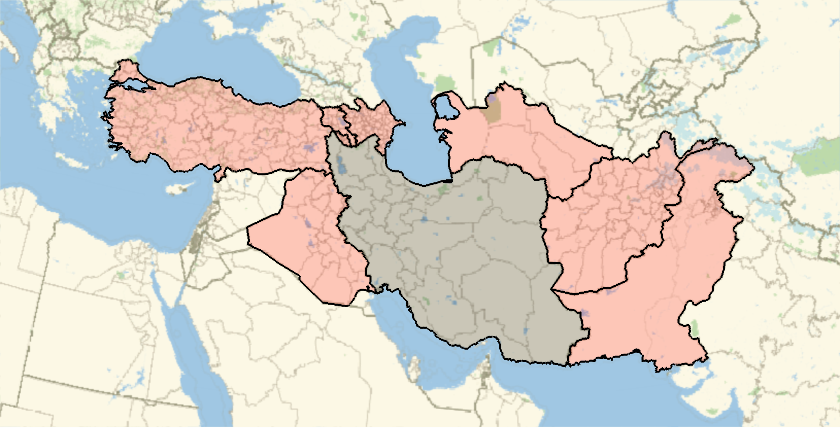
Extract the coordinate lists for all boundaries of Iran:
In[]:=
boundaryIR=CountryData,"FullCoordinates";
Note that the result for any country is a list of many sublists. In other words, we have a structured data (e.g., a country with islands has more complexity).
Dimensions of boundaryIR:
In[]:=
boundaryIR//Dimensions
Out[]=
{48}
If one kills the structured formatting, the final result would be ugly.
Apply GeoPath and then GeoGraphics on boundaryIR and flatten form of boundaryIR
In[]:=
GeoGraphics[{Thick,GeoPath[#]},ImageSizeMedium,FrameTrue]&/@{boundaryIR,boundaryIR//Flatten[#,1]&}//Row
Out[]=
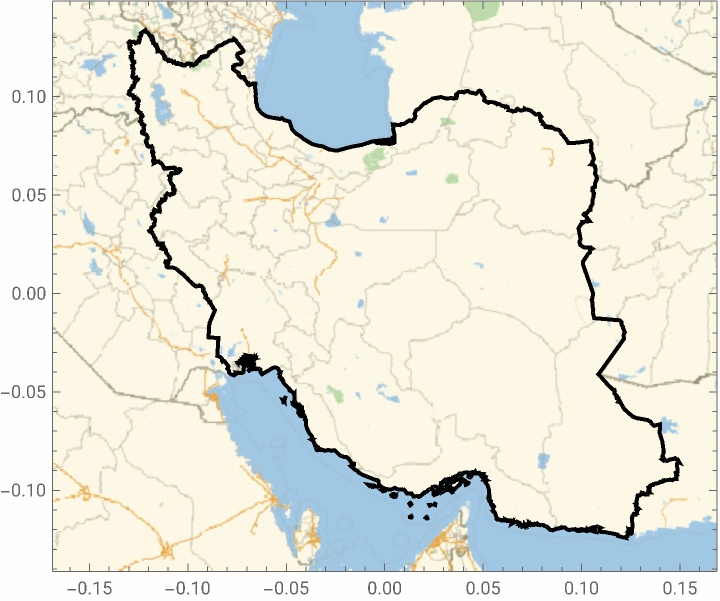
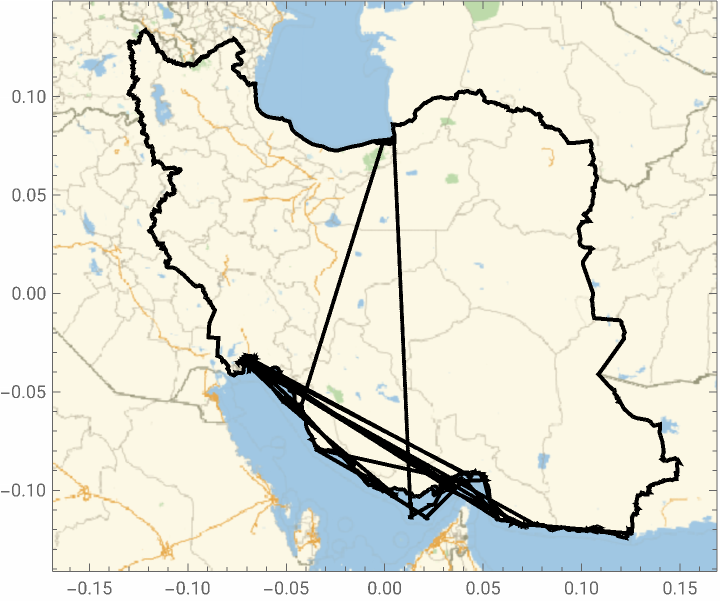
The same problem appears when we find the intersection of boundary lines of two countries (which will be the border coordinates), because in order to find the intersection, we need to flatten out the data. For example, let us find Iran-Iraq border.
Extract the latitude, longitude lists for all boundaries of Iran
In[]:=
boundaryIQ=CountryData,"FullCoordinates";
Dimensions of boundaryIQ:
In[]:=
boundaryIQ//Dimensions
Out[]=
{2}
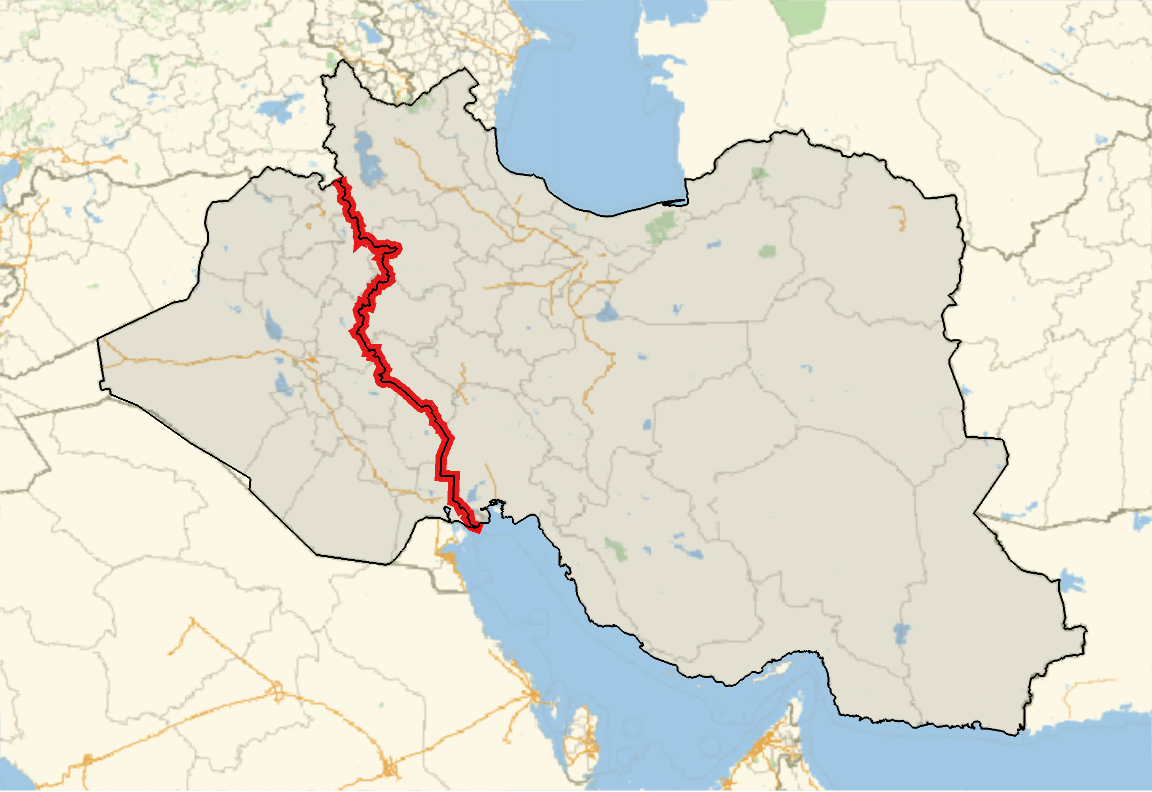
Flatten out boundaryIQ and boundaryIR to level 1, find common locations, then show the shortest path (geodesic) between them:
In[]:=
Intersection[Flatten[boundaryIQ,1],Flatten[boundaryIR,1]]//GeoPath//GeoGraphics[{Thick,#},ImageSizeLarge,FrameTrue]&
Out[]=
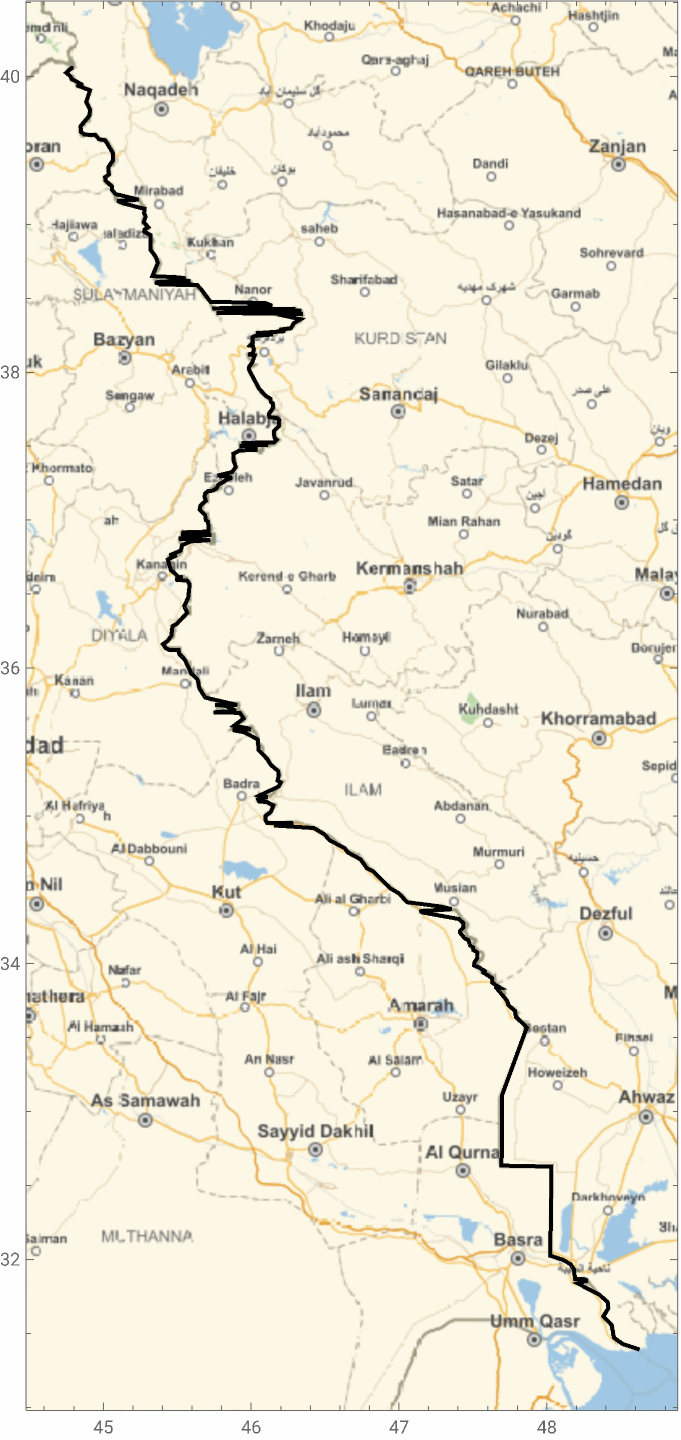
As you may noticed, there are some ugly features (strange ziczac jumps) in the border. To avoid this problem, we need to preserve the original structure (which is encoded in boundaryIR or boundaryIQ. To do so, after finding the common locations, we should find their positions in the original lists. The final result is {location coordinates, {pos1,pos2}} where pos1 represents what sublist and pos2 where in each sublist.
For common locations, return a list with the first element the original location and 2nd one the location position in the boundary result of Iran (boundaryIR):
In[]:=
{#,First[Position[boundaryIR,#]]}&/@Intersection[Flatten[boundaryIR,1],Flatten[boundaryIQ,1]]
Out[]=
Gather data based off the part {2,1} of each element:
In[]:=
GatherBy[%,#[[2,1]]&]
Out[]=
We know define a pure function that sort the above data based off the 2nd subpart of 2nd part, then result the first element of each sublist.
In[]:=
sorting[list_]:=SortBy[list,#[[2,2]]&][[All,1]];
Sort the data based off the 2nd subpart of 2nd part, then result the first element of each sublist:
In[]:=
sorting/@%%
Out[]=
In[]:=
GeoGraphicsRed,Thickness[.01],GeoPath[%],EdgeForm[Black],FaceForm[Gray],Polygon/@,,ImageSizeLarge
Out[]=
Defining a border function
Defining a border function
Now we define a handy function that returns coordinates of the border between two countries.
border[reg1_,reg2_]:=Module[{boundary1,boundary2,ref,index0,index1,psRef},(*boundarycoordinates*)boundary1=CountryData[reg1,"FullCoordinates"];boundary2=CountryData[reg2,"FullCoordinates"];(*picktheonewithlesscomplexityasthereference*)ref=MinimalBy[{boundary1,boundary2},Length][[1]];(*findtheindexofintersectioncoordinateswrttheref*)index0=Flatten@Position[ref,#]&/@Intersection[Flatten[boundary1,1],Flatten[boundary2,1]];(*groupindexesbythefirstelememnt,thenforeachsubset,findpotentialclustersthatcouldhappenifthereisadisjointinthebordersuchasIran-AzerbaijanorChina-Russiaborders*)index1=GroupBy[index0,FirstLast,FindClusters[Sort[#],Method"NeighborhoodContraction"]&];(*findcorrespondingcoordinatesforthegroupedindexes*)psRef[x_,y_]:=ref[[x,y]];KeyValueMap[Outer[psRef,{#1},#2]&,index1]//Flatten[#,2]&]